Top CMMS Implementation Mistakes Companies Make

Connect with Industry Experts, Share Solutions, and Grow Together!

Join Discussion Forum
top-cmms-implementation-mistakes

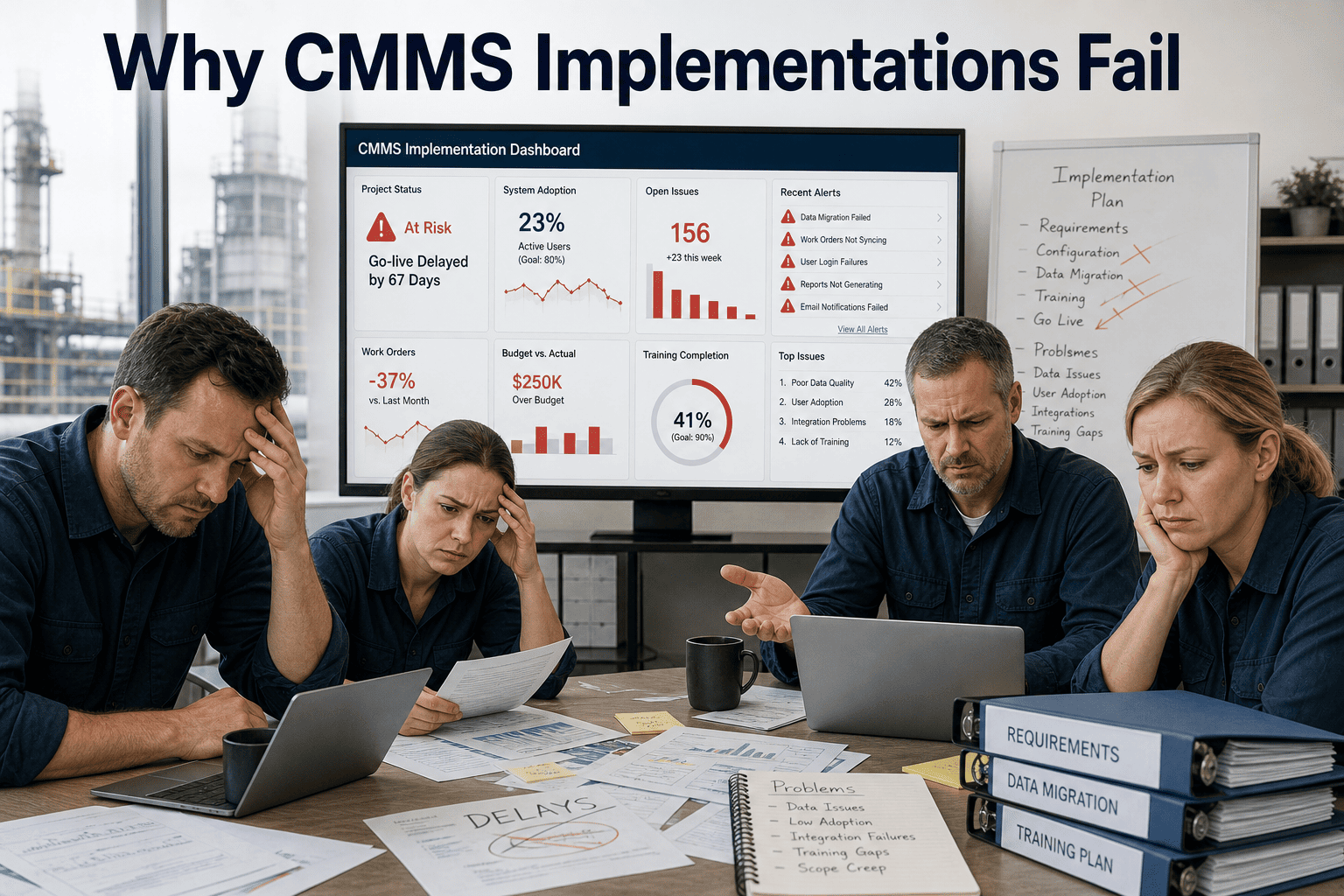
The CMMS graveyard is full of systems that were technically sound but practically abandoned. The software worked. The implementation did not. Poor rollout decisions — rushed data migration, undertrained technicians, overcomplicated workflows, ignored KPIs — turn a strong maintenance platform into an expensive piece of shelfware within six months of go-live. This guide covers the most damaging CMMS implementation mistakes and how to avoid every one of them so your rollout actually sticks.

Mistakes and Solutions Guide · High Intent

Top CMMS Implementation Mistakes — and How to Avoid Them

Most CMMS projects fail in the first 90 days. The failure mode is almost never the software. It is the rollout decisions made before and during go-live.

70%
CMMS projects underdeliver on initial ROI expectations
6 mo
Average time before abandoned CMMS projects are formally declared failures
More likely to succeed when a dedicated implementation lead is assigned
40%
Of CMMS data entered at launch is inaccurate or incomplete within 12 months
What Is CMMS Implementation Risk

Why Good Software Gets Abandoned — the Real Reason

CMMS implementation is not a software installation event. It is an organizational change process wrapped around a software deployment. The technical setup — loading assets, configuring workflows, connecting integrations — is the easy part. The hard part is getting maintenance technicians, managers, contractors, and administrators to change how they work, every day, consistently enough that the system becomes the source of truth rather than a parallel burden alongside the old spreadsheet habits.

Organizations that treat implementation as a single go-live event without a structured adoption plan consistently hit the same wall: data quality degrades, workarounds proliferate, and within six months the CMMS is used for reporting purposes only while actual work management reverts to email and whiteboards. Understanding the specific failure patterns — and their solutions — is what separates implementations that deliver ROI from those that become cautionary tales.

Oxmaint is built specifically to minimize implementation friction — no heavy onboarding, live in days, mobile-first workflows that technicians actually use — start a free trial to experience the difference, or schedule a demo and see how we handle rollout for multi-site operations.

The Implementation Success Checklist
Dedicated implementation lead assigned before software purchase
Asset data audit completed before migration begins
KPIs defined before go-live, not after
Technician training completed with mobile walkthrough
Workflows mapped to existing job functions, not rebuilt from scratch
30-day post-launch review scheduled at go-live
Core Concepts

The 8 Phases Where Implementation Goes Wrong

Phase 1
Scoping and Planning

Skipping a formal requirements review means the system is configured for an idealized workflow rather than the actual one your team uses. Map real processes first, then configure.

Phase 2
Data Migration

Migrating dirty data produces a dirty CMMS. Asset records missing installation dates, warranty info, or condition baselines degrade every report and PM schedule derived from them.

Phase 3
Workflow Configuration

Overcomplicated workflows trigger workarounds. If logging a work order requires more steps than just fixing the problem, technicians stop using the system within weeks.

Phase 4
Role and Permission Setup

Undifferentiated access or excessive admin bottlenecks both kill adoption. Every role must have the right access — enough to do their job, not so much that errors proliferate.

Phase 5
Training and Onboarding

One-time training sessions with no follow-through create initial competence that evaporates under pressure. Training must be hands-on, mobile-focused, and role-specific.

Phase 6
Go-Live and Early Adoption

Going live with all modules simultaneously overwhelms users. A phased rollout — work orders first, then PM, then reporting — builds competence and confidence progressively.

Phase 7
KPI Definition and Tracking

Without defined success metrics, there is no signal telling you whether adoption is real or whether the system is being used superficially while actual work management happens elsewhere.

Phase 8
Long-Term Data Governance

Data quality degrades without ownership. Assign someone to quarterly data audits — duplicate assets, stale PM schedules, incomplete records — or the system loses accuracy over time.

Most CMMS failures are not software problems. They are change management problems disguised as software problems.

The 6 Biggest Failure Patterns

What Actually Kills CMMS Adoption

01
Dirty Data Migration
The Problem: Asset records are copied from spreadsheets without cleaning — duplicates, missing installation dates, unknown warranty status, no condition baseline. Every report and schedule built on this data inherits the errors.
The Solution: Run a data audit before migration. Remove duplicates, fill in critical fields for high-value assets first, and set a data quality standard before import. Accept that not every record will be complete at launch — prioritize accuracy over comprehensiveness.
02
No Technician Buy-In
The Problem: CMMS is selected and configured by management without involving the technicians who will use it daily. When the system does not match how techs actually work, they find workarounds and adoption collapses.
The Solution: Include two or three senior technicians in the configuration process. Their feedback on workflow steps, mobile usability, and logging friction is more valuable than any vendor demo. Oxmaint's mobile-first design was built specifically based on this input.
03
Overcomplicated Workflows
The Problem: Every possible edge case is built into the standard work order workflow. What should be a three-step process becomes an eight-step form with mandatory fields that do not apply to most jobs.
The Solution: Configure for the 80% use case first. Advanced fields and exception workflows can be added after adoption is established. Complexity added before adoption is complexity that kills adoption.
04
No KPIs Defined at Launch
The Problem: Without success metrics defined before go-live, there is no way to know whether the system is working. MTTR, PM compliance rate, reactive-to-planned ratio, and cost-per-work-order are all invisible without pre-defined targets.
The Solution: Define four to six KPIs before go-live. Set a baseline from the first 30 days. Review at 90 days. This creates the feedback loop that sustains improvement and gives management visibility into whether the investment is delivering.
05
Big Bang Rollout
The Problem: All modules — work orders, PM scheduling, inventory, reporting, contractor management — are launched simultaneously. Users are overwhelmed, errors compound, and the system feels like a burden rather than a tool.
The Solution: Phase the rollout. Work orders first, PM scheduling at 30 days, inventory and reporting at 60 days. Each phase builds user confidence and data quality before the next layer adds complexity.
06
No Post-Launch Data Governance
The Problem: Data quality degrades naturally as the team grows, assets change, and PM schedules go stale. Without quarterly audits, the CMMS becomes less useful over time rather than more.
The Solution: Assign a data owner from day one. Build a quarterly review into the maintenance calendar. Flag assets with incomplete records, review PM completion rates, and update condition scores on high-value equipment every cycle.

Teams that address these six failure patterns before go-live report 3x higher adoption at the 90-day mark — start a free trial and see how Oxmaint's onboarding is designed to prevent each of these failure modes by default, or schedule a demo to see the rollout process for your operation size.

Before vs After — Implementation Done Right

Reactive Rollout vs Planned Implementation

Implementation Area Reactive Rollout — Common Mistakes Planned Rollout — Oxmaint Approach
Data Migration Raw export from spreadsheets, no cleaning, duplicates imported Pre-migration audit, critical fields validated, phased import
Technician Training One group session, desktop-focused, no follow-up Role-specific, mobile-first, with 30-day check-in built in
Workflow Complexity All fields mandatory, every edge case in standard form Core workflow simple, advanced fields added post-adoption
KPI Tracking KPIs identified after go-live, no baseline captured 4–6 KPIs defined pre-launch, 30-day baseline established
Module Rollout All modules live simultaneously on day one Work orders first, PM at day 30, full suite at day 60
Data Governance No data owner, quality degrades unmonitored Quarterly audit schedule, assigned data owner, automated flags
ROI and Results

What a Clean Implementation Delivers

Higher 90-day adoption
When phased rollout is used versus big-bang go-live
60%
Fewer data errors at 12 months
Operations that completed pre-migration audit versus those that did not
Days
Time to go live with Oxmaint
Not weeks or months — implementation friction is the primary adoption killer
85%
PM compliance rate
Achievable within 90 days when workflows match technician job reality

Implementation is not the finish line. It is the starting line. The ROI compounds every quarter that adoption holds.

Frequently Asked Questions

CMMS Implementation — What Teams Ask Before Committing

How long should CMMS implementation realistically take?
For a mid-size operation with 200 to 1,000 assets, a phased implementation takes 30 to 60 days from contract to full operational use. Core work order management can be live within days. PM scheduling and reporting layers are added over the following weeks. With Oxmaint specifically, the mobile-first design and simplified onboarding bring that initial go-live timeline down to days, not weeks — which is critical because every week of delayed adoption is a week of continued reactive maintenance costs.
What is the minimum data needed to launch a CMMS effectively?
Launch with a clean list of your highest-priority assets — typically 20 to 30% of your total asset count that represents 80% of your maintenance cost. For each asset, collect: location, make and model, installation date, and current condition estimate. This is enough to build an initial PM schedule and begin capturing work order history. Remaining assets can be added progressively as part of a phased data migration, rather than delaying go-live until all data is perfect.
How do you prevent technicians from reverting to spreadsheets after go-live?
Three factors drive reversion: the system is harder to use than the old method, managers do not enforce the new workflow, or the system does not actually help technicians do their jobs faster. Address all three by selecting a mobile-first CMMS with minimal logging friction, making CMMS use the required process for work order creation and closure, and measuring technician adoption by name in the 30-day and 90-day reviews. When managers can see who is using the system and who is not, adoption accountability becomes actionable.
Which KPIs should be tracked in the first 90 days of CMMS use?
Start with four: PM compliance rate (percentage of scheduled PMs completed on time), reactive-to-planned ratio (what share of work orders were unplanned), mean time to repair per asset class, and work order completion rate within target window. These four metrics reveal adoption quality, schedule adherence, technician efficiency, and operational improvement simultaneously. Baseline them in the first 30 days and review at 90 days to validate whether the implementation is delivering the expected shift toward planned maintenance.
Implementation Done Right

Do Not Let a Flawed Rollout Kill a Good Investment

Oxmaint is built so your team is using it properly within days — not fighting it for months.

  • Mobile-first workflows technicians actually use
  • Phased rollout built into the onboarding process
  • Real-time dashboards for adoption tracking from day one

Live in days. Measurable results in 30. No heavy implementation required.
By Jack Edwards

Experience
Oxmaint's
Power

Take a personalized tour with our product expert to see how OXmaint can help you streamline your maintenance operations and minimize downtime.

Book a Tour

Share This Story, Choose Your Platform!

Connect all your field staff and maintenance teams in real time.

Report, track and coordinate repairs. Awesome for asset, equipment & asset repair management.

Schedule a demo or start your free trial right away.

iphone

Get Oxmaint App
Most Affordable Maintenance Management Software

Download Our App