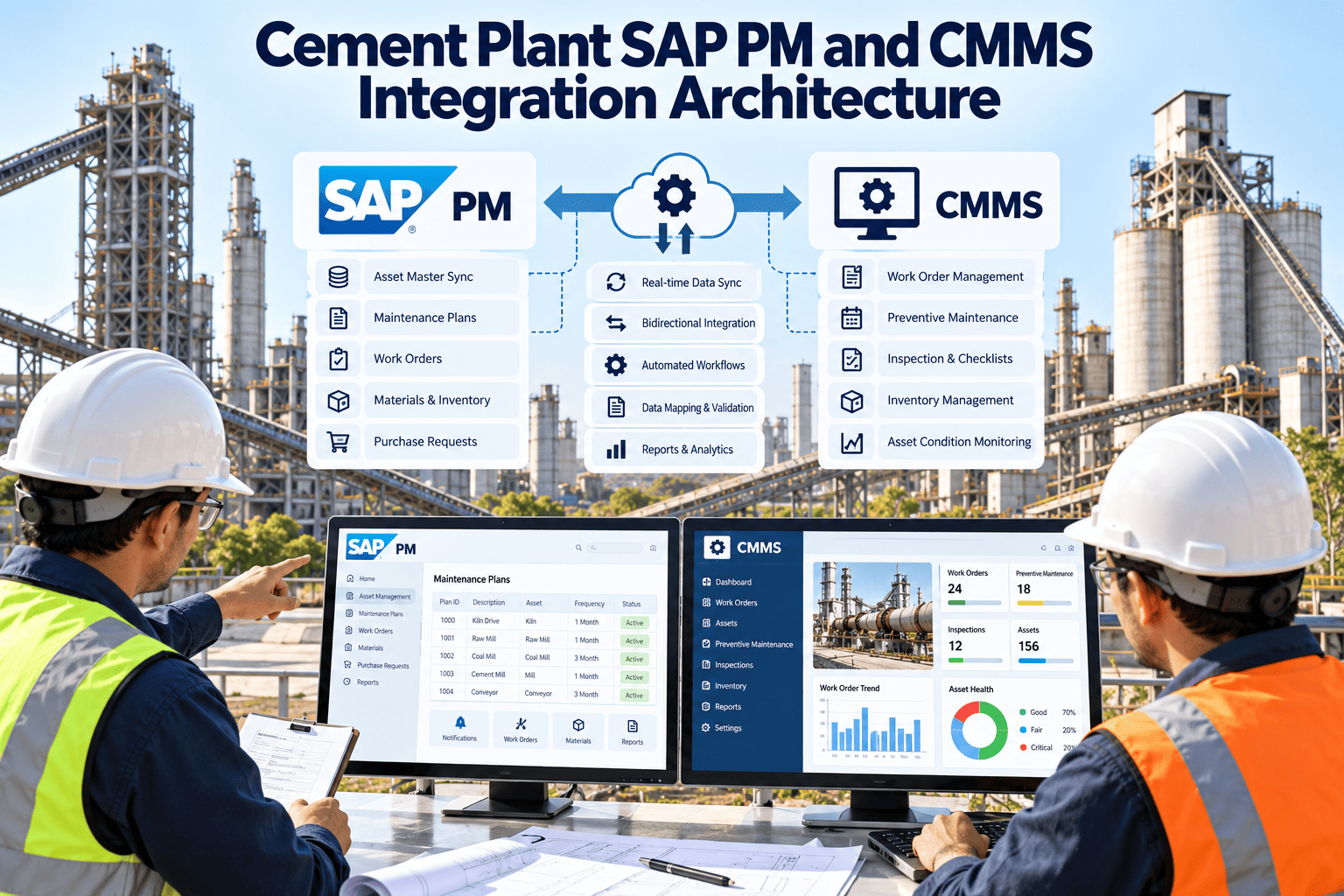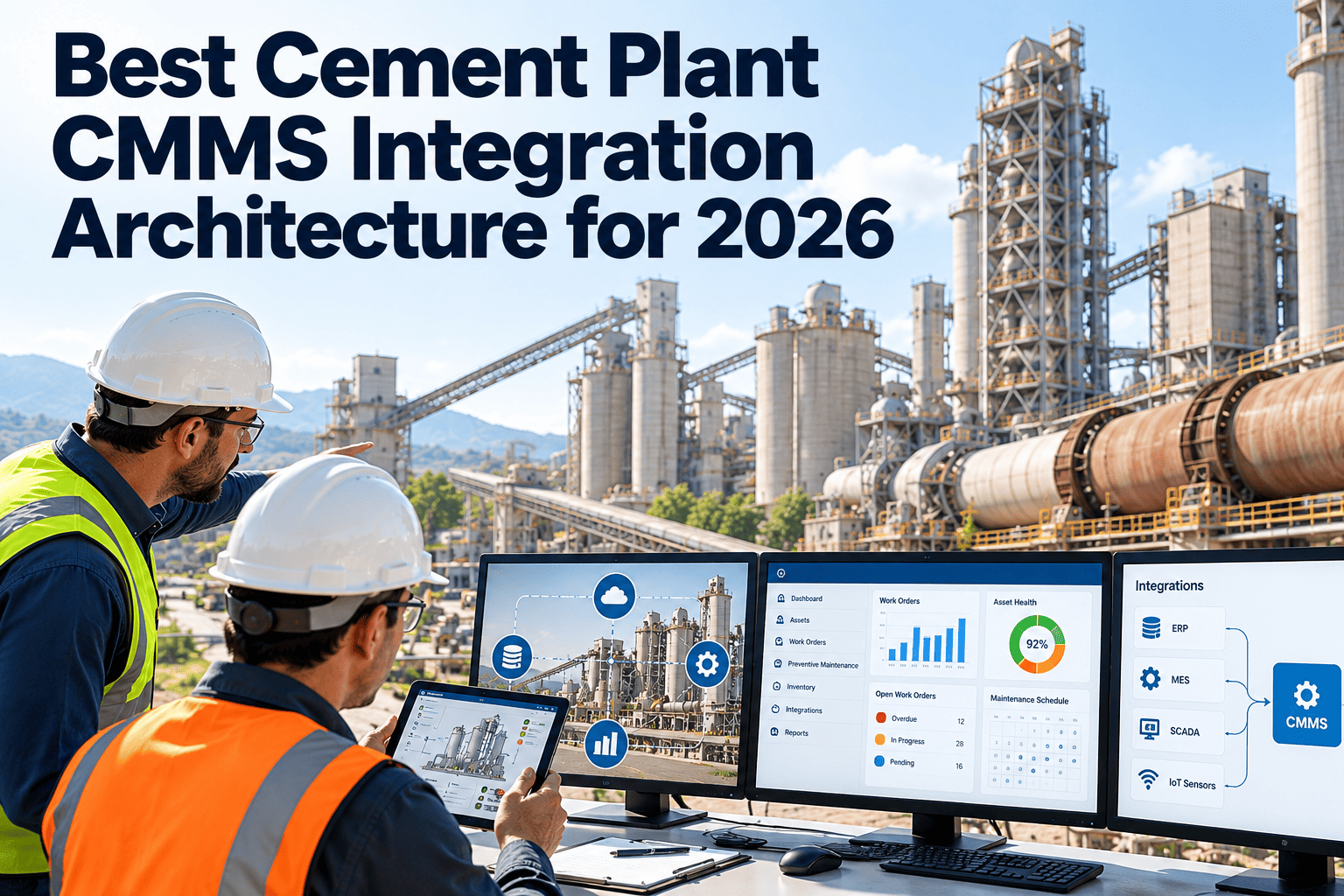
A cement plant CMMS delivers the most value when it shares data with the systems around it: ERP, process control, historians, condition monitoring, procurement and mobile devices. The wrong integration design creates duplicate entry, stale asset data and fragile connections that break at every upgrade. The right one is chosen by looking at data ownership, latency, security and long-term maintainability, not only at connector lists. This guide compares common architecture patterns for cement plants in 2026 and shows where Oxmaint maintenance management software fits into a maintenance data landscape.
Best Cement Plant CMMS Integration Architecture for 2026
Compare integration patterns for ERP, SCADA, historian, condition monitoring and mobile workflows across kilns, mills, coolers and utilities
Why Cement Plants Need an Integration Plan, Not Just a Connector List
Cement plants run continuous, capital-intensive processes. Kilns, mills and coolers generate data constantly, while maintenance decisions depend on both process condition and business records.
- Duplicate entryParts, assets and costs are keyed into several systems by different teams.
- Disconnected alarmsCondition alerts live in one tool, while work is planned in another.
- Inconsistent asset dataEquipment names and hierarchies differ between ERP, CMMS and monitoring systems.
- Delayed cost visibilityMaintenance spend appears in finance reports long after the job is done.
- Fragile custom linksPoint-to-point scripts break when any one system is upgraded.
Weak and Strong Integration Outcomes
Weak architecture
- Custom scripts for each connection
- No owner for the asset master record
- Manual file exports between systems
- Credentials shared across tools
- No monitoring of failed data transfers
Strong architecture
- Defined interfaces with version control
- One agreed source for each data type
- Automated, logged data exchange
- Role-based access and secure authentication
- Alerts for failed or delayed transfers
Four Integration Patterns Compared
No single pattern fits every plant. The table compares typical options so teams can match the choice to their systems, staff and risk tolerance.
| Pattern | How it works | Strengths | Limitations | Best fit |
|---|---|---|---|---|
| Point-to-point | Each system connects directly to the CMMS | Fast for one or two links | Grows complex and brittle as systems increase | Small scope with few systems |
| API-first | Systems exchange data through documented APIs | Clear contracts, easier testing and maintenance | Needs API skills and governance | Plants with modern ERP and cloud tools |
| Middleware or integration platform | A central layer transforms and routes data | Reusable mappings, central monitoring | Added cost and another platform to support | Multi-plant groups with many systems |
| Event-driven or message-based | Systems publish events and others subscribe | Near real-time exchange, loose coupling | Needs careful design and data quality controls | Condition alerts and sensor-driven work |
Choosing a Pattern: A Practical Decision Path
- 1List systems and data flowsIdentify each system, the data it owns and what the CMMS must read or write.
- 2Rank by business valueStart with flows that remove manual entry or support decisions, such as parts, costs and alerts.
- 3Check technical readinessConfirm which systems offer APIs, file exchange or standard industrial protocols.
- 4Match latency to the use caseAlarms may need near real-time exchange, while cost posting can run in scheduled batches.
- 5Assign ownershipName who maintains each interface and who responds when it fails.
Test Your Integration Needs Against a Working Maintenance Platform
Review asset, work order, inventory and reporting workflows and discuss your system landscape.
Core Integration Domains for a Cement Plant CMMS
ERP and finance
Asset registers, cost centers, purchase requisitions, stock valuation and work order cost posting. Decide which system owns each record.SCADA and historian
Run hours, starts, temperatures, pressures and alarms that can trigger inspections or condition-based work. Use read-only access wherever possible.Condition monitoring
Vibration, oil, thermography and shell scan results that create findings linked to the right asset.Procurement and suppliers
Requisition status, delivery dates and parts catalogs for kiln, mill and fan spares.Identity and access
Single sign-on and role mapping so permissions follow the user across systems.Mobile and field tools
Work orders, checklists, photos and barcode or tag scans captured at the equipment.Data Flow: From Sensor Reading to Closed Work Order
A well-designed architecture moves information through a clear chain, with an owner and a record at each stage.
- SignalSensor or process value is captured in SCADA or monitoring.
- ThresholdRule or analyst flags abnormal condition.
- NotificationAlert reaches the maintenance platform with asset reference.
- Work orderPlanner reviews, prioritizes and assigns the work.
- Parts checkInventory and procurement status are confirmed.
- Execution and closeTechnician records findings, time and parts used.
- Cost and historyCost posts to finance and history updates the asset.
Master Data: The Quiet Success Factor
Most integration projects fail on data, not technology. Agree on structure and ownership before building interfaces.
| Data type | Typical system of record | Key rule |
|---|---|---|
| Asset hierarchy | CMMS or ERP, depending on plant policy | One unique ID per asset, used across all systems |
| Functional locations | CMMS or ERP | Consistent structure from plant to equipment level |
| Spare parts catalog | ERP or inventory system | No duplicates, with manufacturer part numbers |
| Work order history | CMMS | Failure codes and causes used consistently |
| Sensor tags | SCADA or historian | Mapped to the asset ID in the CMMS |
| Cost data | ERP or finance | Posting rules agreed with finance and maintenance |
Security and Operational Technology Boundaries
Connecting maintenance systems to plant data must not weaken control system security. Involve IT and OT teams from the beginning.
- Segregate networksPlace a controlled boundary between plant control networks and business or cloud systems.
- Prefer one-way or read-only accessThe maintenance platform should read process data, not write back to control systems.
- Use least privilegeGive each integration only the permissions it needs.
- Secure credentialsUse managed secrets and rotate keys on a schedule.
- Log and monitorKeep audit trails of data exchange and alert on failures.
- Review vendor practicesAsk about hosting, encryption, access control and relevant security certifications.
Trends Shaping Cement Integration in 2026
Evaluation Criteria When Comparing CMMS Options
When comparing platforms, ask questions that reveal how integration will work in your plant and not just whether a connection exists.
- Which APIs, import methods or standard protocols are supported, and how are they documented?
- Can asset hierarchies and parts catalogs be imported and kept in sync?
- How are failed transfers reported, retried and resolved?
- What access controls and audit logs exist for integration accounts?
- How does the platform handle sensor or alarm-triggered work orders?
- Does the mobile experience work in low-connectivity areas of a cement plant?
- What does the vendor provide for implementation, testing and ongoing support?
- How are upgrades handled so that existing interfaces keep working?
How Oxmaint Fits the Architecture
Oxmaint provides the maintenance layer: the place where assets, work, inspections, inventory and history are managed. Capabilities relevant to an integrated plant include:
- Asset management to structure kilns, mills, coolers, fans and utilities.
- Preventive and corrective work orders with full history.
- Inspections and checklists that capture condition findings.
- Inventory for spares, stock levels and reorder control.
- Mobile workflows for technicians and supervisors.
- Dashboards and reports for reliability and cost review.
Discuss supported integration methods, data import options and your own system landscape in a demo, and confirm them in writing before committing.
A Phased Integration Roadmap
Common Integration Mistakes
- Starting with technology selection before agreeing which system owns each data type.
- Connecting every available signal instead of the ones that support maintenance decisions.
- Skipping data cleanup, which spreads inconsistent asset names across every system.
- Giving the CMMS write access to control systems without a clear safety case.
- Leaving no owner for the interface after the project team moves on.
- Testing only the successful path and not failed, duplicate or delayed transfers.
- Ignoring offline and low-connectivity areas, where technicians still need to record work and sync it later.
- Buying integration features that the plant has no process, owner or budget to maintain over time.
Integration Use Cases in a Cement Plant
Concrete scenarios make architecture decisions easier. Each one shows which systems exchange data and what the maintenance team gains.
| Use case | Systems involved | Data exchanged | Maintenance benefit |
|---|---|---|---|
| Kiln drive vibration trend | Condition monitoring, CMMS | Alert, asset ID, trend values | Inspection work order raised before failure develops |
| Mill run hours for lubrication | SCADA or historian, CMMS | Running hours per asset | PM triggered by usage rather than calendar alone |
| Spare part reservation | CMMS, ERP inventory | Part number, quantity, work order | Parts confirmed before the job is scheduled |
| Maintenance cost posting | CMMS, ERP finance | Labor, parts and contractor cost | Cost visibility by asset and cost center |
| Contractor job closure | CMMS, procurement | Service entry, completion record | Faster approval and cleaner audit trail |
| Field inspection round | Mobile app, CMMS | Checklist results, photos, location | Findings reach planners the same shift |
Who Owns What: Governance for Integrated Systems
Integration needs clear responsibility. Without it, interface failures stay unnoticed until someone finds missing data.
- Maintenance leadershipDefines which data supports maintenance decisions and signs off on data rules.
- IT teamOwns business system interfaces, access management and support processes.
- OT or automation teamOwns control network boundaries, tag naming and plant data sources.
- Reliability engineeringDefines failure codes, alert rules and how findings become work.
- Stores and procurementOwns the parts catalog, stock rules and supplier data.
- FinanceAgrees cost structures and posting rules for maintenance spend.
Testing and Go-Live Checklist for Integrations
- Test with realistic volumes, including a busy shutdown week.
- Check that records match across systems after each transfer.
- Test failure cases such as a system offline, duplicate messages and invalid asset IDs.
- Confirm who receives failure alerts and what the response steps are.
- Validate permissions for each integration account and user role.
- Document each interface, including data fields, schedule, owner and rollback plan.
- Run a parallel period before retiring any manual process.
- Plan regression testing for each system upgrade.
Measuring the Value of Integration
Define measures before the project begins, so the team can show whether integration is improving maintenance work.
Multi-Plant and Group Considerations
Cement producers with several plants face extra design choices. A common structure helps comparison, while local flexibility supports different equipment and practices.
- Use one standard asset naming and failure code structure across plants.
- Allow plant-specific checklists and job plans within the shared framework.
- Roll out integrations to a pilot plant before copying the design to others.
- Consolidate reporting so group managers can compare reliability, cost and backlog.
- Consider differences in local regulations, languages and connectivity at each site.
- Agree a shared reporting calendar, so every plant closes work orders and posts costs in the same way.
- Keep a central catalog of approved spare parts and suppliers, while letting each plant hold its own stock levels.
- Review integration performance across plants each quarter and share fixes for recurring interface problems.
Frequently Asked Questions
What is the best integration approach for a cement plant CMMS?
It depends on your systems and skills. API-first or middleware designs are common for multi-system plants.
Should the CMMS connect directly to SCADA?
Usually through a historian or secure gateway, with read-only access and IT and OT approval.
Which data should be integrated first?
Start with assets, parts and costs. Try Oxmaint to structure the maintenance core.
How do we avoid duplicate asset records?
Name one system of record and use one unique asset ID. Book a demo to review your structure.
Can condition monitoring alerts create work orders?
Yes, if the alert carries a reliable asset reference and a reviewed rule decides what to raise.
Build a Cement Plant Maintenance Architecture That Lasts
Start with a clear asset, work and parts foundation, then connect the systems that matter.