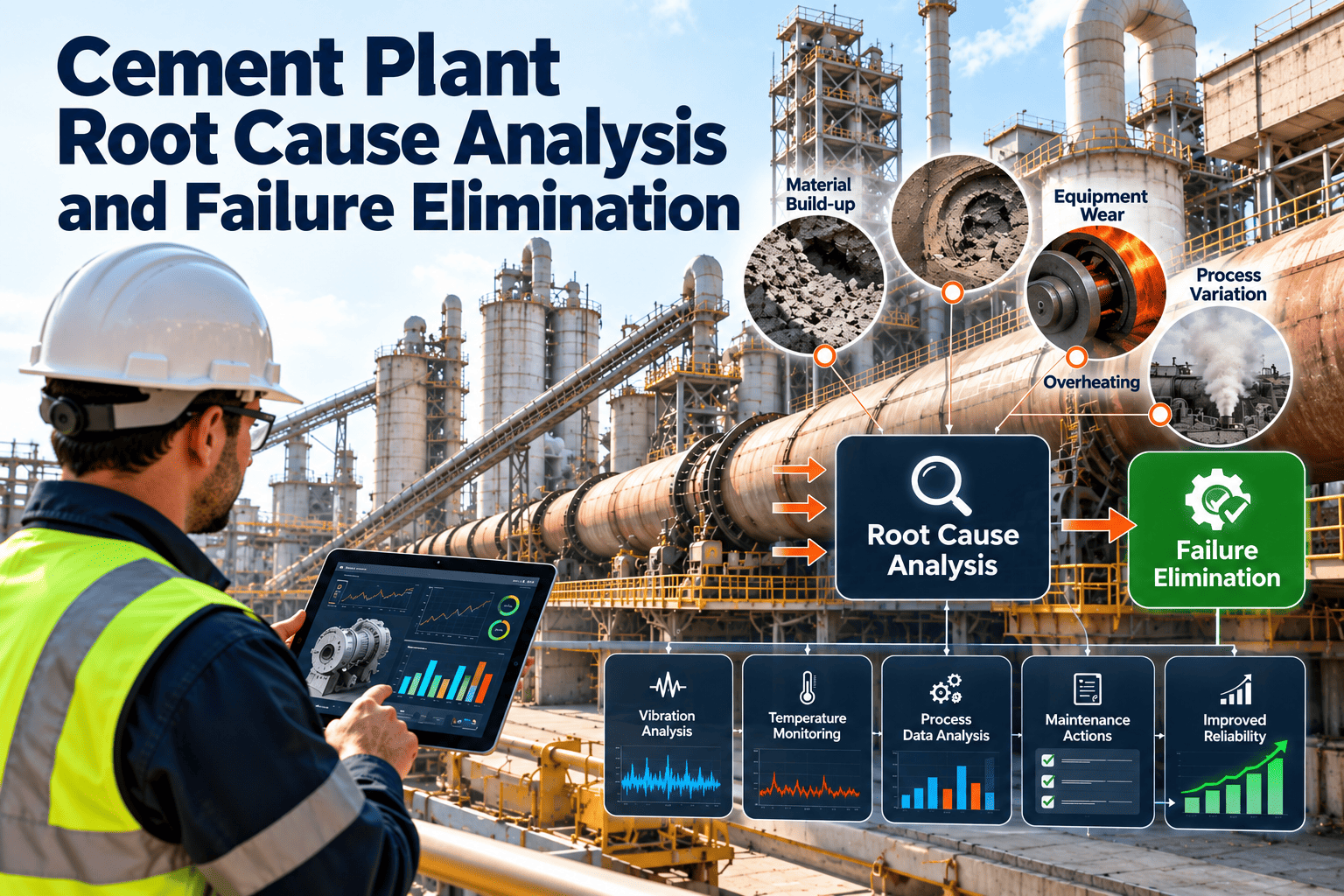
After a kiln drive trip or a mill gearbox failure, the root cause analysis often starts with a scramble. Someone searches for the last work order, someone else asks the control room for the trend, and the failed bearing may already be in the scrap bin. Conclusions then rest on memory and opinion. A root cause analysis data pack fixes this by deciding in advance what evidence is gathered, from where, and by whom, so every serious failure is investigated from facts. This guide describes a practical pack for cement plants, using Oxmaint maintenance management software to hold the maintenance evidence.
The Root Cause Analysis Data Pack for Cement Plants
Collect the right evidence before memories fade and parts are discarded, so investigations find causes, not just culprits, and corrective actions actually prevent repeat failures.
Why Investigations Stall Without Evidence
What the Pack Contains
| Section | Contents | Typical source | Collected by |
|---|---|---|---|
| A. Event summary | Asset, time, duration, production loss, safety or environmental effect, immediate actions | Shift report, stop log, work order | Shift supervisor |
| B. Timeline | Sequence of events from normal operation to restart, with times and sources | Control system alarms, operator notes, work order entries | Investigation lead |
| C. Process and condition data | Trends for load, temperature, vibration, current, pressure and flow before and after the event | Historian, monitoring system, inspection readings | Process or reliability engineer |
| D. Maintenance history | Past failures, repairs, inspections, lubrication, modifications and open defects on the asset | Maintenance system | Planner or reliability engineer |
| E. Physical evidence | Failed parts, photos, oil and grease samples, measurements, location of fragments | Site, workshop, laboratory | Technician and investigation lead |
| F. Analysis and actions | Method used, cause findings, evidence references, actions with owners and dates, verification plan | Investigation team | Investigation lead |
First Hours: Preserving Evidence
Deciding Which Failures Deserve a Full Investigation
Reconstructing the Timeline
| Time | Event or observation | Source | Confidence |
|---|---|---|---|
| Days before | Earlier warnings such as rising temperature, noise, oil leaks or overdue tasks | Inspection records, work orders, trends | Confirmed or reported |
| Hours before | Process changes, load changes, alarms, operator interventions | Control system, shift log | Confirmed from data |
| Event | Trip, shutdown or failure, with first alarm and first symptom | Alarm list, stop log | Confirmed from data |
| Response | Isolation, inspection, diagnosis, repair steps and decisions | Work order, permits, witness accounts | Confirmed or reported |
| Restart | Return to service, test results, readings after restart | Control system, inspection readings | Confirmed from data |
- Mark each entry as confirmed from data, reported by a person, or assumed, so that the analysis can see how firm each link in the chain is.
- Use one clock for all sources, and note any known offsets between the control system, the MES and handwritten notes.
- Include the quiet period before the event, because the earliest sign of the problem often sits well before the trip.
Questions to Ask Operators and Technicians
About the event
- What did you see, hear or smell before the trip or failure?
- What was the machine doing in the minutes before it stopped?
- Were there any changes in load, feed, fuel or settings that shift?
- Had you noticed anything unusual on earlier rounds?
- What did you do first, and what did you decide not to do?
About the system
- Was the procedure clear, available and practical in this situation?
- Did you have the tools, parts and access that you needed?
- Had this machine given trouble before, and what was done about it?
- Was there pressure to restart quickly, and how did it affect decisions?
- What would have made the problem easier to catch earlier?
- Ask open questions in a no-blame setting, because people share more useful detail when the aim is to understand the system rather than to find a person to criticise.
An Illustrative Example: A Gearbox Bearing Failure
This hypothetical example shows how the pack changes the conclusion, and is not data from a specific plant.
- The bearing is replaced and the cause is recorded as bearing failure
- The gearbox returns to service within the stop window
- The old bearing is discarded and no samples are kept
- Similar failures happen again within the year
- Photos and the retained bearing show heat damage and lubricant breakdown
- Trends show a slow temperature rise, and the history shows a missed oil task
- The system cause is a lubrication task with no owner after a team change
- Actions add an owner, an inspection check and a temperature alert, then verify results
Make Evidence Easy to Collect Before the Next Failure
Keep asset history, inspections, work orders and failure codes together, so an investigation starts from a ready file instead of a search.
Choosing the Analysis Method
| Method | Best for | Strength | Watch out for |
|---|---|---|---|
| 5 Whys | Simple failures with a clear chain of cause | Quick, easy to teach and run on the shop floor | Stopping too soon, or following one path and missing others |
| Fishbone diagram | Brainstorming possible causes by category | Prompts a broad view across people, equipment, materials, methods and environment | Listing ideas without testing them against evidence |
| Fault tree analysis | Complex events with several contributing causes | Shows how combinations of conditions lead to the top event | Time-consuming without good data |
| Barrier analysis | Events where protections failed | Identifies which defences were missing or ineffective | Needs clear knowledge of intended safeguards |
| Failure mode and effects analysis | Preventing future failures on similar assets | Turns lessons into task and design changes | Becomes a paperwork exercise without real failure history |
Cause Categories for a Cement Plant Fishbone
- Treat each category as a prompt, then test every proposed cause against the evidence in sections B to E of the pack.
- Keep going beyond the physical cause to the system causes that allowed it, such as a missing task or a weak spare part standard.
Levels of Cause: Physical, Human and Latent
Actions That Address Causes, Not Symptoms
Weak actions
- Replace the failed component and return to service
- Remind operators to be more careful
- Retrain everyone without changing the procedure
- Write a new instruction that no task or inspection supports
- Close the action without checking that it worked
Stronger actions
- Change the design, specification or operating limit that allowed the failure
- Add or modify a preventive or condition-based task, with an owner
- Improve access, tooling or error-proofing at the failure point
- Add a monitoring point or inspection check for the early warning sign
- Set a date and a measure to verify the result
Tracking Actions to Verified Closure
Mistakes That Weaken Root Cause Analysis
- Stopping at the first plausible cause: a worn bearing is a finding, not a root cause, until the reasons for the wear are understood.
- Blaming individuals: human error is usually a symptom of unclear procedures, poor access, fatigue or pressure, and fixing the person leaves the system unchanged.
- Skipping the data that disagrees: evidence that does not fit the favoured theory deserves the closest look, since it often points to a second contributing cause.
- Writing actions without owners: an action that belongs to everyone is completed by no one, and a due date without a follow-up soon becomes an old promise.
- Keeping lessons local: a finding on one mill gearbox may apply to similar units on other lines, so share it and check them.
- Never reviewing outcomes: without a check on whether repeat failures fell, there is no evidence that the investigation process itself is working.
KPIs for the Investigation Process
How Oxmaint Supports the Pack
- Process and condition trends usually come from the historian or monitoring systems, so agree how they will be exported and attached to the pack for each investigation.
Starting Small
- Agree the trigger criteria
- Draft the six-section pack template
- Name an investigation lead per area
- Use the pack on the next qualifying failure
- Review what evidence was missing
- Refine the template and responsibilities
- Track actions to verified closure
- Review repeat failures monthly
- Extend the pack to more asset areas
Frequently Asked Questions
Investigate From Evidence, Not From Memory
Build the pack once, use it on every serious failure and turn each investigation into a lasting improvement.