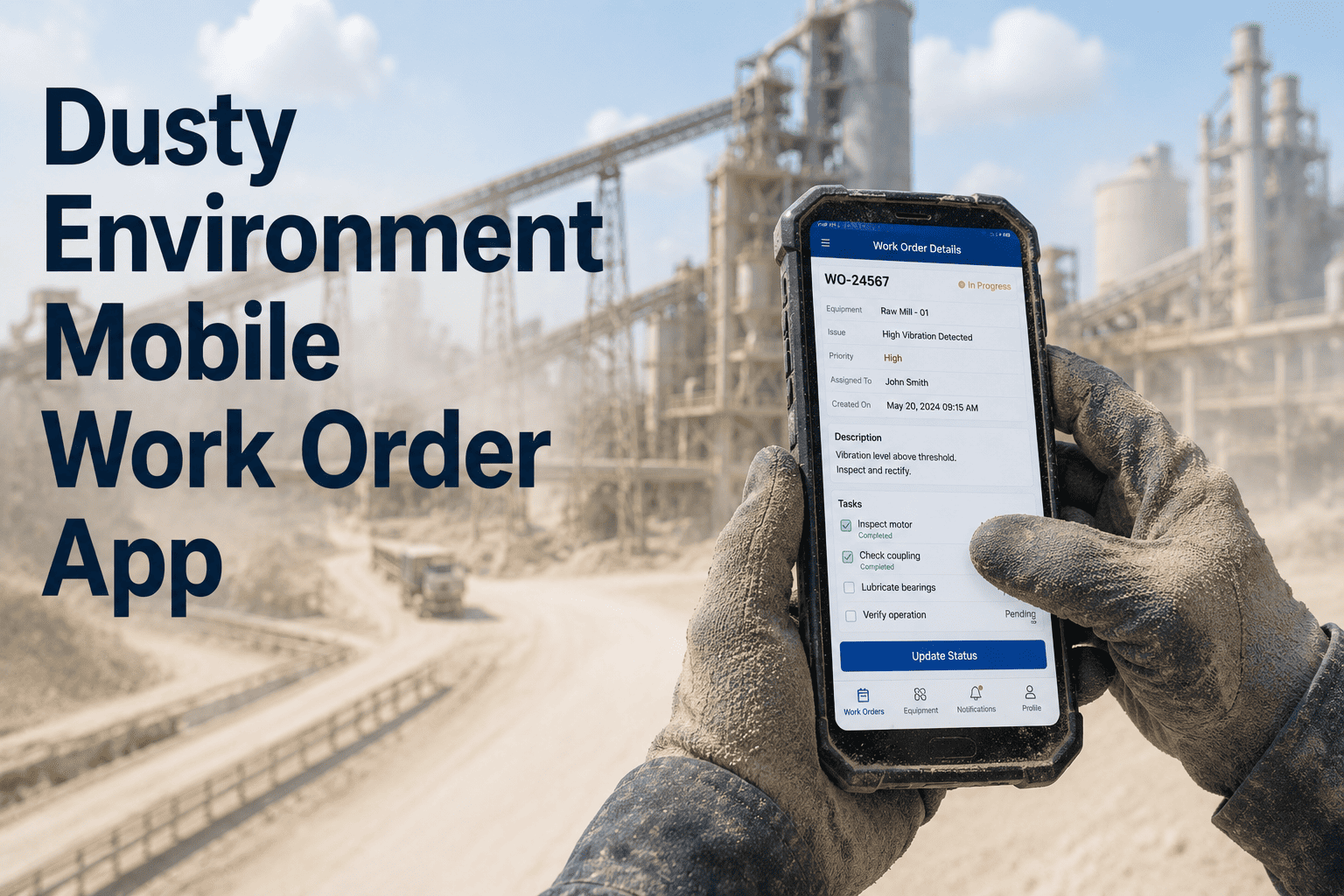
A cement plant technician crouches under a ball mill outlet to inspect a bearing — cement dust coating his gloves, visibility under a metre, no signal on his phone. A supervisor radios him with a new work order from the control room. He acknowledges, climbs out, walks 200 metres to a paper board, copies the work order details onto his job card, and walks back. That sequence happens 15–20 times per shift across a plant — a staggering waste of skilled technician time and the primary reason critical maintenance activities get delayed or skipped entirely. OxMaint's mobile work order app is built for harsh, dusty cement plant environments — with offline work order execution, photo capture in zero-visibility conditions, dust-safe checklist completion, and automatic sync when connectivity returns. Book a demo to see mobile work orders built for cement plant conditions running in OxMaint.
Mobile CMMS · Cement Plant · Dusty Environments · OxMaint
Mobile Work Order App Built for Dusty, Harsh Cement Plant Environments
Offline execution · Photo evidence in zero visibility · Voice-to-text notes · Automatic sync. Built for technicians working in kilns, mills, crushers, and underground conveyor galleries — not office workers.
Harsh Area Challenges — Solved in OxMaint
No network in kiln basement
Full offline mode — sync when above ground
Gloves prevent screen typing
Voice-to-text notes and large-touch UI elements
Dusty lens ruins photos
High-contrast capture mode for low-visibility conditions
Paper job cards get wet or lost
Digital work orders — no paper, no loss, no illegible text
Plant Area Coverage
Where OxMaint Mobile Works — Every Harsh Area in Your Cement Plant
Kiln Area
High heat · Fine dust · Limited visibility · Intermittent signal
Offline work orders and checklists pre-loaded before entering area · Temperature-aware photo capture · QR asset scan for location confirmation
Ball Mill / Raw Mill
Continuous vibration · Cement dust coating · Loud ambient noise
Large-touch checklist items for gloved operation · Voice notes for difficult-to-type readings · Vibration-tolerant UI interaction zones
Crusher Area
Limestone dust · No signal · Heavy impact noise · Restricted access
Full offline execution — work order available without signal · Photo evidence with timestamp · Sync to CMMS when exiting area
Underground Galleries
Zero network · Poor lighting · Confined space conditions
Pre-loaded route with all expected work orders · Flashlight-mode photo capture · Time-based offline sync detection on return
Give Cement Plant Technicians Work Orders That Work Where They Work
Not office software squeezed onto a phone — a mobile work order app designed from the ground up for the kiln floor, mill basement, and conveyor gallery.
App Capabilities
OxMaint Mobile Work Order Features for Dusty Environments
Offline Work Order Execution
Work orders assigned to a technician are pre-loaded to their device when they connect before entering a dead-zone area. All checklist steps, required readings, and instructions available offline. Technician completes work, logs parts used, adds photos, and records resolution notes entirely offline. Data syncs to OxMaint CMMS automatically the moment signal is available — no manual upload required.
Photo and Video Evidence Capture
Technicians capture photos and short video clips directly within work order tasks — no switching to the camera app, no manual file attachment. Photos auto-tagged with timestamp, GPS location, work order number, and asset ID. Multiple photos per task step. High-contrast capture mode for dusty, low-light conditions typical of conveyor tunnels and crusher enclosures. Evidence attached directly to the asset maintenance record.
Voice-to-Text Notes and Readings
In areas where gloves, vibration, or limited visibility make typing difficult, OxMaint supports voice-to-text input for work order notes and freeform observations. Technicians speak their findings — bearing running hot, unusual noise at drive coupling, oil leak at flange — and OxMaint transcribes and attaches to the work order record. Available offline and synced with the work order on connectivity restore.
Spare Parts and Inventory from the Field
Technicians access spare parts inventory directly from work orders in OxMaint mobile — checking stock availability before returning to the storeroom. Parts consumed during repair recorded in the field from the work order screen. Inventory decremented automatically when parts are consumed. Low stock alerts visible to both technician and storeroom from the same mobile view.
Time Savings
Paper Job Cards vs OxMaint Mobile — What Changes for Technicians
FAQ
Dusty Environment Mobile Work Orders — Common Questions
Which mobile devices does OxMaint support for use in dusty cement plant environments?
OxMaint runs on standard iOS and Android smartphones. For high-dust areas, plants typically use IP65 or higher rated devices with shatter-resistant screens. OxMaint does not require industrial rugged devices — most cement plants use consumer smartphones in protective cases with dust seals.
Sign in to access OxMaint on your mobile device today.
How long does OxMaint store offline data if a technician is in a dead zone for an entire shift?
OxMaint stores offline work order data indefinitely on the device — there is no timeout or data expiry. A technician working an 8-hour underground conveyor inspection with zero signal throughout will find all completed work orders synced immediately upon returning to network coverage.
Book a demo to see offline data handling in OxMaint.
Can supervisors see work order progress in real time when technicians are working offline?
Supervisors see offline work orders as "In Progress" on the OxMaint dashboard with last-known status. When the technician's device syncs, the dashboard updates immediately with all completed steps, photos, and readings. For critical real-time monitoring in offline areas, OxMaint supports supervisor check-in confirmation workflows.
Sign in to configure supervisor offline tracking in OxMaint.
Does OxMaint require WiFi in plant or can it work on cellular data?
OxMaint works on any data connection — plant WiFi, 4G/5G cellular, or a combination. For areas with intermittent coverage, the offline mode ensures no dependence on continuous connection. Plants without plant-wide WiFi use cellular data for sync in connected areas and offline mode everywhere else.
Book a demo to review network requirements for your plant.
How are work orders assigned to technicians in the field — does it need a supervisor to push them?
Work orders can be assigned by supervisors from the OxMaint web or mobile dashboard, or pulled by technicians from a shared work queue based on skill and area. Auto-assignment rules can route work orders to technicians by area or trade without manual supervisor action. Technicians see their queue on mobile and claim work orders when ready.
Sign in to configure work order assignment rules in OxMaint.
Stop Losing Technician Time to the Job Board — Deploy Mobile Work Orders Across Your Cement Plant
Offline execution · Photo evidence · Voice notes · Parts logging · Auto-sync. Every work order completed where the work actually happens — not at a desk.