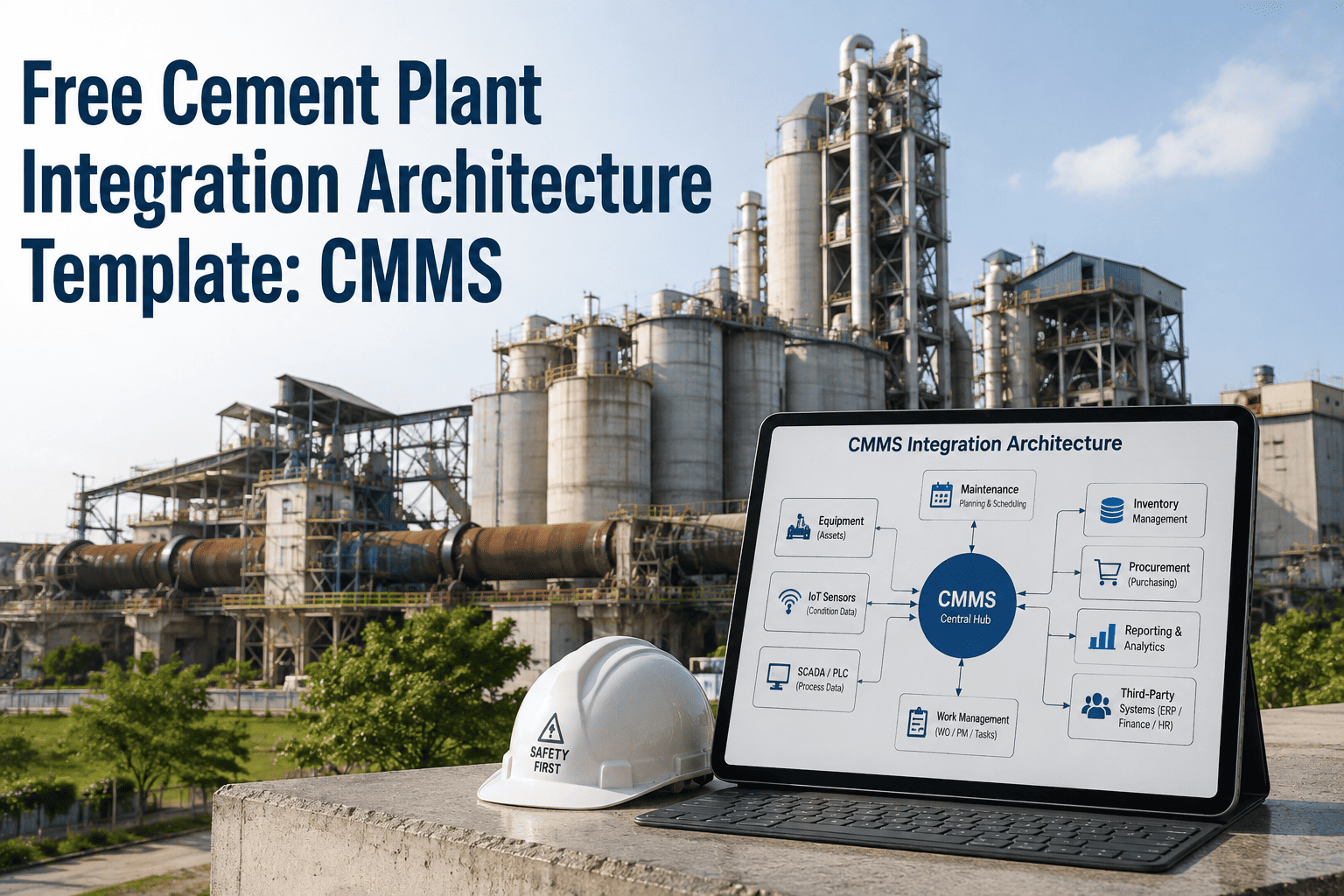
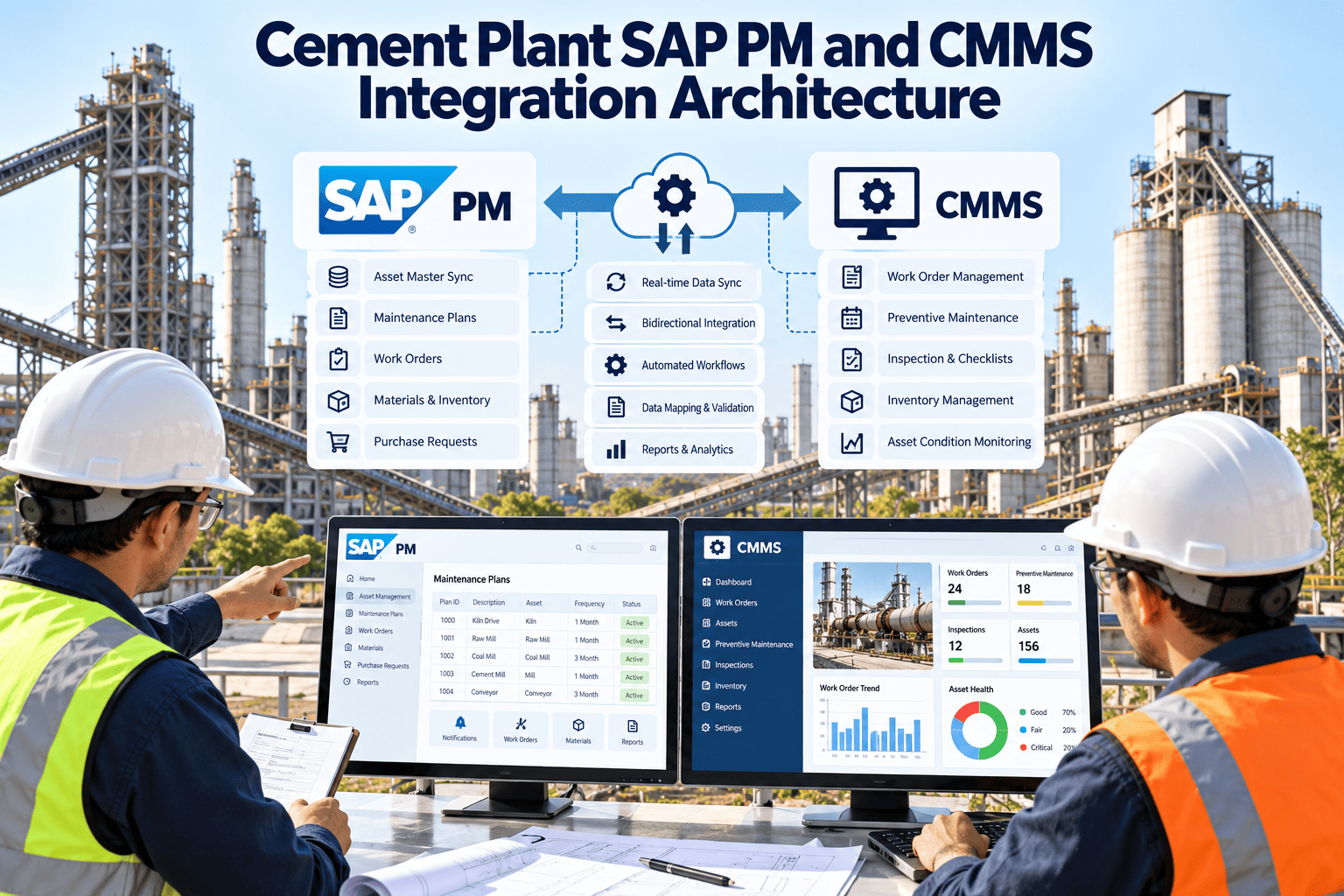
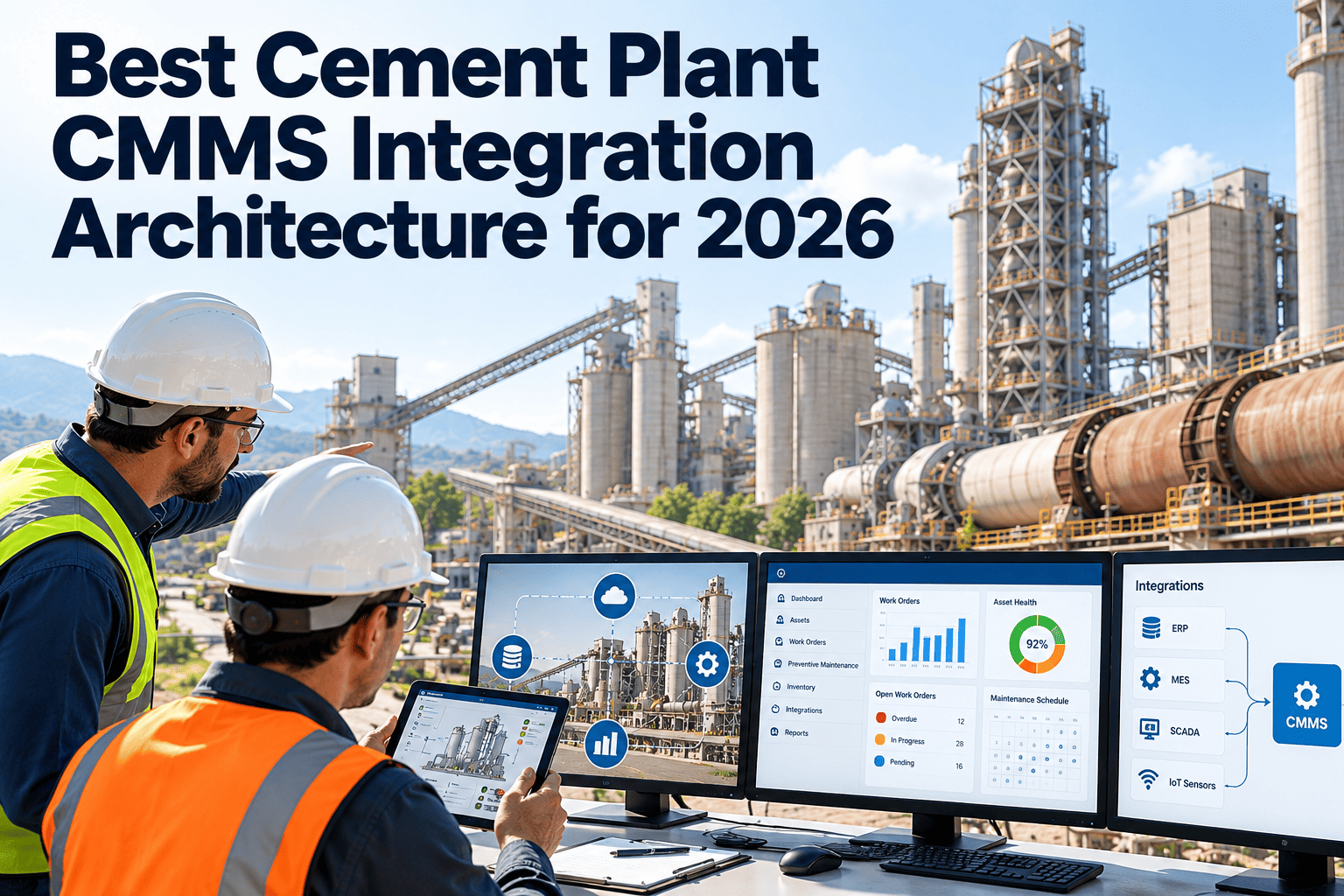
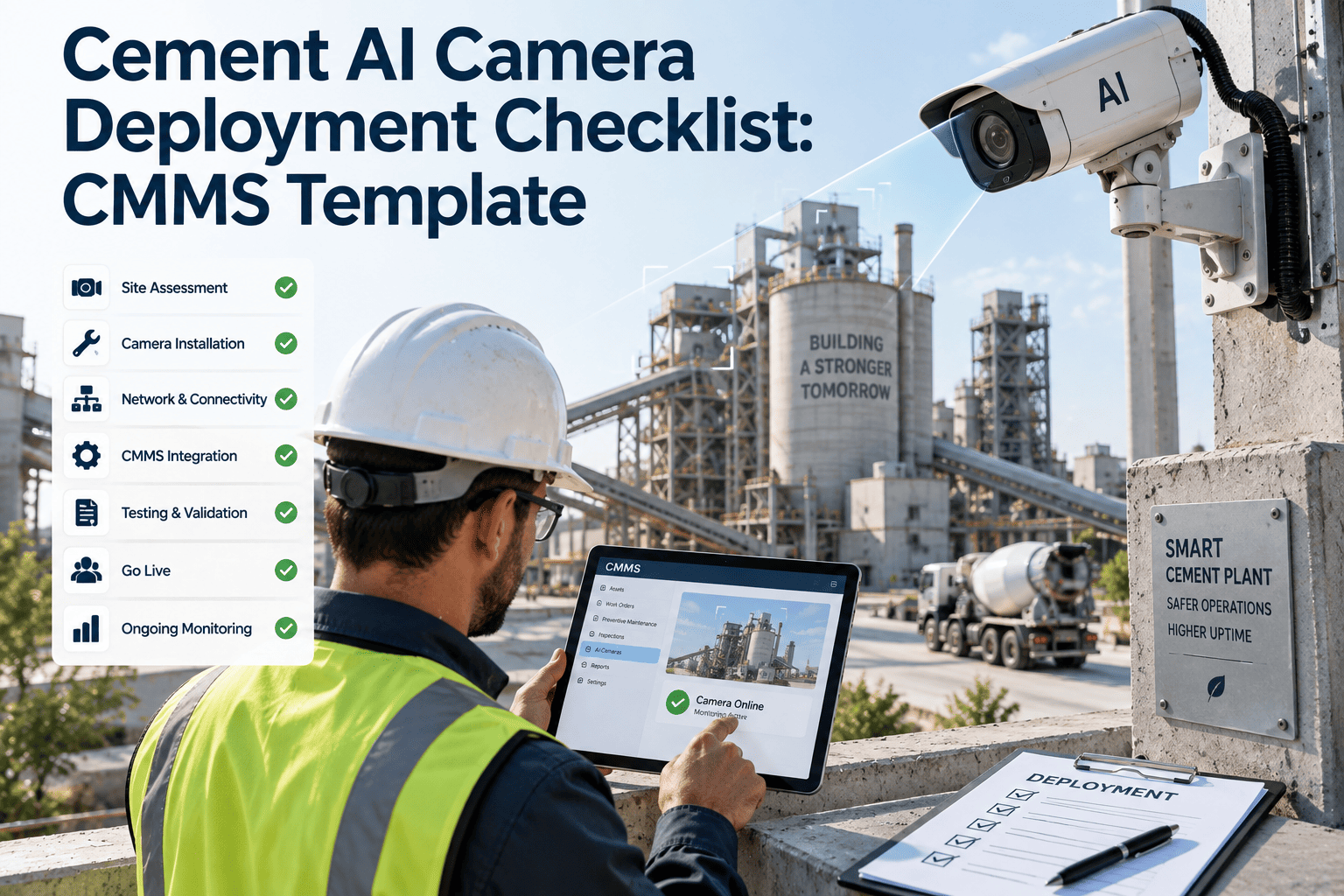
Most cement plants have an integration architecture diagram somewhere — in an old IT proposal, a consultant's slide deck, or a whiteboard photo nobody has opened in two years. Almost none of them have software that actually behaves like the diagram. Sensor data sits locked in the DCS, lab results sit in the LIMS, work orders get written on paper, and the ERP at the top of the stack gets a summary weeks later, if at all. This page gives you the actual reference architecture — the ISA-95 layer model cement plants are built on, mapped to the real systems (DCS, LIMS, CEMS, historian, ERP) sitting on your plant floor right now — plus the CMMS platform that fills the layer most plants have on paper but not in production.
Free Reference Architecture · ISA-95 Mapped · Cement Plants
The Template Everyone Has. The Software That Actually Runs It Is What's Missing.
A cement plant integration architecture is not a mystery — it follows a well-established five-layer model used across the industry regardless of which DCS or ERP vendor a plant runs. What's usually missing is the middle layer that turns the diagram into a working system instead of a slide nobody has updated since the last capital review.
The Five-Layer Cement Plant Integration Template (ISA-95 / IEC 62264 Reference Model)
Level 4
Business Planning & ERP
SAP, Oracle, Microsoft Dynamics — production scheduling, procurement, finance
Level 3
Manufacturing Operations Management
CMMS, MES, LIMS — work orders, maintenance, quality, inventory movement — the layer most plants lack
Level 2
Supervisory Control
DCS, SCADA (Siemens, ABB, Honeywell, FL Smidth), CEMS analyzers, historian
Level 1
Sensors & Actuators
PLCs, field instruments, drives — kiln, raw mill, cement mill, crusher, cooler
Level 0
Physical Process
The kiln, mills, conveyors, and crushers themselves
See your Level 3 gap mapped against your actual DCS, LIMS, and ERP systems in a live session.
The Missing Layer
Why Level 3 Is the Layer on Every Diagram and in Almost No Plant
Level 2 systems generate more data than any human can act on. Level 4 systems need clean, summarized numbers they can bill, plan, and report against. Almost nothing exists to translate between the two — so plants bridge the gap by hand, and every hand-off is a place data gets lost, delayed, or never arrives at all. The pattern below is the same one that plays out on kiln decks and mill floors across the industry, whether the plant runs Siemens, ABB, or Honeywell control systems.
1
Downtime Logged in SCADA
A kiln stop or mill fault is recorded automatically at Level 2 — accurate, timestamped, and invisible to anyone outside the control room
2
Written on a Paper Note
A technician manually records what happened and why, on a form that lives in a binder until someone gets to it
3
Emailed to Planning
A summary is typed up and sent to the planning office, days after the actual event, already missing detail
4
Re-Keyed Into the ERP
Someone in the planning office manually enters the summary into Level 4 — a week or more after the equipment event actually happened
The Template Filled In
What a Working Level 3 Layer Actually Connects
A CMMS built to sit at Level 3 does not replace anything at Level 2 or Level 4 — it pulls structured data up from the control layer and pushes clean summaries up to the business layer, automatically, on both sides, without asking either system to change how it already operates.
Pulls From Level 2
DCS / SCADA / Historian
OPC-UA, OPC-DA, and Modbus connections pull alarms, equipment events, and process data from Siemens, ABB, Honeywell, and FL Smidth platforms into structured work orders.
Bridges Sideways
LIMS & CEMS
Lab results feed quality workflows in near real time; emissions data feeds calibration scheduling and audit document assembly alongside the existing DAHS.
Pushes To Level 4
ERP
Clean maintenance cost, downtime, and inventory-movement summaries reach SAP, Oracle, or Dynamics without a manual re-entry step at the planning office.
Brownfield Reality
Greenfield vs. Brownfield — Which Template Actually Applies to You
The ISA-95 model is the same either way. How you get there is not — and almost every operating cement plant is a brownfield case, not a clean-sheet design, having accumulated its DCS, LIMS, and ERP purchases across different capital cycles, different ownership periods, and often different plant management teams entirely.
Your plant is almost certainly a brownfield case. See the 4-8 week path to a working Level 3 layer, not a 12-24 month rebuild.
Governance
Why the Template Alone Never Fixes This
A mega-project with a DCS vendor, an MES vendor, a historian vendor, and an ERP vendor all in the room can align to the standard on paper and still end up with four systems that do not talk to each other in production, because the architecture diagram is not the same thing as project governance.
Common Data Model
Same Terms, Different Meanings
An "asset," a "work order," and a "downtime event" mean subtly different things in each vendor's system unless someone actively enforces a shared definition across all of them.
Network Zoning
Level 1-2, Level 3, and Level 4 Are Separate Zones
The DCS network stays isolated from the plant operations network, which stays isolated from the corporate network — with tightly controlled conduits between each, not open access.
Ownership
Someone Has to Own the Middle
Level 3 sits between OT and IT and is often owned by neither — the reason it is the layer most consistently left as a manual process instead of software.
Using the Template
Four Steps to Turn This Reference Architecture Into a Working Plan
1
Map What Exists
List every DCS, LIMS, CEMS, historian, and ERP system currently running at each Level 1-4 position
2
Find the Gap
Identify which hand-offs between layers are still manual — paper notes, spreadsheets, email summaries
3
Connect Level 3
Bring in a CMMS that reads from Level 2 via OPC-UA or REST API and writes clean summaries up to Level 4
4
Verify End-to-End
Confirm a real event — a kiln alarm, a lab result — flows from sensor to ERP without a single manual re-entry step
Where This Fails Silently
Five Signs Your Plant Is Living the Gap Instead of the Diagram
The architecture slide always looks clean. The way to tell whether Level 3 actually exists in production is to check for these patterns — every one of them is a symptom of the same missing layer.
Symptom 01
Downtime Numbers Never Match
The DCS historian shows one downtime figure, the maintenance log shows another, and the ERP report shows a third — because each was compiled by a different person on a different schedule.
Symptom 02
Work Orders Start on Paper
A technician still writes the initial fault report by hand, even though the alarm that triggered it was captured digitally in the DCS seconds earlier.
Symptom 03
Monthly Reports Take a Week to Build
Someone spends days pulling numbers from SCADA, the LIMS, and spreadsheets by hand instead of exporting a report that already exists.
Symptom 04
Nobody Owns the Middle
IT considers Level 3 an operations problem; operations considers it an IT problem — and both are technically right, which is exactly why it stays unowned.
Symptom 05
Every New System Needs a New Script
Each time a system is added, someone writes a one-off connection to make it talk to whatever it needs to reach — instead of plugging into a layer that already exists.
The Common Cause
All Five Trace to the Same Gap
None of these are separate problems. Every one is what happens when the layer between the control room and the ERP is a group of people manually re-keying data instead of software doing it automatically.
Multi-Plant Reality
The Same Template, Applied Across a Multi-Site Cement Group
Cement groups rarely run one plant. They run several, often bought at different times, running different DCS vendors, different ERPs, and different local practices for the same job, sometimes inherited through acquisition rather than built from a common design. The value of a shared template compounds at this scale — it is the difference between five separate integration problems and one pattern applied five times.
1
Prove It at One Site
Connect Level 3 at the plant with the clearest DCS-to-ERP gap, and validate the pattern against real production data
2
Standardize the Data Model
Define what "asset," "work order," and "downtime event" mean once, so every additional plant maps to the same definitions
3
Repeat, Not Rebuild
Each additional plant reuses the same connector pattern to its DCS and ERP, regardless of vendor, instead of a bespoke integration project
4
Roll Up Group-Wide
Group leadership gets comparable maintenance and downtime data across every site, using one consistent template instead of five different ones built independently
What Actually Moves
The Specific Data Objects That Cross Each Layer Boundary
A reference architecture is easier to act on when it names the actual data, not just the system boxes. Here is what typically needs to cross each boundary in a cement plant, and which protocol usually carries it.
Where To Start
The Single Highest-Value Connection to Build First
Plants that try to wire every system at once tend to stall before any of it goes live. The ones that see results quickly pick a single, high-friction connection to prove the pattern, then expand from there once the first win is visible to the rest of the plant.
Best First Target
DCS Alarms → Work Orders
This connection has the clearest before-and-after: an alarm that used to sit in a historian log now becomes a structured, asset-linked work order automatically, often within weeks of connecting.
Second Priority
CEMS → Compliance Records
Emissions data flowing into calibration schedules and audit exports removes one of the most time-consuming manual reconciliation tasks EHS teams handle every reporting cycle.
Once Proven
Expand to LIMS and ERP
With the pattern validated on the first two connections, extending it to quality data and business reporting is a repeat of the same integration approach, not a new project from scratch.
Common Questions
What Plant Teams Ask Before Filling In the Architecture
What is ISA-95 and why does it matter for a cement plant?
ISA-95 (IEC 62264) is the international standard for enterprise-to-control system integration, defining five levels from the physical process up through ERP. It is the common reference architecture used by every major DCS, MES, and ERP vendor.
Does this template require replacing our existing DCS or ERP?
No — the template describes where a CMMS sits between systems already in place.
Start a free trial to see it connect to your existing DCS and ERP without replacing either.
How is Level 3 different from Level 2 and Level 4?
Level 2 handles sub-second control responses inside the DCS; Level 4 handles business planning on a weekly or monthly cycle. Level 3 operates in between — hours, shifts, and days — covering maintenance, quality, and inventory movement.
How long does it take to close the Level 3 gap at an existing plant?
Brownfield connections into an existing DCS and ERP typically run 4-8 weeks per plant, compared to 12-24 months for a full greenfield MES deployment from scratch.
Who should review this architecture template for our plant?
Plant IT, reliability, and operations leads get the most value from mapping their specific DCS and ERP systems against this model.
Book a demo to walk through your plant's layer map.
OxMaint · Cement Plant Integration Architecture
Stop Redrawing the Diagram. Put Software Under It.
OxMaint is built to sit at Level 3 — pulling structured data from your DCS, LIMS, and CEMS, and pushing clean summaries to your ERP — so the architecture template on your wall becomes the system actually running your plant.