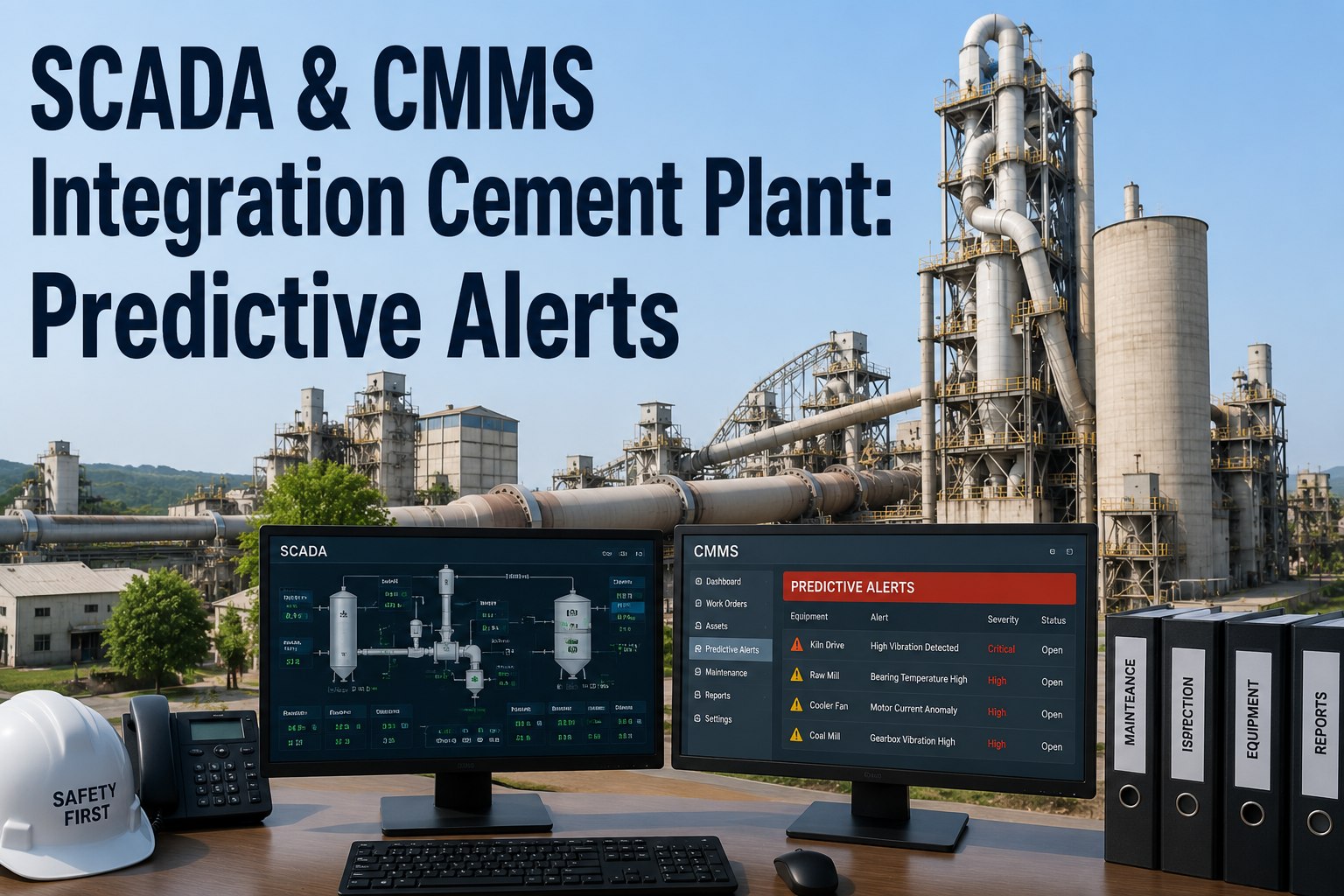
The kiln shell temperature sensor crosses its upper threshold at 2:14 AM. The DCS alarm fires. The control room operator acknowledges it. And somewhere between the operator's shift handover notes and the next morning's maintenance planning meeting, the work order that should have been created immediately gets logged at 9:30 AM — seven hours after the event. In that gap, the kiln shell has experienced extended overtemperature, the affected zone has seen additional thermal cycles, and the decision to run or inspect has been made informally rather than by a maintenance engineer with the asset history in front of them. Direct PLC-to-CMMS integration eliminates this gap entirely: when the DCS crosses the setpoint, the CMMS generates the work order in the same minute — with the sensor reading, asset location, and relevant maintenance history attached. Start your Oxmaint integration evaluation free and see how sensor-driven work orders work in a cement plant configuration.
PLC and DCS to CMMS Integration: Real-Time Maintenance Triggers for Cement Plants
When a sensor crosses a setpoint, your CMMS should already be generating a work order. Here is the architecture, signal list, and implementation path.
Why the Time Between Sensor Alert and Technician Response Determines Failure Outcome
In cement plant maintenance, the consequence of a sensor threshold crossing is almost always time-dependent. A kiln shell temperature alert that reaches a maintenance engineer within 15 minutes results in an inspection and a decision. The same alert that reaches the maintenance team through a shift handover note seven hours later results in a missed intervention window, accelerated damage, and a forced outage of unknown duration. The response gap — the time between sensor alert and maintenance action — is the single most controllable variable in cement plant reliability, and PLC-to-CMMS integration is the most direct way to compress it.
How PLC-to-CMMS Integration Actually Works in a Cement Plant
PLC-to-CMMS integration does not require replacing your DCS or adding new sensors. It uses a data bridge — typically OPC-UA or a REST API gateway — that reads tag values from your existing DCS historian and pushes threshold-crossing events to the CMMS work order engine. The architecture has three components that your IT and OT teams configure once and maintain as a standard system.
Cement Plant PLC Signals That Should Trigger CMMS Work Orders
Not every sensor alarm needs to create a work order — alarm fatigue from low-priority signals degrades the value of the integration. These are the signals in a cement plant where automatic CMMS triggering has the highest reliability impact. Each signal has a configured threshold, a work order priority, and a recommended response window.
Configure sensor-to-work-order triggers for your cement plant in Oxmaint
Oxmaint's integration engine connects to your DCS or PLC historian via OPC-UA or REST API — no new sensors, no hardware changes. When a tag crosses a threshold, a work order is created and the right person is notified in under a minute.
How to Implement PLC-to-CMMS Integration in Four Steps
Most cement plants can complete a working PLC-to-CMMS integration in 4–8 weeks without disrupting production. The implementation follows a consistent four-step sequence regardless of DCS platform or CMMS version.
Work with your DCS engineer to extract the tag list for all critical process signals. For each tag selected for CMMS triggering, define alert threshold, critical threshold, sustained duration (to prevent nuisance alerts from transient spikes), and work order priority. This step typically takes 1–2 weeks and should involve both the process and maintenance engineering teams.
Install and configure the data bridge in a DMZ segment between the OT and IT networks. The bridge subscribes to the selected tags from your DCS historian (OSIsoft PI, Wonderware, Ignition, or direct OPC-UA from Siemens/ABB systems) and evaluates threshold conditions without requiring any modification to the DCS configuration. No changes to the control system, no production impact.
Map each tag to its parent asset in the CMMS asset hierarchy. Create work order templates for each trigger type — a kiln shell overtemperature WO template includes the inspection checklist, safety precautions, and relevant maintenance history field. When the trigger fires, the pre-built template is instantiated with the live sensor reading and timestamp attached, so the technician arrives informed.
Configure notification routing — which alerts go to the on-call maintenance engineer, which go to the shift supervisor, which create a work order without immediate notification. After go-live, monitor alert frequency for the first two weeks and tune thresholds to eliminate nuisance alerts from normal process variation. The goal is zero false alarms and zero missed real events — which requires a two-week calibration period with real process data.
Frequently Asked Questions
Does PLC-to-CMMS integration require modifications to the DCS configuration?
No. The integration reads tag values from your DCS historian or OPC-UA server without writing to or modifying the control system in any way. The DCS configuration is read-only from the integration's perspective. This means there is no change management risk to the process control system and no production impact during implementation. Book a demo to review the read-only integration architecture for your DCS platform.
What DCS and PLC platforms does Oxmaint integrate with?
Oxmaint integrates with any DCS or PLC platform that supports OPC-UA (Siemens S7/PCS 7, ABB 800xA, Honeywell Experion, Emerson DeltaV, Rockwell FactoryTalk) or provides a REST API. For plants using OSIsoft PI or Wonderware as a historian layer, integration is through the historian rather than directly to the DCS. Sign up for Oxmaint to start the integration assessment for your specific platform.
How do you prevent alert fatigue from too many sensor-triggered work orders?
Alert fatigue is managed through three configuration mechanisms: sustained-duration filtering (a threshold must be crossed for a defined period before a WO is generated, eliminating transient spikes), dead-band configuration (prevents repeated alerts from signals oscillating near a threshold), and work order deduplication (only one open WO per asset per trigger type — a second trigger does not create a duplicate). Threshold values are tuned during a two-week calibration period after go-live.
Can sensor-triggered work orders include the relevant maintenance history of the asset?
Yes. When a sensor trigger creates a work order in Oxmaint, the work order template automatically links to the asset's maintenance history — last inspection date, previous failure events, open PMs, and relevant spare parts stock level. The technician arrives at the asset with full context, not just an alarm code. Book a demo to see a triggered work order with full asset context.
What is the typical implementation timeline for cement plants new to CMMS integration?
For plants with an existing process historian (OSIsoft PI or equivalent), the typical timeline is 4–6 weeks from start to first live trigger: 1–2 weeks for tag inventory and threshold definition, 1–2 weeks for bridge configuration and testing, 1 week for CMMS asset mapping and template setup, and 1–2 weeks for threshold tuning with live data. Plants without a historian layer may need an additional 2–4 weeks to deploy OPC-UA connectivity to their DCS.
Connect Your Cement Plant's PLCs to CMMS — Eliminate the Response Gap Forever
Oxmaint integrates with Siemens, ABB, Honeywell, Emerson, and Rockwell systems via OPC-UA — no DCS changes, no production impact. When your kiln shell temperature sensor crosses its threshold at 2 AM, the work order is already created before your operator finishes acknowledging the alarm.