How AI Improves Campus Security: Smart Surveillance, Access Control, and Emergency Systems
By Jonas wick on March 26, 2026
A university audit found 31 of 214 campus cameras — 14.5% — were offline or below usable resolution while appearing operational on the monitoring dashboard. Three dormitory entrance doors had door closers that didn't fully seat the latch, making them effectively unsecured for an unknown period. The AI video analytics system was correctly flagging unusual behaviour. But the physical infrastructure it ran on had never been systematically maintained. Security technology is only as effective as the hardware behind it. OxMaint maintains every security system asset — cameras, access control hardware, emergency call stations, and notification systems — on a PM schedule that ensures the systems protecting students are actually working when they are needed. Book a demo to see the campus security infrastructure maintenance module.
OxMaint · Campus Security · AI Safety Infrastructure Maintenance
AI Security Technology Only Protects Students When the Hardware Behind It Is Maintained.
Camera condition, access control hardware, emergency call station testing, notification system verification, and perimeter sensor inspection — all maintained on a PM schedule in OxMaint so the AI security layer runs on infrastructure that actually works.
Cameras found offline or below usable resolution in a typical unmanaged campus security audit — appearing operational on dashboards
3 types
Access control failure modes requiring PM: door closer condition, card reader performance, and credential database integrity
Monthly
Minimum test frequency for emergency call stations and mass notification systems — most campuses have no documented test schedule
$2.3M
Average cost of a serious campus security incident including litigation, remediation, and reputational impact — GAO higher education security data
Six Security Infrastructure Systems OxMaint Maintains
AI-powered security platforms — video analytics, anomaly detection, automated access management — are software layers running on physical hardware that degrades, fails, and requires maintenance. OxMaint registers every piece of security hardware as an individual asset with its own inspection schedule, test record, and replacement forecast. Start free and build your campus security asset register today.
SIX SECURITY SYSTEMS — OXMAINT ASSET MANAGEMENT AND PM SCHEDULE
Surveillance Cameras
Every camera is an OxMaint asset — location, model, field of view, and last image quality check. Monthly operational check verifies resolution, lens condition, IR function, and field of view alignment. Offline cameras trigger immediate work orders, not just dashboard flags
Access Control Hardware
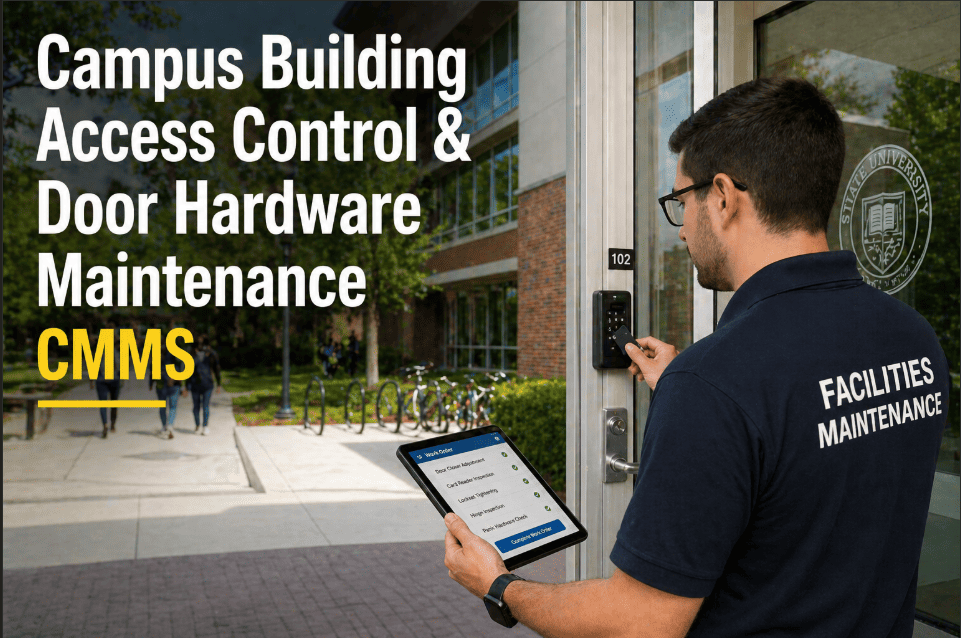
Card readers, electric strikes, magnetic locks, door closers, and REX buttons — each tested on a quarterly inspection schedule. Door closer force measurement, strike alignment, and card reader response time logged per door asset. Failures generate immediate work orders
Emergency Call Stations
Blue light stations, indoor call points, and panic buttons — tested monthly per Clery Act guidance. Each test in OxMaint creates a timestamped record: station responsive, speaker functional, two-way communication confirmed, strobe operational. Test failure triggers same-day repair work order
Mass Notification Systems
Outdoor sirens, speaker arrays, digital signage, and text/email integration — monthly functional test documented in OxMaint. Battery backup condition, speaker output levels, and zone coverage verified per test protocol. Clery Act-compliant test records generated automatically
Perimeter Sensors
PIR motion detectors, door and window contacts, fence vibration sensors, and vehicle detection loops — quarterly inspection and functional test per sensor. OxMaint tracks battery life for wireless sensors and schedules replacement before the battery failure creates a coverage gap
Security Control Room
Recording servers, NVR/DVR hardware, monitoring workstations, and UPS systems — each on OxMaint PM schedule. Storage capacity tracked per NVR, UPS battery tested monthly, workstation condition inspected quarterly. Recording gap incidents traced directly to missed NVR maintenance
The Campus Security PM Schedule
Campus security infrastructure follows four inspection frequencies. Daily status checks can be automated from dashboard data. Monthly functional tests require physical verification at each device. Quarterly inspections assess hardware condition and battery state. Annual certifications cover the full system integration test. OxMaint generates all four automatically from the security asset register — no manual calendar management, no missed tests.
SECURITY PM SCHEDULE — FREQUENCY BY SYSTEM AND TASK
Daily
Automated
System Status Check
Camera online status — OxMaint flags any camera offline for 15+ minutes
Access control system connectivity — door controller heartbeat confirmed
Recording server storage capacity — alert if below 20% free space
UPS status — no fault indicator on any security power unit
Monthly
45–90 min
Functional Test Programme
Emergency call station test — two-way comms, strobe, speaker level confirmed per unit
Mass notification siren test — output level, zone coverage, and battery backup
Camera image quality spot-check — resolution, IR night function, lens condition
Access control test — credential read, door strike, and door closer function per entry
Quarterly
Half day
Hardware Condition Inspection
Camera housing condition — weather seal, mounting integrity, lens clean
Door closer force measurement — verify within specification for fire-rated doors
Wireless sensor battery level — replace any below 25% capacity
NVR/DVR storage and firmware audit — upgrade schedule confirmed
UPS battery runtime test — log result, flag any decline from prior quarter
Annual
Full day
Full System Integration Test
End-to-end test — access event triggers camera PTZ response and recording
Emergency protocol test — call station → dispatch → notification cascade
Clery Act compliance audit — all test records exported as annual report
AI analytics calibration check — detection zones and sensitivity verified per camera
"After a security incident on campus, the police requested footage from a camera that had been on the asset register but not on any PM schedule. The footage existed for the first 40 minutes of the relevant window — then the recording stopped. The NVR had run out of storage and had been overwriting on a loop we hadn't caught. We now have every NVR storage level in OxMaint with a 20% threshold alert. That failure changed how we think about security infrastructure maintenance."
Director of Campus Safety
Private University · 280 cameras · 18 buildings · OxMaint user since 2022
Security Infrastructure Readiness: Without vs With OxMaint
In a post-incident investigation, the first question is always whether the security system was operational. The second is whether that can be proved. OxMaint provides both — a maintained system and a documented proof of maintenance. The test record that shows a blue light station was tested and functional 18 days before an incident is the difference between a defensible record and an institution's liability.
CAMPUS SECURITY COMPLIANCE READINESS — WITHOUT VS WITH OXMAINT
Camera Coverage Audit
Without
Dashboard only
OxMaint
Monthly image check
Monthly image quality check per camera — online status confirmed on dashboard; resolution and field of view confirmed physically
Access Control Tests
Without
Reactive only
OxMaint
Quarterly per door
Quarterly test per controlled door — closer force, strike alignment, and card reader response time documented per asset
Emergency Station Tests
Without
Annual or ad hoc
OxMaint
Monthly — Clery logged
Monthly test per call station with Clery Act-compliant documentation — test result, technician name, timestamp, and next scheduled test
NVR Storage Monitoring
Without
Found when full
OxMaint
Daily 20% threshold
Daily storage capacity check per NVR — alert triggers when free space falls below 20%, before overwrite loop begins
Clery Act Documentation
Without
Paper — incomplete
OxMaint
Auto-generated
Annual Clery compliance export generated from OxMaint test records — all emergency system tests, dates, and results in one report
Security Failures: What Goes Wrong and What OxMaint Prevents
Campus security infrastructure failures follow the same predictable pattern as all other building system failures — they are predictable, they are preventable, and they are almost always the result of maintenance that did not happen on schedule. OxMaint closes every failure pathway.
SECURITY SYSTEM FAILURES — CAUSE, SAFETY IMPACT, AND OXMAINT PREVENTION
Failure
Safety Impact
OxMaint Prevention
Camera offline — undetected coverage gap
Blind spot in surveillance — incident unrecorded
Daily connectivity alert — 15 min offline triggers work order
Door closer fails — fire-rated door doesn't self-close
Fire safety violation · access control bypass
Quarterly closer force test — failure triggers same-day repair
Emergency call station inoperative — silent failure
Student cannot summon help — Clery Act violation
Monthly functional test — fault triggers same-day repair
NVR storage full — overwrites recent footage
Incident footage lost — evidence unrecoverable
Daily capacity check — 20% threshold alert before overwrite begins
Wireless perimeter sensor battery dead — no alert
Undetected perimeter breach — no notification
Quarterly battery level check — replaced before 25% capacity
Siren battery failure — mass notification silent during alarm
Emergency alert not broadcast — campus unwarned
Monthly siren test with battery output level logged per unit
Frequently Asked Questions
Online status should be confirmed daily — any camera offline for 15 or more minutes should generate an alert. Monthly physical inspection should confirm image quality (minimum resolution for facial identification at design range), lens condition (no condensation, dirt, or obstruction), IR night function, and field of view alignment. OxMaint tracks each camera as an individual asset, generating monthly inspection work orders per camera and immediate alert work orders for any camera that goes offline unexpectedly. Quarterly inspections should include housing weatherproofing and mounting integrity for external cameras.
The Clery Act requires institutions to test emergency notification systems at least annually, with an option to publicise the test in advance. However, best practice — and the standard required to defend operational readiness in any incident investigation — is monthly functional testing of all emergency call stations and notification system components. OxMaint generates monthly test work orders per station, records the test result with technician name and timestamp, and compiles the annual Clery compliance report automatically from the test history. Each test record is stored against the emergency station asset — retrievable in under 2 minutes for any investigation or audit.
OxMaint maintains the physical infrastructure that AI security platforms run on — cameras, servers, network hardware, power systems — rather than integrating directly with the AI analytics software. When an OxMaint camera inspection identifies a lens fault, mounting misalignment, or image quality issue, the corrective work order ensures the camera feeding the AI analytics system is actually producing usable footage. OxMaint also maintains the NVR servers and network hardware that AI platforms depend on, ensuring the infrastructure layer matches the capability of the software layer above it.
For each security system: inspection records showing when each device was last tested and the result, repair records showing any fault identified and when it was resolved, and the chain of custody for footage requests. For emergency call stations specifically: monthly test records with technician name, date, and functional outcome. For access control: quarterly hardware test results per door. OxMaint stores all of these against each asset — a complete security infrastructure maintenance record is exportable in under 2 minutes. This record is the institutional defence in any post-incident investigation alleging security system failure.
Yes — security cameras, access control doors, emergency stations, and NVR servers register in OxMaint alongside HVAC, fire systems, and building infrastructure. The Safety Director and Facilities Director both see their respective assets on the same dashboard. Monthly camera tests and quarterly access control inspections are tracked in the same system as fire alarm tests and boiler services. The annual Clery compliance report is generated from the same platform that produces the capital maintenance report for the board. Start your free trial to set up your security asset register today.
Campus Security That Actually Works — Because the Hardware Is Maintained.
Camera coverage audits, access control testing, emergency station monthly checks, NVR storage monitoring, and Clery-compliant documentation — all in OxMaint. Free to start today.




.png)

