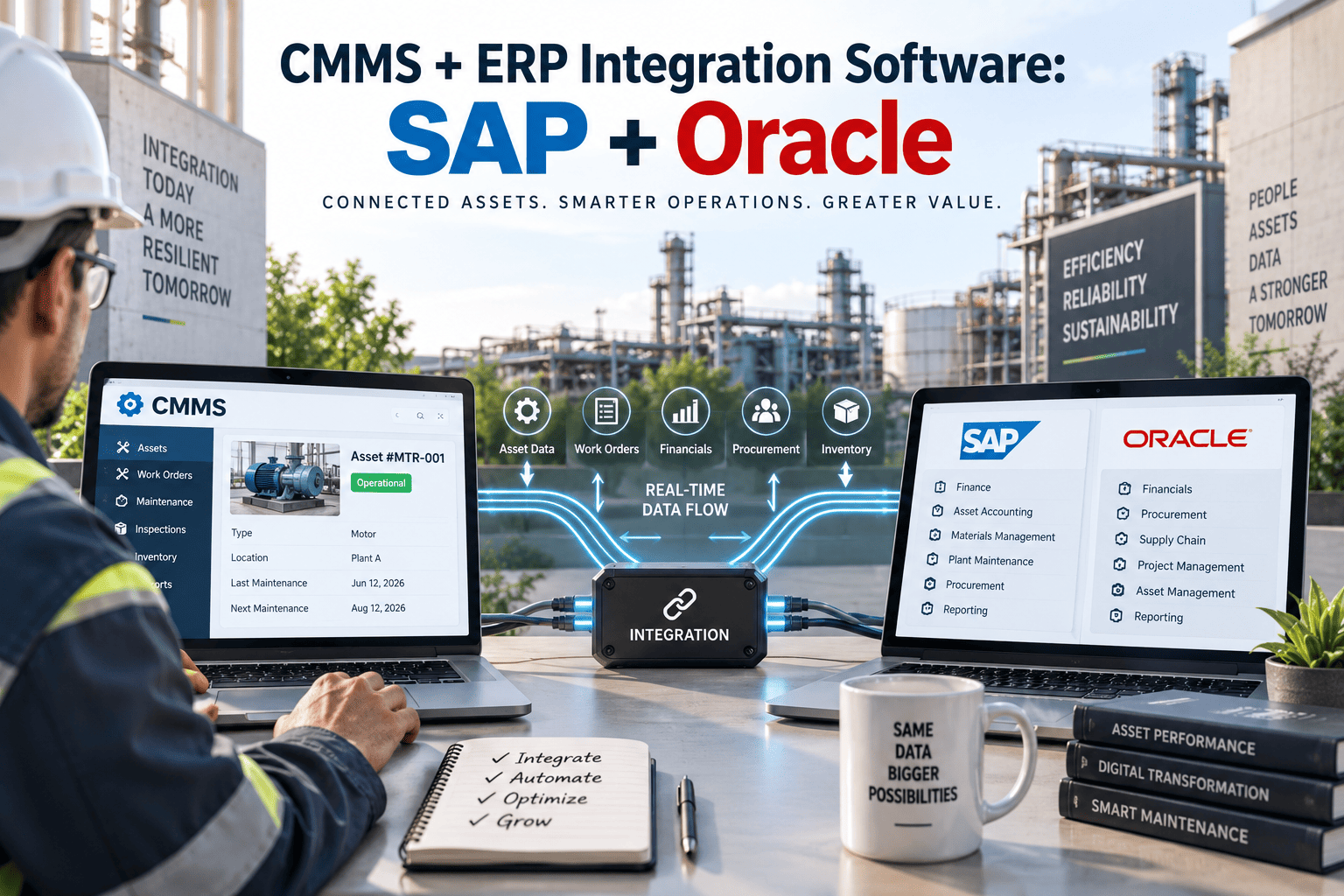
Facility and finance teams running SAP or Oracle often discover that their maintenance data and their financial data live in two worlds that never quite agree. A work order closes inside the CMMS, but someone still has to key the parts receipt, the labor hours, and the cost allocation into the ERP by hand, sometimes days after the actual repair happened. That gap shows up as purchase orders that exist in one system and not the other, asset costs that never reconcile at month-end close, and audits that take twice as long because two systems tell two different stories about the same equipment. Connecting a CMMS to SAP PM, Oracle EAM, or Oracle Fusion Cloud closes that gap by syncing work orders, purchase requisitions, labor, and cost postings automatically in both directions, and you can see it running on your own asset data with a free account at https://app.oxmaint.ai.
The Hidden Price of Disconnected Maintenance and Finance Data
Most organizations never plan to run their CMMS and ERP as two separate islands. It happens gradually, as maintenance teams adopt tools that finance never signed off on, or as an ERP rollout skips the shop floor entirely because nobody thought technicians needed a seat. Once that gap opens, it does not stay small. It shows up in every purchase order, every timesheet, and every closed work order that has to be typed into a second system before anyone can trust the numbers.
The teams that feel it first are usually the ones closest to the money: procurement waiting on a requisition that only exists in the CMMS, and finance trying to close the books on maintenance spend that has not been posted anywhere yet. Here is what that drift costs organizations running SAP or Oracle without a connected maintenance layer.
54%
no automatic data sharing
of organizations running a CMMS alongside SAP or Oracle report the two platforms do not exchange data automatically
8-10 hrs
lost to manual entry
spent daily converting maintenance work orders into ERP purchase orders and cost postings by hand
2-3 weeks
payment delays
average delay in vendor payments caused by manual invoice and purchase order matching
SAP PM, Oracle EAM, or NetSuite: Matching the Integration to Your ERP Stack
Every ERP handles maintenance and asset data a little differently, so the right integration approach depends on which system currently holds your financial truth. Here is what a pre-built connector actually unlocks for facility, reliability, and procurement teams once it is live.
SAP
SAP PM / SAP S4HANA
Syncs equipment master records, maintenance orders, and settlement postings directly with SAP PM or S4HANA Asset Management, so a completed work order updates the correct cost center without a re-entry step by anyone on the finance side.
Equipment master synchronization
Automatic maintenance order creation
Direct cost center settlement
Oracle
Oracle EAM / Fusion Cloud
Connects work orders, asset records, and labor transactions to Oracle EAM or Oracle Fusion Cloud Maintenance, matching purchase requisitions to receipts so procurement never has to reconcile two separate paper trails.
Asset record synchronization
Requisition to receipt matching
Labor transaction posting
More
NetSuite and Workday
For mid-market facilities and higher education campuses, pre-built connectors move work order costs, timesheets, and budget data between the CMMS and NetSuite or Workday financials without a single line of custom code.
Budget and cost synchronization
Timesheet integration
No custom development required
See Your SAP or Oracle Data Inside a Live CMMS
Connect a sandbox environment and watch work orders, purchase requisitions, and cost postings sync in real time. No IT project and no migration required just to see it working.
Why Facility Directors and CFOs Both Want This Now
Maintenance and finance rarely fight over whether an integration is a good idea. They fight over whose budget pays for it, because for years an ERP integration meant a six-figure consulting project with a twelve-month timeline. That calculus has changed. Pre-built connectors for SAP, Oracle, NetSuite, and Workday have turned a custom development effort into a configuration task, and both sides of the organization are asking for it for their own reasons. What used to require a dedicated integration architect and a multi-phase project plan can now be scoped, mapped, and switched on inside a single procurement cycle.
Facility and reliability teams want speed
Technicians stop waiting on a phone call to procurement because parts requisitions move straight from the work order into the ERP the moment stock drops below the reorder point.
Finance and procurement want accuracy
Cost postings land against the correct cost center automatically, so month-end close runs on numbers maintenance and finance already agree on instead of a week of manual matching.
IT wants less maintenance overhead
A pre-built connector replaces the overnight batch job that silently fails, removing the recurring support ticket that only surfaces during a financial close or a compliance audit.
Compliance teams want an audit trail
Every asset record, work order, and cost posting carries a timestamped history across both systems, which shortens the time an internal or external audit takes to complete.
Common Pitfalls When Connecting CMMS to SAP or Oracle
Not every integration project goes smoothly, and the failures tend to repeat across industries. Most of them are not technical problems, they are decisions made before the connector is even configured, about which system owns which field and how exceptions get handled when a work order does not line up with a purchase order.
Mapping every field instead of the ones that matter
Teams often try to sync every attribute between systems on day one, which slows the rollout and creates conflicts when the same field means something slightly different in each platform. Start with the five core entities and expand from there.
No clear owner for asset master data
When both maintenance and finance can edit the same asset record, the two systems drift apart again within months. Pick one system as the source of truth for asset creation and let the other consume it.
Ignoring exception handling
A purchase requisition that fails validation in the ERP needs a clear path back to the technician who raised it, or the job quietly stalls while nobody notices for days.
Treating the integration as a one-time project
Field changes, new cost centers, and plant expansions in the ERP all require the connector to be maintained over time, not just switched on once and forgotten.
None of these pitfalls are reasons to avoid the integration, they are reasons to choose a connector that has already solved them across hundreds of SAP and Oracle environments rather than building one from scratch on your own timeline.
How Real-Time Sync Works Across Five Core Data Entities
A modern CMMS to ERP integration does not replace SAP or Oracle as the financial system of record. It becomes the mobile-first execution layer that keeps five entities moving in both directions, without a nightly batch job or a spreadsheet sitting quietly in between them.
1
Asset Master Sync
Equipment records created or updated in SAP or Oracle mirror instantly inside the CMMS, so technicians always see the correct asset hierarchy, warranty status, and physical location on their handheld device.
2
Work Order to Maintenance Order
A work order raised in the CMMS creates a matching maintenance order in the ERP automatically, keeping both systems aligned from the moment a technician starts the job.
3
Purchase Requisition and Parts
Low stock or a planned parts list on the work order triggers a purchase requisition inside the ERP directly, so procurement never waits on a phone call or an email.
4
Labor and Timesheets
Technician hours logged against a work order post to the ERP labor module automatically, removing the need for a second timesheet entry at the end of the shift.
5
Cost Posting and General Ledger
Completed work orders settle labor, parts, and overhead costs to the correct cost center or general ledger account the moment they close, keeping financial reporting current every single day.
Where Each Entity Lands: SAP and Oracle Field Mapping
Facility and IT teams evaluating an integration usually want to see exactly which ERP object a CMMS record maps to before committing to a rollout. Here is the mapping most SAP and Oracle environments follow once the connector is configured.
| CMMS Entity |
SAP Object |
Oracle Object |
Sync Direction |
| Asset Master |
Equipment Master (IE03) |
Asset (Oracle EAM) |
Bi-directional |
| Work Order |
Maintenance Order (IW31) |
Maintenance Work Order |
Bi-directional |
| Purchase Requisition |
Purchase Requisition (ME51N) |
Purchase Requisition (Procurement Cloud) |
CMMS to ERP |
| Labor and Timesheets |
Cross Application Time Sheet |
Time and Labor |
CMMS to ERP |
| Cost Posting |
Order Settlement (KO88) |
Cost Management |
ERP confirmation |
Before Integration vs After Integration: What Actually Changes
The difference between a connected and a disconnected environment is not theoretical, it shows up in how many times the same piece of information gets typed before anyone can trust it. Here is the practical shift facility and finance teams describe once SAP or Oracle is synced to the CMMS.
Before Integration
Work order costs re-keyed into the ERP days after the repair is finished
Purchase requisitions created twice, once in each system, by two different people
Asset records slowly drift apart between the CMMS and the ERP over time
Month-end close delayed while teams reconcile two separate ledgers by hand
Technicians waiting on procurement instead of moving to the next work order
After Integration
Work order costs post to the correct cost center automatically at closeout
One purchase requisition, created once, visible immediately in both systems
Asset records stay identical across the CMMS and the ERP at all times
Month-end close runs on numbers maintenance and finance already agree on
Parts requests move straight from the work order into procurement instantly
Facilities running a connected CMMS and ERP report a 67 percent drop in manual data entry and close their books days faster every month.
The Measurable Impact of a Connected CMMS and ERP
The return on an ERP integration is not abstract. It shows up directly in procurement cycle time, technician labor hours, and how quickly finance can trust the numbers coming out of the maintenance department.
67%
Less Manual Entry
Reduction in manual data entry once work orders post directly to SAP or Oracle
28%
Faster Procurement
Faster purchase order cycles once requisitions flow straight from the work order
100%
Cost Visibility
Real time visibility into maintenance spend against the correct cost center
2-3 wks
Faster Payments
Reduction in the invoice matching delay that used to hold up vendor payments
Ready to Stop Reconciling Two Systems?
Book a walkthrough mapped to your specific SAP or Oracle environment, or start free right now and connect a sandbox in minutes.
What Facility and Finance Leaders Are Saying
Before we connected our CMMS to SAP, closing the books on maintenance spend took a full week of matching purchase orders to work orders by hand. Now the cost posts the moment the work order closes, and finance sees the same numbers maintenance sees, on the same day.
Director of Facility Operations, Regional Manufacturing Group
Frequently Asked Questions
What is CMMS ERP integration?
It is the connection between a maintenance management system and an ERP platform like SAP or Oracle, so work orders, purchase requisitions, labor, and cost data move between the two systems automatically. See how the sync works at
https://app.oxmaint.ai.
How does SAP PM integration handle purchase requisitions?
When a work order needs spare parts and stock falls below the reorder point, the integration creates a purchase requisition inside SAP automatically, so procurement sees it immediately instead of waiting on a manual entry from the maintenance team.
Does Oracle EAM integration require custom development?
No, pre-built connectors handle asset sync, labor postings, and requisition matching for Oracle EAM and Oracle Fusion Cloud without custom scripting, which is why most rollouts go live in weeks rather than months.
Can this integration replace SAP or Oracle as our system of record?
No, SAP and Oracle remain the financial system of record. The CMMS becomes the mobile-first execution layer that keeps work orders, parts, and labor synced back to the ERP in real time.
How long does an integration take to go live?
Most SAP and Oracle integrations go live in two to four weeks once asset and cost center data is mapped. Book a walkthrough of the timeline for your environment at
https://calendly.com/oxmaintapp/30min.
Whether your organization runs SAP PM, Oracle EAM, Oracle Fusion Cloud, NetSuite, or Workday, the pattern is the same: maintenance and finance stop guessing about each other's numbers the moment the two systems share one connected data layer. The rollout does not require replacing your ERP, retraining your finance team on a new chart of accounts, or pausing production while IT builds a custom bridge between systems. It requires mapping five entities correctly once, and letting the sync run quietly in the background from that point forward, every single day, without anyone having to remember to type the same number twice.
Give Your SAP or Oracle Team One Source of Truth
Connect your ERP sandbox this week and watch work orders, purchase requisitions, and cost postings sync automatically. No migration is required just to start seeing it work.