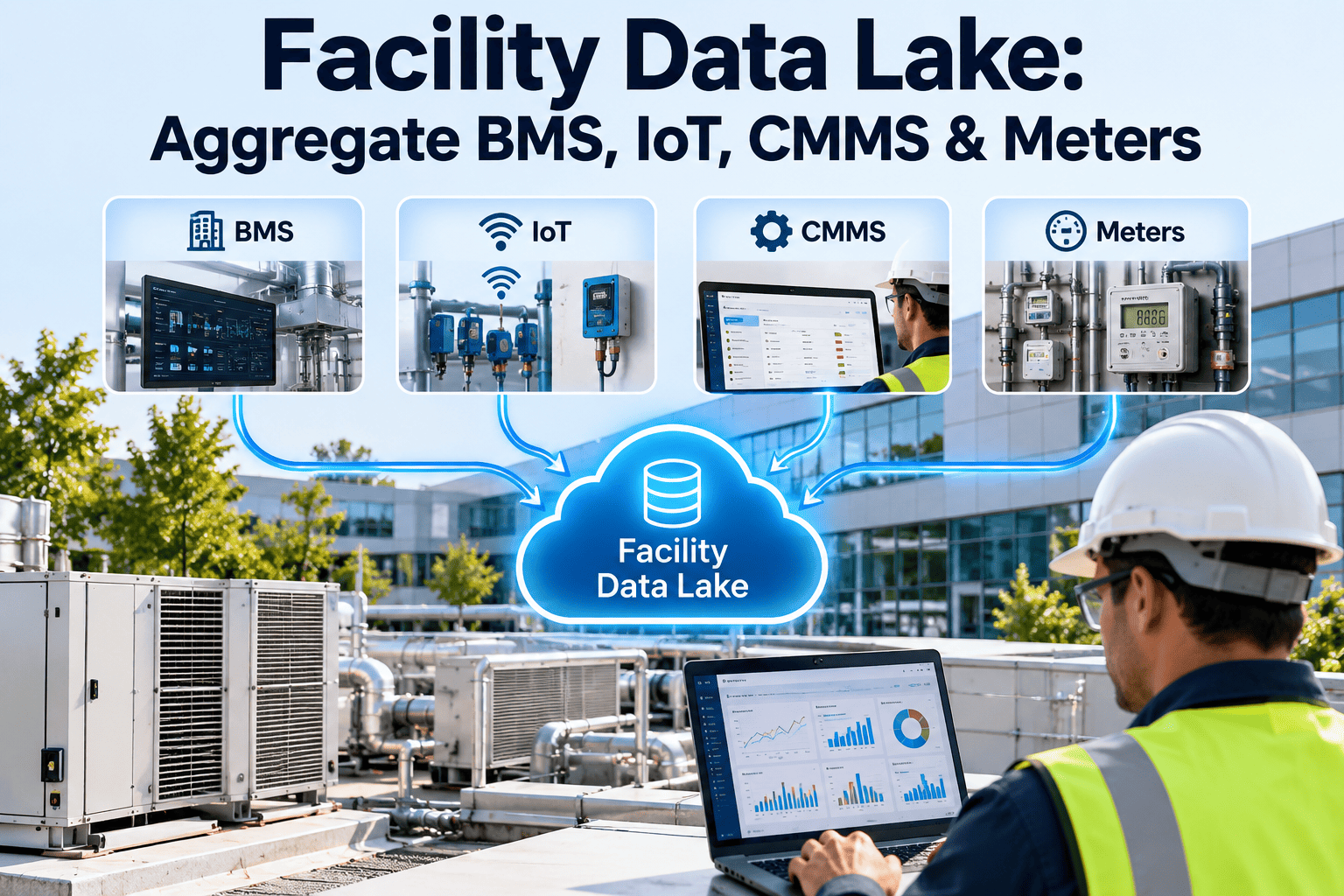
A building now produces data in three places at once: the CMMS holds assets and work orders, the BMS holds points and trends, and IoT platforms hold sensor streams. When nobody owns the rules, the same pump appears under three names, sensors report to equipment that no longer exists, and every dashboard tells a slightly different story. Governance fixes this with clear ownership, quality rules, and access control. Teams using a maintenance management platform as the system of record can apply those rules where the work actually happens.
Facility Data Governance: Ownership, Quality & Access Control
Data trust is a management decision, not a software feature. Define who owns each data domain, how quality is measured, and who may view or change it, so maintenance, energy, and capital decisions rest on records people believe.
One pump, three versions of the truth
Look at how a single asset can be recorded across connected systems when no standard exists.
| Field | CMMS record | BMS point name | IoT platform |
|---|---|---|---|
| Asset name | CHW Pump 2 | CHWP_02 | pump-chw-b |
| Location | Plant Room, L1 | Mech Rm 1 | Not set |
| Status | Active | Running | Online |
| Owner | Maintenance | Controls vendor | Nobody assigned |
What this causes
- Alarms that cannot be matched to the right work order
- Energy and runtime reports that disagree with maintenance history
- Manual reconciliation every time an integration is built
- Leaders who stop trusting dashboards and ask for spreadsheets
Using DAMA-DMBOK as the backbone
The DAMA Data Management Body of Knowledge treats data governance as the coordinating function that surrounds the other data disciplines. Facility teams can borrow the parts that apply.
Data governance
Decision rights, policies, and accountability across all data.Data quality
Measures and rules that show whether data is fit for use.Master and reference data
Shared identifiers and lists, such as asset IDs and location codes.Security and access
Who may see, change, or share each data set.Integration and metadata
How data moves between systems and how it is described.Divide facility data into domains with one named owner each
Ownership is easier to assign when data is split by subject rather than by system.
Asset and equipment
Identity, classification, specifications, hierarchy, lifecycle status.Location and space
Site, building, floor, and room codes shared across systems.Points and telemetry
BMS points, sensor tags, units, and mapping to assets.Work and maintenance
Work orders, PM plans, failure codes, and labor records.People and vendors
Technicians, contractors, certifications, and contact details.Documents and compliance
Manuals, inspection records, certificates, and audit evidence.Four roles that make ownership real
Without named roles, governance stays a document. Use a simple RACI view to settle who does what.
| Activity | Data owner | Data steward | System custodian | Data user |
|---|---|---|---|---|
| Approve data standards | Accountable | Consulted | Informed | Informed |
| Maintain naming and codes | Informed | Responsible | Consulted | Informed |
| Correct quality issues | Accountable | Responsible | Consulted | Reports issues |
| Grant and review access | Accountable | Consulted | Responsible | Informed |
| Run integrations and backups | Informed | Consulted | Responsible | Informed |
Give your maintenance data a single source of truth
Standardize asset records, enforce required fields, and control who can edit what in one workspace.
Six quality dimensions, translated into facility rules
Quality becomes manageable when each dimension has a concrete test that a steward can run.
Agree on one asset ID, then map everything to it
Integrations break when systems use different keys. A master ID and a crosswalk table prevent most mismatches.
- 1
Issue the master asset ID
Generate it in the system of record and never reuse it after retirement. - 2
Map external identifiers
Store BMS point names and IoT device IDs against the master ID. - 3
Adopt a naming convention
Consider an open schema such as Brick or Project Haystack for point and equipment tagging. - 4
Test the crosswalk
Run exception reports for unmapped points and assets with no live data.
Least privilege for people, contractors, and integrations
Give each role only the access its work needs. Be stricter where data can influence building controls.
| Role | Assets and work orders | Sensor and BMS mapping | Costs and vendor data |
|---|---|---|---|
| Technician | View and update assigned work | View only | No access |
| Planner | Create and edit | View only | View budgets |
| Data steward | Edit records and standards | Edit mapping | No access |
| Facility manager | Approve and report | View | Approve costs |
| Contractor | Limited to assigned jobs | No access | No access |
| Integration account | Scoped read or write | Scoped | No access |
Controls to switch on
- Role-based permissions reviewed on a fixed schedule
- Time-limited access for contractors, removed at contract end
- Audit logs for edits to critical fields and configuration
- Separate credentials for integrations, never shared logins
- Clear separation between business data and operational control networks
How a data change moves from request to record
Informal edits create drift. A short change path keeps standards intact without slowing technicians.
Request
User proposes a new field, code, or point.Review
Steward checks fit with existing standards.Approve
Owner accepts or declines with a reason.Implement
Custodian updates systems and mappings.Verify and log
Steward confirms results and records the change.Where is your facility data program today?
Use these levels for an honest self-assessment, then pick the next step rather than the top rung.
A practical launch plan
Start narrow. Govern the asset domain first, because most other data depends on it.
Assess and assign
Inventory systems, name owners and stewards, and profile asset data for gaps and duplicates.Standardize
Publish naming rules, required fields, and master ID approach. Clean the highest-criticality assets.Enforce and measure
Switch on validation, access reviews, and a monthly quality scorecard.Where governance rules show up in daily maintenance work
Policies only hold if the tools enforce them at the point of entry.
- Asset managementStandard classes, hierarchy, and required fields keep records uniform.
- Work orders and inspectionsStructured failure and completion data feeds quality measures.
- User rolesPermissions limit who can edit, approve, or view sensitive records.
- Compliance recordsInspection history and documents stay attached to the right asset.
- Dashboards and reportingCompleteness and backlog indicators expose weak spots early.
What a facility data policy should state
Keep it to a few pages that technicians and managers will read.
- Data domains and the named owner of each
- Master ID and naming conventions
- Required fields by asset class
- Quality measures, targets, and review cadence
- Access roles and review schedule
- Rules for contractors and integration accounts
- Change request and approval path
- Retention and decommissioning rules
Facility data governance questions
Who should own CMMS data versus BMS data?
Assign by domain. Maintenance often owns asset and work data, while controls staff own point data, linked by shared IDs.Do we need a formal governance council?
A small cross-team group meeting monthly is enough to start. A short demo can show how roles are set up.How do we measure data quality?
Track completeness, duplicates, and mismatches against a sample. Start with your most critical assets.How should contractor access be handled?
Limit it to assigned jobs and set an end date. You can sign up to test role settings.Is DAMA-DMBOK too heavy for a facility team?
Use it as a reference, not a checklist. Adopt only the practices that solve your current problems.Know where a number came from and how it was changed
When two reports disagree, the first question is always which source is right. Metadata and lineage answer it quickly.
| Metadata item | What to record | Why it helps |
|---|---|---|
| Source system | Which system is the system of record for the field | Ends arguments about which value wins |
| Definition | Plain-language meaning, unit, and allowed values | Prevents different teams reading the same field differently |
| Update method | Manual entry, import, or automated sync | Shows where errors can enter |
| Last changed | Date and user or integration account | Supports audit and troubleshooting |
| Downstream use | Reports, dashboards, or integrations that depend on it | Shows the impact of changing the field |
Governing data that arrives without a human typing it
Sensors produce data continuously, which makes errors harder to notice. Treat each device as a managed asset in its own right.
- Register every sensor in the asset system with its location, owner, and the equipment it measures
- Record units, calibration or verification dates, and the expected value range
- Define what happens to data from a device that goes offline, so gaps are visible rather than filled silently
- Decide how long raw readings are kept compared with summaries, and who may delete them
- Review devices that report to equipment that has been removed or renamed
- Require a named owner before any new device is connected to a shared platform
Why the owner matters
Orphaned sensors are common after renovations. They keep sending data, but nobody maintains them and nobody notices when the readings drift.
- Assign each sensor to a steward during installation
- Include sensors in routine inspection rounds
- Retire and archive devices when equipment is decommissioned
Decide what to keep, for how long, and who may remove it
Keeping everything forever is costly and risky, while deleting too early can break audit trails. Set the rules once, by data type.
Asset history
Keep for the life of the asset and a defined period after disposal, so failure and cost history stay available.Compliance records
Follow the retention period set by the applicable regulation, contract, or insurer, and confirm it with your compliance lead.Telemetry
Keep detailed readings for a limited window and retain summaries longer for trend analysis.User and vendor data
Remove access promptly when people leave, and retain only what contracts and records require.Documents
Version manuals and certificates, and mark superseded files clearly instead of deleting them.Decommissioned assets
Change status rather than delete, and close linked points and sensors at the same time.Common failure modes, and the counter-measure for each
Governance efforts usually fail for organizational reasons. Spot these early.
Indicators to review at each governance meeting
Keep the scorecard short, and compare each measure with your own starting point.
Record health
Share of active assets with all required fields, number of suspected duplicates, and count of unmapped points.Issue handling
Open data issues, how long they take to resolve, and how many change requests were approved or declined.Permission hygiene
Accounts reviewed on schedule, contractor access past end date, and edits to critical fields without approval.Set rules for how systems exchange data
Integrations are where governance is most often bypassed. A few explicit rules keep syncs predictable.
- Declare one system of record for each field and let other systems read from it
- Define the direction of every sync, and avoid two systems both editing the same field
- Log failed or rejected records and assign someone to review them
- Test mappings after any renaming, renovation, or system upgrade
- Document each integration with its owner, schedule, and the fields it moves
- Use scoped credentials for each integration and rotate them on a schedule
- Agree a freeze period before major migrations so records are not edited mid-transfer
- Keep a test environment or sample set for trying mapping changes before they go live
- Review integration owners whenever staff or vendors change, so nothing runs without accountability
Handling conflicts
When two systems disagree, the steward should resolve the record in the system of record first, then let the sync correct the others rather than patching each one by hand.
- Record the cause of the mismatch
- Fix the rule or mapping that allowed it
- Confirm the correction reached every connected system
Make your facility data something people trust
Set ownership, enforce quality at entry, and control access across your maintenance records.