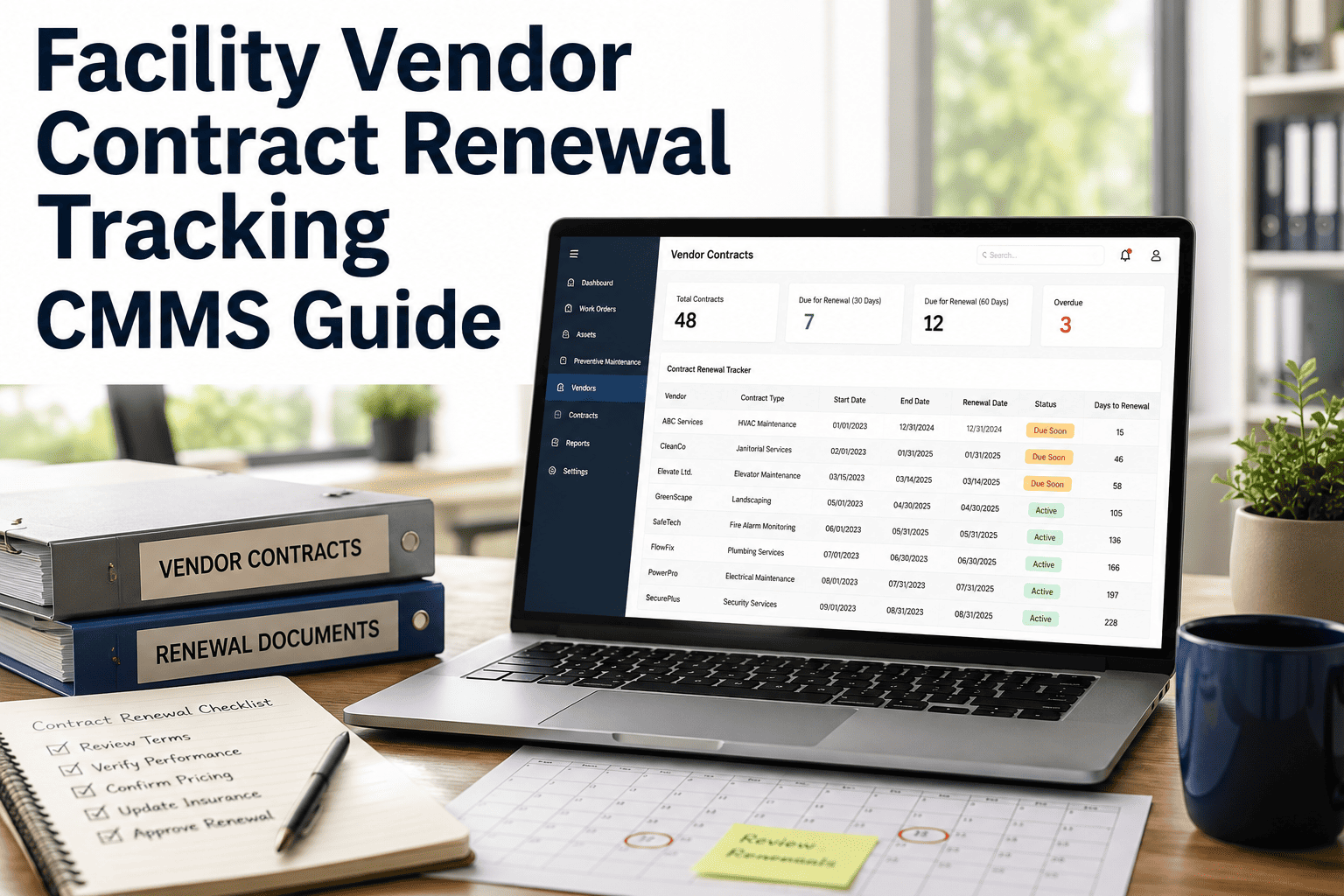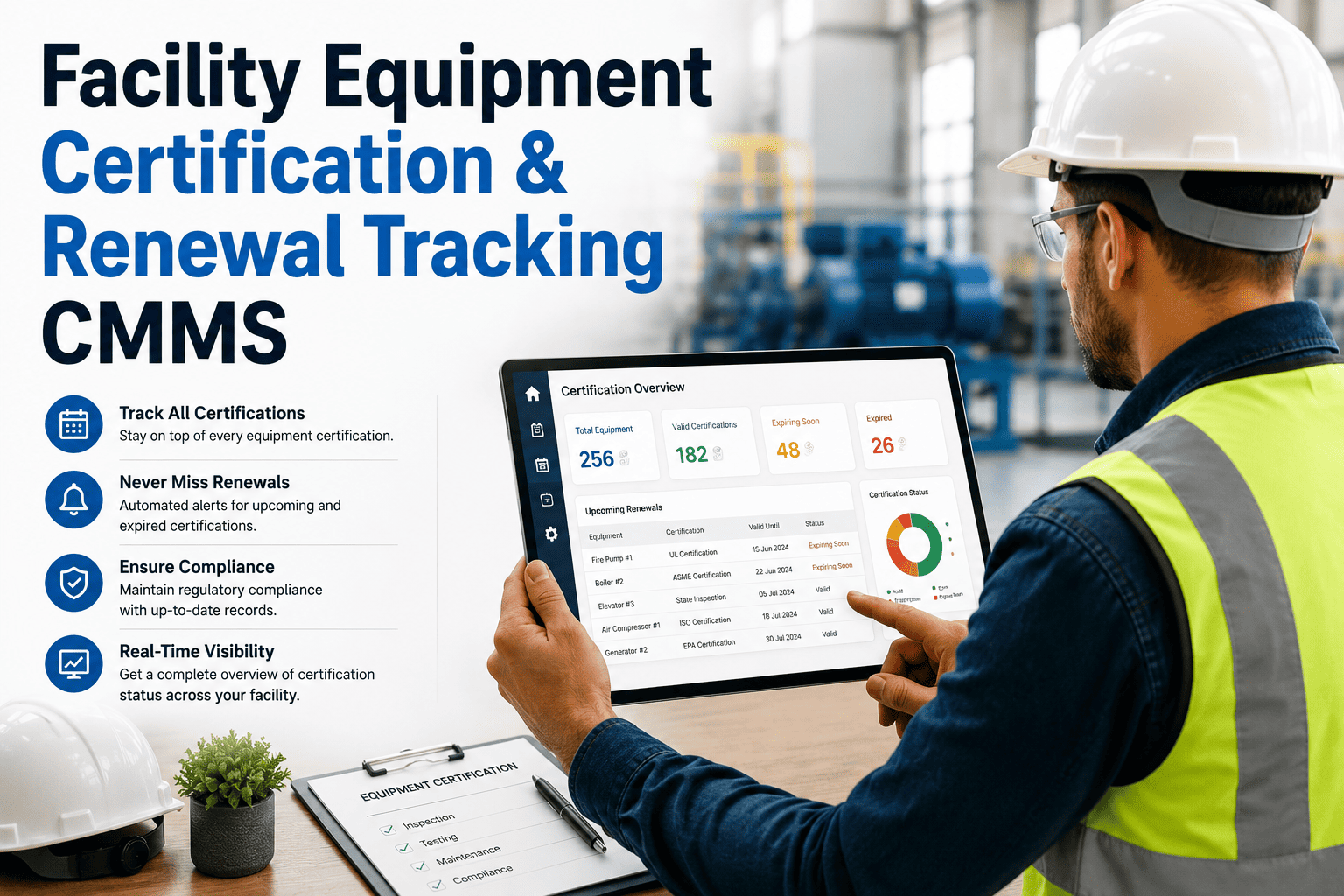
Equipment certifications are the compliance backbone of any facility — yet most plants still track them on spreadsheets that fail silently the day a license lapses. A modern CMMS turns that fragile paper trail into automated, auditable renewal pipelines with 30-to-90-day expiry alerts, digital certificate vaults, and inspector-ready documentation. Facilities that implement dedicated certification tracking typically cut lapsed-license incidents by over 80% within the first quarter. You can Start Free Trial today or read on for the full framework.
What happens the morning your forklift fleet's OSHA certification expires and nobody flagged it?
A single lapsed equipment license can trigger $15,470 in OSHA penalties per violation, halt production for 48 hours, and void your insurance coverage retroactively. CMMS-based renewal tracking eliminates that risk — turning a wall of expiration stickers into a live, self-healing compliance calendar.
Manual tracking is 14× more expensive than the CMMS that replaces it
A 180-asset plant spending $42,000/year on spreadsheet-based certificate management, ad-hoc inspector scheduling, and post-expiry remediation typically deploys a full CMMS renewal module for under $3,100/year — and recovers the gap in a single avoided audit.
A six-stage renewal pipeline that runs itself
Each certificate moves through the same auditable lifecycle — from intake to permanent record — with automated alerts at the 90-, 60-, and 30-day marks. No certificate reaches expiry without three human touchpoints.
Certificate ingestion & OCR digitization
Upload PDFs or snap a photo; the CMMS extracts asset ID, issuer, issue date, expiry date, and inspector signature using OCR — populating the renewal calendar in under 8 seconds per document.
Asset-level binding in the CMMS hierarchy
Each certificate binds to a specific asset, location, and parent system — so a boiler's ASME pressure-vessel stamp ties directly to its work-order history and PM schedule, not a loose file folder.
90 / 60 / 30-day countdown alerts
Automated notifications fire to the assigned owner at 90 days (start scheduling), 60 days (confirm inspector), and 30 days (escalate to facility manager) — with a final 7-day critical alert copied to leadership.
Inspector scheduling & work-order generation
The system auto-generates a renewal work order, assigns the preferred inspector or testing lab, reserves the asset downtime window, and attaches the previous certificate as reference — one click, zero spreadsheet handoffs.
Field execution & digital sign-off
The inspector completes the recertification on-site, uploads the new certificate via mobile, and digitally signs — the CMMS validates the new expiry date and instantly closes the renewal work order.
Permanent audit-ready record
Every version of every certificate — expired, renewed, superseded — is retained in a tamper-evident vault tagged to the asset, ready for OSHA, ISO 55000, or insurance audits in under 60 seconds.
Twelve renewal types every facility must actively track
Not all certificates carry the same risk weight or renewal cadence. Below is the operating taxonomy most CMMS deployments use to classify facility equipment certifications — each with its typical cycle and governing body.
| Certification Type | Typical Asset | Renewal Cycle | Governing Body | Avg. Penalty if Lapsed |
|---|---|---|---|---|
| Pressure Vessel Stamp | Boilers, air receivers | 1–3 years | ASME / NBIC | $13,260 |
| Powered Industrial Truck | Forklifts, scissor lifts | 3 years | OSHA 29 CFR 1910.178 | $15,470 |
| Elevator / Escalator License | Vertical transport | 6–12 months | State elevator board | $8,200 |
| Backflow Prevention Test | Water systems | Annual | EPA / local utility | $5,500 |
| HVAC Refrigerant Handling | Chillers, RTUs | 3 years | EPA Section 608 | $44,539 |
| Fire Suppression Inspection | Sprinklers, FM-200 | Annual / quarterly | NFPA 25 | $12,000 |
| Medical Gas Certification | Manifolds, outlets | Annual | NFPA 99 / CMS | $21,000 |
| Cranes & Hoists Load Test | Overhead cranes | Annual | ASME B30.2 | $14,500 |
| Air Quality Permit | Exhaust stacks | 1–5 years | State EPA | $32,500 |
| Electrical Arc-Flash Study | Switchgear, MCCs | 5 years | NFPA 70E | $18,900 |
| Emergency Generator Load Bank | Standby gensets | Annual | NFPA 110 | $7,400 |
| HVAC Balancing Report | AHU systems | 3–5 years | NEBB / AABC | $4,800 |
A 180-asset food-processing plant: from 11 lapses to zero in 90 days
Midwest prepared-foods plant · 94,000 sq ft · 180 tracked assets
- 11 active lapsed certifications discovered during internal audit
- $42,100/yr in spreadsheet labor, inspector rescheduling, and remediation
- 2 production halts in 12 months from expired pressure-vessel stamps
- Average 4.2 days to locate a certificate when an auditor requested it
- 0 lapsed certifications at the 90-day mark — sustained for 14 months
- $3,080/yr CMMS subscription — a 13.6× cost reduction
- Zero production halts tied to certification since go-live
- Certificate retrieval time dropped from 4.2 days to under 60 seconds
The plant recovered full CMMS cost in the first 29 days — a single avoided pressure-vessel penalty ($13,260) exceeded the annual subscription by 4.3×.
What a purpose-built certification CMMS must include
Not every CMMS handles renewals well. Use this 12-point checklist when evaluating a platform — if any item is missing, the system will leak expirations under load.
Automated expiry countdown
90 / 60 / 30 / 7-day alerts routed to asset owners and escalation managers — not a generic admin inbox.
Digital certificate vault
Tamper-evident storage of every certificate version, tagged to asset, location, and inspector — instantly exportable for audit.
OCR document ingestion
Auto-extract asset ID, issuer, issue date, and expiry from uploaded PDFs or mobile photos — no manual data entry.
Asset-hierarchy binding
Each certificate links to a specific asset within the location-system-asset tree, inheriting its PM and work-order context.
Auto-generated renewal work orders
The system creates, assigns, and schedules the recertification work order — complete with previous certificate attached.
Inspector / lab vendor portal
External inspectors log in to view upcoming jobs, upload results, and digitally sign — eliminating email-based handoffs.
Compliance dashboard
Real-time view of expiring, expired, and renewed certificates by category, location, or asset class — drill-down to individual records.
Multi-standard support
OSHA, NFPA, ASME, EPA, ISO 55000, and state-specific frameworks — each with its own renewal cadence and documentation rules.
Mobile field sign-off
Inspectors complete and sign recertifications on-site via iOS or Android — the new expiry date syncs to the calendar instantly.
Audit export in under 60 seconds
One-click export of all certificates for a given asset, location, or timeframe — formatted for OSHA, ISO, or insurance reviewers.
Escalation rules engine
If a renewal work order isn't closed by the 14-day mark, the system auto-escalates to the facility manager and compliance lead.
Historical version control
Every prior version of a certificate is retained — expired, renewed, superseded — so you can reconstruct compliance status on any past date.
Stop discovering expired certifications during audits
Deploy a renewal tracking system that flags every expiry 90 days before it bites — and gives auditors what they ask for in under a minute.
Certification tracking, answered
How far in advance does the CMMS alert us before a certificate expires?
The default alert sequence fires at 90, 60, 30, and 7 days before expiry, with a final critical alert at 24 hours. Each stage routes to a different stakeholder — the asset owner first, then the facility manager at 30 days, and compliance leadership at the 7-day mark. You can fully customize the cadence, recipients, and escalation paths per certification category or asset class.
Can we import our existing spreadsheet of certificates and expiry dates?
Yes. The platform accepts CSV or Excel uploads and automatically maps columns to asset IDs, certificate types, and expiry dates. For PDF certificates, the OCR engine extracts the key fields — asset ID, issuer, issue date, expiry — and pre-fills the renewal calendar. Most facilities with 150–300 certificates complete full migration in under 4 hours. You can Start Free Trial and test the import on your own data immediately.
Does the system support certifications governed by different standards (OSHA, NFPA, ASME, EPA)?
Absolutely. The CMMS ships with pre-configured renewal templates for OSHA 29 CFR 1910.178, NFPA 25, NFPA 70E, NFPA 110, ASME B30.2, EPA Section 608, ISO 55000, and dozens of state-specific frameworks. Each template encodes the correct renewal cycle, required documentation, inspector qualifications, and penalty exposure — so you don't have to research compliance rules manually.
What happens if a certification lapses before we renew it?
The system flags the asset as non-compliant in real time, automatically suspends its preventive-maintenance schedule, and generates an incident work order with the lapsed certificate attached. The asset remains locked from production use until recertification is uploaded and validated. This prevents the most expensive scenario — operating non-compliant equipment unknowingly and compounding the original penalty.
Can external inspectors and testing labs access the system to upload results?
Yes. A vendor portal lets assigned inspectors view their upcoming renewal jobs, access the previous certificate for reference, complete the inspection on-site via mobile, upload the new certificate, and digitally sign. No account fees apply to inspector seats, and their access is scoped strictly to the work orders assigned to them. To see the portal workflow end-to-end, Book a Demo and we'll walk through a live renewal cycle.
Every expired certificate is a deadline you already knew about
Turn 180 scattered expiration dates into one self-monitoring compliance calendar — deployed in an afternoon, paying for itself in the first avoided audit.
Free 14-day trial · No credit card