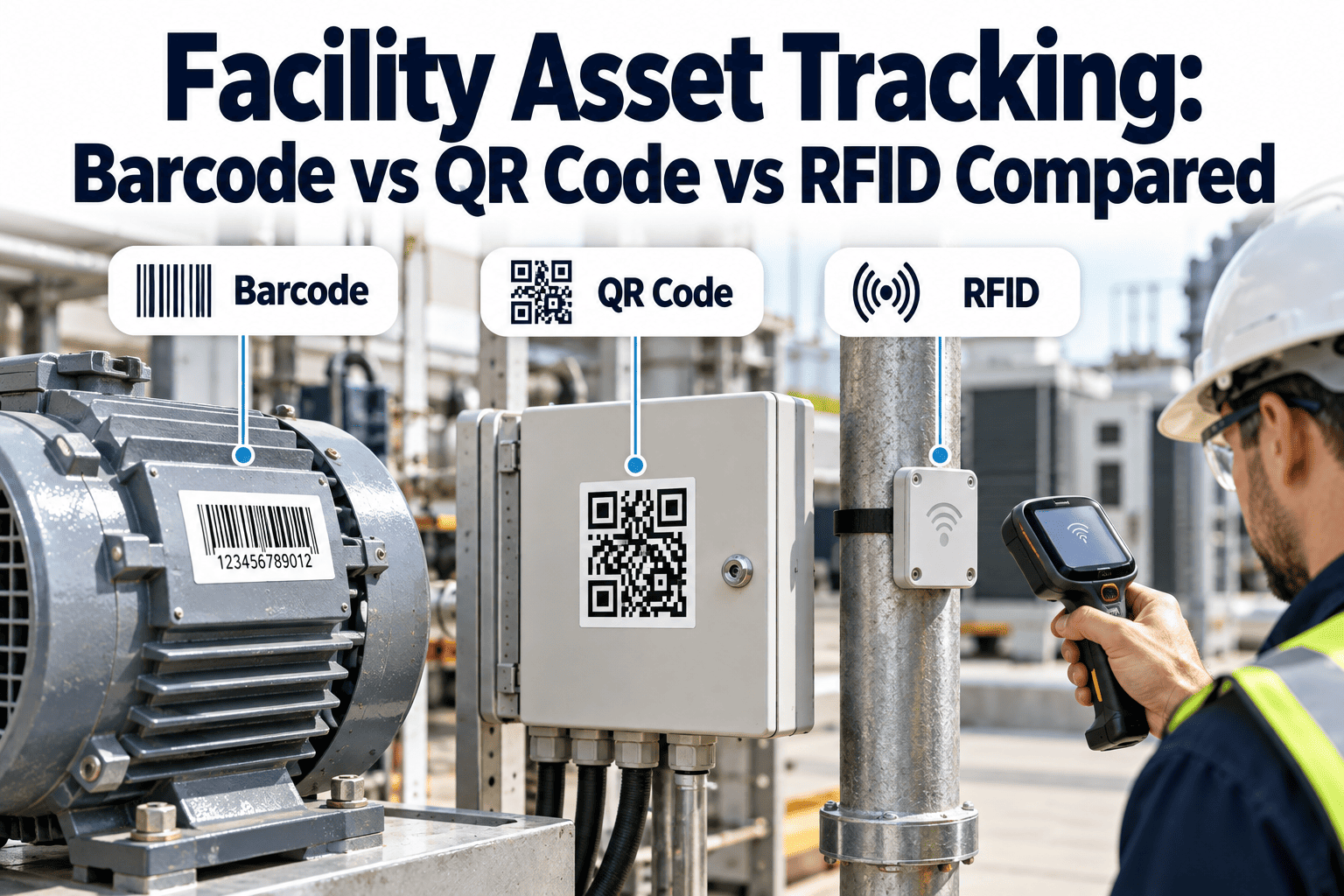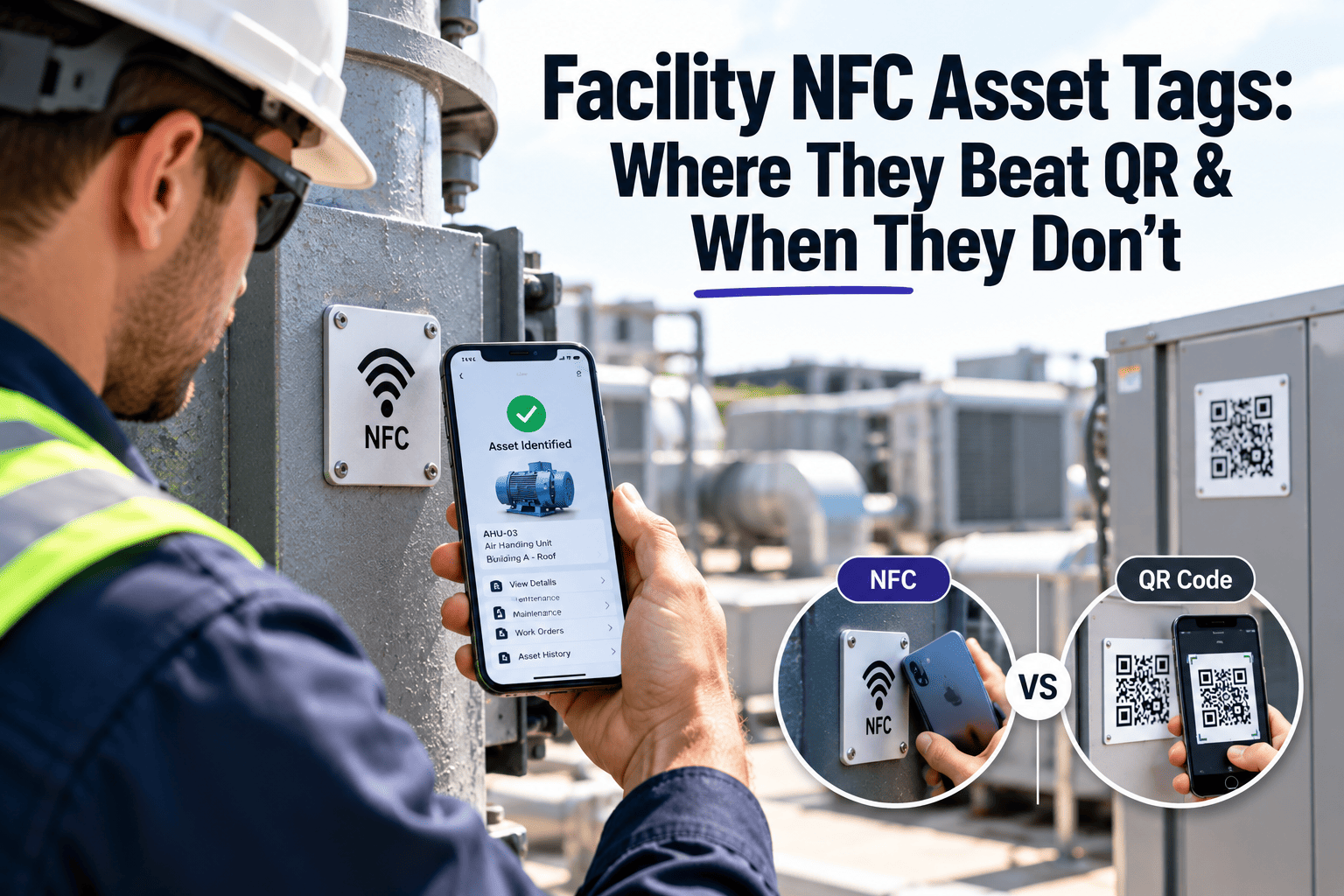
Most facilities start asset tagging with QR codes because they are cheap, printable, and readable by any phone camera. NFC tags promise a faster tap, no aiming, and a tag that works in poor light, but they cost more and behave badly on some surfaces. The right choice depends on where the asset lives, who scans it, and how often. This guide compares both honestly, so you can decide where NFC earns its price. If you are building a tagging program, a CMMS with mobile asset scanning accepts either format against the same asset record.
Facility NFC Asset Tags: Where They Beat QR and When They Don't
NFC reads with a tap from a few centimeters away. QR reads with a camera and a clear line of sight. Both can open the same asset record in your maintenance system, so the real question is fit, not fashion.
How the Two Technologies Actually Differ
| Factor | NFC tag | QR label |
|---|---|---|
| Read method | Short-range radio, phone touches or nears the tag | Camera decodes a printed pattern |
| Line of sight | Not required | Required |
| Lighting | Irrelevant | Affects reliability in dark plant rooms |
| Unit cost | Higher per tag | Very low, printed in bulk |
| Metal surfaces | Needs on-metal tag construction | No effect on the code itself |
| Damage tolerance | Chip or antenna can fail; code may still be printed on top | Error correction survives partial damage |
| Data on tag | Small writable memory, can be locked | Static once printed |
Where Each One Wins
NFC tends to win when
- Technicians scan the same assets daily during rounds
- Assets sit in dim, dirty, or cramped spaces
- Labels get greasy, painted over, or scuffed
- Proof of presence matters, since a tap requires being physically close
QR tends to win when
- You tag thousands of low-value assets on a tight budget
- Occupants or visitors scan to report faults
- Assets are on metal and you want the cheapest label
- Labels must be readable from a distance or in photos
The hybrid option
Many facilities print a QR code on the same label that carries an NFC inlay. Technicians tap; everyone else scans. Both point to one asset ID.
Matching Tag Construction to the Surface
Test Both Formats on Your Own Assets
Tag a pilot set with NFC and QR and compare scan speed, durability, and technician feedback.
Data, Standards and Security Basics
- NFC tags commonly store a short NDEF record, usually a URL carrying the asset ID, as defined by NFC Forum specifications.
- Store an identifier, not asset details. The record lives in the CMMS, so the tag never needs rewriting.
- Lock tags after writing so they cannot be overwritten by a casual phone app.
- Use one ID scheme across NFC, QR and barcodes. GS1 Digital Link is one structured option for that.
- Remember that an unprotected tag can be copied. For sensitive equipment, require a signed-in user on scan.
A Practical Rollout Path
Audit the asset register
Clean duplicate and unclear records first. Tags cannot fix a messy list.
Segment by scan frequency
Assets in daily rounds are NFC candidates. Rarely touched assets can stay on QR.
Pilot on difficult surfaces
Test metal, heat, and washdown assets before ordering volume.
Link scans to workflows
A scan should open the inspection checklist or work order, not just a static page.
Track failures
Log tags that fail to read and learn which environments need a better build.
What the Scan Should Trigger in Your CMMS
Read Range and Phone Behavior in Real Buildings
Short range is a feature
NFC works only within a few centimeters, so a tap proves the technician stood at the asset. That makes it useful for inspection rounds, where proof of presence matters as much as the data.
Phone cases and antennas
Thick cases, metal plates, and wallet attachments can weaken the read. Phone antennas sit in different places, so technicians need to learn where their own device reads best.
Gloves and protective gear
Gloves do not stop an NFC read, which helps in cold rooms and clean areas. A camera scan may require removing gloves or cleaning a lens.
Tag Types, Memory and What You Actually Need
| Tag option | Typical use | Consideration |
|---|---|---|
| Basic sticker inlay | Indoor equipment, panels, cabinets | Lowest cost, weak on metal |
| On-metal tag | Motors, pumps, steel enclosures | Thicker, built to work against metal |
| Rugged encapsulated tag | Outdoor, washdown, heat | Check rated temperature and ingress protection |
| Hard tag with screw or rivet mount | Vibrating or high-contact assets | Mounting needs planning |
| Combined NFC and QR label | Mixed audiences | One ID, two ways to scan |
Memory size rarely matters
Because the tag holds only an identifier or link, small memory is enough. Pay for durability and read performance, not storage.
The Full Cost Picture Beyond Unit Price
NFC cost drivers
- Higher tag cost, especially for rugged and on-metal types
- Encoding and locking time during setup
- Testing on difficult surfaces before volume orders
- Tag replacement if the chip or antenna fails
QR cost drivers
- Label printing and durable material for harsh areas
- Reprinting when codes fade, peel, or are painted over
- Technician time lost aiming at dark or dirty labels
- Failed scans that lead to manual lookups
A cheaper tag that technicians skip is more expensive than a costly tag they use every shift. Measure scan success, not just purchase price.
Scenarios: Choosing by Facility Type
Security, Cloning and Data Integrity
- A tag that only carries an ID is low risk, but anyone can copy a readable ID onto a blank tag.
- Require a signed-in user for actions such as closing work orders or logging inspections.
- Lock tags after encoding, and keep encoding in a controlled process.
- Use secure tag features where tampering would have safety or compliance consequences.
- Audit for tags that were moved to the wrong asset, which causes silent data errors.
Location checks
Compare scan records to the asset's expected location. A tag scanned in the wrong room often points to a swapped or moved tag.
A Test Protocol Before You Buy in Volume
Bench read
Read each candidate tag with the phone models your team actually uses.
On-asset read
Mount tags on real equipment, including metal, curved, and cluttered locations.
Environmental exposure
Leave samples through cleaning cycles, heat, and weather for several weeks.
Technician trial
Compare scan time and failures between NFC and QR during normal rounds.
Placement and Labeling Standards
- Mount at a consistent height and side so technicians know where to tap.
- Avoid hot surfaces, moving parts, and areas covered by insulation or paint.
- Print the asset ID in text beside the tag for fast manual lookup.
- Keep the tag on the asset body, not on a removable cover.
- Record the tag ID in the asset record at the time of mounting.
When assets are replaced
Retire the old tag in the system and issue a new one with a new link to the new asset. Never reuse a tag ID for a different piece of equipment.
Measuring Whether the Tagging Program Works
Designing the Scan Experience for Technicians
A good tag is only half the system. What happens after the tap decides whether technicians keep using it.
- Open the most useful screen first, such as the due inspection checklist or the open work order, not a generic asset page.
- Show the asset name, location, and status clearly, so a wrong-tag scan is obvious at once.
- Allow scanning with limited connectivity, and sync once the phone is back in coverage.
- Let the technician start a corrective work order straight from the scan, with a photo attached.
- Keep sign-in quick, using a saved session or single sign-on, so the tap stays fast.
Basements, plant rooms and risers
Coverage is poor in many of the places that matter most. Offline-tolerant scanning prevents the tag from becoming a point of frustration.
Common Failure Modes and How to Prevent Them
| Problem | Likely cause | Prevention |
|---|---|---|
| Tag will not read | Metal behind a standard inlay | Use an on-metal tag and retest on the real asset |
| Intermittent reads | Weak phone antenna or thick case | Train staff on the best read position and test devices |
| Tag peels off | Wrong adhesive, heat, or rough surface | Clean the surface and use rated adhesive or mechanical fixing |
| Wrong asset opens | Tag moved or ID mismatch at encoding | Verify at install and audit the register |
| Tag overwritten | Unlocked memory | Lock tags after encoding |
| Code unreadable (QR) | Fading, paint, or dirt | Use durable material and add an NFC option on harsh assets |
Plan for replacement
No tag lasts forever. Budget a small share each year for replacements, and track failures to learn where better tags are worth buying.
Working With Contractors, Occupants and Auditors
Internal technicians
- Signed-in scans linked to a named user
- Full access to checklists and history
- Proof of presence for rounds
Occupants and visitors
- Simple fault-report form from a QR code
- No access to maintenance history
- Photo and location captured with the request
Contractors can use either format with limited access. Give them scoped permissions, and record which assets they touched for audit purposes.
Keeping the Tag Register Accurate Over Time
- Record the tag ID, asset ID, install date, tag type, and location at install.
- Audit a sample of tags each quarter, scanning them and checking the record that opens.
- Update the register when equipment is moved, replaced, or decommissioned.
- Remove or deactivate tags on retired assets so old scans do not create confusion.
- Assign one person to own the tagging standard, including tag types, placement, and encoding rules.
Why accuracy matters more than coverage
A smaller set of correctly tagged assets beats a large set with errors. Wrong records erode trust, and technicians quickly return to memory and paper.
Making the Decision: A Simple Selection Guide
How often is it scanned?
Daily scans favor NFC for speed. Occasional scans are well served by QR at lower cost.
What is the environment?
Dark, dirty, or wet locations suit NFC. Clean, bright areas make QR reliable.
Who does the scanning?
Trained technicians can use either. Occupants and visitors almost always need QR.
What is at stake if the record is wrong?
Safety and compliance assets justify stronger tags and proof of presence.
Start where the return is clearest
Begin with the assets technicians visit most and where labels fail often. Expand the program only after the first group proves reliable in daily use.
Budgeting a Tagging Program
- Count assets by class, location, and surface before requesting quotes.
- Include tags, encoding time, installation labor, and testing in the estimate.
- Add a modest allowance for replacements and for assets added over time.
- Price a mixed approach, with NFC on difficult and frequently scanned assets and QR on the rest.
- Compare against the time saved on rounds and the errors avoided in records.
Pilot first, scale second
A small pilot gives real numbers on scan success and durability. Those results make a stronger business case than any vendor claim.
Frequently Asked Questions
Do phones need an app to read NFC tags?
Many current phones read NDEF links natively, but test your device fleet before rollout.
Can NFC replace barcodes entirely?
Rarely. Cost and bulk volume often keep QR or barcodes for low-value assets.
Why do NFC tags fail on metal?
Metal disrupts the antenna field. On-metal tags add a ferrite layer to fix it.
Can one asset carry both tags?
Yes, with one shared ID. You can book a demo to see how scans are mapped.
How do we start testing?
Load a pilot asset list and sign up to link tag IDs to records.
Choose the Right Tag for Every Asset
Build a tagging program around real scan behavior, then connect it to inspections and work orders.