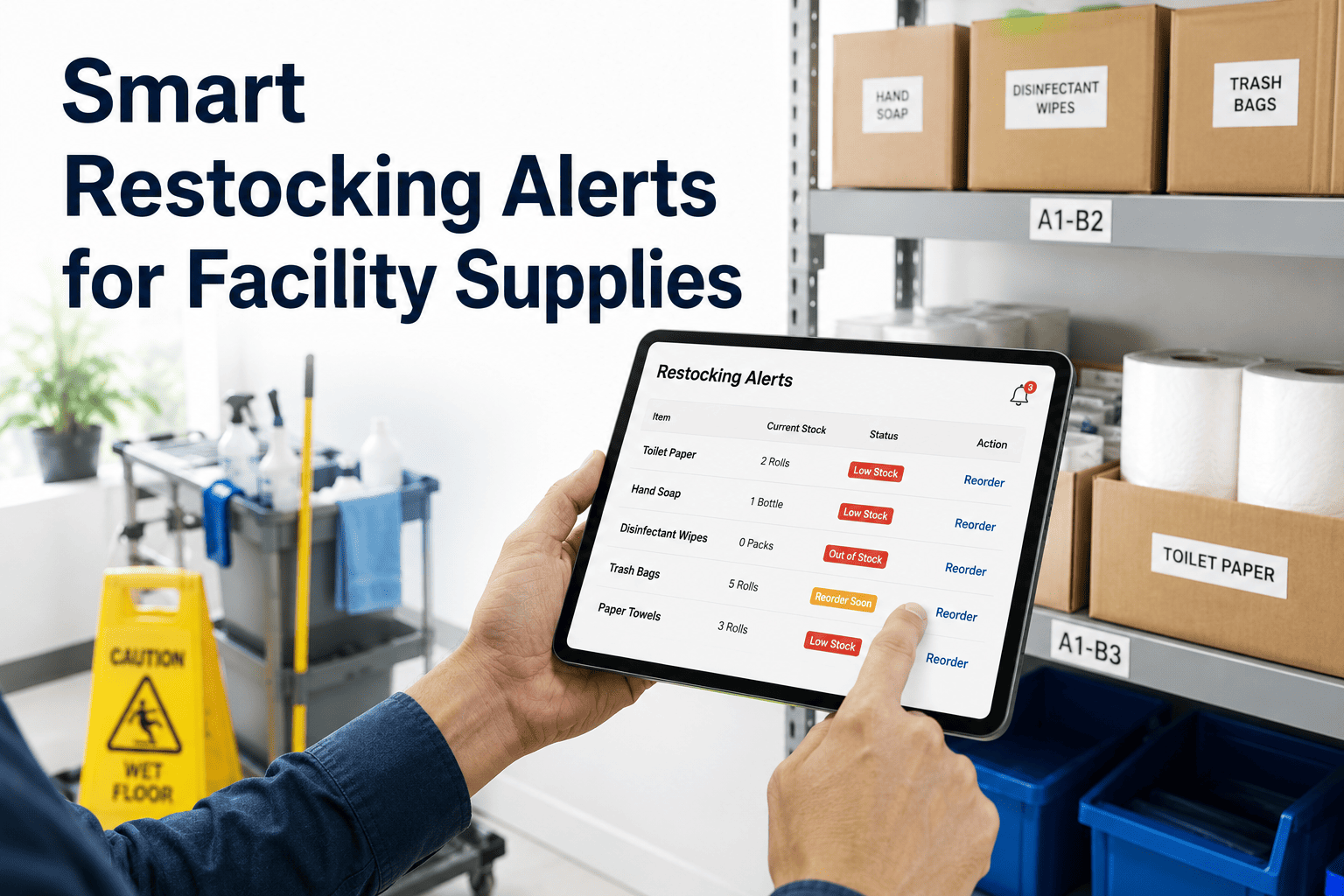
Smart Restocking Alerts for Facility Supplies

By Lewis Abbott on June 18, 2026

smart-restocking-alerts-facility-supplies

Restroom and janitorial supply stockouts almost never happen without warning — usage trends in a high-traffic restroom climb steadily for days before the dispenser actually runs empty, but most facility teams have no system watching that trend until a complaint or a service request arrives. By then the stockout has already happened, and a tenant or visitor is the one reporting it. OxMaint's parts and inventory tracking watches consumption trends by room and supply type, triggering a restocking task before the shelf or dispenser actually runs dry. This page walks through how usage-based restocking alerts work, which supply categories benefit most, and what the cost difference looks like between reactive restocking and trend-based restocking. Book a demo to see restocking alerts configured for your specific supply categories.

Parts & Inventory · Workplace Experience

Smart Restocking Alerts for Facility Supplies

Use usage trends, room demand, and service request history to trigger restocking tasks before complaints start coming in.

How It Works

From Usage Trend to Restocking Task

Four stages turn rising consumption into a completed restock — without anyone noticing a shelf was nearly empty.

1
Usage Trend Tracked
Consumption logged per room and supply type, building a baseline over time.

2
Threshold Reached
Trend crosses a configurable reorder point before stock hits zero.

3
Alert Triggered
Restocking alert sent to the assigned janitorial or supply team.

4
Task Completed
Restock logged, resetting the usage trend for that room and item.
Supply Categories

Where Trend-Based Restocking Has the Biggest Impact

A
Restroom Supplies
Paper towels, soap, and tissue tracked by individual restroom traffic patterns.
B
Janitorial Supplies
Cleaning chemicals and consumables tracked against cleaning cycle frequency.
C
Break Room Supplies
Coffee, filters, and disposables tracked by headcount and usage day.
D
PPE & Safety Stock
Gloves, masks, and sanitizer tracked against department-level demand.
Cost Impact

Reactive Restocking vs. Trend-Based Restocking

MetricReactive RestockingTrend-Based Restocking
Stockout complaints per monthHighNear zero
Emergency rush ordersFrequentRare
Inventory carried per itemOverstocked to compensateRight-sized to actual usage
Staff time spent checking supply levelsManual walk-throughsAutomated, no manual checks
Restocking Setup

Set Reorder Thresholds for Your Highest-Traffic Rooms

We'll configure usage-based thresholds for your top supply categories during a live 30-minute session.

Expert Review

Why Most Facilities Overstock and Still Run Out


The pattern I see across most janitorial supply programs is overstocking on average and stocking out on specifics — plenty of total inventory sitting in a closet, but the one high-traffic restroom that actually needs daily restocking runs dry anyway because nobody is tracking room-level usage separately. Usage-based thresholds fix this by tying the reorder trigger to the actual consumption pattern of each room rather than a blanket monthly order. Once that's in place, total inventory carried usually drops even as stockout complaints disappear.

Facility Operations Supply Manager
Manages janitorial and consumable supply programs across multi-site commercial portfolios
Common Questions

Frequently Asked Questions

How is the usage trend for a supply item calculated?
OxMaint tracks logged consumption per room and item over time, building a rolling baseline that adjusts automatically as actual usage patterns shift. Set up your first item in a free trial to see the baseline build.
Can reorder thresholds be different for each room or zone?
Yes — thresholds are configured per room and item, so a high-traffic lobby restroom can have a different reorder point than a low-traffic floor restroom. Walk through threshold setup in a live demo.
Who receives the restocking alert when a threshold is reached?
Alerts route to whichever janitorial staff member or supply team is assigned to that room or zone, generating a task that gets logged and closed the same way a maintenance work order would. See alert routing in a free trial.
Does this replace our existing supply ordering system?
OxMaint generates the restocking task and tracks completion; it can work alongside an existing procurement or ordering system rather than replacing it, depending on how your supply chain is structured. Discuss your current setup in a demo.
How long before usage data is reliable enough to set thresholds?
Most rooms generate a usable baseline within two to four weeks of consistent logging, though high-traffic areas with frequent restocking activity can produce reliable thresholds even sooner. Start tracking today in a free trial account.
Parts & Inventory · OxMaint

Restock Before the Complaint, Not After

Usage-based thresholds catch declining supply levels early, room by room, item by item.

Share This Story, Choose Your Platform!