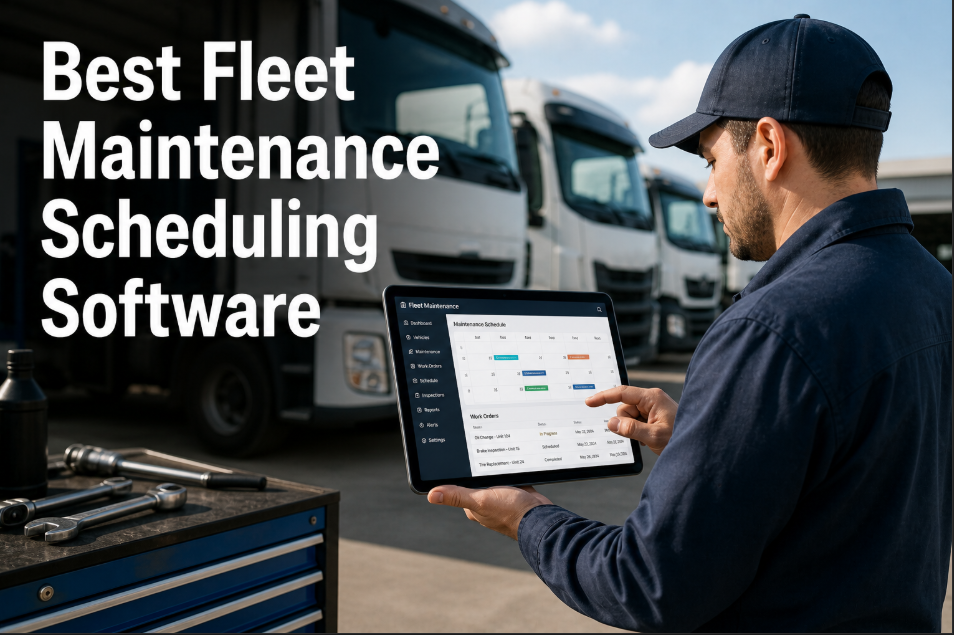
A regional trucking company running 84 Class 8 tractors across the US Southeast was scheduling preventive maintenance on a fixed 15,000-mile interval for every vehicle — regardless of route type, load weight, or driver behavior. Their fleet manager knew the schedule was wrong for at least a third of the fleet: trucks running flatbed loads on mountain routes were showing brake and suspension wear at 9,000 miles, while highway-only dry van units were being pulled into the shop unnecessarily at 15,000 miles with components still at 80% life. The fixed schedule was simultaneously too late for the hard-working trucks and too early for the easy-duty ones. Over 12 months, the fleet logged 14 roadside breakdowns on the mountain-route trucks (average cost: $4,200 per event including towing, emergency repair, and driver downtime) and 312 unnecessary PM labor hours on the highway trucks that did not need service yet. Total waste from the wrong schedule: $58,800 in breakdowns plus $23,400 in premature PM labor — $82,200 that a condition-based, route-aware scheduling system would have prevented. When they evaluated fleet maintenance scheduling platforms, the requirement was clear: the system needed to schedule maintenance based on what each truck actually needs, not what the calendar says. If your fleet still runs every vehicle on the same interval regardless of duty cycle, start a free trial with Oxmaint or book a demo to see how adaptive scheduling works across mixed fleets.
Fleet Maintenance / PM Scheduling / 2026 Comparison Guide
Best Fleet Maintenance Scheduling Software in 2026: What Actually Matters When You're Managing Real Trucks, Real Technicians, and Real Budgets
The fleet maintenance scheduling market has 40+ platforms claiming "best-in-class PM scheduling." This guide cuts through the noise — comparing the features that determine whether your fleet runs planned maintenance or chases breakdowns.
$15,000
Average cost of a single unplanned Class 8 breakdown including towing, repair, and revenue loss
4.8x
Cost multiplier for emergency repairs vs. planned preventive maintenance across commercial fleets
37%
Average fleet downtime reduction reported within 12 months of deploying PM scheduling software
$82K+
Annual waste from fixed-interval scheduling on mixed-duty fleets — breakdowns plus premature service combined
Adaptive Fleet PM Scheduling
Schedule Maintenance by What Each Truck Actually Needs — Not What the Calendar Says
Oxmaint schedules PM by mileage, engine hours, fault codes, route severity, and component condition — not arbitrary intervals. Every truck gets the right service at the right time, and your technicians stop doing work that does not need doing yet.
What Makes Fleet Maintenance Scheduling Software Different From Generic CMMS
Generic CMMS platforms track work orders and assets. Fleet maintenance scheduling software does that plus the fleet-specific functions that generic tools cannot handle: DOT compliance scheduling, DVIR integration, telematics-triggered PM, fuel tax documentation, tire lifecycle management, and multi-location parts inventory across distributed shops. The difference matters because a missed DOT inspection is not a maintenance inconvenience — it is a $16,000 fine per violation and a potential out-of-service order that grounds the vehicle immediately. Fleet scheduling software must understand regulatory calendars, not just maintenance calendars. It must track component life by miles, hours, and cycles — not just dates. And it must handle the reality that fleet vehicles move between locations, making fixed-site maintenance assignment irrelevant. If your current system cannot schedule a PM based on engine hours and route the vehicle to the nearest qualified shop automatically, you are running a generic CMMS with fleet stickers on it — not a fleet maintenance platform. See the difference for yourself by starting a free trial or booking a demo to compare against what you are using today.
The Six Capabilities That Separate Real Fleet PM Software From Pretenders
01
Multi-Trigger PM Scheduling
Schedule by date, mileage, engine hours, fuel consumed, or any combination — whichever threshold hits first triggers the PM. A truck that hits 10,000 miles before 90 days gets serviced at 10,000 miles. A truck that hits 90 days before 10,000 miles gets serviced at 90 days. Fixed-interval-only platforms miss this entirely.
Reduces premature PM labor by 22%
02
Telematics and Fault Code Integration
Real-time fault code ingestion from engine ECUs, transmission controllers, and ABS modules. A P0420 catalytic converter efficiency code on a Class 6 truck does not need a roadside call — it needs a work order generated automatically and scheduled for the next shop visit. Platforms without telematics integration require manual fault code entry that never happens.
70% of fault codes go unlogged without automation
03
DOT and Regulatory Compliance Scheduling
Annual DOT inspections, FHWA periodic inspections, state-specific emission tests, CARB compliance deadlines, and CDL medical card expirations — all tracked with auto-alerts at 90, 60, 30, and 7 days. A single missed DOT annual inspection carries a $16,000 maximum fine per FMCSA enforcement guidelines. The scheduling system must know the regulatory calendar as well as the maintenance calendar.
$16,000 maximum fine per missed DOT inspection
04
DVIR Digital Integration
Driver Vehicle Inspection Reports captured on mobile devices, defects auto-converted to work orders, and corrective action documented with digital signatures. Paper DVIRs create a 24–72 hour gap between defect identification and shop awareness. Digital DVIR integration closes that gap to minutes — and creates the audit trail FMCSA expects to see during a compliance review.
24–72 hour defect reporting gap eliminated
05
Parts Inventory Across Distributed Shops
Fleet maintenance happens at multiple locations — main shop, satellite yards, dealer service centers, and roadside. The scheduling system must track parts inventory across all locations, show which shop has the brake pads in stock, and route the vehicle to that shop for the PM. Single-location inventory platforms force blind parts ordering that adds 2–5 days to every repair cycle.
34% reduction in parts-related repair delays
06
Mobile Technician Work Order Execution
Shop technicians and field mechanics need work orders on a phone or tablet — not a desktop terminal in the office. Time-stamp arrival, log parts used, capture before/after photos, record labor hours, and close the work order from the bay or the roadside. Platforms that require desktop completion get incomplete data because technicians will not walk to a computer 18 times per shift.
3.2 hours per technician per week saved on paperwork
2026 Fleet Maintenance Scheduling Platform Comparison
The fleet maintenance scheduling market includes purpose-built fleet platforms, generic CMMS with fleet modules, and ERP-embedded maintenance tools. This comparison focuses on the six capabilities that matter most to fleet operations — because the platform that checks all six boxes is the one that actually reduces your downtime, not just tracks it. Evaluate each platform against your fleet size, shop count, and regulatory environment to find the fit. For fleets ready to see how Oxmaint compares in a live environment, start a free trial or book a demo to walk through your specific fleet requirements.
| Capability |
Oxmaint |
Fleetio |
Whip Around |
Fleet Panda |
Generic CMMS |
| Multi-trigger PM (date + miles + hours) |
Full — any combination of triggers |
Yes — miles + time + hours |
Limited — primarily DVIR-triggered |
Yes — miles + time |
Date-only in most platforms |
| Telematics fault code integration |
Direct API — auto work order from DTC |
Yes — via Samsara, Geotab partners |
Limited telematics integration |
GPS integration, limited DTC |
Manual fault code entry only |
| DOT compliance scheduling |
Full — annual, periodic, state-specific |
Yes — built-in compliance tracking |
Inspection-focused, less PM depth |
Basic compliance alerts |
Not fleet-regulation aware |
| Digital DVIR with auto work orders |
Mobile DVIR — defects to WO in minutes |
Yes — strong DVIR workflow |
Core strength — deep DVIR platform |
Basic digital inspection |
No DVIR capability |
| Multi-location parts inventory |
Full — cross-shop visibility + reorder |
Yes — parts tracking per location |
Limited parts management |
Basic parts tracking |
Single-site inventory typical |
| Mobile technician execution |
Full mobile — offline capable |
Yes — mobile app for techs |
Mobile-first inspection tool |
Mobile available |
Desktop-primary in most |
| Asset lifecycle and CapEx forecasting |
Full — 5-10 year fleet CapEx models |
Basic TCO reporting |
Not a core feature |
Limited reporting |
Varies widely |
| Implementation timeline |
Days — no heavy onboarding |
1–2 weeks typical |
Days for inspection module |
1 week typical |
Weeks to months |
Four Fleet Maintenance Scheduling Failures That Cost Real Money
01
Fixed-Interval PM on Mixed-Duty Fleets
A fleet running 15,000-mile oil change intervals on both highway tractors and city delivery trucks is servicing the highway trucks too often (wasting $180 per unnecessary service) and servicing the city trucks too late (accelerating engine wear that costs $8,000+ to remediate). Multi-trigger scheduling eliminates this by adjusting the interval to each vehicle's actual duty cycle.
02
Paper DVIRs Creating 72-Hour Blind Spots
A driver identifies a brake light out on Monday morning's pre-trip. The paper DVIR sits in the cab until Wednesday when dispatch collects it. The shop does not see the defect until Thursday. The truck ran three days with a DOT violation that would have been a $1,200 fine at a roadside inspection. Digital DVIR closes this gap to minutes — the defect triggers a work order before the driver leaves the yard.
03
DOT Annual Inspection Expirations Missed
A 50-truck fleet has DOT annual inspections spread across 12 months. Without automated alerts, 3–5 trucks per year run past their inspection expiration — each one a potential $16,000 fine and out-of-service order. The fleet manager who tracks expirations on a spreadsheet loses sleep every month. The one using automated 90/60/30/7-day alerts does not.
04
Parts Stockouts Extending Repair Cycles
A brake job that takes 3 hours of wrench time takes 5 days of calendar time because the shop does not have the right pads in stock. The truck sits idle at $500+ per day in lost revenue. Multi-location parts visibility shows which shop has the part, routes the truck there, and cuts the 5-day repair cycle to a same-day completion — saving $2,000+ per avoided delay.
How Oxmaint Fleet Maintenance Scheduling Actually Works
Oxmaint is built for fleet operators who need scheduling that adapts to each vehicle's reality — not a one-size-fits-all calendar. The platform connects telematics data, driver inspections, fault codes, parts inventory, and regulatory deadlines into a single scheduling engine that tells your shop exactly which trucks need service, what service they need, and when to bring them in without disrupting revenue-generating routes. Here is how each piece works together to keep your fleet running and compliant.
01
Full Fleet Asset Registry
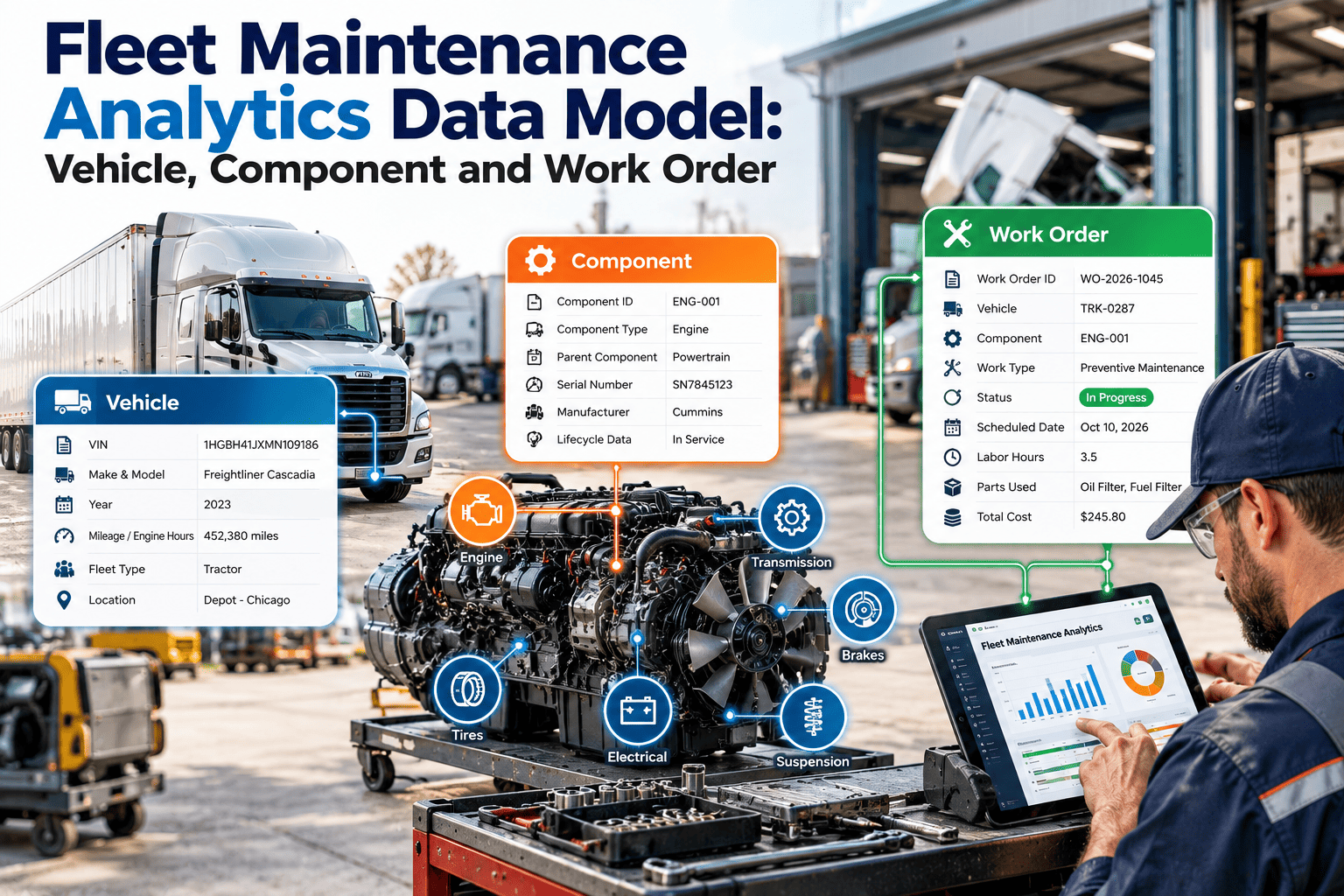
Every vehicle, trailer, and ancillary asset registered with VIN, year, make, model, engine type, transmission type, axle configuration, tire specs, and current odometer. Asset hierarchy supports fleet-level, division-level, and individual vehicle views. Warranty expiration, lease terms, and residual value tracked for replacement planning.
Complete fleet profile powering every scheduling decision
02
Adaptive PM Scheduling Engine
PM tasks scheduled by date, mileage, engine hours, fuel gallons, PTO hours, or any custom meter — whichever threshold triggers first. Each vehicle's PM schedule reflects its actual operating profile. Highway trucks get longer intervals. Mountain-route trucks get shorter ones. City delivery trucks get cycle-count triggers. No manual adjustment required once configured.
Right service, right vehicle, right time — automatically
03
Telematics-Connected Fault Code Workflow
Direct integration with Samsara, Geotab, Motive, Verizon Connect, and OEM telematics platforms. Active DTCs ingested in real time. Critical codes (engine derate, ABS failure, aftertreatment) auto-generate urgent work orders. Advisory codes queue for next PM. The 70% of fault codes that go unlogged in manual systems are captured automatically.
Zero fault codes lost between cab and shop
04
Digital DVIR With Defect-to-Work-Order Flow
Drivers complete pre-trip and post-trip inspections on the mobile app with guided checklists, photo capture, and digital signature. Any defect flagged by the driver converts to a work order within minutes — routed to the nearest shop with the parts and bay availability to handle it. The audit trail FMCSA requires is created automatically with every inspection.
Defect identified at 6:00 AM — work order in the shop by 6:04 AM
05
Compliance Calendar With Auto-Alerts
DOT annual inspections, FHWA periodic inspections, state emissions tests, CARB compliance deadlines, CDL medical card expirations, IFTA filings, and IRP registrations — all tracked per vehicle with 90/60/30/7-day alerts. The compliance calendar shows every upcoming deadline across the fleet in a single dashboard view. No spreadsheet cross-referencing required.
Zero expired inspections — zero regulatory surprises
06
Fleet CapEx and Replacement Forecasting
Rolling 5-10 year replacement models based on vehicle age, mileage accumulation rate, maintenance cost trend, and residual value curve. The model shows exactly when each vehicle crosses the maintenance-cost-exceeds-replacement-cost threshold — giving the fleet manager data-backed replacement timing instead of gut-feel decisions on $180,000 tractor purchases.
Replace at the optimal point — not too early, not too late
Fixed-Interval Scheduling vs. Oxmaint Adaptive Scheduling
| Fleet Scenario |
Fixed 15,000-Mile / 90-Day Interval |
Oxmaint Adaptive Multi-Trigger |
| Highway tractor, 2,800 miles/week |
Serviced every 5.4 weeks — components still at 80% life |
Serviced at 18,000 miles based on oil analysis and engine hours — 28% fewer PMs |
| City delivery truck, 400 miles/week |
Serviced at 90 days / 5,200 miles — severe-duty wear ignored |
Serviced at 60 days based on stop-start cycle count — brake wear caught earlier |
| Mountain-route flatbed, heavy loads |
Serviced at 15,000 miles — suspension and brakes past threshold by 11,000 |
Route-severity factor triggers brake PM at 9,500 miles — zero overdue components |
| Refrigerated trailer, seasonal use |
Serviced on calendar regardless of utilization — PM done on idle unit |
Engine-hour trigger activates PM only during operating season — zero wasted PMs |
| Annual PM labor cost (50-truck fleet) |
$312,000 — includes 312 hours of premature PM labor |
$243,000 — 22% reduction from eliminating unnecessary services |
| Roadside breakdowns per year |
14 events at $4,200 average — $58,800 total |
4 events — 71% reduction from condition-based early intervention |
What Fleet Operators Gain With Proper PM Scheduling Software
37%
Average fleet downtime reduction
Within 12 months of deploying PM scheduling software — ATA Technology and Maintenance Council benchmark
$69K
Annual savings per 50 trucks
From eliminated premature PMs and reduced breakdown frequency combined — conservative estimate
22%
Reduction in PM labor hours
Multi-trigger scheduling eliminates services on vehicles that have not reached actual wear thresholds
94%
DOT compliance rate achieved
Automated alert system ensures zero expired inspections across the fleet — vs. 89% average without automation
These numbers reflect real fleet operations — not vendor marketing projections. The 37% downtime reduction comes from TMC data across fleets that moved from reactive or fixed-interval scheduling to condition-based PM. The $69K savings is conservative because it excludes the revenue recovery from trucks that stayed on the road instead of sitting in a shop bay waiting for parts. For fleets running 100+ vehicles, the savings scale proportionally — and the compliance risk reduction becomes even more significant because FMCSA audit probability increases with fleet size. See how these numbers apply to your specific fleet by starting a free trial or booking a demo to run the calculation with your fleet data.
Frequently Asked Questions
How long does it take to set up Oxmaint for a fleet of 50–200 vehicles?+
Most fleets are fully operational within 3–5 business days. Vehicle data imports from CSV or direct telematics API connection. PM schedules are configured during onboarding using your existing interval data as a baseline — then refined over the first 30 days as telematics and inspection data flows in. There is no heavy implementation project, no six-month rollout timeline, and no professional services engagement required. A 200-vehicle fleet with 3 shop locations typically completes setup in under a week.
Start a free trial to begin the setup process today.
Does Oxmaint integrate with our existing telematics provider?+
Oxmaint integrates directly with Samsara, Geotab, Motive (formerly KeepTruckin), Verizon Connect, GPS Trackit, Teletrac Navman, and most OEM telematics systems (Volvo, Paccar, Daimler, Navistar). The integration pulls odometer readings, engine hours, GPS location, and active fault codes in real time — feeding the adaptive PM scheduling engine without manual data entry. If your telematics provider is not listed, the open API accepts data from any platform that outputs standard JSON or CSV formats.
Book a demo to verify your specific telematics integration.
Can we track third-party vendor and dealer service alongside in-house shop work?+
Yes. Every service event — whether performed in your own shop, at a dealer, at a tire shop, or at a roadside service provider — is logged against the vehicle record with vendor name, invoice number, parts used, labor hours, and cost. The vendor portal allows third-party shops to update work order status directly, so you do not become the data entry layer for outside repairs. This is critical for accurate total cost of ownership reporting — fleets that only track in-house work undercount maintenance costs by 25–40% on average.
How does Oxmaint handle trailer maintenance scheduling separately from tractors?+
Trailers are registered as separate assets with their own PM schedules, compliance calendars, and cost tracking. Since trailers do not have odometers or engine hours in most configurations, PM scheduling uses date-based intervals, trip-count triggers, or hub-mile estimates from GPS tracking. Tire management, brake inspection, DOT annual inspection, and refrigeration unit PM (for reefer trailers) are all scheduled independently from the tractor fleet. The dashboard shows tractor and trailer compliance status side by side — because FMCSA inspects both, and a trailer violation counts against the carrier's CSA score just as heavily as a tractor violation.
Fleet Maintenance Scheduling — Oxmaint
Stop Running Every Truck on the Same Schedule. Start Running Each One on the Right Schedule.
Multi-trigger PM scheduling, telematics fault code integration, digital DVIR workflows, DOT compliance automation, cross-shop parts inventory, and fleet CapEx forecasting — all in one platform that deploys in days, not months. The 37% downtime reduction starts the week you go live.
37%
Fleet downtime reduction within 12 months
$69K
Annual savings per 50 vehicles
3–5 days
Full fleet setup and go-live
Zero
Expired DOT inspections with auto-alerts