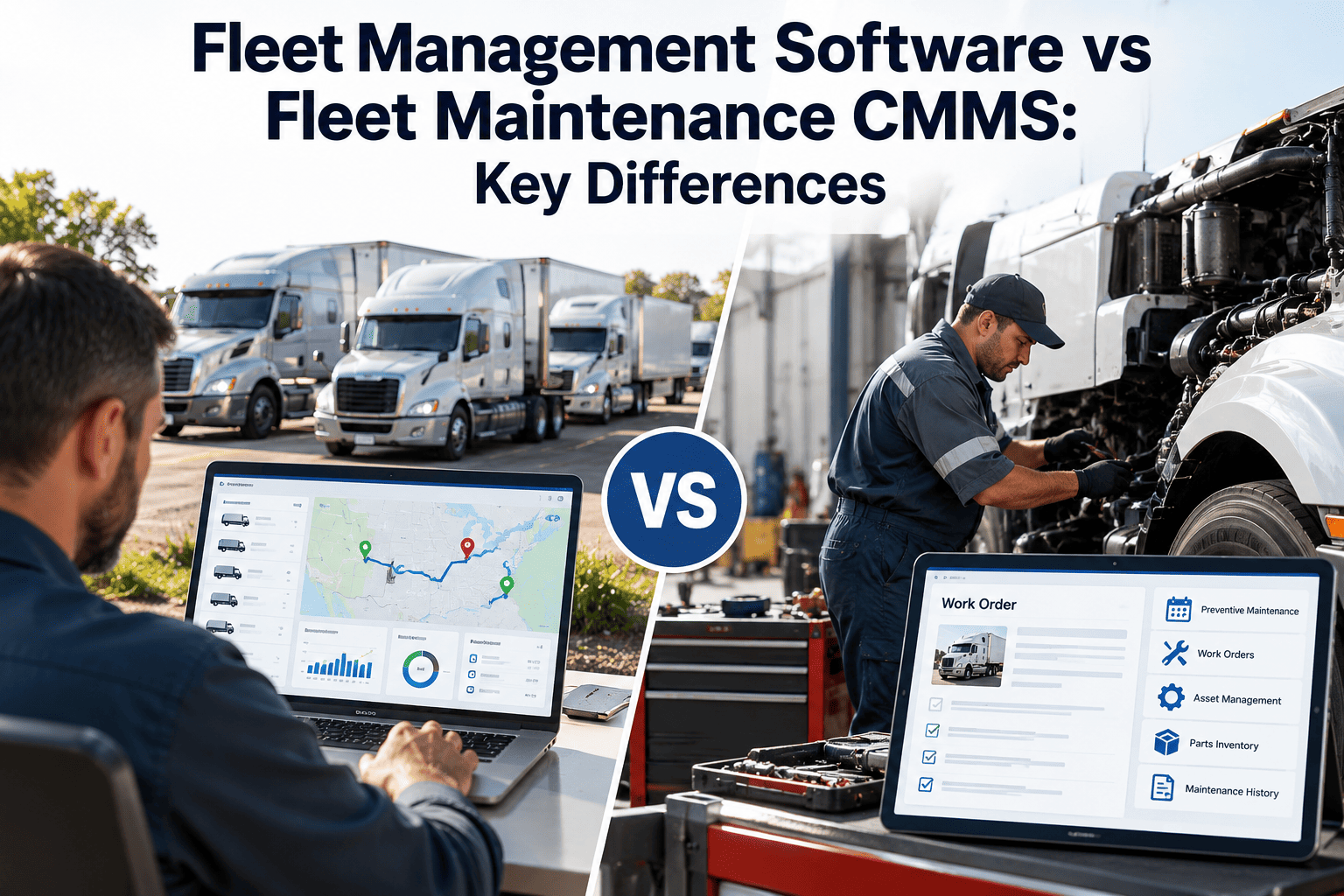
Fleet teams often assume they already have maintenance covered because their fleet management platform shows GPS, fuel and driver data. Then the shop discovers that work orders, parts, technician time and inspection history still live in spreadsheets or a separate tool. Fleet management software and a fleet maintenance CMMS overlap, but they are built around different questions. One watches where vehicles are and how they are driven; the other manages how they are inspected, repaired and kept compliant. Understanding the split helps you choose, or combine, tools such as maintenance management software with the right expectations.
Fleet Management Software vs Fleet Maintenance CMMS: Key Differences
A clear comparison of what each system does well, where they overlap, and how to decide which gaps matter for your fleet's maintenance, compliance and uptime.
Start With the Core Purpose
Fleet management software asks
- Where is each vehicle right now?
- How are drivers behaving?
- How much fuel are we using?
- Are routes and dispatch efficient?
- Is the vehicle idling or off-route?
Fleet maintenance CMMS asks
- What work is due, overdue or in progress?
- What did this repair cost in parts and labor?
- Which defects are still open?
- Do we have the parts and technician time?
- Can we prove inspections and repairs were done?
Feature-by-Feature Comparison
| Capability | Fleet management software | Fleet maintenance CMMS |
|---|---|---|
| Work orders | Often basic or limited to reminders | Full lifecycle: request, assign, repair, approve, close |
| Preventive maintenance | Mileage or date alerts | Task checklists, intervals by meter or time, templates by vehicle class |
| Inspections | May include driver checks | Configurable inspections that turn defects into work orders |
| Parts and inventory | Rarely included | Stock levels, reorder points, parts issued per job |
| Labor tracking | Rarely included | Technician hours, skills and shop workload |
| Asset history | Vehicle record and trips | Complete repair, cost and inspection history per unit |
| Telematics and GPS | Core strength | Usually consumed as data input, depending on setup |
| Driver behavior and routing | Core strength | Generally out of scope |
| Compliance records | Hours of service, driver logs, some DVIR | Inspection, repair and maintenance records |
Signs Your Fleet Has Outgrown Basic Maintenance Reminders
- Maintenance alerts exist, but nobody can see whether the work was completed or what it cost.
- The shop keeps parts and labor in a separate spreadsheet or paper system.
- Driver-reported defects sit in email or text threads without ownership.
- You cannot quickly pull the full repair history of a unit for audit or resale.
- PM compliance is reported from memory rather than measured.
- Different locations track maintenance in different ways.
Where Each Tool Falls Short
A fleet management platform alone
Excellent for visibility on the road, but without work order depth you may lack cost per repair, technician accountability, parts control and defect closure evidence.
A CMMS alone
Strong for shop control, but without usage data you rely on manual meter entries. Connecting meters or fault codes improves PM accuracy.
See What a Maintenance-First System Adds
Bring inspections, work orders, parts and asset history into one place built for the shop.
How the Two Work Together
- Telematics supplies usage.Odometer, engine hours and fuel data feed meter readings so PM due dates stay current.
- Fault codes create awareness.Diagnostic trouble codes can prompt inspection or a work order.
- Driver inspections capture defects.Checklist results create tasks with severity and photos.
- CMMS manages the repair.Assignment, parts, labor, approval and closeout take place in the work order.
- Reports combine both views.Cost per mile, availability and risk need maintenance and usage data together.
Evaluation Questions for Maintenance Managers
Shop workflow
Can a technician open, update and close a work order on a phone or tablet in the bay? Can it track parts and time?
PM depth
Can schedules vary by vehicle class and use multiple triggers, and can tasks include checklists?
Inspection to repair
Does a failed inspection item create a work order automatically, with an owner and due date?
Reporting
Can you report cost by unit, class and location, and drill down to the work order?
Data standards
Does it support consistent unit, VIN, failure and repair codes across locations?
Integration
What data can come from telematics, accounting or parts suppliers, and how is it set up?
Implementation Path: Choosing and Rolling Out
Map current workflow
Document how defects, PMs and repairs move today and where information gets lost.
Clean the asset list
Verify VINs, unit numbers, classes and meter readings before importing.
Start with core workflows
Launch inspections, work orders and PM first, then add parts and reporting.
Train by role
Drivers, technicians, supervisors and managers each need a focused session.
Review and refine
After a few weeks, check data quality and adjust templates and approvals.
Who Benefits From Each System
| Role | Fleet management software helps with | Fleet maintenance CMMS helps with |
|---|---|---|
| Driver | Routing, messaging, vehicle assignment | Pre-trip inspections and defect reporting with feedback |
| Dispatcher | Vehicle location and availability | Knowing which units are out of service and when they return |
| Technician | Fault code alerts | Work orders, checklists, parts and labor recording |
| Shop supervisor | Usage data for planning | Backlog, scheduling, workload and PM compliance |
| Fleet manager | Utilization and fuel visibility | Cost per unit, asset history and compliance records |
| Finance | Fuel and usage reporting | Maintenance cost by unit, class and period |
Data Flows Between the Two
| Integration | What flows | Benefit |
|---|---|---|
| Telematics to CMMS | Odometer, engine hours | PM due dates stay accurate without manual entry |
| Fault codes to CMMS | Diagnostic trouble codes | Faster triage and earlier work orders |
| CMMS to accounting | Work order cost and parts | Maintenance cost matches finance records |
| Suppliers to CMMS | Part numbers and prices | Quicker ordering and cost tracking |
| Fuel cards to reporting | Fuel transactions | Complete cost per mile views |
Which Do You Need? Scenario Guide
Small fleet, outsourced repairs
Basic reminders may suffice, but keep invoices and inspection records organized per unit so history is not lost.
In-house shop
A CMMS is typically essential for work orders, parts, labor and scheduling, whatever telematics you use.
Regulated carrier
Inspection, repair and maintenance records need to be complete and retrievable, which favors a maintenance-first system.
Multi-depot operation
Standard work orders and codes across locations matter more than any single feature.
Mixed ownership
Owned, leased and rented units need different cost and return tracking in the same asset register.
Fast-growing fleet
Spreadsheets break first. Set up asset records and PM templates before volume makes cleanup painful.
Common Selection Mistakes
- Choosing on the strength of dashboards and maps while ignoring what a technician needs at the vehicle.
- Assuming a maintenance module in a fleet platform covers parts, labor and approvals without testing it.
- Buying a CMMS without checking how meter readings will arrive.
- Skipping data cleanup and importing duplicate or inconsistent assets.
- Rolling out to every location at once, with no pilot and no refinement of templates.
- Ignoring training, so drivers and technicians keep using texts and paper.
Questions to Put to Each Vendor
For a fleet management platform
- Which maintenance workflows are native, and which are reminders only?
- Can parts, labor and outside repair be recorded per work order?
- How are defects from driver inspections tracked to closure?
- What can be exported to a maintenance system?
For a maintenance CMMS
- How do meter readings and fault codes get in?
- Can inspections create work orders automatically?
- How is asset history kept when unit numbers change?
- What reports show cost per unit, class and location?
Budget and Value Considerations
Where costs hide
Licensing is only one part. Consider data cleanup, integration work, hardware, training time and the productivity impact during transition.
Where value shows up
Fewer missed PMs, faster defect closure, better parts control, lower repeat repairs and audit-ready records. Measure these before and after rollout.
Moving From Spreadsheets to a CMMS
- Collect every source.Gather spreadsheets, paper files, vendor invoices and telematics lists so you know what exists before importing anything.
- Resolve duplicates.Match records by VIN and decide which unit number and class to keep for each vehicle.
- Convert schedules.Translate existing PM intervals into recurring schedules with checklists, and confirm they match manufacturer guidance and your own experience.
- Load open work.Import current open repairs and defects so nothing disappears during the changeover.
- Run in parallel briefly.Use the old and new process side by side for a short period, then retire the spreadsheet and announce the cutover date.
Access, Security and Governance
Role-based access
Drivers should be able to submit inspections and see their vehicles, while technicians update work orders and managers approve costs. Limit who can change PM schedules and master data.
Audit trail
Maintenance records support compliance and warranty discussions, so the system should show who changed a record and when, and keep that history intact.
What Matters on the Shop Floor
Speed at the vehicle
If opening a work order takes longer than writing it on paper, technicians will not use it. Test it with real technicians.
Offline tolerance
Shops and yards often have poor connectivity. Check how records sync when the signal drops and returns.
Photos and notes
Capturing defects with photos and short notes at the vehicle improves diagnosis and approvals later.
Reporting Questions Each System Answers
- Fleet management: which vehicles idled the most, drove off-route or consumed the most fuel this week?
- Fleet management: where is each vehicle and which are near their service meter threshold?
- CMMS: which PMs and inspections are overdue, and which units have open safety defects?
- CMMS: what did each unit, class and location cost to maintain this month?
- CMMS: which parts caused delays, and which components repeat their failures?
- Combined: what is maintenance cost per mile, and how does availability compare with utilization?
Implementation Risks and How to Reduce Them
| Risk | How it shows up | Mitigation |
|---|---|---|
| Poor adoption | Technicians keep using paper and texts | Involve technicians in setup, keep forms short and show them how the data helps their work |
| Dirty starting data | Duplicate units and wrong classes cause bad reports | Clean and validate before import, and pilot with one location |
| Over-configuration | Too many fields and approvals slow everyone down | Start with core workflows and add fields only when a report needs them |
| Integration gaps | Meter readings arrive late or not at all | Decide the source of each meter reading before go-live and test it |
| Unclear ownership | No one maintains templates, codes or users | Name a system owner and a backup with defined responsibilities |
A Simple Pilot Plan
- Choose one location and one or two classes.Pick a site with a supportive supervisor and enough volume to test PMs, inspections and repairs.
- Set success measures.Examples include percentage of work orders closed with complete data, PM compliance and average time to close a defect.
- Run for several weeks.Collect feedback from drivers, technicians and managers, and note every workaround people invent.
- Fix and expand.Update templates and training based on what the pilot revealed, then extend to the next location.
A Balanced Way to Decide
Start from the pain
List the three problems costing you most today, such as missed PMs, slow defect closure or untracked repair cost. Judge each tool by whether it solves those problems, not by its total feature count.
Test with real scenarios
Ask each vendor to walk through a failed inspection becoming a work order, a part being issued, a repair being approved and the unit's history updating. Gaps appear quickly in a live walkthrough.
Keep the Overlap From Becoming Duplication
- Decide which system is the master for vehicle records, and sync the other from it rather than editing both.
- Choose one place where maintenance alerts become work orders, so the same issue is never tracked twice.
- Agree who owns meter readings, since conflicting odometer values will shift PM due dates.
- Document the flow in a single diagram that new managers can read in a few minutes.
How Oxmaint Fits the Maintenance Side
Preventive maintenance
Schedule recurring work by time or meter with task lists.
Work orders
Manage corrective and preventive jobs from request to closeout.
Inspections
Capture findings on mobile and route defects to the right person.
Asset management
Maintain unit records with history, documents and cost.
Inventory
Control parts and link usage to work orders.
Reporting
Dashboards for backlog, compliance and cost.
Frequently Asked Questions
Put Maintenance at the Center of Fleet Operations
Choose the tools that match how your shop works, and start with a system built around work orders and asset history.