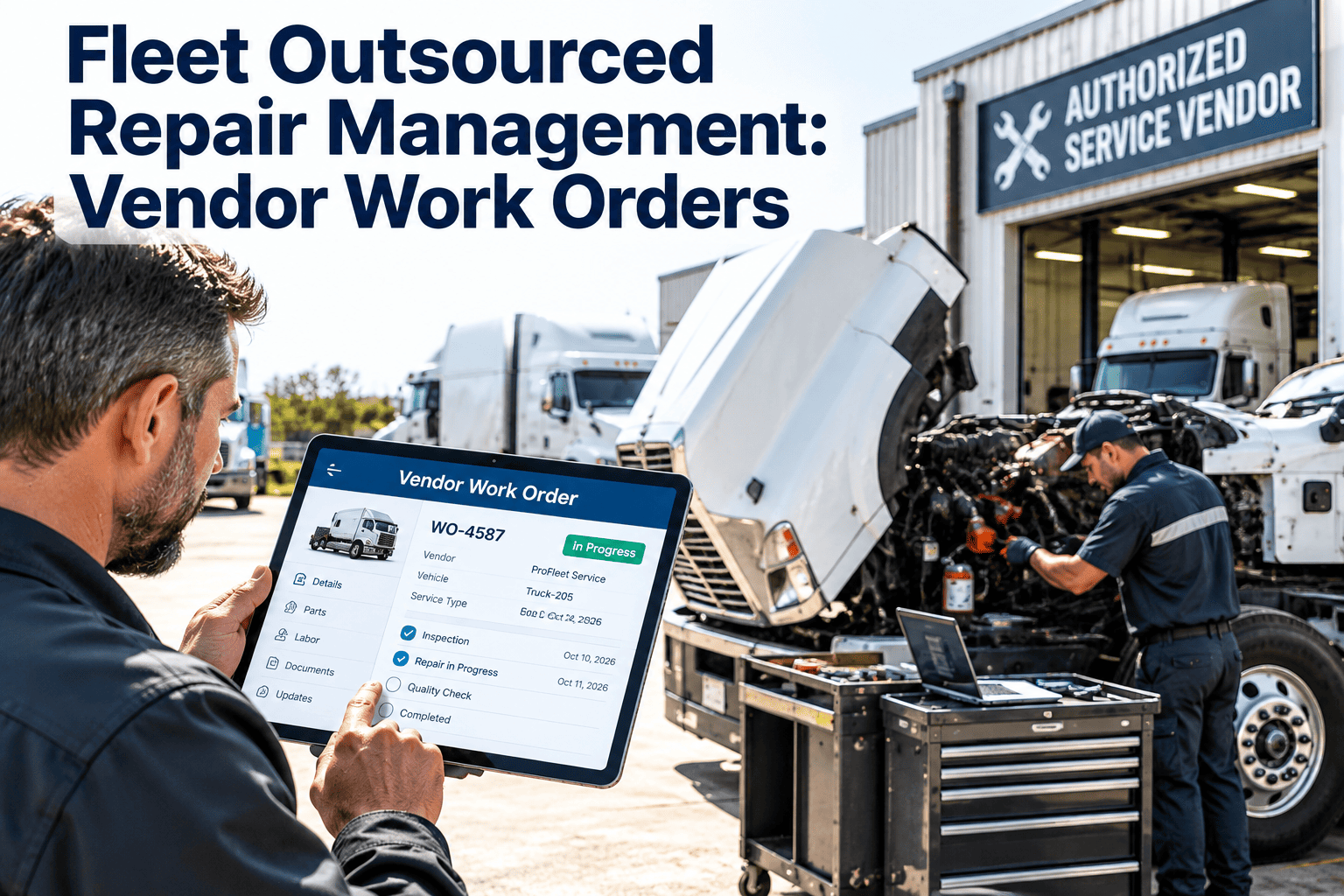
Few fleets repair every vehicle in their own shop. Warranty work goes to dealers, specialty jobs go to body shops, and overflow or roadside repairs go to whatever vendor is closest. The trouble starts when those jobs leave the maintenance system. Costs arrive weeks later on an invoice, repair details sit in an email, and the vehicle history has a gap. Fleet outsourced repair management fixes this by treating every vendor job as a controlled work order with approval, scope, cost, and proof of completion. This guide explains how, and how Oxmaint maintenance management software keeps outside repairs inside your records.
Fleet Outsourced Repair Management: Vendor Work Orders
Give every outside repair the same control as in-house work: clear scope, approved cost, tracked status, and a complete asset history.
- 1Request
- 2Estimate
- 3Approve
- 4Repair
- 5Verify
- 6Invoice and close
When Fleets Send Work Outside, and Why It Gets Messy
| Reason to outsource | Typical work | What gets lost without a work order |
|---|---|---|
| Specialized equipment or skills | Transmission rebuilds, diesel emissions systems, alignment, frame repair | Diagnosis details and parts used |
| Warranty or recall coverage | Dealer repairs on covered components | Proof that the repair was claimed and completed |
| Capacity overflow | Peak season PM and tire work | Service dates that drive the next PM |
| Geographic coverage | Roadside and remote location repairs | Authorization trail and final cost |
| Body and paint | Collision repair, liftgates, bodies | Estimate versus final cost and photos |
Five Places Vendor Repairs Go Wrong
Verbal approvals
A phone call authorizes a repair, but no one records the amount or scope. The invoice later arrives with unexplained extras.
Open-ended scope
A vague request such as "check the brakes" invites broad work. Without a defined complaint and limit, cost is unpredictable.
Missing completion proof
The vehicle returns, but nobody confirms what was done, which parts were used, or whether warranty applies.
Duplicate or repeat repairs
When vendor history is not tied to the vehicle, the same failure can be repaid by a different shop without anyone noticing.
Late invoices and unclear coding
Costs land in the wrong period or cost center, which distorts cost per vehicle and makes budgeting harder.
Anatomy of a Good Vendor Work Order
Asset identity
Reported complaint
Authorized scope
Estimate and limit
Warranty status
Vendor and contact
Promised date
Cost coding
The Vendor Repair Lifecycle, Stage by Stage
- Request | Fleet shop or dispatcher
Decide to outsource and create the work order
Link the job to the defect report or inspection finding. Record why it is going outside, such as skills, warranty, or capacity.
- Estimate | Vendor
Collect a written estimate
Attach the vendor quote to the work order. Compare it against past repairs of the same type on similar vehicles.
- Approve | Fleet manager
Authorize within defined limits
Route approval by amount and repair type. Record who approved, when, and for what cap.
- Repair | Vendor
Track status and handle supplements
If the vendor finds additional work, require a revised estimate and a fresh approval before it proceeds.
- Verify | Fleet technician
Inspect before returning to service
Confirm the original complaint is resolved, check for safety items, and record the odometer at pickup.
- Close | Maintenance admin
Match the invoice and update history
Compare invoice to approved estimate, record final cost, attach documents, and close the work order.
Bring Outside Repairs Into the Same Record as Your Shop
Approval Tiers That Keep Cost Under Control
| Tier | Typical job | Who approves | Required before work starts |
|---|---|---|---|
| Routine | Minor repair within a pre-agreed price list | Shop supervisor | Work order and agreed rate |
| Standard | Mid-cost repair on a common component | Maintenance manager | Written estimate and not-to-exceed amount |
| Major | Engine, transmission, or collision work | Fleet manager | Estimate, repair-versus-replace review, vehicle history check |
| Emergency | Roadside or breakdown with limited options | On-call manager | Verbal approval logged within the same shift |
Repair or Replace? Use Vehicle History to Decide
Questions history can answer
- How much has this unit cost in repairs over the last year?
- Is this a repeat failure, and who repaired it last time?
- Is the component still under warranty?
- How many days has the unit been out of service?
What this prevents
- Paying twice for the same fix
- Pouring money into an aging unit past its useful point
- Missing a warranty claim that was available
- Accepting a vendor diagnosis that history contradicts
Roadside and Emergency Repairs: Control Without Slowing Down
- Step 1 | Dispatcher or driver
Log the breakdown immediately
Create the work order with the location, symptoms, and photos if possible, so the vendor and your team see the same facts.
- Step 2 | On-call manager
Choose from a pre-approved vendor list
Vendors vetted in advance, with known rates and payment terms, reduce the guesswork when time is short.
- Step 3 | On-call manager
Give a limited authorization
Approve diagnosis and a defined first repair, then require a call before anything beyond that cap.
- Step 4 | Maintenance admin
Review the next business day
Confirm the invoice, attach receipts, and check whether the failure points to a preventable cause.
Parts and Warranty Handling on Vendor Jobs
Vendor supplies parts
- Faster turnaround and one point of accountability
- Markup should be visible on the estimate
- Record part numbers and brand for later warranty claims
- Confirm the warranty period on both parts and labor
Fleet supplies parts
- Better price control on high-volume items
- Requires inventory records and issue tracking
- Vendor labor warranty may differ from vendor-supplied parts
- Delivery timing must be coordinated to avoid idle bays
Getting Vendors On Board With the Process
Set expectations in writing
Share your estimate, approval, and supplement rules with each vendor so the process is not a surprise at drop-off.
Agree on rates and terms
Document labor rates, parts pricing, payment terms, and warranty conditions so invoices can be checked against something.
Require work order references
Ask vendors to quote your work order number on estimates and invoices. It makes matching fast and reduces disputes.
Review performance together
Share scorecard results regularly. Good vendors welcome clear feedback, and weak ones become visible.
Where Outsourced Repair Management Is Heading
- Mobile capture of photos, odometer readings, and approvals at the vehicle or vendor site
- Telematics fault codes that help describe the complaint accurately before the vehicle arrives
- Data-based sourcing, where repair type, cost, and turnaround guide which vendor gets which job
- More complex vehicles, including electrified units, that increase reliance on specialized outside shops
- Greater audit pressure, making complete and retrievable repair records more valuable
Records, Compliance, and Audit Readiness
Identify the vehicle and the work
Records should show the unit, the date, and the nature of each inspection, repair, or maintenance task, including those done by vendors.
Keep it retrievable
US rules call for retaining maintenance records for a defined period, so documents must be easy to find when an auditor asks.
Link defects to repairs
Driver inspection reports that note a defect should connect to a documented repair or a certification that none was needed.
Verify vendor qualifications
For jobs such as annual inspections, confirm the person performing them meets the applicable qualification requirements.
Before and After: Managing Vendor Repairs With a CMMS
Before
- Approvals by phone and text
- Estimates in email threads
- Invoices matched manually weeks later
- Vehicle history missing outside jobs
- No view of which vehicles are at which vendor
After
- Approval recorded on the work order
- Estimate and photos attached to the job
- Invoice compared to the approved cap at close
- Complete history for every vehicle
- Live status of vehicles in vendor shops
A Practical Vendor Scorecard
| Measure | How to calculate it | What it reveals |
|---|---|---|
| Turnaround time | Drop-off date to ready date, compared with the promised date | Reliability and effect on vehicle availability |
| Estimate accuracy | Final invoice versus approved estimate | Pricing discipline and scope control |
| Repeat repair rate | Same failure on the same unit within a set window | Quality of diagnosis and workmanship |
| Documentation quality | Complete paperwork and parts detail at close | Audit readiness |
| Responsiveness | Time to provide status or estimate | Ease of working together |
KPIs for Outsourced Repair Performance
Outsourced share of repairs
Cost per vehicle by vendor
Days out of service
Estimate variance
Warranty recovery
Approval compliance
How Oxmaint Fits Into Vendor Repair Workflows
Rollout Checklist: Your First 30 Days
List your active vendors
Group them by repair type, location, and how often you use them. Remove vendors you no longer trust.
Define approval tiers
Set dollar thresholds and approvers, including an on-call path for emergencies.
Standardize the work order template
Use the fields listed earlier so every vendor job captures the same minimum information.
Brief vendors and your own team
Explain that no vendor work starts without a work order number, and that supplements need fresh approval.
Review the first month of data
Check estimate variance, turnaround, and missing documents, then adjust the process where friction appears.
Frequently Asked Questions
Should outside repairs have their own work orders?
Yes. A work order captures scope, approval, cost, and completion, and keeps vehicle history complete. Try creating one for your next vendor job.
What is a not-to-exceed amount?
It is a cost cap agreed before work starts. If the vendor needs more, they must request approval for the additional amount first.
How do I handle supplemental repairs?
Require a revised estimate and documented approval before extra work begins, then attach both to the original work order.
Can vendor work reset preventive maintenance?
Yes, if the completion date and meter reading are recorded. Book a demo to see PM schedules updated from vendor jobs.
How do I compare vendors fairly?
Use work order data such as turnaround, estimate accuracy, and repeat repairs, grouped by similar repair types.