fleet accident repair workflow: Checklist, KPIs, and CMMS Workflow

By Corin Hale on July 1, 2026

fleet-accident-repair-workflow-checklist-kpis-and-cmms-workflow

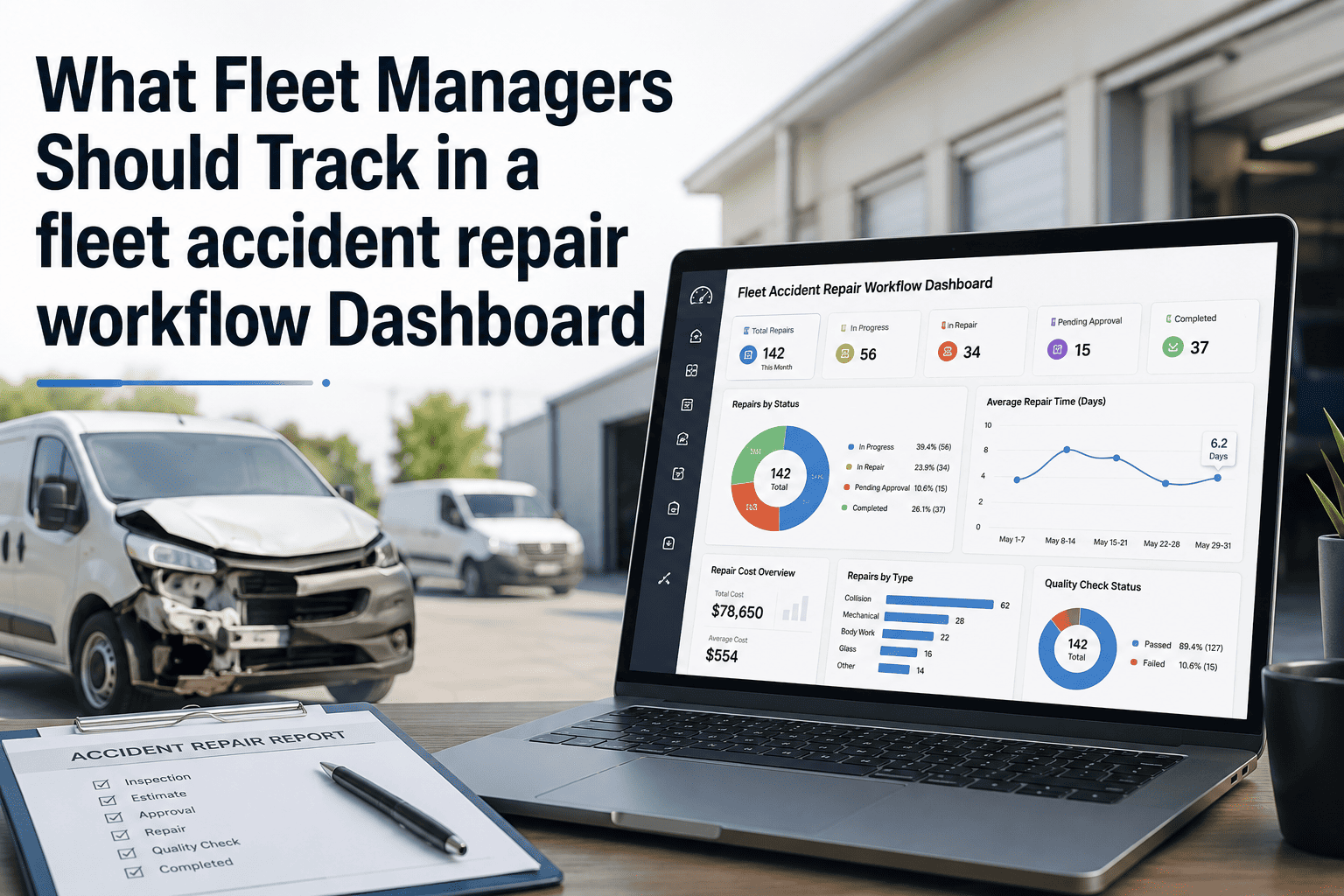
A fleet manager who only reviews a collision after the repair invoice lands has already lost control of the two things that determine the final cost — how fast the claim was opened and how well the damage was documented at the scene. Fleet accident repair is a systematic workflow that runs from the first minute after impact through subrogation recovery, and every step skipped adds directly to downtime and dollars. This checklist gives your fleet safety directors, dispatchers, and claims coordinators a complete step-by-step framework covering scene response, claim intake, repair execution, and close-out — structured so every incident is traceable in your OxMaint compliance platform from the roadside to the final signed invoice.

Safety & Repairs · Accident Management · Repair Checklist

Fleet Accident Repair Workflow Checklist: Scene to Sign-Off Guide

A category-by-category checklist covering scene response, claim intake, repair shop assignment, teardown and estimate review, quality sign-off, and subrogation recovery — built for fleets where a slow first response quietly inflates every claim that follows.

6 Checklist Categories
30+ Check Points
2 Hrs Target Claim Open Time
P1 Downtime Priority
High-Risk Gaps Revealed by This Checklist
Delayed Claim Open Every hour past the two-hour reporting target extends downtime and slows adjuster response
Incomplete Scene Photos Missing wide shots or panel context photos stall estimate approval and invite disputes
Late Teardown Hidden damage found after 48 hours becomes a late supplement that delays the whole repair
No Rental Plan A vehicle without a pre-arranged rental option sits idle even after the estimate is approved
Unpursued Subrogation Most insurers pursue only a small share of recoverable third-party claims by default
Missing Final Sign-Off A repair closed without a quality check risks poor panel alignment reaching the driver
DDay of Incident
WWithin 48 Hours
MDuring Repair
QAt Close-Out
AOngoing Review

Scene Response & Safety

The first fifteen minutes at the scene are about safety and evidence, not fault. Every driver should be trained to follow the same sequence regardless of how minor the collision appears.


Vehicles moved out of traffic where safe and legal, hazard lights activated, and injuries checked before anything else — emergency services called immediately if anyone is hurt
DDriver · Scene safety confirmation

Police called and report requested, with the incident or report number recorded even if officers do not physically respond to the scene
DDriver · Police report reference log

No fault admitted and no cause or speed speculation made to the other party — driver sticks to observable facts and defers all liability discussion to the fleet manager
DDriver · Fault-neutral statement policy

Wide shots, close-ups of each damaged panel, and an adjacent undamaged panel captured for context, along with witness contact details where available
DDriver · Scene photo documentation

Claim Intake & Insurer Notification

Insurance carriers process structured, fact-only information faster than a delayed or speculative report, and the two-hour target exists because every downstream step waits on this one.


One internal owner assigned to open the claim and speak to the adjuster — confusion over who owns first response is the most common cause of a missed reporting deadline
DFleet Manager · Claim ownership assignment

Claim submitted to the insurer within two hours of the incident with structured facts only — no speculation on cause, speed, or fault included in the report
DFleet Manager · Claim submission timestamp log

Driver accident form or digital incident report reviewed for completeness before submission — a mobile form that forces the basics prevents details from getting fuzzy later
DFleet Manager · Incident report completeness check

Rental or spare-vehicle plan activated the same day so the driver and route are not left without coverage while the claim and repair are processed
DFleet Manager · Replacement vehicle coordination

A claim that lives across a phone call, a text thread, and a paper folder is a claim that drifts. OxMaint keeps every photo, estimate, and sign-off attached to the vehicle record from the first incident report to the final invoice, so nothing gets lost between the roadside and the shop.

Repair Shop Assignment & Teardown

Where the vehicle goes and how fast the teardown happens determines whether hidden damage surfaces as an early supplement or a late one that stalls the entire repair timeline.


Vehicle routed to a pre-qualified repair shop in the fleet's network with negotiated labour rates, confirmed parts availability checked during estimate review, not after approval
WFleet Manager · Repair shop assignment log

Full teardown requested and completed within 24 to 48 hours of drop-off so hidden damage surfaces as an early supplement instead of a late surprise
WFleet Manager · Teardown timing confirmation

Initial estimate showing parts and labour costs separately reviewed before any repair work begins, with any supplemental estimate supported by photos submitted promptly
WFleet Manager · Estimate and supplement review

Repair Execution & Cost Tracking

A repair that runs without active tracking is a repair that drifts past its committed timeline, and every extra day is downtime cost the fleet absorbs directly.


Repair progress checked against the shop's committed timeline at least every two to three days rather than assumed to be on track without confirmation
MFleet Manager · Repair progress tracking log

Repair invoice compared against the original cost estimate to flag any unexplained variance before the invoice is approved for payment
MFleet Manager · Cost control and variance review

Damage cause and frequency logged against the vehicle and driver record to build a data set for future incident prevention analysis
MFleet Safety Director · Damage cause classification log

Quality Check & Sign-Off

The vehicle should never be signed back into service on trust alone. A short quality check at pickup catches issues that are far harder and costlier to fix once the vehicle is back on the road.


Panel alignment, paint match, and safety system function verified in person before the repair invoice is signed off as complete
QFleet Manager · Final quality inspection

Final repair summary requested from the shop and filed in the permanent unit record to support resale value, compliance, and future diagnostics
QFleet Manager · Final repair summary filing

Any unresolved concern raised with the repair shop before the invoice is signed, not after the vehicle has already left the lot
QFleet Manager · Pre-signature concern review

Subrogation & Close-Out Recordkeeping

Closing the repair file is not the end of the workflow. Recoverable cost and recurring incident patterns are both left on the table if this final category gets skipped.


Subrogation pursued on any at-fault third party where state regulation permits, including low-dollar claims that most insurers otherwise leave unclaimed by default
AFleet Manager · Subrogation pursuit log

All claim documentation — photos, estimates, supplements, final invoice, and sign-off — archived against the vehicle record for a minimum retention period set by fleet policy
AFleet Manager · Claim archive and retention log

Incident pattern reviewed monthly across the fleet to identify whether damage causes cluster on specific routes, drivers, or vehicle types requiring corrective action
AFleet Safety Director · Incident trend review
Workflow KPIs

Five Metrics That Reveal a Broken Claims Process

Metric How to Measure Target Frequency
Claim Open Time Incident time to insurer notification Under 2 hours Per incident
Repair Cycle Time Vehicle drop-off to return-to-service date Under 9 days average Monthly
Supplement Rate Claims with late supplements / total claims Below 15% Monthly
Subrogation Recovery Recovered cost / eligible third-party cost As close to 100% as state law allows Quarterly
Rental Cost per Incident Total rental spend / number of claims Trending down year over year Quarterly
FAQs

Frequently Asked Questions

How fast should a fleet open an insurance claim after an accident?

Best-practice fleets target claim submission within two hours of the incident, since insurers process structured information faster and delays compound at every later step. OxMaint logs the incident timestamp automatically so this window is easy to track.

Why does teardown timing matter so much to the repair cost?

A teardown completed within 24 to 48 hours surfaces hidden damage as an early supplement instead of a late one, which keeps the adjuster's approval moving and prevents the repair from stalling mid-way.

Should a fleet always pursue subrogation after an at-fault third-party accident?

Yes where state regulation permits it — most insurers only pursue a small fraction of recoverable comparative-negligence claims, leaving real money unclaimed unless the fleet actively tracks eligible cases. Ask about subrogation tracking in a live walkthrough.

What documentation actually speeds up an accident claim?

Wide shots, close-ups of each damaged panel, an adjacent undamaged panel for context, witness details, and the police report number, all captured at the scene rather than reconstructed later from memory.

How does a CMMS improve accident repair tracking compared to email and phone calls?

A CMMS keeps every photo, estimate, supplement, and technician sign-off attached to one vehicle record with timestamps, replacing the scattered emails and phone threads where details usually get lost. See how OxMaint structures an accident record end to end.

Digitize the Accident Workflow

Every Incident Logged. Every Repair Tracked. Every Dollar Recovered.

OxMaint turns this checklist into a structured digital record — incident capture, shop assignment, supplement tracking, and sign-off — so your fleet gets vehicles back on the road faster and never leaves recoverable cost on the table.
Share This Story, Choose Your Platform!