Fleet managers who track maintenance manually spend an average of 6.2 hours per week on paperwork that a structured system handles in minutes. The difference between fleets that control costs and those that hemorrhage money on emergency repairs often comes down to one thing: a documented maintenance log that captures every service event, every part replacement, and every repair across every vehicle. Without this foundation, you are managing blind — reacting to breakdowns instead of preventing them, missing warranty claims because you cannot prove service history, and spending 3.4x more on repairs than fleets with documented preventive maintenance programs. This free fleet maintenance log template gives you the structure to start tracking immediately — but if you want to eliminate the spreadsheet limitations entirely, Oxmaint's digital fleet CMMS turns this log into an automated system with mobile access, technician assignments, parts tracking, and compliance reporting built in. Download the template to start today, or book a demo to see how the digital version transforms fleet maintenance operations.
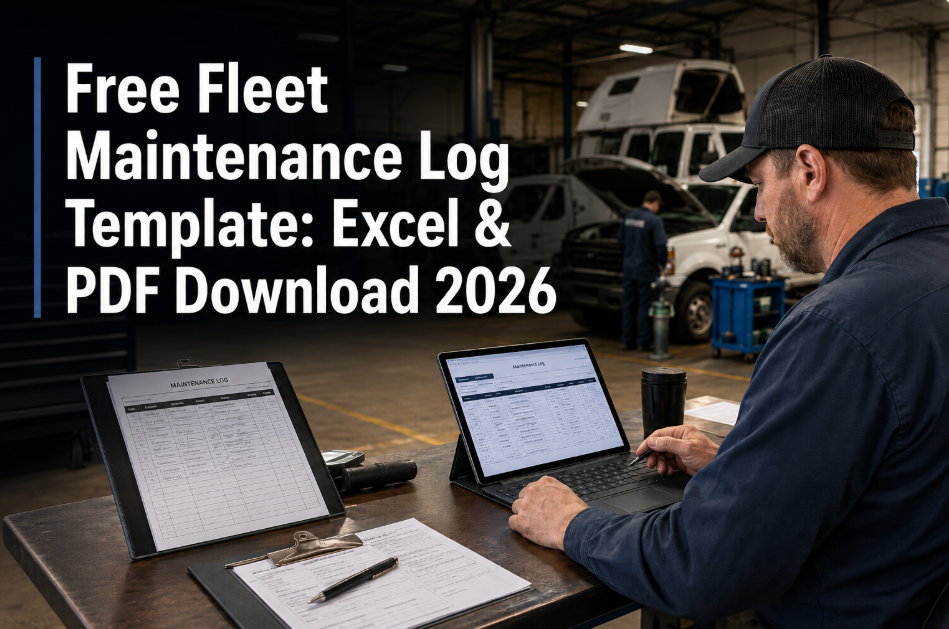
Free Fleet Maintenance Log Template: Excel and PDF Download
Track vehicle service history, oil changes, inspections, tire rotations, and repairs across your entire fleet. Structured format compatible with Oxmaint CMMS for seamless digital upgrade.
Download the Template or Go Digital Instantly
Start with the free Excel/PDF template to structure your fleet maintenance records today. When you are ready to eliminate manual tracking, import your data directly into Oxmaint for automated scheduling, mobile work orders, and real-time fleet visibility.
What This Fleet Maintenance Log Template Includes
This template is designed by fleet operations professionals to capture every data point that matters for cost control, compliance, and asset lifecycle management. Whether you manage 5 vehicles or 500, the structure scales — and when you are ready to go digital, every field maps directly to Oxmaint's fleet CMMS platform.
Complete vehicle registry with VIN, year, make, model, license plate, acquisition date, assigned driver, and department. Foundation for tracking maintenance by individual asset. Includes fields for warranty expiration and lease end dates.
Chronological record of every maintenance event — oil changes, filter replacements, brake service, tire rotations, fluid flushes. Captures date, odometer reading, service type, technician, vendor, cost, and next service due.
Separate section for unplanned repairs with root cause documentation, parts replaced, labor hours, downtime duration, and total cost. Critical for identifying problem vehicles and calculating true cost of ownership.
Pre-trip and post-trip inspection log with date, driver signature field, defects noted, and corrective action taken. Supports DOT compliance requirements and creates an audit trail for safety documentation.
Preventive maintenance schedule by vehicle with service intervals, last completed date, next due date, and overdue alerts. Visual calendar view shows upcoming maintenance across the entire fleet.
Auto-calculating summary sheet showing total maintenance cost per vehicle, cost per mile, and fleet-wide spending trends. Identifies highest-cost vehicles and supports replacement decisions.
Template Fields and Data Capture
Every field in this template is designed to capture data that drives better fleet decisions. Here is exactly what you will track — and why each data point matters for cost control, compliance, and operational efficiency.
| Field Name | Data Captured | Why It Matters |
|---|---|---|
| Vehicle ID / Unit Number | Internal fleet identifier | Enables tracking across all records; links service history to specific asset |
| Odometer Reading | Mileage at time of service | Triggers interval-based PM; calculates cost per mile; identifies high-use vehicles |
| Service Date | Date maintenance performed | Creates chronological history; calculates days between services; warranty documentation |
| Service Type | Category of work performed | Enables cost analysis by service type; identifies most frequent maintenance needs |
| Technician / Vendor | Who performed the work | Quality accountability; vendor performance tracking; labor cost analysis |
| Parts Used | Components replaced | Inventory planning; parts cost tracking; supplier performance; warranty claims |
| Labor Hours | Time spent on service | Labor cost allocation; efficiency benchmarking; repair complexity assessment |
| Total Cost | Parts plus labor plus fees | TCO calculation; budget tracking; cost per mile; replacement decision support |
| Next Service Due | Date or mileage for next PM | Proactive scheduling; prevents missed maintenance; extends asset life |
| Downtime Hours | Vehicle out-of-service time | Availability tracking; productivity impact; unplanned vs. planned downtime ratio |
Excel Template vs. Digital CMMS: Side-by-Side Comparison
The free template gets you started with structured data capture — but spreadsheets have inherent limitations that digital fleet management systems eliminate. Here is an honest comparison so you can decide when it makes sense to upgrade to Oxmaint's digital platform. Most fleet managers find that once they have more than 15 vehicles or multiple locations, the time savings of digital far outweigh the cost. Want to see the difference in action? Book a demo or start a free trial.
| Capability | Excel/PDF Template | Oxmaint Digital CMMS |
|---|---|---|
| Data Entry | Manual entry, desktop only | Mobile app, voice input, barcode scanning |
| PM Reminders | Manual calendar checks required | Automated alerts by date, mileage, or engine hours |
| Multi-User Access | File sharing challenges, version conflicts | Real-time sync across unlimited users |
| Technician Assignment | Verbal or email coordination | Digital work orders with push notifications |
| Parts Tracking | Separate inventory spreadsheet | Integrated inventory with auto-reorder alerts |
| Reporting | Manual pivot tables and charts | Real-time dashboards, automated reports |
| Compliance Documentation | Print and file manually | Audit-ready digital records with signatures |
| Cost Per Vehicle | Manual calculation | Auto-calculated with trending analysis |
How to Use This Fleet Maintenance Log Template
Download the template and follow these steps to establish a structured maintenance tracking system for your fleet. The template works for fleets of any size — from 3 service vans to 300 heavy trucks.
Enter all vehicles into the master list with VIN, plate number, year/make/model, and acquisition date. This creates your fleet baseline and ensures every service record links to the correct asset. Include warranty expiration dates to capture claims before they expire.
Define preventive maintenance schedules for each vehicle class — oil change intervals, tire rotations, brake inspections, fluid flushes. Enter the last service date and next due date. The template calculates days/miles remaining.
Record each maintenance activity as it occurs — date, odometer, service performed, technician, vendor, parts, labor, and total cost. Consistent data entry is critical. Missing entries create gaps that undermine cost analysis and compliance documentation.
Use the repair section to document breakdowns with root cause, downtime hours, and corrective action. This separates planned PM costs from unplanned repair costs — a critical distinction for identifying problem vehicles and calculating true TCO.
Check the summary dashboard weekly to identify overdue PM, highest-cost vehicles, and spending trends. Fleets that review maintenance data weekly catch problems 34% faster than those who review monthly or quarterly.
When manual tracking becomes a bottleneck — usually around 15+ vehicles — import your template data into Oxmaint. The platform reads your Excel structure and migrates your history automatically, eliminating the fresh-start problem that keeps fleets stuck on spreadsheets.
The template gives you structure. Oxmaint gives you automation, mobile access, real-time alerts, and compliance documentation that spreadsheets cannot match. Most fleet managers who try the digital platform never go back to manual tracking — the time savings alone justify the switch within the first month.
Service Types to Track in Your Fleet Maintenance Log
A comprehensive maintenance log captures every service category. Here are the standard service types included in the template — organized by frequency and criticality.
Every 5,000-10,000 miles depending on vehicle type and oil specification. Most frequent PM activity. Tracking ensures no vehicle misses an interval.
Rotation every 5,000-7,500 miles. Inspection for wear, pressure, and damage at every PM. Critical for safety and fuel efficiency.
Pad replacement every 25,000-50,000 miles. Fluid flush every 2 years. Rotor inspection at each pad change. Safety-critical system.
Transmission, coolant, power steering, differential fluids on manufacturer intervals. Often overlooked in reactive maintenance programs.
Required for commercial vehicles. Comprehensive safety inspection with documented certification. Compliance-critical for regulated fleets.
Breakdowns, collisions, component failures. Track separately from PM to calculate reactive vs. planned maintenance ratio. Target: 80%+ planned.
Frequently Asked Questions
What file formats is the fleet maintenance log template available in?
How many vehicles can I track with this template?
Does this template meet DOT compliance requirements?
Can I import my existing maintenance records into Oxmaint?
Start Tracking Fleet Maintenance Today
Download the free template to establish structured maintenance records immediately. When you are ready to eliminate manual tracking, automate PM scheduling, and access your fleet data from anywhere, Oxmaint is ready to import your history and take your fleet management digital. The average fleet reduces maintenance costs by 23% within the first year of structured tracking.