Geofencing for Fleet Management: Setup & Automation Guide
By Jack Miller on April 10, 2026
A construction equipment rental company in Denver had 62 assets spread across 14 active job sites. In Q3, three pieces of equipment moved off authorised job sites after hours without any alert being triggered — two were recovered, one was stolen. Total loss including insurance deductible, lost revenue, and replacement cost: $68,000. The company had telematics on every unit. The GPS data was available. What they lacked was a geofence system that turned location data into actionable alerts. OxMaint's geofencing module converts your existing GPS data into intelligent zone monitoring — automated alerts when assets enter or exit defined areas, movement outside authorised hours, customer site arrival and departure tracking, and driver boundary violation reporting. All configurable without any technical expertise. Book a demo to set up your first geofence live.
Know When Every Asset Enters or Leaves Any Zone — Instantly.
Automated entry/exit alerts, after-hours movement detection, and customer site tracking — OxMaint Geofencing
Loss from a single stolen equipment unit — with GPS fitted but no geofence monitoring active
93%
Of fleet managers report reduced asset theft incidents within 6 months of geofence deployment
14 min
Average time to set up a new geofence zone in OxMaint — draw on map, set alert rules, activate
Six Geofencing Use Cases — What OxMaint Monitors for Your Fleet
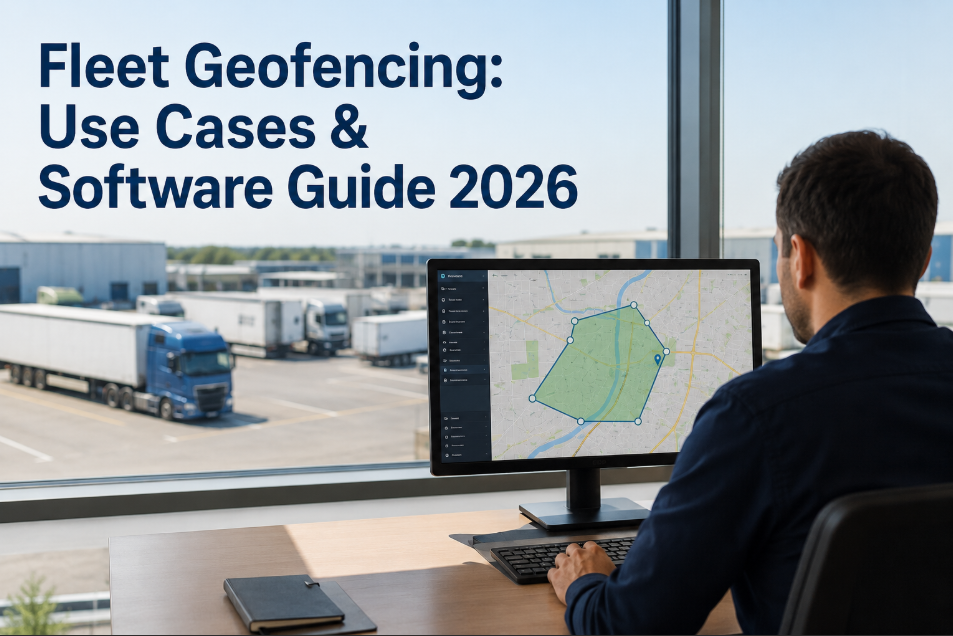
Geofencing is not just theft protection. Every fleet uses it differently — service fleets use it for customer site arrival confirmation, construction fleets for job site boundary control, logistics fleets for depot zone management. OxMaint supports all six use cases from a single geofence configuration panel.
Most common use
Customer Site Arrival & Departure
Auto-log technician arrival and departure times at customer locations
Automatic arrival timestamps replace manual check-in calls — proof of service for billing and SLA compliance.
Theft prevention
After-Hours Movement Detection
Immediate alert when any asset moves outside authorised operating hours
Most equipment theft occurs between 10 PM and 4 AM. After-hours movement alerts catch unauthorised movement before the asset leaves the area.
Job site control
Job Site Boundary Management
Alert when vehicles or equipment leave the authorised job site zone
Construction and field service fleets use job site geofences to confirm vehicles are on-site during working hours and to detect unauthorised departures with assigned equipment.
Compliance
Depot & Yard Entry Control
Auto-record every vehicle arrival and departure at your depot or yard
Depot geofences create automatic vehicle movement logs for maintenance scheduling, driver hour tracking, and security — replacing manual gate registers.
Driver management
Restricted Zone Violation Alerts
Alert when vehicles enter zones they are not authorised to operate in
Compliance-sensitive operations — ports, airports, government sites — use restricted zone alerts to detect unauthorised entry and generate the access violation record required for security reporting.
Service proof
Multi-Site Route Verification
Confirm service vehicles visited all required sites in the correct order
Cleaning, security, and utility service fleets use sequential geofence confirmation to verify route compliance — proof that every contracted site was visited on schedule.
Geofencing — OxMaint
Draw a Zone. Set an Alert. Know Instantly.
OxMaint geofencing takes 14 minutes to configure per zone — no technical expertise, no separate hardware, no additional software.
How OxMaint Geofencing Works — From Zone Draw to Automated Alert
Setting up a geofence in OxMaint requires no GIS expertise, no developer, and no hardware installation. Draw your zone on a map, configure your alert rules, assign the vehicles or assets to monitor, and activate — in that order, in 14 minutes.
Step 1
Draw the Zone
Open OxMaint map view
Draw polygon or radius around site
Name the zone and assign category
Set operating hours if applicable
Step 2
Configure Alerts
Entry alert — who to notify
Exit alert — immediate or delayed
After-hours movement — time window
Alert channel: push, SMS, email
Step 3
Assign Assets
Select vehicles, equipment, or drivers
Set monitoring always-on or scheduled
Link to work orders if applicable
Activate the geofence
Step 4
Receive Alerts
Instant alert on zone breach
Timestamped entry/exit record
Work order auto-created if configured
Report generated automatically
Geofencing Performance Benchmarks — US Fleet Data
Fleets that deploy OxMaint geofencing consistently see measurable improvements across theft prevention, service verification, and operational compliance within the first 90 days. The table below shows typical before-and-after outcomes from OxMaint fleet customer data.
Metric
Before Geofencing
After OxMaint
Fleet Type
After-hours equipment movement incidents
Undetected until next morning
Alert within 90 seconds of movement
Construction / Equipment
Customer arrival confirmation disputes
3–8 per month manual resolution
Zero — timestamped auto-record
Field Service
Unauthorised vehicle diversions detected
Discovered on fuel card review (days)
Real-time alert at deviation point
Delivery / Logistics
Route compliance verification
Manual check — estimated 40% accuracy
100% auto-logged per stop
Service / Utility
Depot gate log accuracy
Manual register — gaps and errors
Automatic — timestamped per vehicle
All fleet types
AI and Integration — How OxMaint Makes Geofencing Smarter
OxMaint's geofencing is not just passive monitoring — four AI and integration layers convert zone events into maintenance actions, dispatch triggers, and compliance records automatically.
OBD Integration — Geofence + Fault Alert
Vehicle entering job site triggers pre-arrival PM check against OBD data
Active fault code on site entry creates immediate work order before work begins
Post-job exit triggers fuel consumption summary per site visit
Entry trigger · Exit trigger
AI Pattern Detection — Anomaly Alerts
AI detects unusual dwell time in unexpected zones — flags for review
Repeated short stops outside authorised zones flagged as potential violation
Fleet-wide zone compliance score updated daily in analytics dashboard
Daily pattern · Real-time anomaly
SAP Integration — Geofence-Triggered Billing
Customer site entry auto-creates billable service visit record in SAP
Vehicle departure from job site triggers next-job dispatch assignment
Late site departure auto-notifies customer and re-estimates next arrival
Depot arrival triggers end-of-day defect check prompt on driver app
Exit-triggered · Auto-dispatch
After a $68,000 theft loss we set up after-hours geofences on all 62 pieces of equipment in one afternoon. Three weeks later, OxMaint fired an alert at 11:40 PM — a skid steer leaving Site 4. We called the police with a live location and they recovered it within 45 minutes. The geofencing system cost less than 1% of what that theft would have cost us.
— Operations Manager, Equipment Rental Company, Denver CO · OxMaint customer since 2023
Frequently Asked Questions
No — OxMaint geofencing uses your existing GPS telematics data. If your vehicles already have telematics devices (Samsara, Geotab, Verizon), geofencing activates immediately via API. New telematics can be added for vehicles not yet covered.
OxMaint generates geofence alerts within 30–90 seconds of a boundary event — depending on your telematics polling interval. After-hours alerts are immediate. Entry/exit alerts are generated on the next GPS ping after the boundary crossing is detected.
Yes — each geofence in OxMaint has independent operating hour configuration. A depot zone can monitor 24/7, a customer site zone can alert on weekend entry only, and a job site zone can flag after-hours movement on weekdays only. All configured independently per zone.
OxMaint supports unlimited geofence zones per account. Fleets with hundreds of customer sites, job sites, and depot locations can have a geofence active for each — with per-zone alert configuration and independent reporting.
Yes — OxMaint geofence records include timestamped entry and exit with vehicle ID, driver, and duration. These records are exportable per customer site and per date range — suitable for service level agreement reporting and time-and-materials billing dispute resolution.