Friday, 7:45 AM: Community center opens in 15 minutes for youth summer camp (85 children enrolled). Facility manager discovers:HVAC system not cooling (indoor temperature 84°F vs 72°F target), playground equipment inspection overdue by 3 weeks (liability concern, cannot open play area), restroom sensor-flush toilets malfunctioning (4 of 6 units), and lawn mower won't start (scheduled mowing event for volunteer group arriving at 9 AM). Result: Camp delayed 2 hours, parents frustrated, playground closed for safety inspection, volunteer event cancelled, and emergency HVAC service costs $1,850. Post-mortem reveals: HVAC filter change 45 days overdue, playground inspection missed due to manual tracking, toilet batteries dead (simple fix if caught early), mower carburetor clogged from old fuel. All preventable with systematic equipment care and mobile inspections.
Get Your Free Parks Equipment Inspection Templates
Download mobile-ready inspection checklists for HVAC, playgrounds, restrooms, landscaping equipment, and aquatic systems. Proven templates used by 150+ parks departments nationwide.
Parks & Recreation departments manage diverse equipment across multiple sites: HVAC systems, playground structures, athletic field equipment, sanitation facilities, landscaping tools, and aquatic systems. Leading departments achieve 95%+ uptime through systematic troubleshooting protocols, mobile inspection workflows, and proactive equipment monitoring. Departments ready to transform equipment reliability can explore how Oxmaint CMMS enables multi-site parks equipment optimization.
Quick Troubleshooting Reference Guide
Fast diagnosis saves hours. This quick-reference guide helps parks staff identify and resolve common equipment issues before they escalate to costly failures.
HVAC Systems (Community Centers, Facilities)
| Symptom | Likely Cause | Quick Fix | Prevention |
|---|---|---|---|
| Not cooling/heating | Clogged filter (80% of cases) | Replace filter immediately, check airflow | Monthly filter inspection via mobile checklist |
| Uneven temperatures | Thermostat calibration or zone damper issue | Recalibrate thermostat, check damper positions | Quarterly thermostat testing, IoT temp sensors |
| System short-cycling | Refrigerant low or dirty coils | Professional service required—call HVAC tech | Annual professional inspection, coil cleaning |
| High utility bills | System running inefficiently, leaking ducts | Schedule energy audit, seal duct leaks | Energy monitoring via IoT, duct inspection annually |
Playground Equipment (Safety-Critical)
| Symptom | Likely Cause | Quick Fix | Prevention |
|---|---|---|---|
| Loose bolts/hardware | Normal wear, vibration, weather exposure | Tighten to manufacturer torque specs, replace if stripped | Weekly visual inspections via mobile app |
| Worn swing chains | Rust, wear at connection points | Replace chains immediately—safety hazard | Monthly chain inspection, document wear progression |
| Surfacing degradation | Compaction, erosion, material loss | Add surfacing material, rake/level surface | Quarterly depth measurements, photo documentation |
| Cracked plastic components | UV exposure, temperature cycling, impact | Replace component—photos to document for insurance | Annual UV coating application, photo inspection log |
Sanitation/Restroom Equipment
| Symptom | Likely Cause | Quick Fix | Prevention |
|---|---|---|---|
| Sensor flush not working | Dead batteries (70% of cases) or sensor dirty | Replace batteries (carry spares), clean sensor lens | 6-month battery replacement schedule in CMMS |
| Running toilet | Worn flapper valve | Replace flapper ($2-5 part), adjust chain tension | Annual flapper replacement, water usage monitoring |
| Low water pressure | Clogged aerator or supply line issue | Clean aerator, check shutoff valves fully open | Quarterly aerator cleaning, valve inspection |
| Soap dispenser empty/jammed | Empty reservoir or dried soap clog | Refill, flush with warm water if clogged | Weekly supply checks via mobile app, usage tracking |
Landscaping Equipment (Mowers, Trimmers)
| Symptom | Likely Cause | Quick Fix | Prevention |
|---|---|---|---|
| Won't start | Old fuel (most common), spark plug, battery | Drain old fuel, fresh fuel + stabilizer, new spark plug | Monthly fuel rotation, spark plug replacement annually |
| Rough running | Dirty air filter or carburetor | Replace air filter, carburetor cleaner spray | After every 25 hours: air filter check + cleaning |
| Uneven cut | Dull or damaged blades, deck level off | Sharpen/replace blades, level mower deck | Blade sharpening every 20-25 hours, deck check monthly |
| Excessive vibration | Bent blade, loose engine mount | Replace blade, tighten engine bolts to spec | Pre-season inspection, vibration check after blade strikes |
Aquatic Systems (Pools, Splash Pads)
| Symptom | Likely Cause | Quick Fix | Prevention |
|---|---|---|---|
| Cloudy water | Chemical imbalance, filter issue | Test water chemistry, shock if needed, backwash filter | Daily chemistry testing via mobile app, auto-logging |
| Pump not priming | Air leak in suction line or low water level | Check water level, inspect lid gasket, check valves | Weekly pump basket cleaning, gasket inspection monthly |
| High chlorine usage | Leak, high bather load, or cyanuric acid low | Check for leaks, test/adjust CYA levels | Usage tracking via IoT sensors, leak detection system |
| Heater not working | Low flow, pressure switch, or thermostat | Check filter pressure, clean if high, verify flow rate | Monthly heater inspection, filter pressure monitoring |
Transform Government & Public Works Uptime Using Mobile Inspections
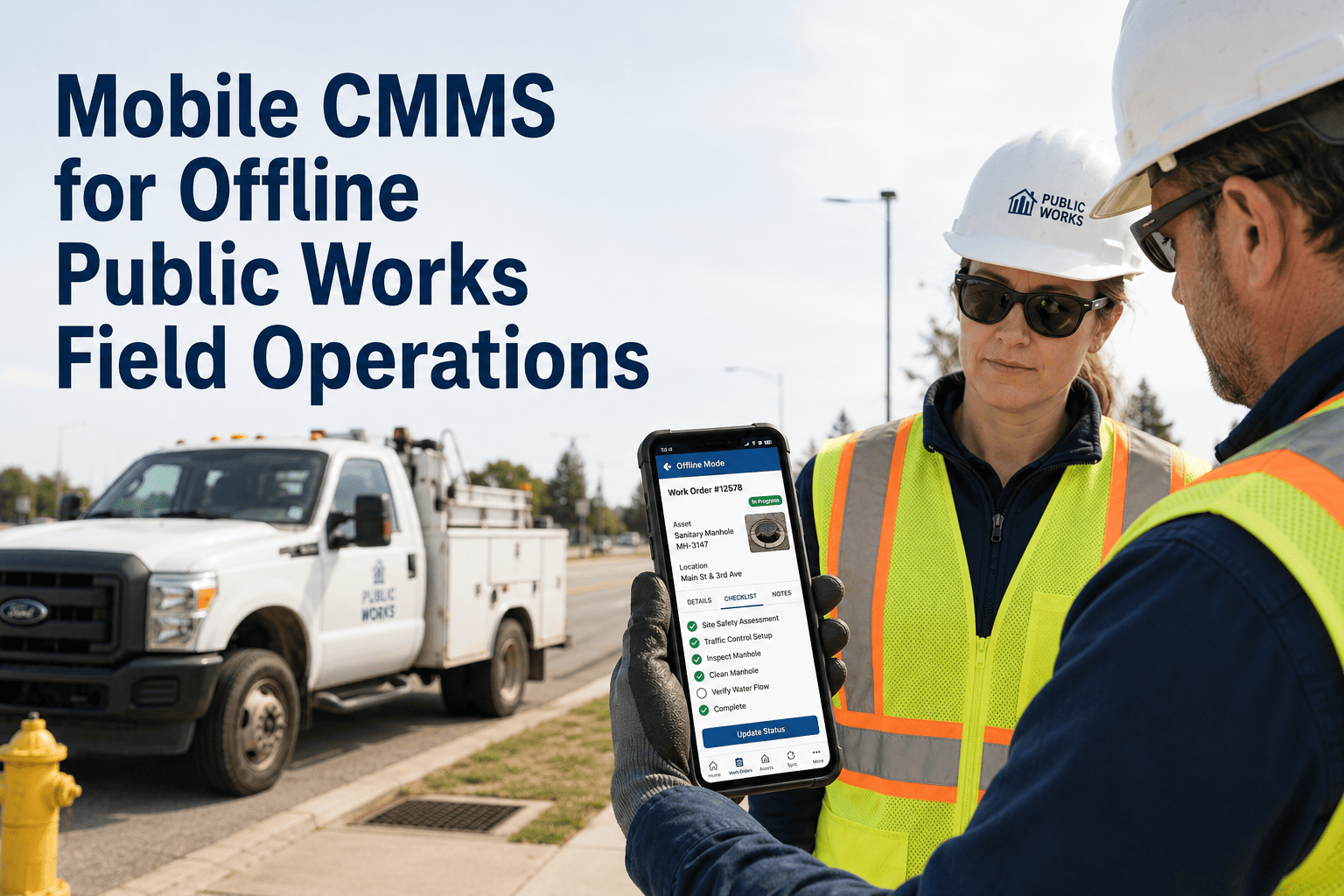
Mobile inspections transform equipment care from reactive firefighting to proactive maintenance, catching 80% of issues before failure.
Digital Inspection Checklists
Equipment-specific checklists:
- HVAC systems: Filter condition, airflow check, temperature differential, unusual noises, thermostat calibration, condensate drain clear
- Playground equipment: Hardware torque check, surface depth measurement, component wear assessment, photo documentation, safety zone clearance
- Restroom facilities: Sensor function test, supply levels, leak check, accessibility compliance, cleanliness verification
- Landscaping equipment: Fuel quality, oil level, blade condition, air filter status, tire pressure, hour meter reading
- Aquatic systems: Water chemistry (pH, chlorine, alkalinity), equipment function, safety equipment check, chemical inventory
Automated Issue Detection
System flags problems immediately:
- Pass/Fail logic: "Playground bolt torque <50 ft-lbs" → FAIL → Auto-creates work order
- Threshold alerts: "HVAC filter differential pressure >0.5" → Alert supervisor immediately
- Trend analysis: "Mower vibration increasing 3 consecutive inspections" → Predictive alert before failure
- Compliance tracking: "Playground annual inspection due in 7 days" → Reminder to inspector + manager
- Anomaly detection: "Pool chlorine usage 40% above normal" → Investigate for leak or chemistry issue
Multi-Site Visibility Dashboard
Director dashboard shows all sites at once:
- North Community Center: 18 of 20 inspections completed this week, 2 work orders open (HVAC filter change, restroom sensor repair)
- Riverside Park: 22 of 22 inspections complete, zero work orders (all green), playground certified through 2025-08-15
- South Athletic Complex: 15 of 20 inspections completed, 4 overdue (flag for follow-up), 1 critical work order (irrigation controller failed)
- Aquatic Center: All daily chemistry checks complete, equipment operational, heater repair scheduled 2024-12-18
Preventive Maintenance Automation
System automatically schedules maintenance based on inspection data:
- Usage-triggered: "Mower hit 25 operating hours → Schedule blade sharpening, oil change, air filter replacement"
- Condition-triggered: "HVAC filter differential 0.45 (approaching 0.5 limit) → Order replacement filter, schedule change in 7 days"
- Calendar-triggered: "Playground annual inspection due in 30 days → Assign to certified inspector, reserve budget code"
- Seasonal-triggered: "November 1st → Schedule pool winterization, aquatic equipment storage, heater service"
- Predictive-triggered: "Pool pump vibration trending upward → Schedule bearing inspection before failure"
Turning Alerts into Actions — A Government & Public Works Action Plan with Checklists
Alert-to-action workflow ensures every equipment issue triggers immediate, documented response—eliminating lost work orders and forgotten problems.
Stage 1: Alert Generation
Multiple alert sources feed into action queue:
Facility staff completes morning playground inspection. Checklist item "Swing chain wear" marked FAIL with photos showing rust at connection points. System instantly generates high-priority work order, assigns to maintenance supervisor, sends push notification + email.
Temperature sensor in community center server room reads 82°F (threshold: 75°F). HVAC system not maintaining set point. Automated alert escalates: Facility manager (immediate) → Maintenance supervisor (15 min) → Director (30 min if unacknowledged).
Pool filter backwash due today (frequency: every 7 days). System sends mobile task to aquatics staff at 8 AM. If not completed by 2 PM, escalates to supervisor. If not completed by end of day, escalates to director with explanation required.
Visitor uses QR code at picnic shelter to report "Drinking fountain not working." Creates work order automatically with location GPS, timestamp, photo option. Routes to facilities team based on location and issue type.
Stage 2: Intelligent Triage & Assignment
System prioritizes and assigns based on urgency, skills, and availability:
| Alert Type | Priority | Response SLA | Assignment Logic |
|---|---|---|---|
| Safety hazard (playground failure, pool chemical issue) | CRITICAL | Immediate response, 2-hour resolution | On-call tech, supervisor notified, director copied |
| Service disruption (HVAC down, restroom out of service) | HIGH | 4-hour response, same-day resolution | Next available tech with required skills |
| Preventive maintenance (filter change, inspection due) | MEDIUM | Within scheduled window (24-48 hours) | Assigned to regular rotation, batched for efficiency |
| Minor repairs (cosmetic issues, non-critical) | LOW | 5-7 business days | Scheduled during slow periods, grouped by location |
Stage 3: Guided Execution with Checklists
Mobile work order provides complete troubleshooting guidance:
Diagnostic Checklist (Complete in order):
- ☐ Verify thermostat setting (should be 72°F, check not switched to HEAT mode)
- ☐ Check circuit breaker (sometimes tripped after power fluctuation)
- ☐ Inspect air filter (if dirty/clogged, replace immediately—spare filters in storage room B)
- ☐ Check outdoor unit running (if not, call HVAC contractor—system under warranty)
- ☐ Measure supply vs return temperature (should be 15-20°F differential)
- ☐ Inspect condensate drain (if clogged, system may shut down—flush with vinegar solution)
Common Solutions (90% of HVAC issues):
- Replace filter (Part #: F-16x25x1, Inventory Location: Storage-B-Shelf-3, Quantity on hand: 8)
- Reset thermostat programming (instructions attached, common after power outage)
- Clear condensate drain (step-by-step video guide available in app)
When to Escalate:
- Outdoor unit not running → Call contractor (HVAC-Services Inc., 555-0123, warranty expires 2025-06-30)
- Refrigerant leak suspected (ice on lines) → Requires licensed HVAC tech
- Multiple zones affected → Likely central system issue, not individual zone problem
Stage 4: Verification & Continuous Improvement
Quality control ensures problem actually resolved:
- Tech verification: Complete checklist, attach before/after photos, confirm problem resolved, close work order mobile
- Automated checks: If IoT sensor involved, system verifies reading returned to normal ("Temperature now 73°F—alert cleared")
- User verification: Facility manager receives notification "HVAC work order completed," confirms cooling restored via mobile app
- Supervisor review: Random 10% of completed work orders reviewed for quality (photos clear? time reasonable? parts properly documented?)
- Trend analysis: System flags patterns ("Community Center HVAC has required service 3 times this month—inspect for underlying issue or consider replacement")
See Alert-to-Action Workflow in Real Parks Operations
Watch a live demo showing how alerts automatically route to mobile technicians, guided troubleshooting reduces repair time, and verification ensures quality. See actual parks department data.
Spare Parts Planning & Multi-Site Coordination
Strategic parts management eliminates emergency runs to hardware stores, reduces costs 25-35%, and ensures technicians have what they need when they need it.
Smart Inventory Management
Data-driven stocking decisions:
| Part Category | Stock Strategy | Par Level Logic | Reorder Trigger |
|---|---|---|---|
| High-frequency consumables (HVAC filters, toilet flappers, soap) | Maintain 3-month supply | Historical usage × 1.2 (20% buffer) | Auto-order when 30 days remaining |
| Critical safety parts (playground hardware, chain, bolts) | Always in stock, no stockouts tolerated | Minimum 10 of each size/type | Reorder when 40% depleted |
| Seasonal equipment (pool chemicals, mower blades) | Pre-season bulk ordering | Full season needs × 1.15 | Pre-order 60 days before season |
| Slow-moving specialty (pump seals, specific sensors) | Just-in-time ordering, vendor partnerships | Zero stock, 2-day delivery agreement | Order when needed, overnight if urgent |
Multi-Site Parts Coordination
Share resources across facilities:
- South Athletic Complex: 0 capacitors
- Riverside Park Maintenance Yard: 2 capacitors in stock (15 minutes away)
- Aquatic Center: 1 capacitor (18 minutes away)
- Reserves 1 capacitor at Riverside Park for North Community Center
- Sends mobile notification to Tech-02 (already en route to North CC): "Capacitor reserved at Riverside—add 15 min detour to pick up before arriving at site"
- Updates Riverside inventory: "1 capacitor remaining (below par level of 2)—order 3 more"
- Logs transfer: Riverside → North Community Center, value $85, billable to North CC budget
Predictive Parts Forecasting
AI predicts future parts needs based on patterns:
- Seasonal patterns: "Pool season starts May 15. Historical data: average 12 pump basket replacements, 8 filter cartridges, 45 test strips per week during June-August. Pre-order sufficient supplies for 16-week season."
- Equipment age: "Community Center chiller installed 2018 (7 years old). Similar chillers require compressor service at 8-10 years. Schedule service Q2 2025, budget $3,200, order parts Q1 2025."
- Usage intensity: "Athletic field mowers: North Complex 180 hours/season, South Complex 95 hours/season. North requires blade replacement 3x/season, South 2x/season. Order accordingly."
- Failure trends: "Restroom sensor faucets failing at 18-month intervals. Last install March 2024. Predict failures September 2025. Pre-order 6 replacement sensors, schedule proactive replacement August 2025 (before failures)."