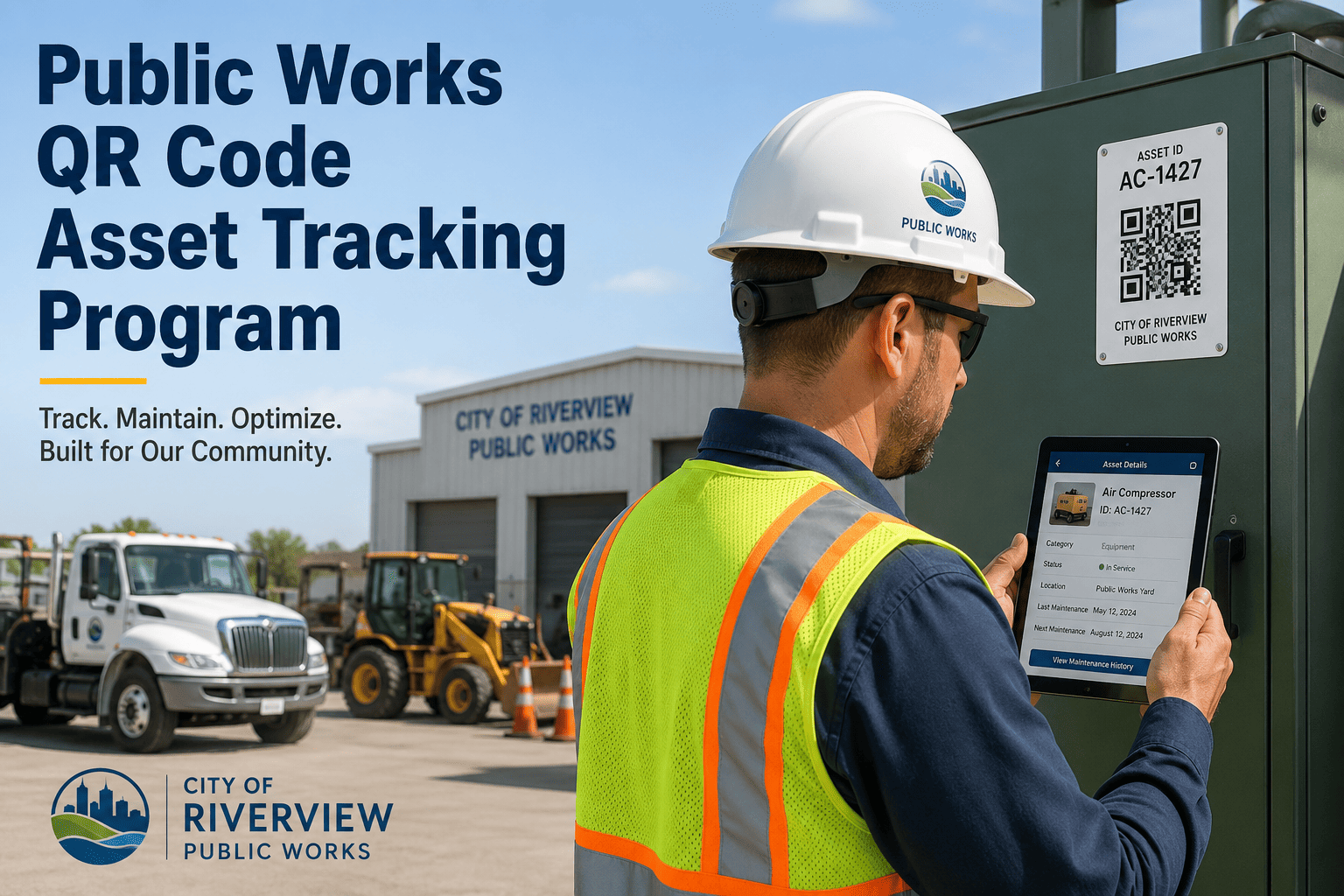
Government building staff — from custodians to department heads — notice maintenance issues every day but rarely have a fast, reliable way to report them. A broken HVAC unit reported verbally to a facilities manager might take three days to become a work order; the same issue reported via a QR code scan on the unit itself becomes a structured, asset-linked request in under 60 seconds. The difference in response time, data quality, and accountability is significant. OxMaint's QR-based request portal allows any staff member to scan a code posted on a room, asset, or zone and submit a maintenance request without an app download, login, or training — and facilities teams receive a fully structured work order, not a phone call. Book a 30-minute walkthrough to see how government buildings in your region are deploying this today.
QR Code Maintenance Requests for Government Buildings
Staff scans. System creates. Technicians respond. No calls, no lost requests, no guessing which room or asset needs attention.
How Request Quality Changes With QR Codes
QR Codes Posted Today. Structured Work Orders Tomorrow.
OxMaint generates printable QR codes for every asset, room, or zone in your facility. Post them, and your staff can start submitting precise maintenance requests from any phone immediately — no app, no login, no IT involvement.
Where to Place QR Codes in Government Buildings
One QR per unit on the access panel. Staff report unusual noise, odors, or temperature issues directly to the unit asset record — not to a general "building HVAC" category.
QR inside each restroom links to the room asset. Plumbing issues, lighting failures, and cleaning requests all route to the right queue — facilities or janitorial — based on issue type.
QR on the elevator door panel links to the elevator asset with inspection history attached. A noise or malfunction report creates an immediate P1 work order that alerts the elevator vendor.
AV failures, furniture damage, and temperature complaints reported by meeting attendees directly — not through an IT help desk that routes to the wrong team.
Gate, barrier, and lighting issues reported from the location itself — with geotag and photo — instead of a verbal report that security radios to facilities two hours later.
QR on utility panels and generator enclosures allow authorized staff to submit inspection findings or fault observations linked directly to the critical asset record.
How QR Requests Route to the Right Team
| Issue Type Selected | Asset Category | Routed To | Default Priority |
|---|---|---|---|
| HVAC not cooling / overheating | Mechanical | Facilities — HVAC technician | P2 — resolve within 8 hours |
| Electrical — lights out / flickering | Electrical | Facilities — electrical team | P3 — resolve within 24 hours |
| Plumbing — leak / no water | Plumbing | Facilities — plumbing | P1 if active leak, P2 otherwise |
| AV / IT equipment failure | Technology | IT support queue | P3 — next business day |
| Safety hazard — spill / damage | Any | Facilities supervisor — immediate | P1 — same hour response |
| Cleaning / janitorial | Room / Zone | Janitorial services queue | P4 — scheduled next visit |
Before QR code intake, our facilities team spent 40 percent of the day fielding phone calls and emails that were not actionable without a follow-up call. "Something's wrong with the AC in wing B" is not a work order. After QR deployment, we went from 30 to 80 percent of all requests arriving with an asset ID, a symptom, and a photo attached. Our MTTR dropped by 28 percent in three months — not because we hired more staff, but because our technicians stopped arriving at jobs blind.
Replace Phone Calls With Structured, Asset-Linked Requests
OxMaint's QR maintenance request system turns any building occupant into a precise maintenance reporter — no app, no account, no training required. Facilities teams receive structured work orders, not verbal complaints.
Frequently Asked Questions
Do building occupants need to download an app or create an account to submit a request?
No. OxMaint's QR intake opens in any phone browser — the occupant scans the code, fills in the symptom and photo, and submits. No app download, no login, and no account required. The request lands as a structured work order in the facilities queue with the asset ID pre-populated from the QR code. See the intake experience by scanning a sample QR in your OxMaint trial account.
How are QR codes generated and printed for government buildings?
OxMaint generates printable QR codes for every asset, room, or zone registered in your asset list. You can print individual codes or batch-print an entire building's worth of labels in one operation. The codes are durable for standard label stock and can include the asset name and location text below the QR for visual identification. Book a demo to see how QR code generation works for your specific building portfolio.
Can we see how many requests each room or asset is generating over time?
Yes. OxMaint tracks all requests by asset, room, department, and issue type — giving facilities managers a clear view of which locations generate the most requests, which issue types recur, and which assets are generating maintenance costs disproportionate to their replacement value. This data directly informs renovation, replacement, and PM schedule decisions. Access the analytics dashboard to see request volume and trend reports.
What happens if a QR code is damaged or removed from an asset?
Replacement QR codes can be reprinted from the asset record in OxMaint in seconds. The new code links to the same asset record and maintains the full request and work order history — there is no break in the asset's tracking continuity. For high-traffic or high-damage-risk locations, facilities managers often laminate or use tamper-evident label stock. Ask your demo consultant about label specifications for outdoor and high-wear government building environments.
Can different QR codes in the same building route requests to different teams?
Yes. Each QR code links to a specific asset or room with its own routing rules. An elevator QR automatically creates a vendor-dispatched work order; a restroom QR routes to janitorial; an HVAC QR routes to the mechanical team. Routing rules are set once per asset category and apply automatically to every new request — no manual dispatch decision required for standard requests. Configure your routing rules in your OxMaint trial account.