An HVAC technician's most expensive moment is standing in front of a system they haven't seen before with no reference material. The industry-standard first-time fix rate (FTFR) target is 80% — meaning even at target, 1 in 5 service calls requires a return visit. Each callback costs $100-250 in unbillable truck rolls, labor, and lost scheduling capacity. Companies that provide mobile knowledge bases, troubleshooting guides, and equipment history to technicians in the field see FTFR improvements of 8-15% and average service time reductions of 20-25 minutes per appointment. With 110,000 open HVAC positions (ACHR News), 42,500 new job openings annually (BLS), and an average technician age of 40 (Zippia), the knowledge transfer problem is acute — experienced techs are retiring faster than new ones can absorb decades of field wisdom.
A digital knowledge base turns tribal knowledge into searchable, mobile-accessible resources that every technician — from first-year apprentice to 20-year veteran — can use on the job site. Oxmaint CMMS provides a centralized knowledge base linked directly to work orders, equipment records, and asset history — so technicians access the right troubleshooting guide, wiring diagram, or maintenance procedure for the exact unit they're servicing, right from their mobile device. Schedule a demo.
What Belongs in the Technician Knowledge Base
A field-ready knowledge base isn't a dusty binder or a shared drive full of unorganized PDFs. It's a searchable, mobile-optimized library organized around how technicians actually work — by equipment type, symptom, and task:
Troubleshooting Guides
Wiring & Schematics
Safety & Compliance
Maintenance Procedures
Reference Data
Parts & Equipment
Searchable Knowledge at Every Work Order
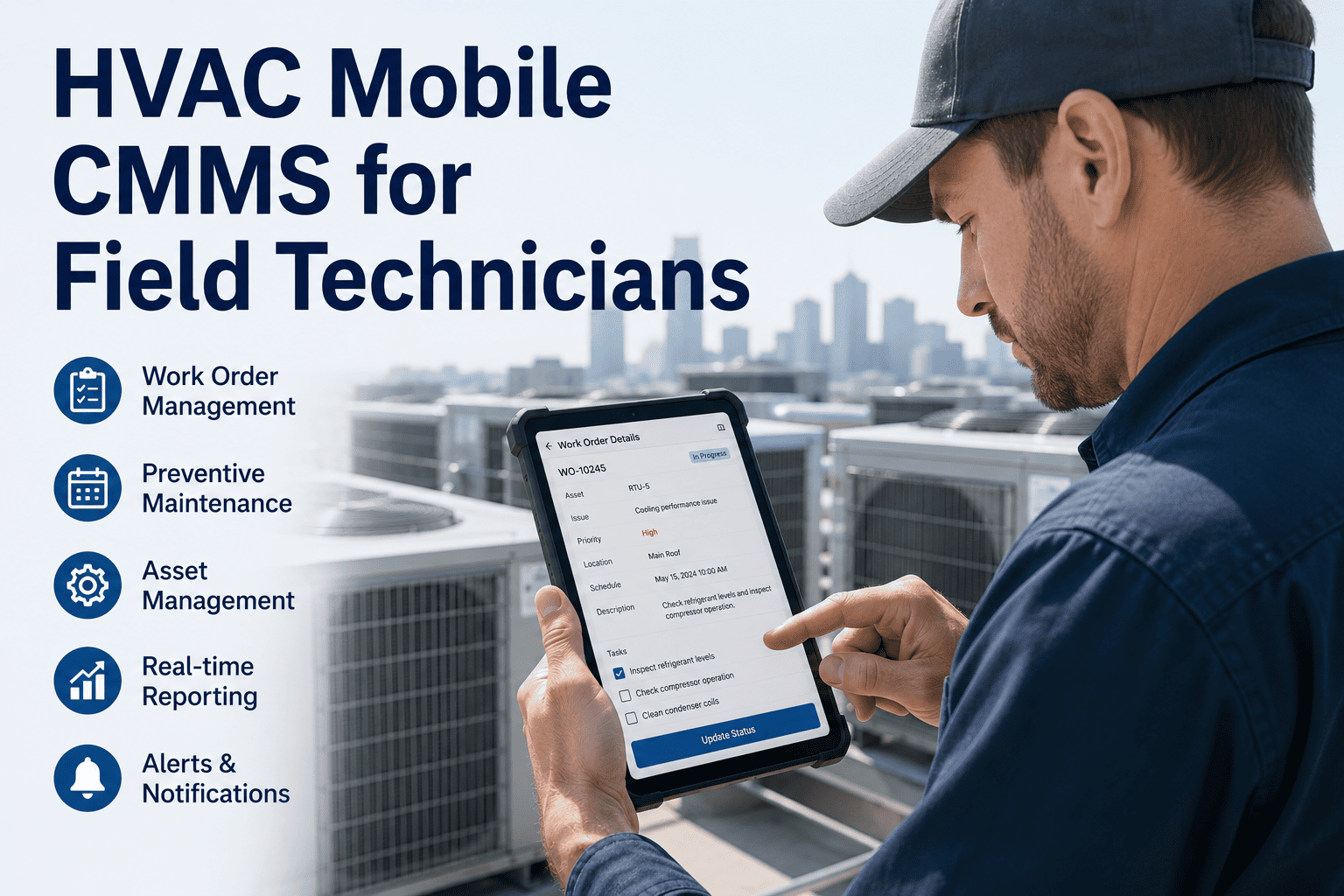
Oxmaint links knowledge base articles directly to equipment records and work orders — so the right troubleshooting guide, wiring diagram, or checklist appears automatically for each job.
The First-Time Fix Connection: Knowledge Access = Fewer Callbacks
First-time fix rate is the single most important efficiency metric in HVAC field service, and it's directly tied to technician access to knowledge:
Building the Knowledge Base: A Practical Framework
The biggest barrier to a useful knowledge base is getting it built in the first place. Here's a phased approach that prevents the project from stalling:
Capture Existing Knowledge
Interview your top 3-5 most experienced technicians. Record their troubleshooting thought processes for the 10 most common call types. Document their "tricks" — the things they check first, the patterns they recognize, the shortcuts that save time. This tribal knowledge is your most valuable and most at-risk asset.
Digitize Reference Materials
Organize OEM manuals by manufacturer and model. Create a searchable index. Upload wiring diagrams, PT charts, specification sheets, and parts cross-references. Standardize naming conventions so everything is findable. Link documents to equipment records in your CMMS.
Create Standard Operating Procedures
Build step-by-step checklists for every routine task: seasonal tune-ups, system startups, refrigerant recovery, filter changes, coil cleaning, electrical testing. Include photo references and measurement specifications. Make them mobile-friendly with clear, numbered steps.
Continuous Improvement Loop
After every callback or unusual repair, require the resolving tech to add notes to the knowledge base. Monthly review: what questions came up that weren't answered? What new equipment models entered the service area? Which articles got the most views? The knowledge base is a living system, not a one-time project.
Training Pathways: From Apprentice to Master Technician
The knowledge base supports structured development at every career level. Different technicians need different resources:
Entry-Level / Helper
Safety SOPs, basic tool usage, system identification (split vs. package, gas vs. electric vs. heat pump), filter sizing charts, customer interaction basics. Knowledge base provides digital checklists that walk through every step — nothing gets missed, nothing gets skipped.
Apprentice / Junior Technician
Electrical troubleshooting guides, refrigerant diagnostic flowcharts, wiring diagram interpretation, maintenance procedure SOPs, parts identification and cross-reference. Knowledge base provides symptom-based decision trees for common failures — structured troubleshooting builds diagnostic confidence.
Journeyman Technician
Advanced diagnostics, commercial system procedures, VRF/VRV configuration, controls and building automation, load calculation verification, duct design review. Knowledge base provides OEM-specific deep-dive documentation, advanced troubleshooting for intermittent or unusual faults, code compliance references.
Master / Lead Technician
System design review, energy auditing, commissioning procedures, mentoring guides, callback analysis, equipment lifecycle recommendations. Knowledge base role shifts — master techs are now contributors, adding their field insights for the next generation. Their experience becomes company-owned knowledge.
Turn Field Experience into Searchable Knowledge
Oxmaint's built-in knowledge base links troubleshooting guides, wiring diagrams, SOPs, and equipment history directly to every work order — so every technician performs like your best technician.
Frequently Asked Questions
What is first-time fix rate and why does it matter for HVAC companies?
First-time fix rate (FTFR) measures the percentage of service calls resolved on the first visit without requiring a return trip. The industry standard target is 80%+ (FieldPulse/FieldEdge). Below that, a company with 100 calls/month at 75% FTFR sends technicians on 25 free return visits — each costing $100-250 in unbillable labor, truck rolls, and lost scheduling capacity. Companies providing mobile knowledge access see FTFR improvements of 8-15% (Fieldproxy) and service time reductions of 20-25 minutes per appointment. Training programs alone improve FTFR by an average of 10% (Evolvy). The biggest drivers of callback: unfamiliar equipment, wrong parts, misdiagnosis, and incomplete procedures — all solvable with a mobile knowledge base.
What should be in an HVAC technician knowledge base?
Six core categories: Troubleshooting guides — symptom-based decision trees, refrigerant diagnostics, electrical fault isolation, airflow analysis; Wiring and schematics — OEM diagrams indexed by model, control board pinouts, thermostat wiring charts, motor configurations; Safety and compliance — EPA 608 requirements, OSHA lockout/tagout, confined space, local code reference; Maintenance procedures — seasonal checklists with photos, filter sizing, coil cleaning, belt specs; Reference data — PT charts, HVAC equations, electrical formulas, load calculation rules of thumb; Parts and equipment — cross-reference databases, capacitor sizing, compressor replacement guides, truck stock lists. All should be searchable and linked to equipment records so the right information appears for the specific unit being serviced.
How do you capture tribal knowledge from experienced HVAC technicians?
The most effective method is structured interviews with your top 3-5 experienced techs, focused on their troubleshooting thought process for common call types. Ask: "What do you check first? What patterns have you learned? What are the shortcuts?" Record these sessions and convert them into documented decision trees. Additionally, implement a continuous capture system: after every callback or unusual repair, require the resolving tech to add a note to the knowledge base. This is critical because the HVAC workforce faces a 110,000-position shortage (ACHR News), the average tech is 40 years old (Zippia), and experienced techs aged 55+ (ACCA) are retiring with decades of undocumented knowledge. If their expertise isn't digitized, it walks out the door.
What HVAC certifications should the knowledge base support?
The knowledge base should support the full certification pathway: EPA 608 — Types I, II, III, Universal (required for refrigerant handling); NATE Core and specialty certifications (industry-recognized technician excellence); NATE Ready-to-Work for entry-level; NATE Senior Level requiring 4 exams; NATE/HVAC Excellence Master Level requiring 11 exams; and state-specific journeyman and master licenses which vary by jurisdiction. ACCA provides study guides including the Guide to NATE/ICE Certification with 2,400+ practice questions. The knowledge base can house study materials, practice scenarios, and reference content organized by certification level.
How does a CMMS knowledge base differ from a shared drive or binder system?
Three critical differences: 1) Context-aware — articles are linked to specific equipment records, so when a tech opens a work order for a Carrier 25HCC5 heat pump, the relevant troubleshooting guide, wiring diagram, and service history appear automatically. A shared drive requires the tech to know what to search for. 2) Mobile-first search — technicians search by symptom, model number, or keyword from their phone/tablet on-site, with offline access for attics and basements without cell service. Binders stay in the truck. 3) Living system — every work order completion adds to the knowledge base. Past repair notes, photos, and technician observations accumulate on each equipment record, creating an ever-growing intelligence layer that a static binder cannot.