A robot cell has one arm, but a dozen reasons to stop — and more often than the motor or the mechanics, it's the servo drive that quits first. The drive is the box nobody watches: it runs hot in a sealed cabinet, its capacitors age quietly for years, and the first anyone hears of it is an overtemp trip or an encoder fault mid-cycle, cell down, line waiting. The good news is that drives rarely fail without warning — they warn in heat, fault codes and nuisance trips. This guide covers reading those signs early, and OXMAINT AI — the AI-powered maintenance management software — turns each one into a work order before the drive takes the cell down.
Servo drives fail from heat, age and contamination — all of them slow, all of them catchable. The OXMAINT AI maintenance management software keeps drives on a preventive routine, trends the signals that precede a fault, and turns a warning into a corrective work order before it becomes an unplanned cell stop.
Clogged heat-sink fins, a failed cooling fan or a blocked vent push the drive into an overtemp shutdown.
DC-bus capacitor aging
Electrolytic capacitors lose capacity and gain resistance over years, so the bus wobbles under load transients.
Power stage & IGBT
Overvoltage spikes on deceleration and thermal cycling fatigue the switching stage until it faults.
Encoder & feedback
A damaged cable or failing receiver circuit loses position feedback, and the axis faults or runs away.
Contamination & connections
Conductive dust, coolant mist and loose or corroded terminals cause intermittent faults under vibration.
Comms & power supply
A fieldbus interface or an internal low-voltage supply fails from age or heat, taking the drive off the network.
The Warnings a Drive Gives First
Drives almost always complain before they quit — in a fault log, a rising temperature or a trip that clears on reset. Catch these and you turn a breakdown into a planned swap; start free and log drive warnings per axis in OXMAINT AI.
OVERTEMP
Trips after a consistent run time point to cooling loss — a fan or a clogged heat sink, not a random fault.
OVERCURRENT
A phase-specific current fault flags a power-stage or motor-winding problem building under load.
BUS VOLTAGE
Over- or under-voltage alarms point at aging capacitors or a regen resistor that can't shed braking energy.
ENCODER ERROR
Checksum or disconnect faults mean a feedback cable or receiver is on its way out — often intermittent first.
FOLLOWING ERROR
The axis drifting from its commanded position signals tuning, load or a feedback issue worth chasing early.
NUISANCE TRIPS
Intermittent faults under load that clear on reset are the classic early tell — never just reset and move on.
A Drive Fault Is Rarely the First Sign — Just the First One Anyone Noticed.
The heat climbed, the trips came and went, the fault log filled — and nobody was watching the drive. The OXMAINT AI maintenance management software trends those signals and schedules the upkeep, so a drive is serviced on a plan instead of replaced in a panic.
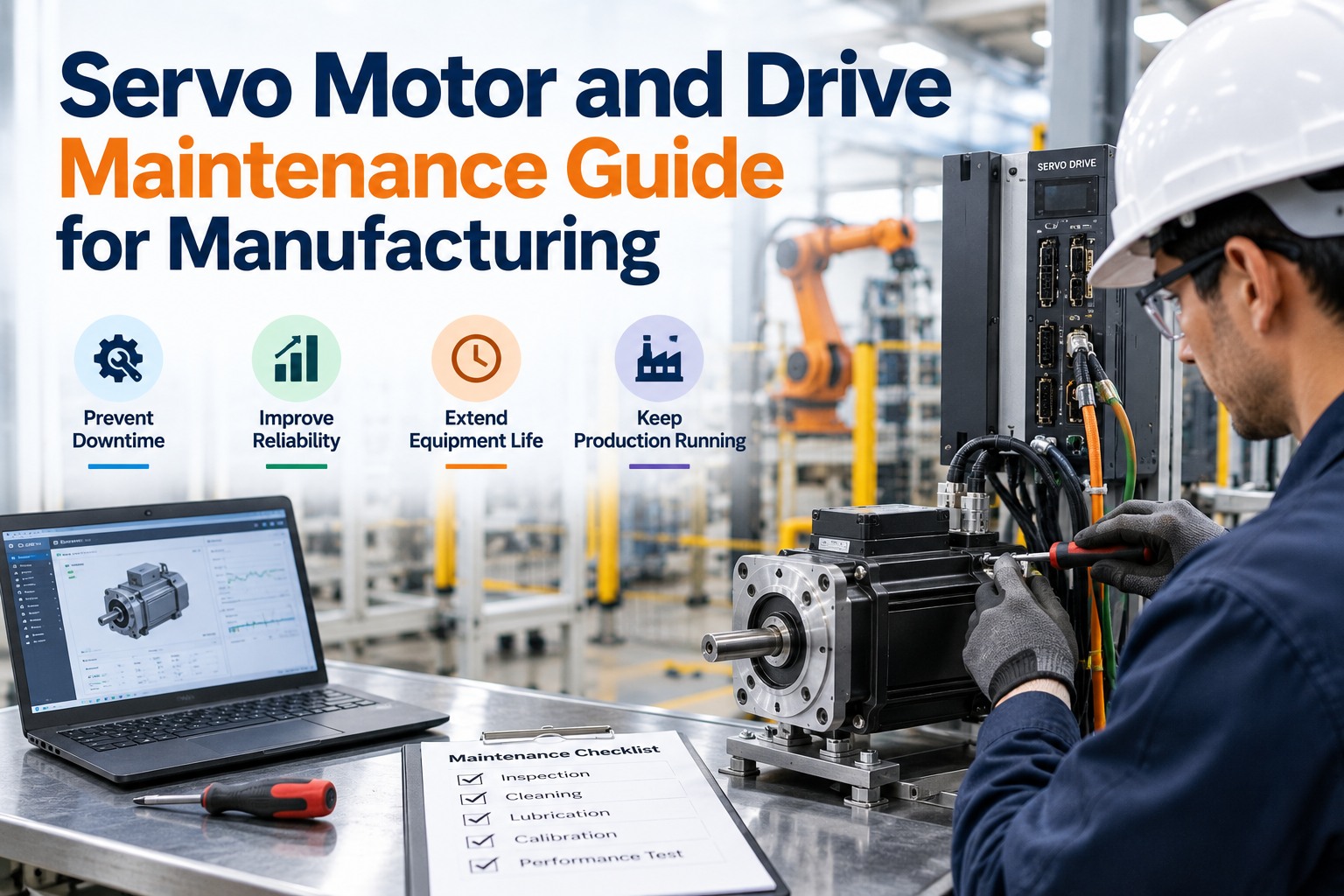
Keeping drives alive is a handful of disciplined tasks on a schedule — most of them about heat, cleanliness and connection integrity. The OXMAINT AI maintenance management software holds each on its interval; start free and build this routine in OXMAINT AI.
01
Manage the heat
Keep cabinet cooling working — test fans, clean heat-sink fins, check filters and keep the vent path clear. Heat is the number-one killer.
02
Keep it clean & tight
Blow out conductive dust and coolant mist, and re-torque power and control terminals so vibration can't work them loose.
03
Mind the feedback cabling
Inspect encoder cables for chafe, corrosion and strain at the connector — the feedback path fails more than the drive itself.
04
Check regen & power quality
Measure the shunt resistor and verify input power across all three phases, so braking energy and supply never stress the bus.
05
Track drive age & capacitors
Capacitors age on a clock, not an event — know each drive's service life and plan renewal before the bus turns erratic.
06
Trend the fault log
Capture fault codes and run-time-to-trip per drive, so a creeping pattern is seen on the trend, not after the cell stops.
A rising baseline at the same load is cooling degrading — the earliest and clearest warning there is.
Run-time to trip
If an overtemp trip comes sooner each week, the margin is shrinking toward a hard stop.
Following error
A growing gap between commanded and actual position points at tuning, load or feedback drift.
Fault frequency
Nuisance trips getting more frequent is a drive asking for attention before it quits for good.
How OXMAINT AI Prevents Drive Failures
Thermal checks, cleaning, cabling and fault trends only protect a cell when they live on one record per drive. Here's what the OXMAINT AI maintenance management software brings to servo reliability; start free and build your drive routine in OXMAINT AI.
Preventive schedules
Cooling checks, cabinet cleaning, cable inspection and re-torque on their intervals per drive, flagged as they come due.
Signal trending
Temperature, following error and fault frequency tracked per drive, so a failing one is caught on the trend.
Fault to work order
A logged fault or a drifting trend raises a corrective job on its own, routed before the cell stops.
Drive age & life tracking
Service life and capacitor age tracked per unit, so a renewal is planned before the bus goes erratic.
Spare drive & parts control
Replacement drives, fans and filters tracked and reordered, so a swap never waits on a long-lead part.
Per-drive history
Every fault, swap, clean and reading kept per axis — the record that proves upkeep and finds the repeat offender.
“
We treated servo drives as run-to-fail because they usually ran for years — until two cells went down in a month on overtemp trips we could have seen coming. The fault logs had been warning us for weeks; nobody was reading them. Trending drive temperature and run-time-to-trip, and cleaning cabinets on a schedule, turned those into planned fan swaps. Unplanned cell stops from drive faults are the number that fell the most.
What is the most common cause of servo drive failure?
Heat. Clogged heat-sink fins, a failed cooling fan or a blocked vent push the drive into overtemp shutdowns, and sustained heat also ages the capacitors and power stage faster. Thermal management is the highest-value prevention there is. Start free and schedule cooling checks.
Do servo drives fail without warning?
Rarely. Most give warning in rising temperature, nuisance trips that clear on reset, or fault codes in the log. The failures that seem sudden are usually ones where nobody was watching those early signals.
Why do DC-bus capacitors matter so much?
Electrolytic capacitors age on a clock — they slowly lose capacitance and gain resistance over years, which makes the DC bus erratic under load and shows up as under-voltage faults. Tracking drive age lets you plan renewal before that happens. Book a demo to track drive age.
Should I just reset a drive that keeps tripping?
No — a trip that clears on reset is an early warning, not a false alarm. Resetting and running on hides a building fault until it becomes a hard failure mid-cycle. Log the code, trend it, and act on the pattern.
How does a CMMS help prevent drive failures?
It schedules the thermal, cleaning and cabling checks so none get skipped, trends temperature and fault frequency per drive, tracks each drive's age, and turns a warning into a corrective work order — so drives are maintained on a plan instead of replaced after a cell goes down.
Catch the Drive Before It Catches the Cell.
Keep every servo drive running with the OXMAINT AI maintenance management software — thermal, cleaning and cabling checks scheduled per drive, temperature and fault trends watched, drive age tracked, and every warning turned into a corrective work order. Stop resetting trips and start preventing the failure behind them.