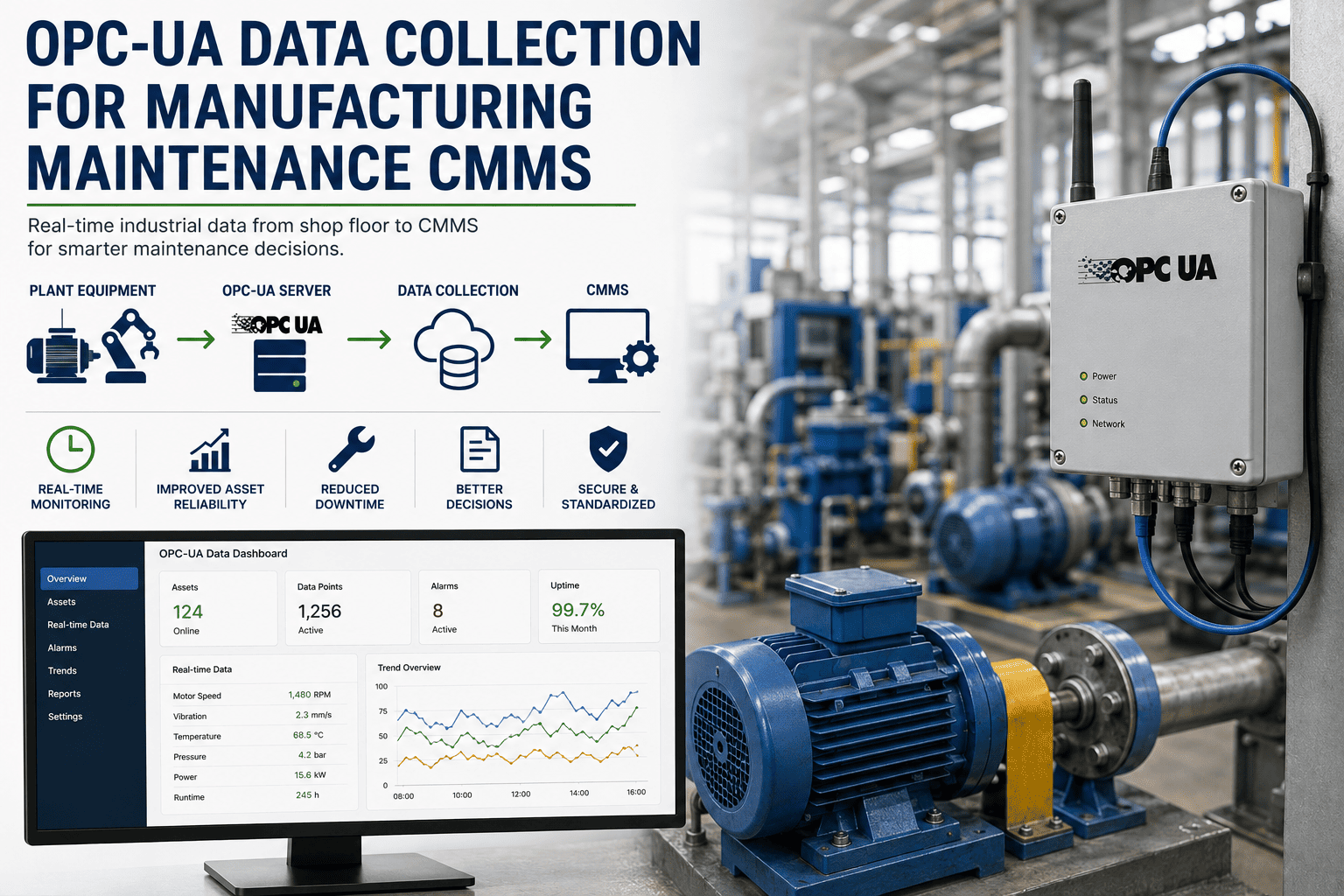
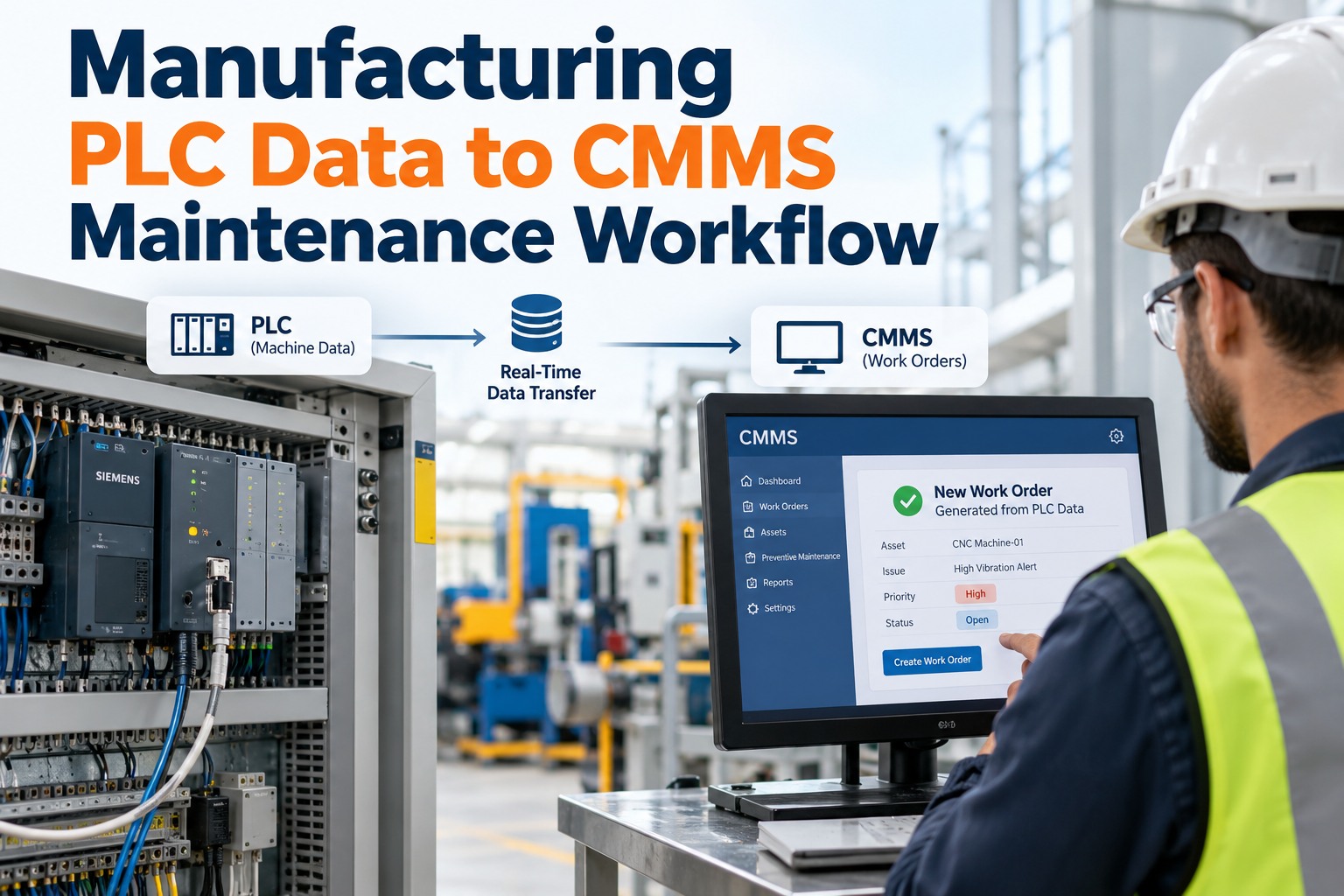
OPC-UA has quietly become the lingua franca of the factory floor — a single, vendor-neutral standard that exposes PLC and SCADA data in a secure, model-based way your CMMS can actually consume. The hard part is no longer physical connectivity; it is structuring that firehose of tags into actionable maintenance signals, clean alarm-to-work-order flows, and a historian record you can trend over months. This guide walks through the architecture, security setup, tag-mapping discipline, and integration patterns that turn raw OPC-UA streams into measurable downtime reduction. Ready to skip the spreadsheet era entirely? Start Free Trial and connect your first OPC-UA endpoint in under an hour.
INDUSTRIAL CONNECTIVITY GUIDE
Your machines already know they are failing. Is your CMMS listening?
Over 60% of unplanned downtime on modern lines is preceded by a measurable signal — vibration trend, temperature drift, cycle-time creep, alarm burst — visible in OPC-UA hours or days before breakdown. Closing that gap is the single highest-ROI maintenance project most plants never start.
72%
of maintenance leaders say machine data lives in silos their CMMS cannot reach
SECTION 01 · ARCHITECTURE
How OPC-UA delivers clean, model-based data to maintenance systems
Unlike its predecessor OPC Classic, OPC-UA does not just expose a flat list of tags — it carries a structured information model describing each asset, its subsystems, and the relationships between them. For maintenance teams, that means a pump is not just "Tag_4521"; it is a node with a motor, bearings, inlet pressure, and a parent relationship to the cooling skid.
01
Field Layer
PLCs, drives, sensors, and machine controllers from Siemens, Allen-Bradley, Mitsubishi, Omron, Beckhoff. Native OPC-UA on modern hardware; legacy devices retrofitted with a gateway.
→
02
OPC-UA Server
Aggregates endpoints, hosts the information model, handles security certificates, session management, and subscriptions. May live on an edge gateway or a dedicated industrial PC.
→
03
Client / CMMS
Subscribes to tag changes and alarm events, maps them to assets and failure modes, writes structured records into the work-order backlog and historian for trend analytics.
INFORMATION MODEL · WHY IT MATTERS
A well-built OPC-UA companion specification (such as OPC 40001 for machinery) lets your CMMS auto-discover that "Bearing_Temp_2" belongs to "Motor_A" on "Compressor_Skid_3" — without a human building that mapping in a spreadsheet. This is the difference between a 200-tag pilot and a 20,000-tag enterprise rollout.
SECTION 02 · SECURITY
Security setup that will actually pass your IT audit
OPC-UA ships with five security modes. Picking the right one — and managing certificates properly — is what separates a deployment auditors sign off on from one that gets shut down on a Monday morning.
STEP 1
Choose a security mode
Use Sign&Encrypt (Aes256-Sha256-RsaPss) for any traffic crossing a network segment. None/sign-only modes belong only on isolated loopback test benches. Document the choice in your network diagram.
STEP 2
Provision X.509 certificates
Issue client and server certificates from your enterprise CA where possible; otherwise generate self-signed and explicitly trust-thumbprint them. Enforce a 12-month rotation and alert on expiry 30 days out.
STEP 3
Apply user authentication
Map CMMS service accounts to OPC-UA user identities with least-privilege read access. Avoid anonymous bindings — even on internal networks — and log every session in a SIEM-forwarded audit trail.
STEP 4
Restrict endpoints with a firewall allow-list
Lock the OPC-UA TCP port (default 4840) to the CMMS IP range. Disable discovery on production servers and use a dedicated discovery server on a management VLAN for browsing new endpoints.
STEP 5
Validate with a penetration test
Before go-live, run an OPC-UA-aware scanner against the endpoint. Confirm certificate revocation, session timeout (recommend 60s), and that rejected-auth attempts are logged and alerted.
SECTION 03 · TAG MAPPING
From 20,000 raw tags to 400 maintenance signals
A typical mid-size plant exposes 15,000–25,000 OPC-UA tags. Throwing all of them at a CMMS is how you build a system nobody trusts. The discipline is mapping the 2–3% that actually drive maintenance decisions.
Tag-mapping priority tiers
TIER 1 · CRITICAL
Safety & regulatory
- Emergency stop circuits and interlocks
- Over-temperature, over-pressure trip states
- Emissions monitor alarms (CFR 40 / local equivalent)
- Guard-door and light-curtain status
Latency target: < 250ms · Escalation: immediate page
TIER 2 · HEALTH
Condition & degradation
- Bearing vibration RMS and peak-hold
- Motor winding temperature with delta-T trend
- Lubrication pressure and flow
- Cycle-time deviation vs rolling baseline
Latency target: 1–5s · Escalation: conditional work order
TIER 3 · CONTEXT
Operational state
- Run / idle / fault state enumeration
- Production counts and good-vs-scrap
- Shift and crew context for event correlation
- Setup and changeover timestamps
Latency target: 10–30s · Escalation: historian only
SECTION 04 · WORKED SCENARIO
Alarm-to-work-order in 90 seconds — the closed loop
The value of OPC-UA in maintenance is not the data — it is the automated closed loop from detection to dispatched work order. Here is the sequence a real Tier-1 automotive stamping plant runs on every critical asset.
T+0s
Detection
Press-3 bearing temperature crosses the 78°C threshold on OPC-UA subscription. The CMMS receives the event within 180ms over the plant network.
T+4s
Classification
Rule engine correlates temperature spike with a 12% vibration-RMS increase over the prior hour. Confidence flag set to HIGH. Suppression window prevents duplicate triggers.
T+22s
Work-order creation
CMMS auto-generates a condition-based work order, attaches the trend chart, the asset's last-PM record, and the bearing part number from the BOM.
T+90s
Dispatch
Work order routes to the on-shift reliability tech via mobile app. Estimated downtime window scheduled for the next planned break — not the next breakdown.
"
Before OPC-UA integration we found bearing failures by walking the floor. Now the CMMS tells us which asset, which bearing, and which tech to send — before the operator ever notices.
— Reliability Lead, Tier-1 automotive stamping plant, 420 assets under management
SECTION 05 · INTEGRATION
Historian, CMMS, and analytics — getting the wiring right
Three destinations consume OPC-UA data, and each wants it in a different shape. Send the wrong stream to the wrong system and you will rebuild the integration within a year.
| Destination |
What it needs |
Sample rate |
Retention |
Primary value |
| CMMS |
Discrete events, alarm state changes, condition-rule triggers |
On-change (event-driven) |
7 years (audit) |
Auto work-order generation, SLA tracking |
| Historian |
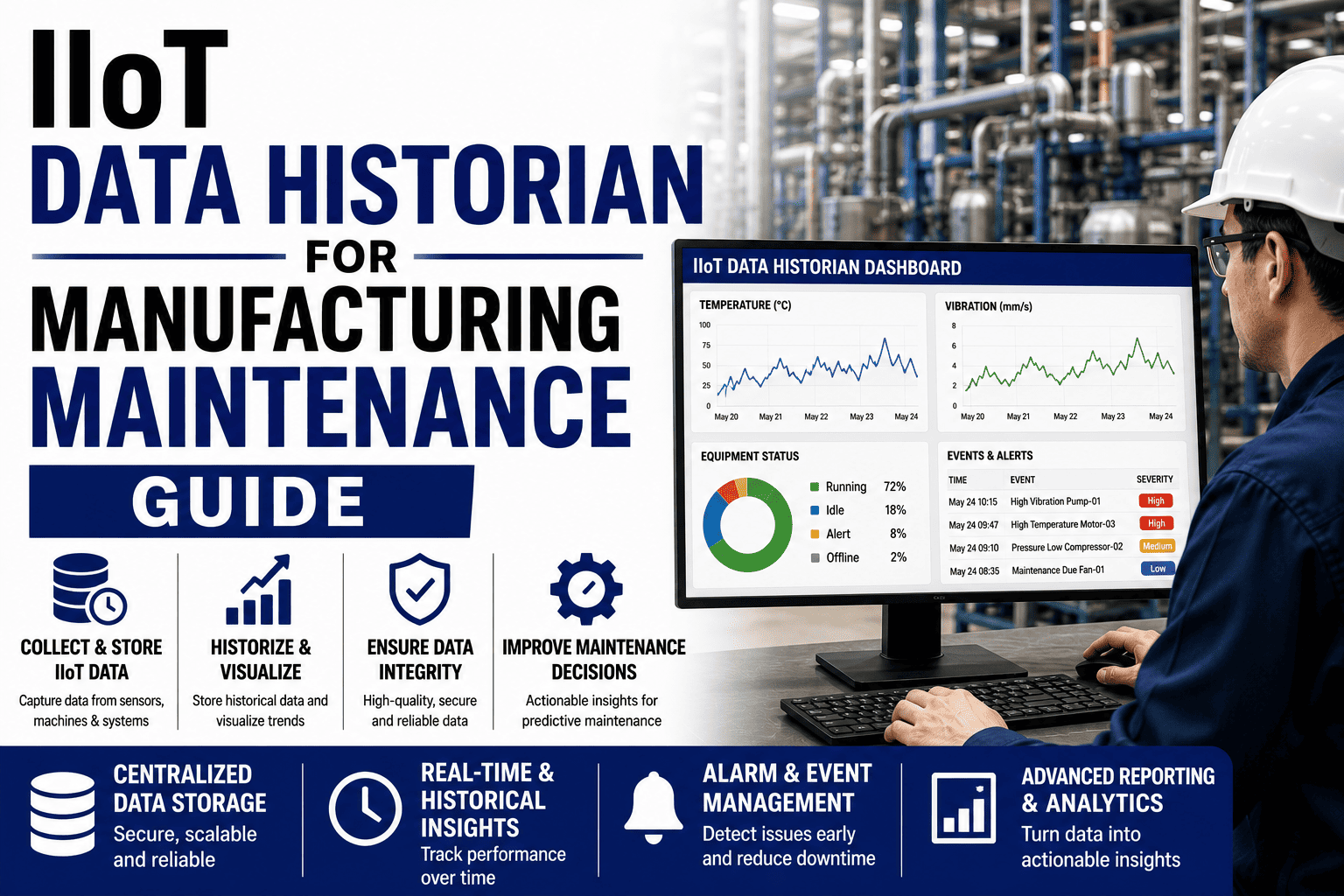
Time-series values for every Tier 1 and Tier 2 tag |
1s compressed (exception ±0.5%) |
2–5 years |
Trend analytics, PdM model training, RCA forensics |
| Analytics / ML |
Aligned, feature-engineered datasets from historian |
Batch (hourly / daily) |
Model-dependent |
Remaining-useful-life prediction, anomaly scoring |
| Plant dashboard |
Aggregated KPIs: OEE, MTBF, MTTR, alarm count |
5–15s refresh |
30 days rolling |
Shift-handover visibility, management reporting |
Common integration pitfalls
01
Polling instead of subscribing
A CMMS that polls OPC-UA every 5s generates 40× more network load than a subscription model and misses transient alarms. Always use monitored-item subscriptions with a publish interval matched to the tag tier.
02
Flat tag namespace
If your mapping relies on tag-name string parsing ("Temp_"), any rename breaks it. Use OPC-UA NodeIds and browse-path references that survive controller program edits.
03
No deadband / hysteresis
A noisy analog tag without a 0.5–2% deadband floods the CMMS with meaningless micro-events. Set deadbands per tag tier before go-live, not after the first incident.
Stop reacting to failures your machines already warned you about.
Connect your OPC-UA endpoints to OxMaint and turn tag streams into dispatched work orders in a single afternoon.
FAQ
OPC-UA for CMMS — the questions maintenance leaders actually ask
Do I need OPC-UA if my PLCs already expose Modbus or EtherNet/IP?
You can technically poll Modbus registers into a CMMS, but you lose the structured information model, built-in security, and vendor-neutral discovery that OPC-UA provides. For any plant running more than one automation vendor, OPC-UA eliminates the custom-driver sprawl and the brittle string-based mappings that break on every PLC program edit. The integration cost difference over three years is typically 3–5x in OPC-UA's favor.
How long does a typical OPC-UA-to-CMMS integration take?
A single asset class — say, 30 identical pumps across one line — can be mapped and live in 4–8 hours if the OPC-UA server is already configured with companion-specification models. A full 180-asset plant with mixed vendors usually takes 3–6 weeks including security review, certificate provisioning, and pilot validation. You can accelerate this by booking a guided setup at
Book a Demo with our integration team.
What happens to my CMMS if the OPC-UA server goes down?
A well-designed client buffers the last-known-good values and timestamps, flags the connection status as STALE on the affected assets, and continues accepting manual entries and scheduled PMs normally. When the session reconnects, the client backfills any historian gaps from the server's own buffer (OPC-UA supports historical access for this). The CMMS should never hard-fail just because a data source is temporarily unreachable.
Can OPC-UA data trigger automatic work orders without human review?
Yes, but only for well-characterized, high-confidence rules. Best practice is to auto-generate work orders for Tier-1 safety events and for condition rules that have been validated against at least 90 days of historical data with a documented false-positive rate below 5%. Lower-confidence signals should create a flagged recommendation for a reliability tech to approve, not an automatic dispatch.
How much does this cost compared to the downtime it prevents?
For a 180-asset plant averaging $42K/yr in reactive repair spend, a typical OPC-UA integration (gateway hardware, server licensing, CMMS subscription, implementation labor) runs $18K–$28K in year one and $6K–$10K/yr after. Most plants report 30–55% reductions in unplanned downtime within the first 12 months, putting payback in the 6–10 month range. You can validate the math for your own plant —
Start Free Trial and connect a pilot endpoint today.
READY WHEN YOU ARE
Your first OPC-UA asset can be live by end of day.
Connect a pilot endpoint, map your first 50 tags, and watch the first condition-based work order appear — all in a single afternoon, no professional services required.
Free 14-day trial · No credit card