A vibration alert fires at 02:10. By 06:00 it has been seen by three people, acknowledged by none and owned by nobody. Two weeks later the bearing fails and the line stops. The sensor did its job. The process around it did not. Predictive maintenance alerts only pay off when every alert follows the same path: verify it, rank it, give it an owner, plan the job and close the loop. This guide is a ready-to-adopt triage SOP for manufacturing plants, and shows how OXMAINT AI, the AI-native CMMS, turns each alert into a prioritised work order with an owner and the parts reserved.
Predictive Maintenance · Condition Monitoring · Triage SOP 2027
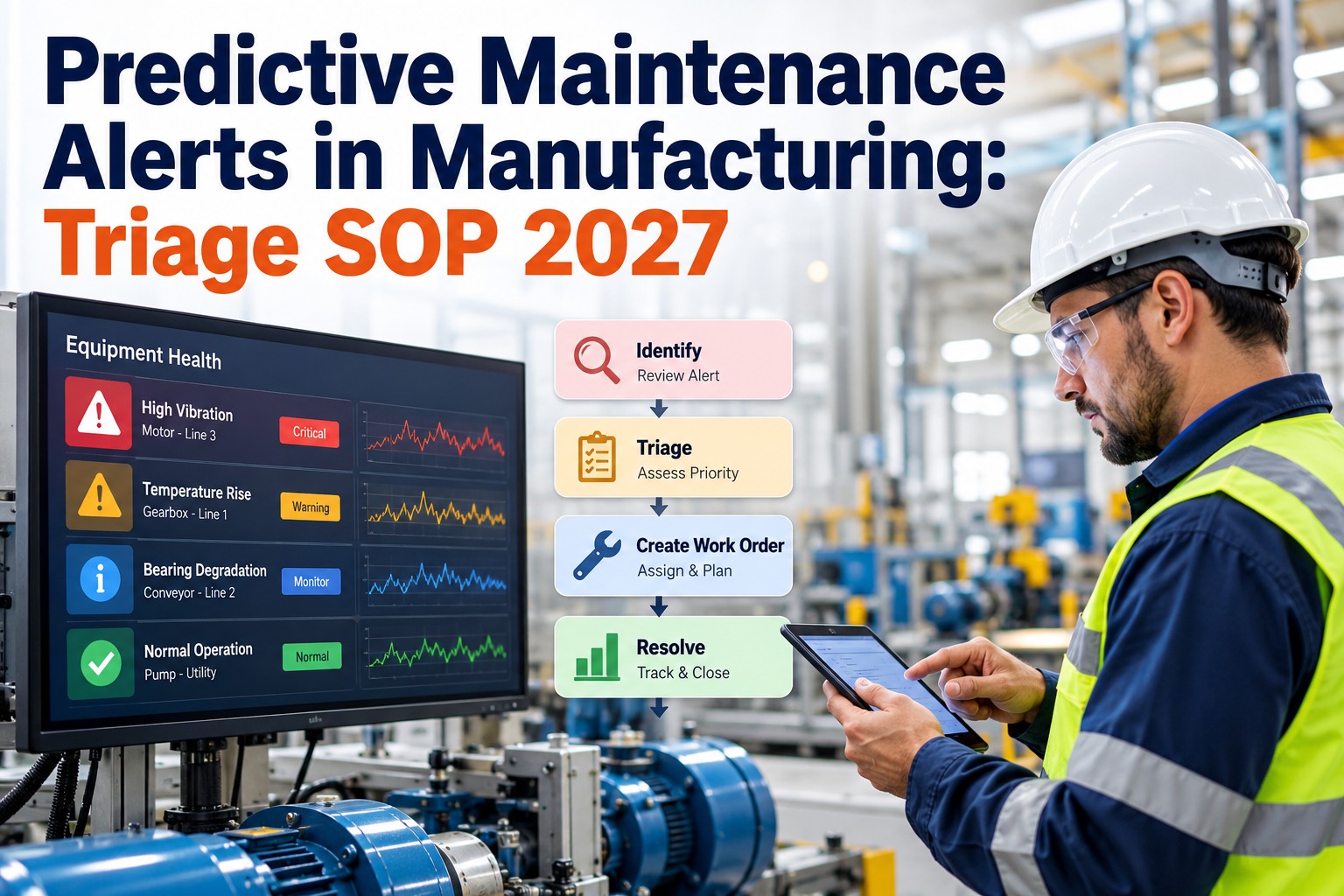
Predictive Maintenance Alerts in Manufacturing: Triage SOP 2027.
Stop alert fatigue and missed warnings. OXMAINT AI connects condition data, auto-prioritisation and work orders so every alert ends in a decision.
ILLUSTRATIVE ALERT
Motor 12 · Drive-end vibration rising
TrendUp for 5 days
CriticalityHigh
SuggestedP2 · Plan this week
OwnerUnassigned ➜ Assign
5 Stepsverify · rank · assign · plan · close
1 Ownerevery alert has a named person, never "the team"
0 Orphansno alert left open without a decision
Why Predictive Maintenance Alerts Fail After They Fire
Most predictive programmes do not fail at the sensor. They fail in the gap between the alert and the work order. Three patterns show up again and again. Sign up free and close that gap.
1
Alerts Are Ignored
Too many low-value alarms teach people to dismiss all of them, including the real ones. This is alert fatigue.
2
Alerts Have No Owner
Everyone sees the notification. No one is named to act. The alert ages quietly until it becomes a breakdown.
3
Alerts Never Close
The job is done but nobody records whether the alert was right, so thresholds never improve.
Predictive vs Preventive Maintenance — The Quick Difference
Preventive maintenance acts on a calendar or a usage count. Predictive maintenance acts on the actual condition of the asset. You need both, and the triage SOP is what connects the second one to your work order system. See predictive maintenance in OXMAINT AI.
PREVENTIVE
Trigger: Time or run hours
Question: "Is it due?"
Risk: Work done too early, or too late
+
PREDICTIVE
Trigger: Measured condition
Question: "Is it changing?"
Risk: Alerts ignored or never actioned
How Predictive Maintenance Works in 4 Moves
SENSEVibration, temperature, runtime and PLC data are collected from the asset
➜
BASELINENormal behaviour is learned from history
➜
DETECTA drift or breach against the baseline raises an alert
➜
TRIAGEA person or rule decides what happens next
The last move is where value is won or lost. That is what the SOP below defines.
The 5-Step Alert Triage SOP
Print it, pin it up, load it into your CMMS. Each step has an owner, a time target and a clear output. Targets are examples, so tune them to your plant. Book a demo to see the workflow built in.
1
VERIFY — Is the alert real?
Rule out a bad sensor, a loose cable or a normal process change. Look at a second signal on the same asset, such as vibration plus temperature, and compare with the recent trend.
Owner: Reliability engineerTarget: same shiftOutput: valid · false · watch
2
RANK — How urgent is it?
Combine asset criticality with how advanced the condition is. A critical asset with a fast-rising trend outranks a spare pump with a mild reading. Use the matrix below.
Owner: Reliability engineerTarget: right after verifyOutput: P1 to P4
3
ASSIGN — Who owns it?
Name one person and one work order. Not a group, not "maintenance". If the skill or crew is unavailable, escalate rather than let the alert wait.
Owner: SupervisorTarget: by priorityOutput: WO with owner
4
PLAN — When and with what?
Pick a window that suits production, confirm parts are in stock, attach the procedure and lockout steps. Planned work is shorter and safer than emergency work.
Owner: PlannerTarget: before the windowOutput: scheduled, parts reserved
5
CLOSE — Was the alert right?
Record what the technician found, the fix and the cost. Mark the alert as confirmed or false. Use the result to tune thresholds so the next alert is better.
Owner: Technician + engineerTarget: on job closeOutput: finding + feedback
Step 1 Made Simple — The Verification Check
Most false alarms die in this check. Ask these four questions in order and stop at the first "yes". Start free and add this as a checklist.
Did the sensor or cable change recently, or does the reading jump unnaturally?
YES ➜ Inspect the sensor, mark as false
Did load, speed or product change at the same time?
YES ➜ Compare against the new normal, keep watching
Does a second signal on the asset agree with the alert?
YES ➜ Treat as valid, go to ranking
Is the trend still moving in the wrong direction?
YES ➜ Valid, go to ranking
The Severity Matrix — Rank Every Alert the Same Way
Priority should not depend on who is on shift. Cross the asset's criticality with how far the condition has advanced, and the answer is the same every time. See auto-prioritisation in AI and automation.
EARLY
small drift
DEVELOPING
steady rise
ADVANCED
fast or near limit
HIGH CRITICALITY
stops the line
P3Plan next window
P2Plan this week
P1Act now
MEDIUM CRITICALITY
slows output
P4Watch
P3Plan next window
P2Plan this week
LOW CRITICALITY
has a spare or workaround
P4Watch
P4Watch
P3Plan next window
Illustrative matrix. Set your own criticality classes and response targets with your reliability team.
Who Does What — Clear Roles Stop Dropped Alerts
Reliability Engineer
Verifies alerts, sets priority, tunes thresholds from closed results.
Maintenance Supervisor
Assigns the owner, resolves clashes, escalates stuck P1 and P2 jobs.
Planner
Finds the window, reserves parts, attaches procedures and permits.
Technician
Does the job, records findings and photos, confirms or refutes the alert.
Every Alert. One Owner. One Work Order.
OXMAINT AI links condition data to prioritised, assigned work orders, with parts reserved and the result recorded when the job closes.
Anatomy of an Alert That Becomes Action
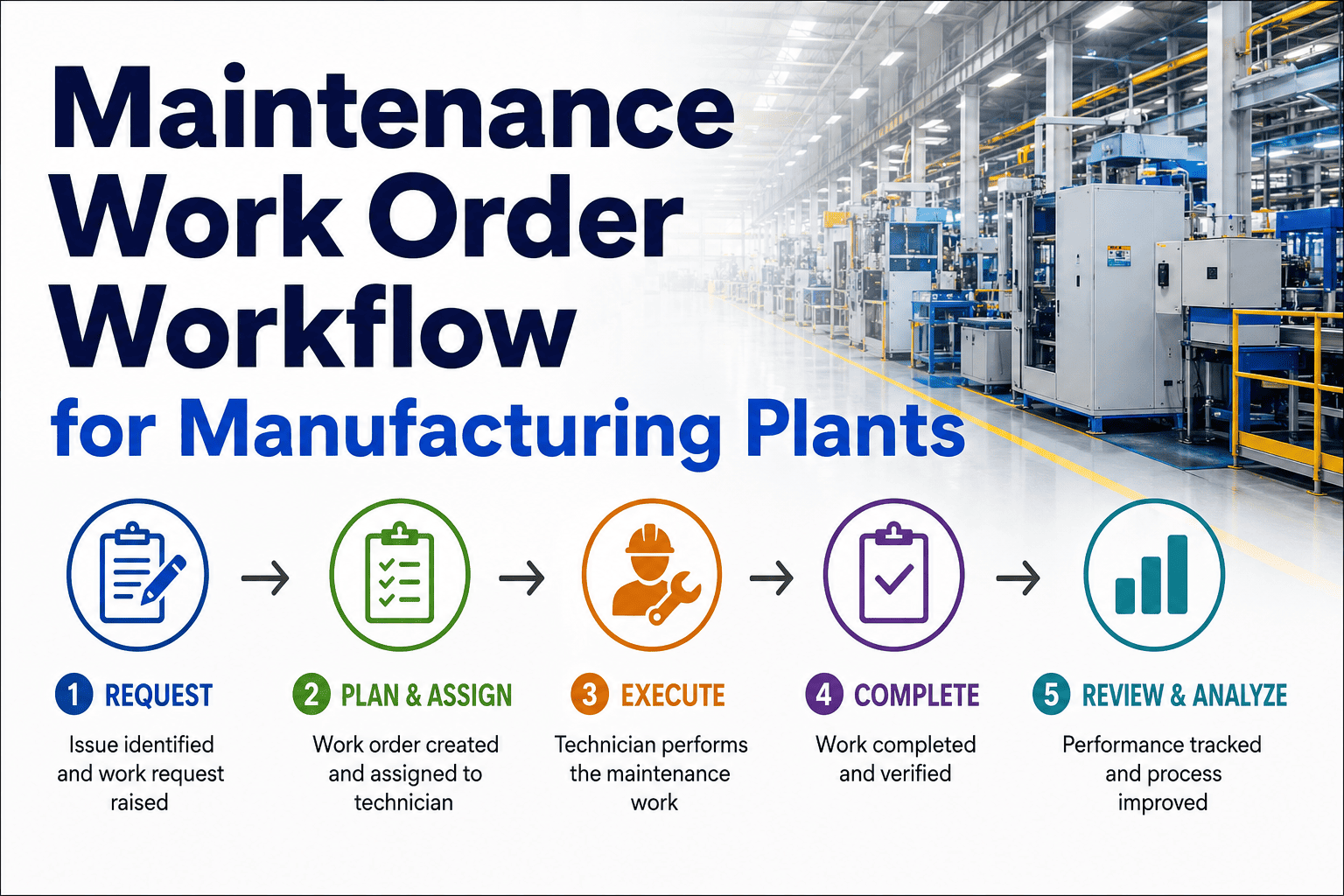
A work order created from an alert should carry everything the technician needs. If they have to hunt for context, the alert has already lost time. Explore work order management.
Illustrative Alert-Driven Work Order
WHATMotor 12, drive-end bearing, vibration trend rising
WHYAlert verified against a second signal
PRIORITYP2, plan within the week
OWNERNamed technician
PARTSBearing kit reserved from stock
CLOSE-OUTFinding, photos, cost, alert confirmed or false
Beat Alert Fatigue Before It Starts
If your team ignores alerts, the fix is rarely "pay more attention". It is fewer, better alerts. Book a demo to see alert prioritisation.
WARNING SIGNS
- Alerts are acknowledged in bulk
- Same asset alerts repeatedly with no work done
- Nobody can say which alerts were real
- Night alerts wait until morning by default
WHAT FIXES IT
- Verify before you notify
- Rank by criticality and trend, not noise
- Group repeat alerts into one job
- Review confirmed vs false alerts monthly
How OXMAINT AI Runs the SOP for You
Each SOP step has a matching tool, so the process lives in the software and not in someone's memory. Sign up free and connect your first asset.
Choosing Predictive Maintenance Software — 5 Must-Haves
Looking for the best predictive maintenance software for manufacturing? Skip the demo gloss and check that the alert ends in a work order, not a dashboard.
1Connects to your sensors and PLC data
2Ranks alerts by priority automatically
3Creates and assigns work orders
4Reserves parts and tracks stock
5Records the outcome to improve alerts
Four Numbers That Show the SOP Is Working
Time to Triage
Alert raised to decision
Alert-to-WO Rate
Valid alerts that became jobs
Confirmed Alert Rate
Alerts proven right at close
Unplanned vs Planned
Share of emergency jobs
Frequently Asked Questions
How does predictive maintenance work?
Sensors measure things like vibration, temperature and runtime. Software learns what normal looks like and raises an alert when readings drift. A triage process then decides whether to act.
Sign up free and try it.
What is the difference between predictive and preventive maintenance?
Preventive maintenance follows a schedule based on time or usage. Predictive maintenance responds to the measured condition of the asset. Most plants run both together.
Book a demo to see both.
How do I turn an alarm into a work order?
Verify the alert, rank it, then create a work order with an owner, priority, parts and procedure. In OXMAINT AI, proactive work orders can be generated from condition data.
Start free and test the flow.
How can we reduce alert fatigue in maintenance?
Verify alerts before they notify, rank by criticality, group repeats into one job and review false alerts monthly to tune thresholds.
Book a demo to see how.
Who should own predictive maintenance alerts?
A reliability engineer usually verifies and ranks, a supervisor assigns, a planner schedules and a technician closes. Every alert should still have one named owner.
Sign up free and set roles.
Verify. Rank. Assign. Plan. Close. Every Alert, Every Time.
Put your triage SOP into OXMAINT AI and turn predictive alerts into planned work before they turn into breakdowns.






.png)