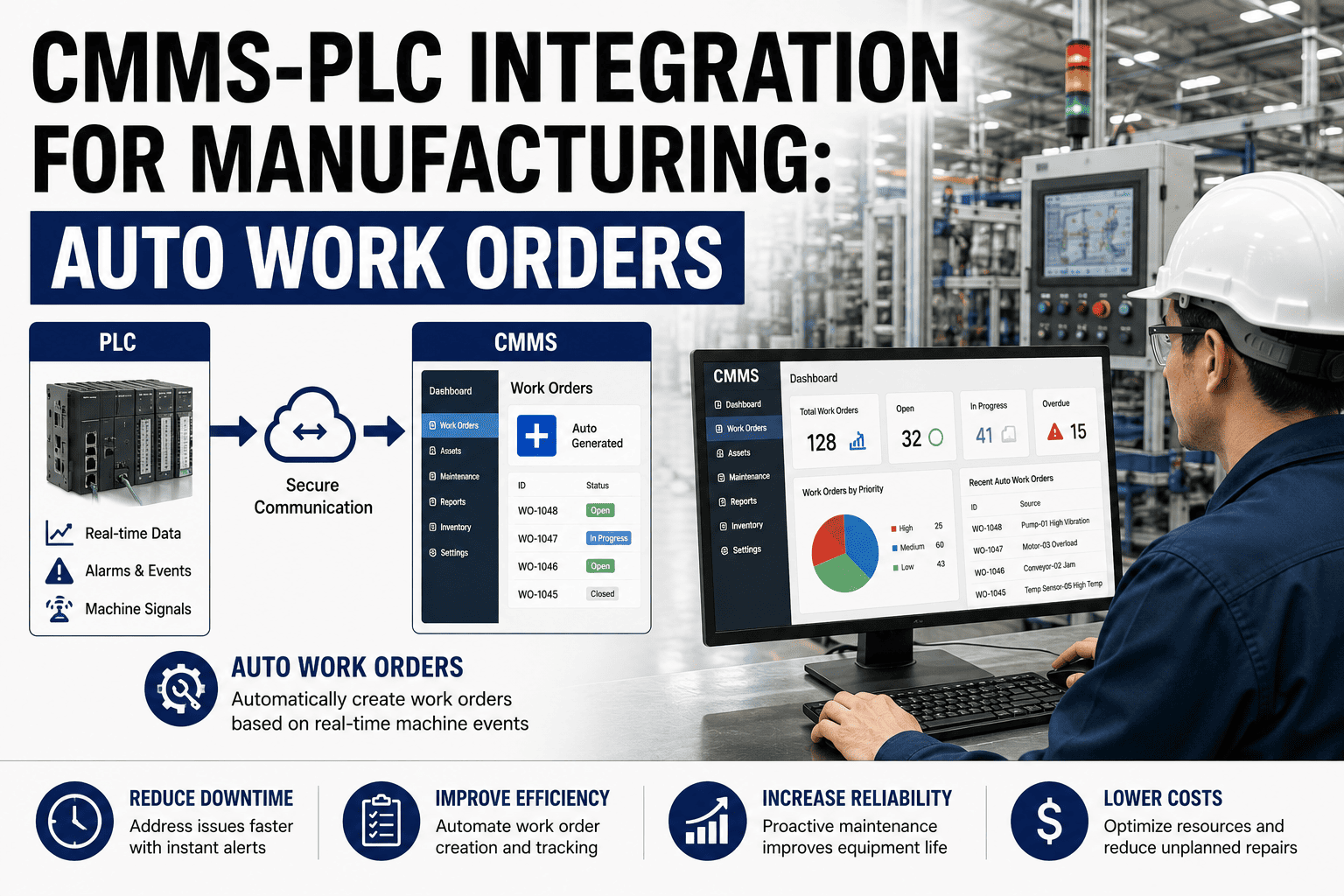
CMMS PLC integration turns machine faults into automatic work orders the instant a PLC alarm fires — no operator key-in, no delay, no missed events. For manufacturing plants running dozens of programmable logic controllers across extrusion lines, CNC cells, packaging machines and conveyors, PLC CMMS manufacturing integration closes the gap between machine telemetry and maintenance execution, cutting mean time to notification from hours to seconds. Automatic work orders from PLC alarms eliminate the #1 cause of reactive maintenance: the operator who forgets to call, or the supervisor who triages the wrong priority. This guide covers OPC UA and MQTT bridges, fault-to-work-order rules, alarm filtering, cybersecurity considerations, and how top plants use CMMS PLC to cut downtime and boost OEE. Ready to see it on your floor? Start Free Trial or keep reading.
CMMS PLC INTEGRATION GUIDE
What if every machine fault became a work order — automatically?
When a PLC alarm triggers, the clock starts. Operators radio the supervisor, someone opens a spreadsheet, a technician is paged — meanwhile the line is down. CMMS PLC integration collapses that chain to a single event: alarm fires, work order opens, technician is dispatched. No manual entry. No missed faults. No overtime.
WHY INTEGRATE
The real cost of manual fault reporting in PLC-driven plants
A typical mid-size manufacturing plant logs 200–600 PLC alarms per day. Less than 5% trigger a maintenance action — but the ones that matter often get lost in the noise.
WORKED EXAMPLE
A 180-asset food packaging plant in the Midwest was spending $42K/year in unplanned downtime tied to delayed alarm response. After implementing PLC alarm work order automation through OxMaint, mean time to notification dropped from 38 minutes to under 30 seconds — saving an estimated $31K in the first year and cutting unplanned downtime 34%.
HOW IT WORKS
How CMMS-PLC integration works: from alarm to work order in 4 steps
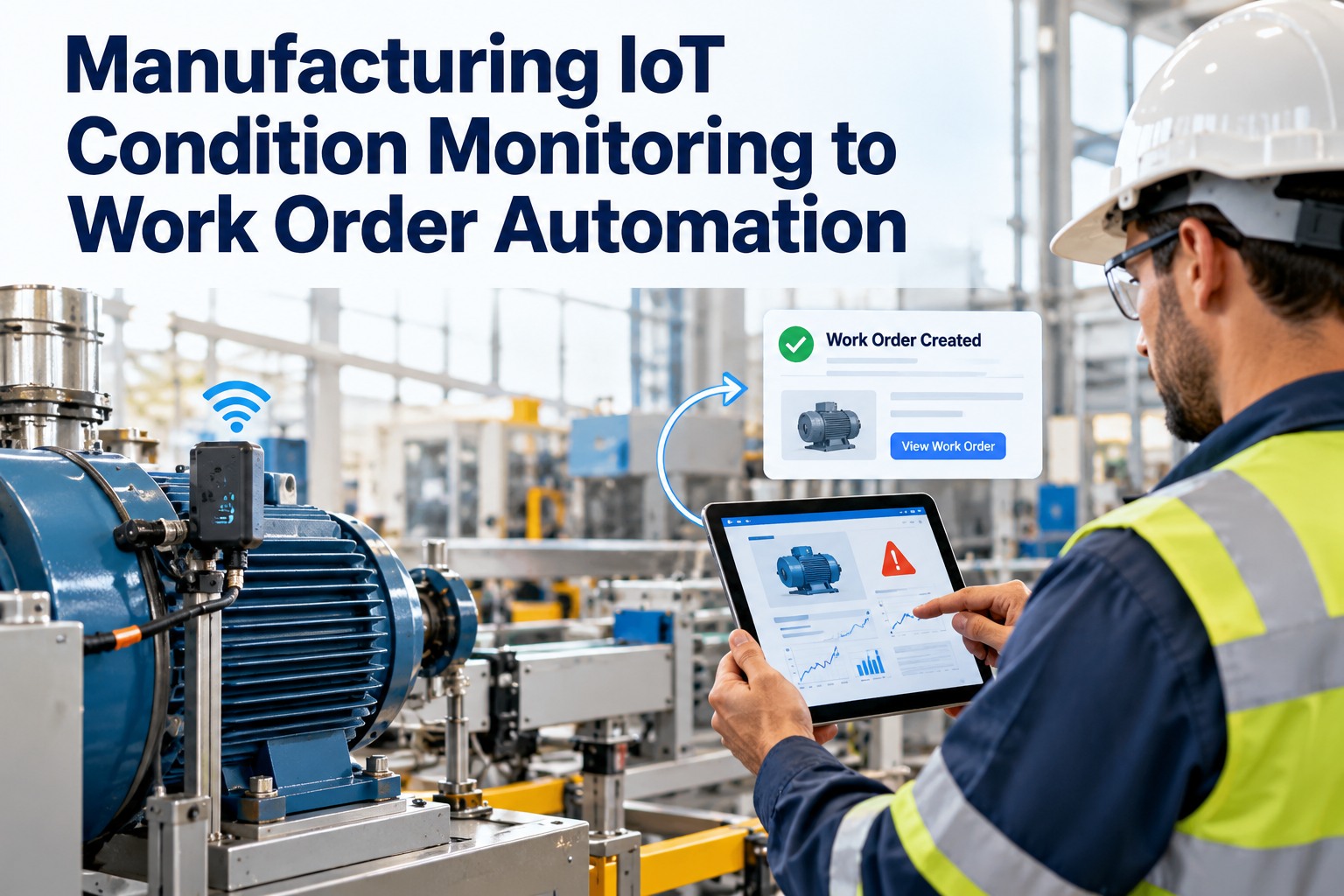
PLC maintenance integration follows a predictable pipeline: read machine data, filter noise, map faults to maintenance rules, and create prioritized work orders — all without human intervention.
Machine data acquisition via OPC UA or MQTT
An edge gateway reads fault codes, run-status bits, cycle counts and analog thresholds from PLCs using OPC UA (the ISA-95 standard for industrial interoperability) or lightweight MQTT pub/sub. No proprietary drivers, no vendor lock-in. Modern PLCs from Siemens, Allen-Bradley, Mitsubishi and Omron support OPC UA natively; older controllers can be bridged with a $300 edge device.
Alarm filtering and deduplication
Raw PLC alarm floods are filtered by severity, asset and time-window logic. A chattering sensor that fires 40 times in 60 seconds becomes one event. Informational alarms are logged for analytics; warning and critical alarms are routed to the CMMS. This step alone can reduce alarm volume by 80–90%, so technicians see signal, not noise.
Fault-to-work-order rule mapping
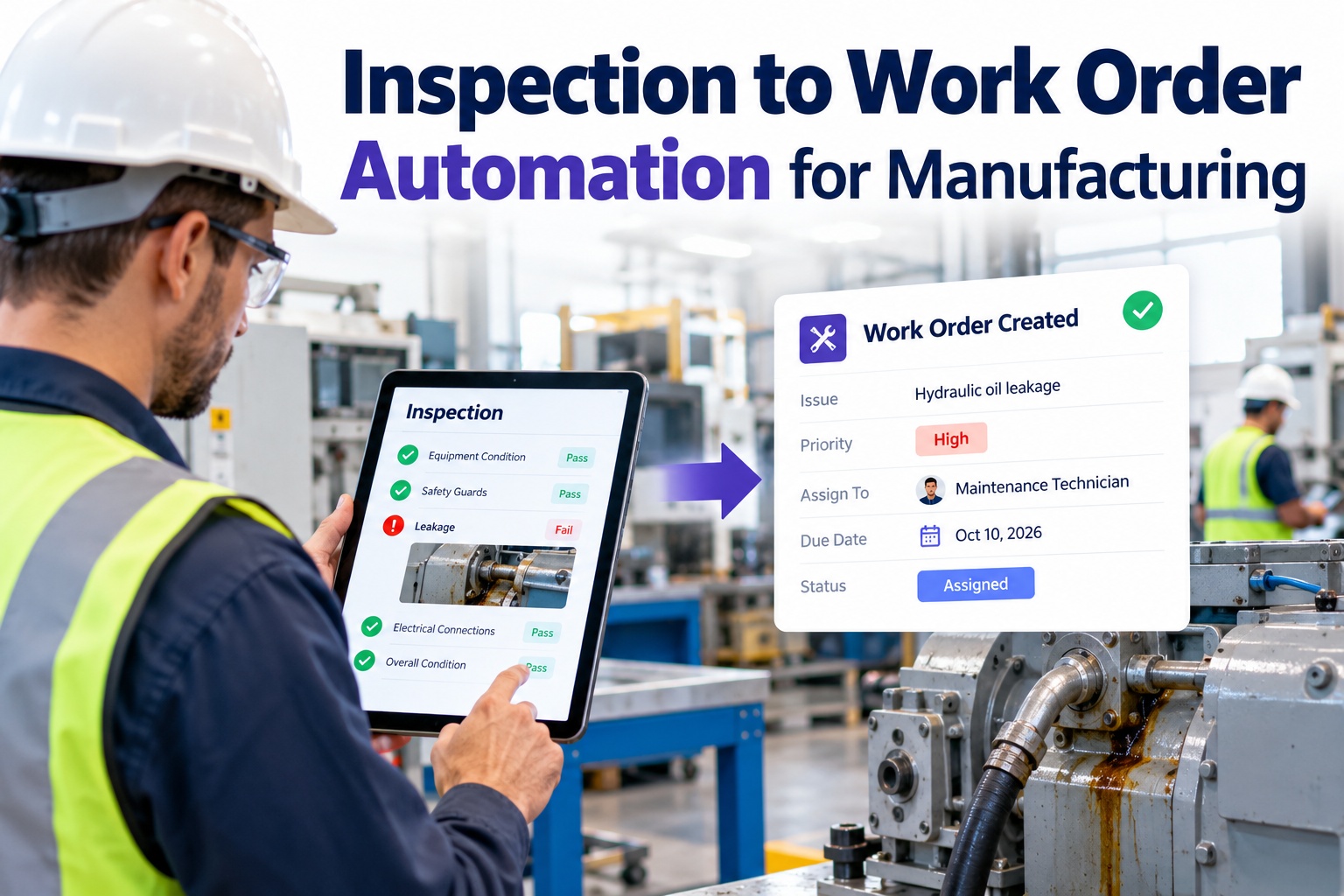
Each filtered alarm is mapped to a rule: fault code X on asset Y creates a work order with priority Z, assigned technician A, spare part B pre-staged, and safety lockout procedure C attached. OxMaint's rule engine supports conditional logic — a temperature alarm on Bearing 3 triggers a different work order than the same alarm on Motor 7, based on asset criticality and history.
Automatic work order creation and priority routing
The CMMS creates the work order, notifies the assigned technician via mobile push or SMS, and escalates to the shift supervisor if not acknowledged within a configured SLA (e.g., 5 minutes for critical, 30 for warning). The technician arrives with fault context, asset history, manuals and parts list — no phone tag, no clipboard.
FAULT CODE MAPPING
PLC alarm to work order: fault code mapping rules that drive action
Not every alarm deserves a work order. The plants that succeed with manufacturing PLC CMMS build a fault-code matrix that maps each PLC alarm to a specific maintenance response, priority and SLA.
| PLC Alarm Type | Example Fault Code | Work Order Priority | Auto-Response | Target SLA |
|---|---|---|---|---|
| Critical safety fault | E-STOP, Door Open | P1 — Critical | Line stop, technician dispatch, supervisor alert | 2 min ack |
| Temperature over-limit | Bearing Temp > 85°C | P2 — High | Inspect bearing, check lubrication, log thermal image | 15 min ack |
| Vibration threshold exceeded | RMS Velocity > 7.1 mm/s | P2 — High | Vibration analysis route, balance/align check | 30 min ack |
| Cycle count PM trigger | Counter > 50,000 | P3 — Medium | Scheduled PM work order, parts kit reserved | Next shift |
| Motor overload trip | OL Trip — Motor 4 | P2 — High | Inspect motor, check load, reset and monitor amps | 10 min ack |
| Air pressure low | Press < 5.5 bar | P4 — Low | Log for compressor PM, check regulator | 24 hours |
| Informational status change | Auto/Manual mode | Log only | No work order — record for analytics and audit trail | N/A |
OxMaint stores this matrix as configurable rules — no code, no PLC ladder-logic edits. Maintenance managers build and adjust mappings in a drag-and-drop interface, and changes take effect on the next alarm cycle.
OPC UA vs MQTT
Choosing the right bridge: OPC UA vs MQTT for PLC CMMS connectivity
The protocol you choose determines latency, security posture and how many PLCs you can scale to. Most plants end up with both — OPC UA for critical real-time faults, MQTT for high-volume telemetry and analytics.
Best for direct PLC-to-CMMS fault routing
- Native on modern PLCs (Siemens S7-1200/1500, Allen-Bradley CompactLogix)
- Built-in security: X.509 certificates, signed/encrypted payloads
- Sub-second latency for critical alarm delivery
- Vendor-neutral, ISA-95 compliant — no proprietary drivers
- Limitation: heavier protocol, needs an OPC server for legacy controllers
Best for high-volume telemetry and cloud analytics
- Lightweight pub/sub — handles thousands of tags per second
- Works over constrained networks and cellular backups
- Sparkplug B spec adds industrial payload structure
- Requires a broker (e.g., HiveMQ, EMQX) and TLS configuration
- Limitation: not natively on PLCs — needs an edge gateway
DECISION RULE
If alarm latency must be under 1 second and PLCs are post-2015 → OPC UA. If you're aggregating 500+ tags across 20+ machines for predictive analytics → MQTT. If both matter → run OPC UA at the cell level and publish filtered events to an MQTT broker for enterprise-wide CMMS routing.
SECURITY
Cybersecurity checklist for PLC-CMMS integration
Connecting PLCs to a CMMS bridges OT and IT — which means it extends your attack surface. A single unsecured MQTT broker or open OPC UA endpoint can expose machine control to the network. Follow these non-negotiables.
Network segmentation
Place PLCs and edge gateways on an isolated OT VLAN behind an industrial firewall (Purdue Model Level 2). The CMMS communicates through a DMZ — never directly to the internet-facing layer.
Encryption and authentication
Enforce TLS 1.2+ on MQTT brokers and OPC UA security policy Aes256-Sha256-RsaPss. Use X.509 certificates from an internal CA — never accept anonymous connections on either protocol.
One-way data flow
The CMMS should read PLC data, never write back to controllers. Use a unidirectional gateway or data diode for high-risk environments. Write-back commands require a separate, human-approved control path.
Audit logging and compliance
Log every alarm-to-work-order event with timestamp, asset ID, rule fired and technician assigned. OxMaint retains these logs for ISO 55000, FDA 21 CFR Part 11 and OSHA audit readiness — searchable, exportable, tamper-evident.
See OxMaint turn your PLC alarms into work orders — live on your floor
Book a 30-minute demo and we'll map your top 5 PLC fault codes to automatic work order rules in real time. Bring your alarm list.
HOW OXMAINT HELPS
How OxMaint makes CMMS-PLC integration plug-and-play
OxMaint is an AI-powered CMMS and EAM platform built for maintenance and reliability teams. Its PLC integration module connects to OPC UA and MQTT sources out of the box — no custom code, no six-month SCADA project.
Drag-and-drop fault-to-work-order rules
Map PLC alarm codes to work order templates with zero scripting. Each rule carries priority, assigned technician, parts kit, safety procedure and escalation path. Changes deploy on the next alarm cycle.
Outcome: 95% reduction in manual fault-reporting time
AI alarm filtering and deduplication
OxMaint's AI engine learns which alarms are actionable and suppresses chattering sensors, informational status changes and duplicate events — so technicians see only the faults that need a human response.
Outcome: 80–90% alarm-volume reduction, faster triage
Predictive maintenance from PLC telemetry
Beyond alarms, OxMaint ingests analog trends — vibration, temperature, amps, cycle counts — and uses ML models to predict bearing failures, motor degradation and tool wear before the PLC ever fires a fault.
Outcome: 30–50% cut in unplanned downtime
Mobile dispatch with full fault context
Technicians receive push notifications with the PLC fault code, asset history, O&M manuals, spare-parts location and safety lockout procedure — all on their phone or tablet, online or offline.
Outcome: 40% faster mean time to repair
FAQ
Frequently asked questions about CMMS PLC integration
What is CMMS PLC integration and how does it create automatic work orders?
CMMS PLC integration connects your programmable logic controllers to your maintenance management system via OPC UA or MQTT. When a PLC alarm fires, the integration layer filters it, matches it to a pre-configured fault-to-work-order rule, and the CMMS automatically creates a prioritized work order, assigns a technician and sends a mobile notification — all within seconds, with no manual data entry. You can see this in action by booking a 30-minute demo.
Do I need to replace my existing PLCs to use CMMS PLC integration?
No. Modern PLCs from Siemens, Allen-Bradley, Mitsubishi and Omron support OPC UA natively. For older controllers, a $300 edge gateway can bridge serial or proprietary protocols to OPC UA or MQTT. OxMaint connects to both, so you can integrate legacy and new equipment in the same plant without rip-and-replace.
How does alarm filtering prevent work-order spam from PLC alarms?
PLC CMMS integration uses severity-based filtering, time-window deduplication and AI-driven noise suppression. A chattering sensor that fires 40 times in 60 seconds becomes a single work order. Informational alarms are logged for analytics but don't trigger maintenance actions. Well-configured filtering typically reduces actionable alarm volume by 80–90%.
Is it safe to connect PLCs to a cloud-based CMMS?
Yes — when done correctly. Use network segmentation (Purdue Model), TLS 1.2+ encryption, X.509 certificate authentication and one-way data flow so the CMMS reads PLC data but never writes back to controllers. OxMaint supports all of these standards and retains audit logs for ISO 55000, FDA 21 CFR Part 11 and OSHA compliance. Start a Start Free Trial to test the security configuration.
How long does it take to implement PLC alarm work order automation?
A pilot with 5–10 assets and 20 fault-code mappings can be live in 2–4 weeks with OxMaint. Full plant rollout across 100+ PLCs typically takes 6–10 weeks, including edge gateway deployment, rule configuration, alarm filtering tuning and technician training. Most plants see ROI within the first quarter after go-live.
Stop losing hours to manual fault reporting. Start turning PLC alarms into work orders.
Join the manufacturing plants using OxMaint to cut mean time to notification from 47 minutes to under 30 seconds — and reduce unplanned downtime 30–50%.
Free 14-day trial · No credit card