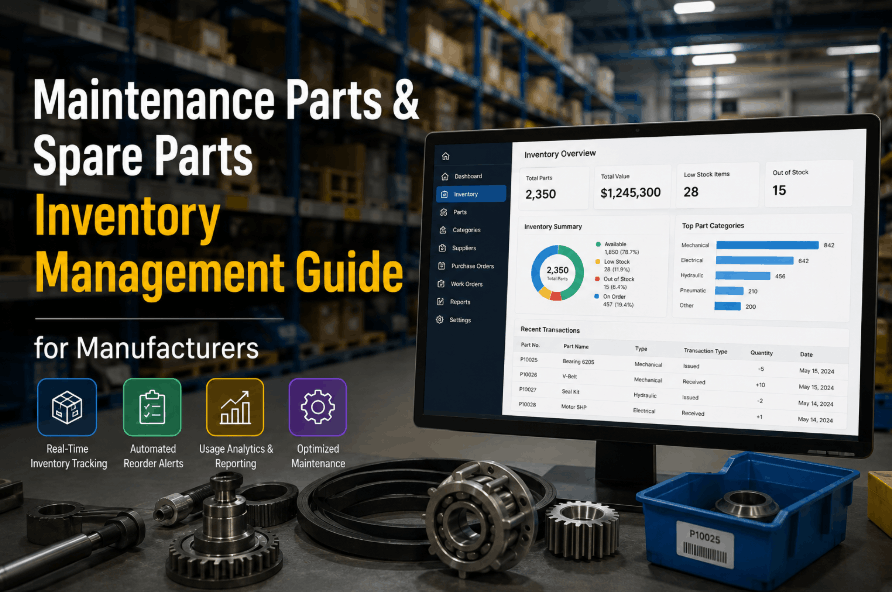
Spare parts obsolescence is one of the most underestimated cost drains in manufacturing plant storerooms. Components become obsolete when equipment is retired, OEM support ends, or technology shifts faster than inventory reviews can track — leaving storerooms holding parts that will never be used, written off as losses against the maintenance budget. For cost-conscious maintenance managers, identifying and acting on obsolescence before it compounds is a practical business priority, not just a housekeeping task. Sign Up Free to see how OxMaint's MRO inventory module gives you full visibility into slow-moving and at-risk spare parts before they become write-offs.
Catch Obsolete Parts Before They Drain Your Budget
OxMaint's storeroom intelligence flags slow-moving, at-risk, and end-of-life spare parts automatically — so your team acts before the write-off hits.
Why Spare Parts Go Obsolete — The Root Causes
01
Equipment Retirement Without Storeroom Audit
When assets are decommissioned, their dedicated spare parts rarely leave the storeroom at the same time. Bearings, belts, and control cards for retired machinery sit on shelves for years, consuming space and capital with no future demand.
02
OEM End-of-Life and Supersession
Manufacturers issue replacement part numbers, discontinue legacy components, or exit product lines entirely. Storerooms holding the old part number have inventory that cannot be restocked if consumed — and often cannot be returned.
03
Over-Purchasing Against Inaccurate Demand Forecasts
Reactive purchasing — ordering extra units after a single failure event — leads to storerooms holding quantities that exceed realistic lifetime demand for that asset. Excess stock ages until it crosses into obsolescence.
04
No Visibility Into Last-Movement Dates
Without a CMMS tracking last-used date against each spare part, storeroom teams have no systematic way to identify which parts haven't moved in 12, 24, or 36 months — the primary signal of developing obsolescence risk.
05
Technology and Control System Upgrades
Plant-wide PLC or SCADA upgrades render legacy I/O cards, HMI panels, and drive components instantly obsolete. Parts purchased to support the old control architecture have zero demand the moment the new system goes live.
06
No Linked Asset-to-Part Relationship in the CMMS
When spare parts are not linked to the assets they serve inside the CMMS, there is no automated way to flag parts as at-risk when the parent asset is decommissioned, modified, or replaced — so the parts simply remain on the shelf indefinitely.
How OxMaint Identifies and Manages Spare Parts Obsolescence
Asset-to-Part Linking
Every spare part in OxMaint's MRO inventory module is linked to the asset or assets it supports. When an asset is retired or modified in OxMaint, all associated spare parts are automatically flagged for storeroom review — giving maintenance managers the asset decommission trigger they need to act on obsolete stock before it ages further. Book a Demo to see asset-part linking in action across a live plant inventory.
Last-Movement Reporting
OxMaint tracks every parts issue against a work order, giving each spare part a precise last-movement date. Storeroom managers can run last-movement reports at configurable intervals — 12 months, 24 months, 36 months — and immediately identify which parts have not been consumed in a defined period and are candidates for obsolescence review or disposal.
Slow-Mover and Dead-Stock Flags
Parts that fall below a configurable consumption rate threshold are automatically categorised as slow-movers in OxMaint. Parts with zero movement over a defined window are flagged as dead stock. Both categories appear in the storeroom dashboard, giving procurement and maintenance the shared visibility needed to make disposition decisions before write-off values escalate. Sign Up Free and run your first slow-mover report within minutes of setup.
Demand Forecasting Against Work Order History
OxMaint uses historical work order data — parts consumed per asset, per failure type, per time period — to generate realistic demand forecasts for each spare part. Procurement teams can compare current stock quantities against forecast demand and identify where quantities held exceed any realistic future consumption requirement, enabling planned stock reduction before obsolescence occurs.
Disposition Workflow and Write-Off Tracking
When obsolescence is confirmed, OxMaint provides a structured disposition workflow: return to supplier, transfer to another site, sell as surplus, or write off. Each disposition is recorded against the part record with the value impact, giving finance teams the audit trail they need for asset write-off reporting and maintenance budget reconciliation. Book a Demo to review OxMaint's full disposition and write-off workflow.
Obsolescence Management — OxMaint vs Manual Storeroom Process
| Process Area | Manual / Spreadsheet | OxMaint MRO Module |
|---|---|---|
| Identifying slow-moving parts | Manual spreadsheet audit — annual at best | Automated last-movement flag — continuous |
| Asset retirement part trigger | No link — parts remain on shelf indefinitely | Asset decommission triggers part review automatically |
| Demand forecasting | Gut feel or historical purchase orders only | Forecast from actual work order consumption history |
| Disposition tracking | No structured process — parts quietly written off | Structured workflow with value and audit record |
| Finance reporting on write-offs | Manual extraction — labour intensive, error-prone | Auto-generated write-off reports from OxMaint data |
| Procurement alignment | Purchasing buys without consumption visibility | Procurement sees live stock, demand, and slow-mover flags |
The Business Cost of Unmanaged Spare Parts Obsolescence
15–25%
of MRO inventory value
Industry estimates suggest 15–25% of the average manufacturing storeroom's total inventory value is held in slow-moving or obsolete parts at any given time — capital that could be redeployed to active maintenance requirements.
Carrying Cost
20–30% annually of held value
Holding costs — storage space, insurance, capital tied up, and stock management labour — typically run 20–30% of held inventory value per year. Obsolete stock generates these costs with zero return on the investment.
Write-Off Risk
accelerates without visibility
Parts that pass the point of return or resale have zero recoverable value. Each month without an obsolescence review allows more stock to cross from recoverable surplus into unrecoverable write-off — compounding the budget impact year on year.
5-Step Spare Parts Obsolescence Reduction Programme
1
Audit and Classify Your Current Inventory
Run a full storeroom audit classifying every part as active, slow-moving, or dead stock based on last-movement date. OxMaint's last-movement reporting delivers this classification automatically once parts are loaded and linked to assets in the system. Sign Up Free to import your current parts list and generate your first obsolescence risk report.
2
Link Every Part to Its Parent Asset in the CMMS
Without an asset-to-part relationship in your CMMS, obsolescence identification requires manual cross-referencing. Link each spare part to the asset or asset class it supports in OxMaint so that asset status changes automatically trigger a parts review — eliminating the manual audit dependency.
3
Set Min/Max Levels Based on Actual Demand, Not Intuition
Review and reset reorder points and maximum stock levels using actual work order consumption history from OxMaint rather than historical purchase patterns. Parts with low or zero demand history should have maximum levels set to zero — preventing re-purchase of stock that is approaching obsolescence.
4
Establish a Quarterly Obsolescence Review Cadence
Obsolescence is a continuous process, not a one-time project. Schedule a quarterly storeroom review using OxMaint's slow-mover and dead-stock reports as the agenda. Include procurement, maintenance, and finance in the review to align on disposition decisions and budget impact visibility. Book a Demo to see how OxMaint's storeroom dashboard supports a structured quarterly review process.
5
Run a Structured Disposition Process for Confirmed Obsolete Stock
For parts confirmed as obsolete, work through a structured disposition sequence: return to supplier for credit where possible, offer as surplus to sister sites, sell to secondary market buyers, or write off with full documentation. OxMaint's disposition workflow captures every step and value impact, giving finance the audit trail needed for clean write-off accounting.
Stop Paying to Store Parts You'll Never Use
OxMaint's MRO inventory module connects spare parts to assets, tracks consumption against demand, and surfaces obsolescence risk before it becomes a write-off — giving maintenance managers the data to act, not guess.
Frequently Asked Questions
How does OxMaint identify spare parts at risk of obsolescence?
OxMaint tracks last-movement dates for every spare part and flags items with no consumption activity beyond a configurable threshold — typically 12, 24, or 36 months. Parts linked to decommissioned assets are flagged automatically for storeroom review without any manual intervention required.
Can OxMaint link spare parts to specific plant assets?
Yes. OxMaint's CMMS structure allows each spare part to be linked to one or more parent assets. When an asset is retired or modified, associated parts are flagged for review automatically — closing the gap that allows obsolete inventory to accumulate undetected after equipment changes.
Does OxMaint support the spare parts write-off and disposition process?
OxMaint provides a structured disposition workflow for confirmed obsolete stock — covering return to supplier, inter-site transfer, surplus sale, and write-off. Each disposition is logged with value impact, giving finance teams a clean audit trail for write-off reporting and budget reconciliation.
How does demand forecasting in OxMaint help prevent future obsolescence?
OxMaint uses historical work order data — actual parts consumed per asset, per failure type — to generate realistic demand estimates. Procurement teams can compare current stock quantities against forecast demand and identify surplus inventory before it crosses into obsolescence, enabling planned reduction rather than reactive write-off.
What types of manufacturing plants does OxMaint support for MRO inventory management?
OxMaint serves manufacturing facilities across discrete manufacturing, process industries, food and beverage, packaging, pharmaceuticals, and heavy industry. The MRO inventory module is configurable to the storeroom structure and asset types of each facility, regardless of plant size or sector.
Reduce MRO Write-Offs. Improve Storeroom Efficiency. Start With OxMaint.
Connect every spare part to its asset, track consumption against real demand, and surface obsolescence risk before it hits the balance sheet. OxMaint gives manufacturing maintenance teams the MRO visibility that spreadsheets cannot deliver.