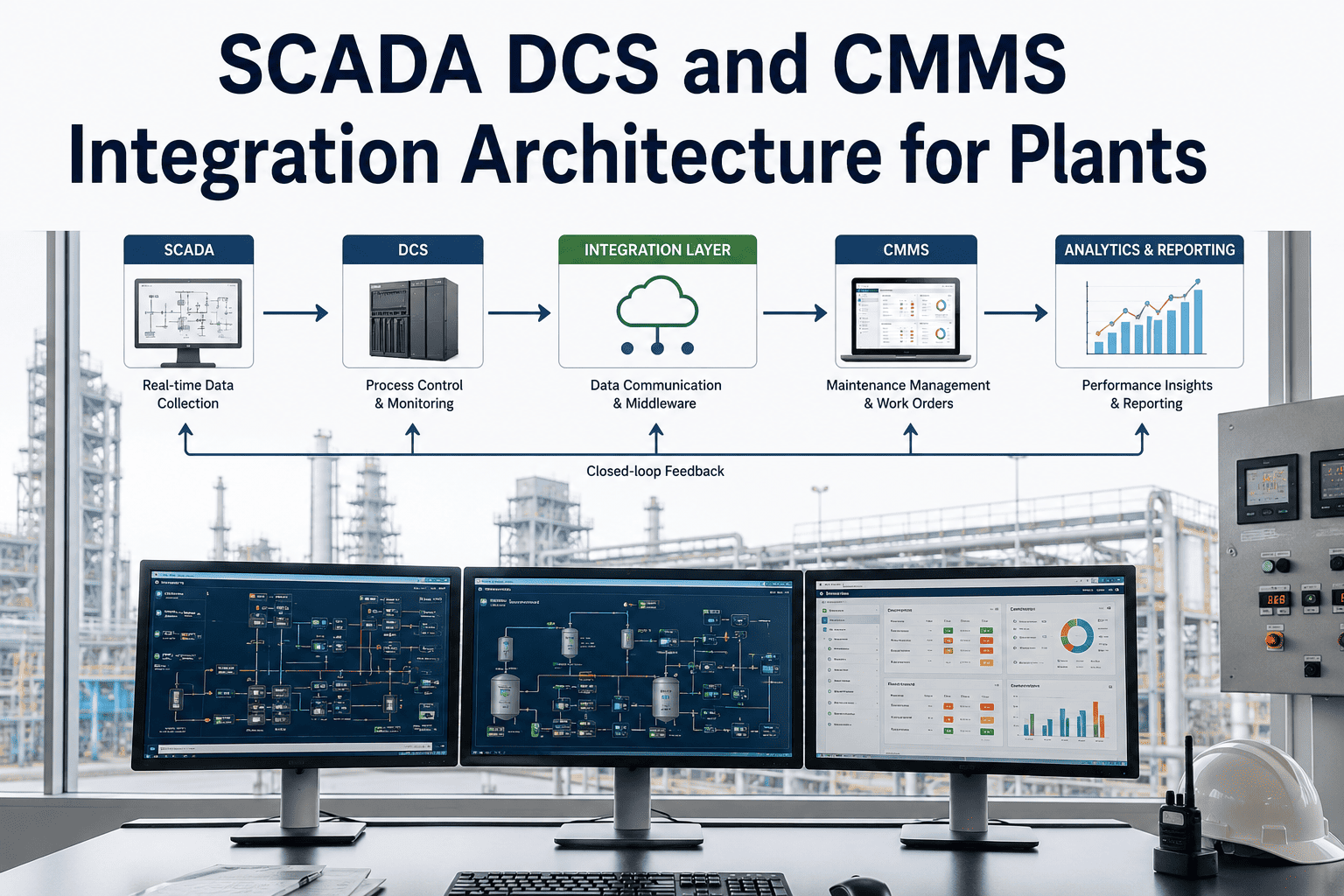
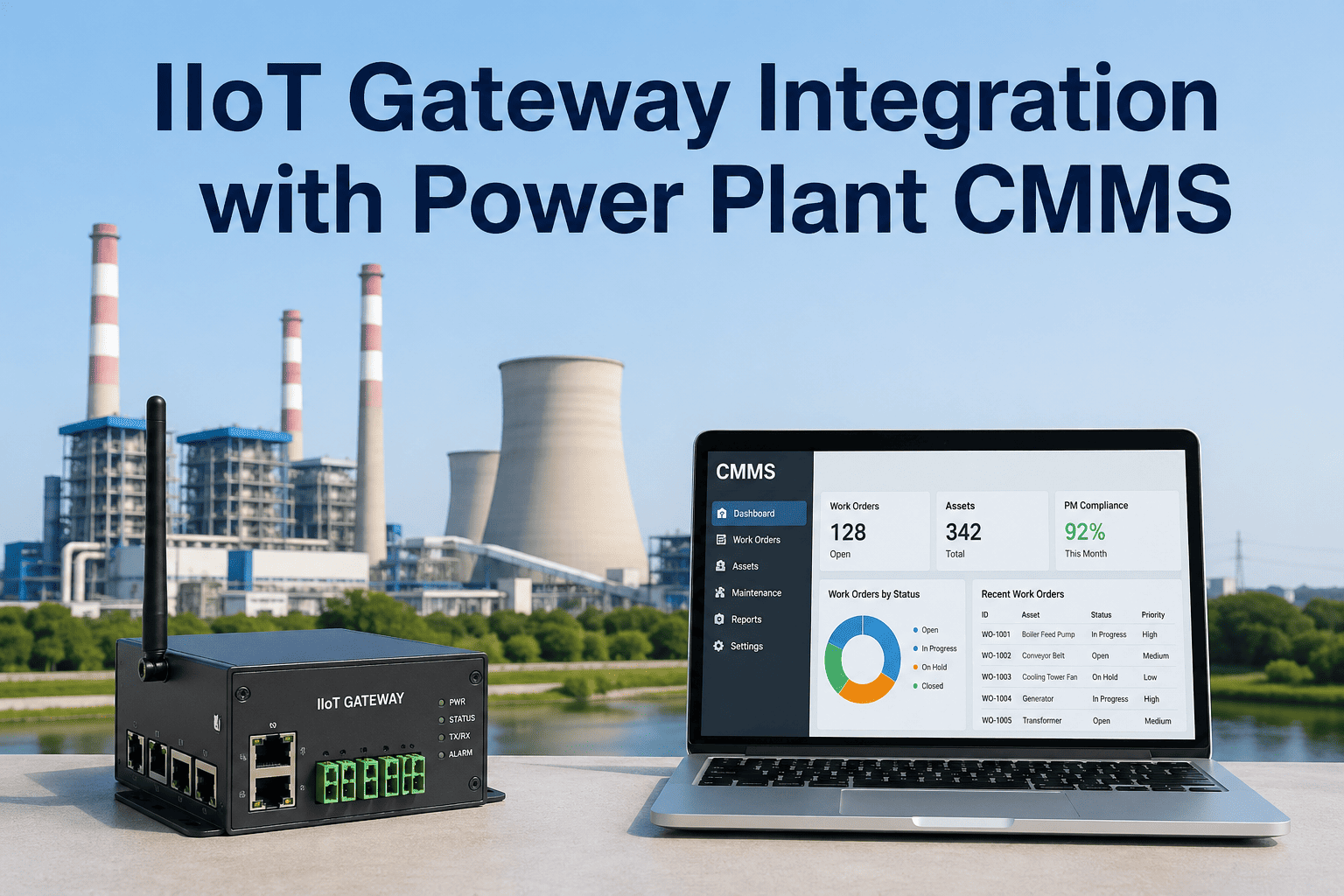
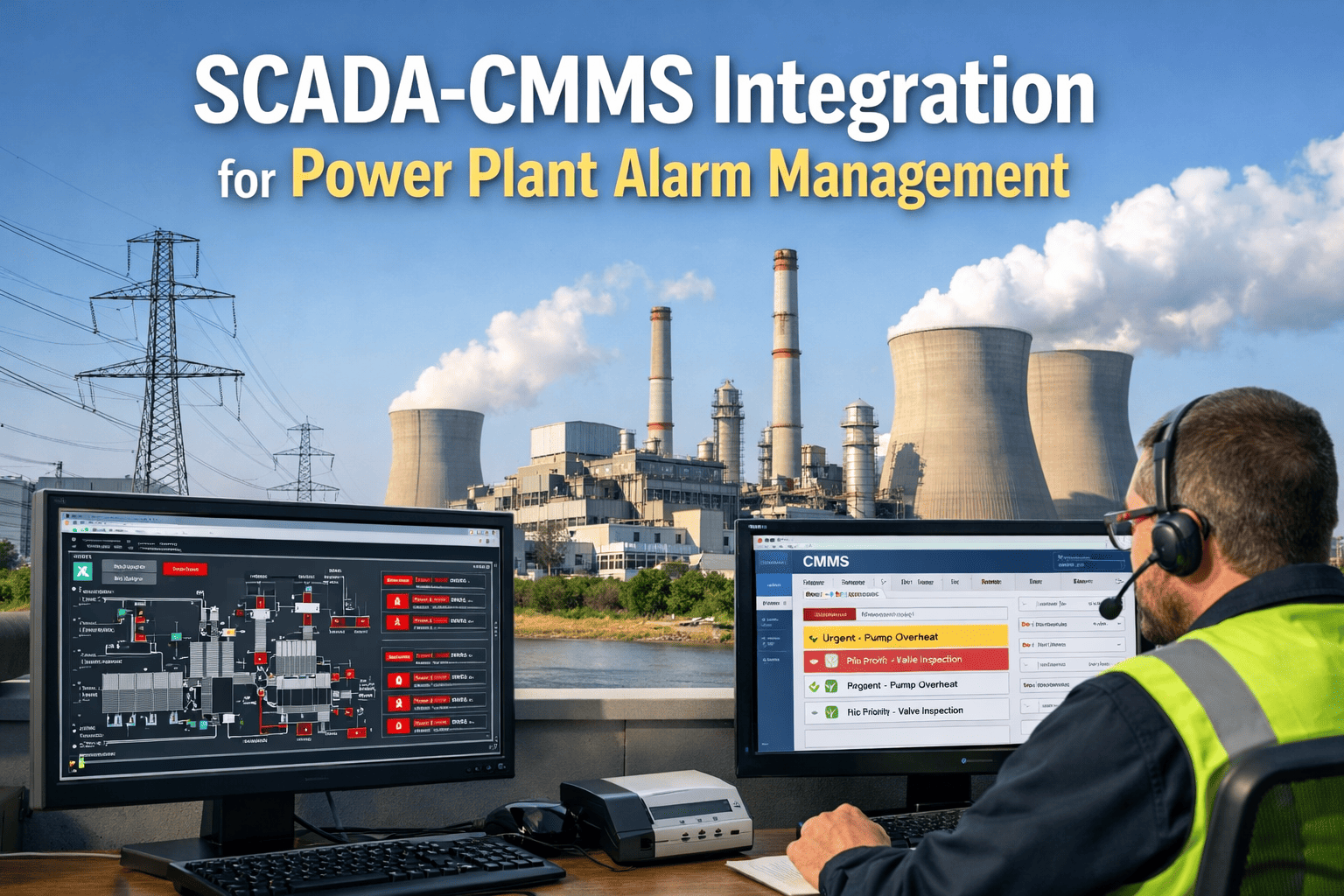
Most power plants already have SCADA systems collecting thousands of data points every second — turbine speeds, boiler pressures, transformer temperatures, pump flow rates. Yet that same data almost never reaches the maintenance team's CMMS, where it could be triggering work orders, predicting failures, and scheduling inspections automatically. The reason is a protocol gap: SCADA systems speak Modbus, OPC-UA, or proprietary industrial languages, while CMMS platforms operate over modern web APIs. An IoT gateway sits in the middle and translates between these worlds in real time. This guide explains exactly how to design that gateway architecture for a power plant environment — covering protocol selection, edge computing layers, data historian connections, and how OxMaint CMMS receives and acts on the data. Want to see it in action before reading? Book a demo with our integration team and we will walk you through a live plant setup.
Your SCADA Has the Data.
Your CMMS Needs It.
The Gateway Makes It Happen.
Power plants generate millions of data points daily across Modbus RTU devices, OPC-UA servers, and SCADA historians — yet maintenance teams work with paper logs and calendar schedules. IoT gateways close that gap, feeding live plant data directly into OxMaint so your team acts on real conditions, not assumptions.
Protocol Fragmentation Is Costing You Maintenance Intelligence
The average power plant runs 150–300 disparate data sources using incompatible protocols, naming conventions, and isolated data silos. None of them talk to each other automatically.
The OT Side — Where Your Data Lives
SCADA systems, PLCs, DCS controllers, and field instruments communicate using Modbus RTU, Modbus TCP, OPC-DA, OPC-UA, DNP3, and dozens of proprietary protocols. This data is rich, real-time, and highly accurate — but completely inaccessible to IT systems without translation.
The IT Side — Where Decisions Are Made
CMMS platforms, ERP systems, and analytics tools expect REST APIs, JSON payloads, and standard database connections. They have no native way to speak Modbus or read OPC-UA address spaces without middleware.
The Gap — Where Intelligence Is Lost
Maintenance teams manually transfer data between systems, or worse, work entirely without it. A bearing running at elevated temperature for 3 days goes unnoticed because the SCADA alarm never reached the work order system.
The 4-Layer Gateway Architecture
A production-grade SCADA-to-CMMS integration uses four distinct layers, each with a specific role in converting raw field signals into actionable maintenance intelligence.
Field Device Layer
PLCs, RTUs, sensors, and protection relays at the asset level. These devices emit continuous data streams using legacy protocols. Most have been in place for 10–20 years and cannot be replaced — only connected.
Edge Gateway Layer — The Intelligence Hub
The edge gateway is where protocol translation happens. It polls Modbus devices, subscribes to OPC-UA data changes, filters noise, applies engineering unit conversions, and republishes clean data upward via MQTT or REST. Edge processing reduces bandwidth by up to 60% by transmitting only meaningful changes, not raw polling streams.
SCADA / Historian Layer
Existing SCADA platforms (Wonderware, Ignition, OSIsoft PI, WinCC) receive translated data from the edge gateway via OPC-UA. The data historian stores time-series records that OxMaint queries for trend analysis, baseline comparisons, and threshold calculations. No SCADA replacement required — the gateway integrates with what you have.
CMMS Integration Layer — OxMaint
OxMaint receives structured data from the gateway or historian via REST API, MQTT subscription, or direct historian connector. Threshold crossings, anomaly scores, and runtime hour accumulations trigger automatic work order generation, technician notifications, and spare parts reservations — without any manual input.
OPC-UA vs MQTT vs Modbus — Which Protocol Does What
These three protocols are not competitors. Each serves a different role in the gateway architecture. Understanding when to use each is critical to designing a reliable integration.
How a Work Order Gets Created from a Sensor Reading
From a bearing vibration spike to a technician receiving a work order — here is the exact data path through the gateway architecture.
Vibration sensor detects anomaly
A Modbus RTU-connected vibration sensor on a boiler feed pump reads 12.4 mm/s RMS — 38% above the established baseline of 9.0 mm/s. The sensor transmits this register value every 3 seconds via RS485 to the edge gateway.
Protocol translation and anomaly detection
The edge gateway polls the sensor register, converts the raw integer to engineering units (mm/s RMS), and cross-references against the configured threshold. The threshold breach is flagged. The gateway also filters out the duplicate readings from the previous 90 seconds to avoid alert flooding.
Alert payload published to message broker
The gateway publishes a structured JSON payload to the MQTT broker on topic plant/unit2/bfp-03/vibration/alert. The payload includes asset ID, current value, threshold value, timestamp, severity level, and historical context from the last 24 hours of readings.
Work order auto-generated and assigned
OxMaint's MQTT subscriber receives the alert payload. The system matches the asset ID to the equipment record for BFP-03, retrieves the standard inspection checklist for vibration anomalies, and generates a Priority 2 work order. The assigned technician receives a mobile notification within seconds.
What to Look for in a Power Plant IoT Gateway
Not all edge gateways are rated for industrial environments. Power plants require hardware that operates reliably under temperature extremes, electromagnetic interference, and 24/7 load conditions.
Three Ways OxMaint Connects to Your Gateway
OxMaint supports multiple integration pathways, so you can connect using whatever method best fits your existing plant infrastructure — with no rip-and-replace required.
MQTT Direct Subscription
OxMaint subscribes directly to your MQTT broker. When the edge gateway publishes an alert or telemetry payload, OxMaint receives it in real time and processes it immediately. This is the lowest-latency path — work orders can be generated within 30 seconds of a threshold crossing at the field device.
Historian API Query
OxMaint connects to your existing data historian (OSIsoft PI, Wonderware, Ignition) and periodically queries for equipment health data. This method works well for trend-based scheduling — OxMaint pulls 30-day vibration trends, calculates wear rates, and adjusts PM intervals accordingly. No additional broker infrastructure needed.
OPC-UA Direct Pull
OxMaint's OPC-UA client connects directly to the SCADA OPC-UA server and subscribes to monitored items. This gives OxMaint access to the full OPC-UA information model — equipment hierarchies, engineering units, and alarm states — without any intermediate broker. Ideal for plants with Ignition or modern SCADA platforms.
What Changes When Your SCADA Talks to Your CMMS
Deployment Roadmap — 5 Phases
A structured rollout eliminates the two biggest risks in industrial integration projects: unexpected protocol incompatibilities and scope creep that drags deployments to 6+ months.
Protocol Audit and Asset Mapping
Inventory all field devices, PLCs, and SCADA systems. Document every protocol in use, data point addresses, polling frequencies, and engineering unit conversions. Identify which assets are highest priority for CMMS integration based on failure risk and maintenance cost.
Gateway Hardware Selection and Network Design
Select gateway hardware rated for plant environment conditions. Design the IT/OT network segmentation — edge gateway lives in the OT zone with firewall rules controlling northbound MQTT/REST traffic to the IT zone. Configure VLAN separation to meet cybersecurity requirements.
Gateway Configuration and Protocol Mapping
Configure Modbus polling addresses for each field device. Set up OPC-UA subscriptions to SCADA server. Define threshold rules and alert conditions per asset. Configure MQTT topics using Sparkplug B naming convention for OxMaint compatibility. Validate data accuracy against known reference readings.
OxMaint Asset Configuration and Work Order Rules
Map incoming gateway asset IDs to OxMaint equipment records. Configure threshold-based work order triggers per asset and alert type. Set up escalation rules, technician routing, and spare parts linkage. Run end-to-end tests by simulating threshold crossings and verifying the full path to work order creation.
Go-Live and Continuous Optimization
Activate automated pipeline for pilot assets. Monitor false-positive alert rates and refine thresholds. Expand to additional asset classes based on lessons from pilot. Track maintenance cost reduction and unplanned downtime metrics to quantify ROI month-over-month.
Common Questions About SCADA-CMMS Gateway Integration
Do we need to modify our existing SCADA system to add a gateway?
No. Edge gateways are designed specifically for brownfield deployments. The gateway sits beside your existing SCADA infrastructure and communicates with it using standard interfaces (OPC-UA client, Modbus TCP master). Your SCADA configuration remains completely untouched — the gateway reads data passively and translates it northbound.
How is IT/OT network security handled?
The gateway implements strict network segmentation. It operates in the OT zone using native industrial protocols, and only publishes outbound to the IT zone via encrypted MQTT (TLS 1.2+) or HTTPS REST. No inbound connections from IT to OT are required. OPC-UA connections use X.509 certificate authentication. All configurations comply with IEC 62443 industrial cybersecurity standards.
What happens to data collection during a network outage?
Industrial-grade gateways include local store-and-forward buffers that retain data collection during connectivity loss and retransmit in order when the connection restores. Buffers typically hold 100,000+ data points, providing days of coverage during extended outages. No gaps appear in the OxMaint time-series records.
Can the gateway handle both legacy Modbus devices and modern OPC-UA systems simultaneously?
Yes. This is the core value of a multi-protocol industrial gateway. A single gateway unit can poll Modbus RTU devices via RS485, read from Modbus TCP PLCs over Ethernet, subscribe to OPC-UA servers on the SCADA, and publish everything via MQTT to OxMaint — all simultaneously and independently configurable.
How long does a typical SCADA-to-OxMaint integration take?
With OxMaint's guided integration program and pre-configured gateway templates, most plants complete a pilot integration covering 5–10 priority assets within 2–4 weeks. Full plant integration across all asset classes typically takes 6–10 weeks depending on the number of unique protocols and the complexity of the IT/OT network architecture.
Does OxMaint support bidirectional control — can it send commands back to SCADA?
OxMaint currently focuses on the maintenance management side — receiving data, generating work orders, and tracking completion. It does not issue control commands to field devices. OPC-UA bidirectional capability is used for reading data and receiving SCADA alarm acknowledgments, not for sending set-point or control commands to PLCs.
Close the Gap Between SCADA and CMMS — Permanently.
Your plant data should be driving maintenance decisions, not sitting in a historian that no one reads. OxMaint's IoT gateway integration connects your existing SCADA and field devices directly to your maintenance workflow in weeks, not months.
OxMaint supports OPC-UA, MQTT, Modbus, REST API, and direct historian connections out of the box.