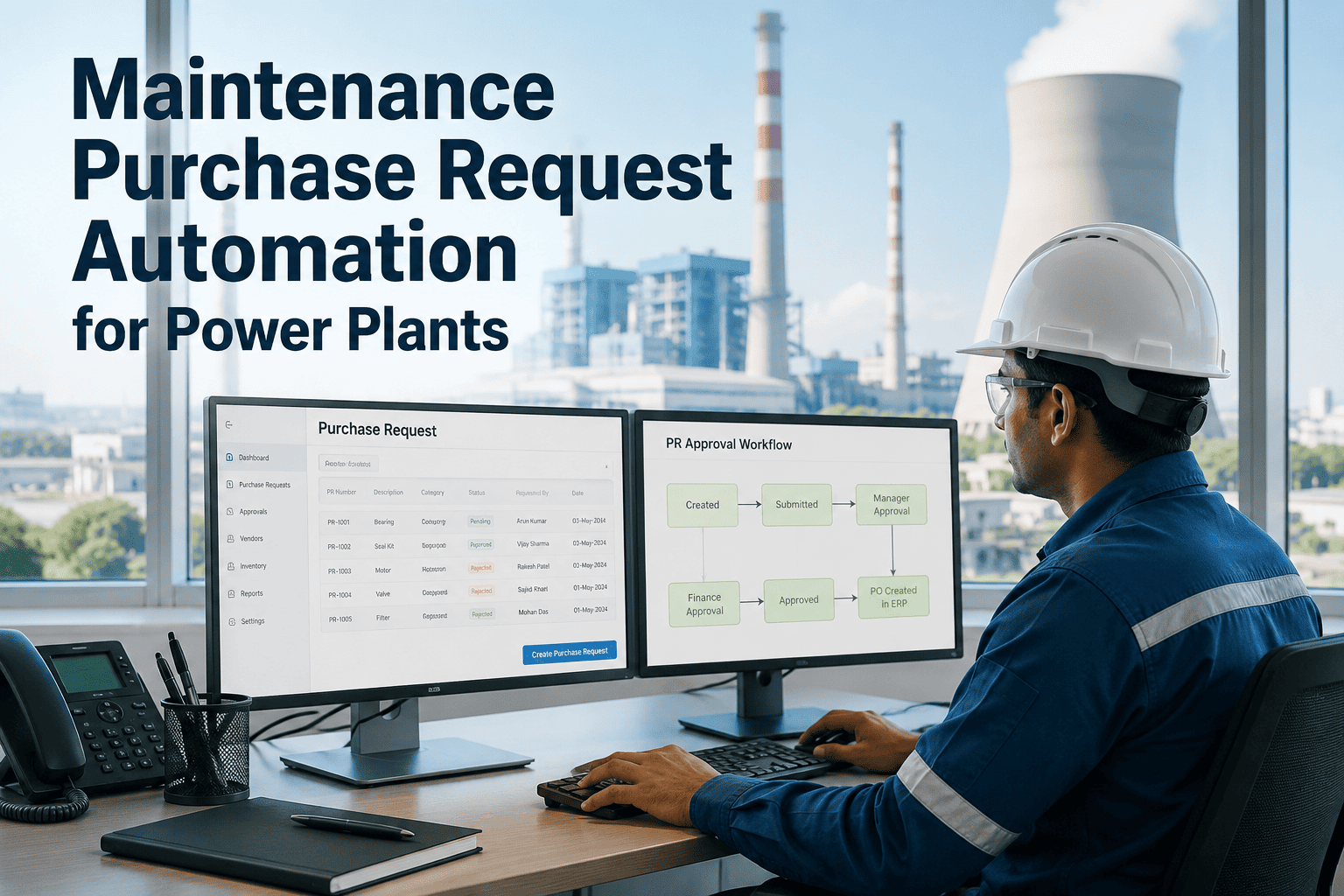
Every unplanned outage in a power plant traces back to a part that was not ordered in time — and most delayed orders trace back to a purchase request sitting in someone's email, waiting for an approval that never came. Manual procurement chains in power generation average four to seven handoffs before a PO is raised, and each handoff is a point where urgency information is lost. Maintenance purchase request automation collapses that chain into a single digital workflow: a technician flags a material need on the work order, the system routes it for approval based on your rules, and procurement acts on a live queue instead of chasing paper. Sign in to OxMaint to connect your work orders to purchase requests, or book a demo to see the full procurement workflow in action.
The Cost Of Manual Procurement
What Slow Purchase Requests Actually Cost Power Plants
4–7
Manual handoffs in a typical plant PR chain before a PO is raised
38%
Of unplanned downtime events linked to delayed or missing spare parts procurement
2–5 days
Average delay between a maintenance need being identified and a PO being issued
60%
Faster procurement cycle time reported by plants using digital PR-to-PO workflows
In power generation, procurement delay is maintenance delay. A turbine bearing waiting for a purchase approval is a forced outage waiting to happen.
Where The Workflow Breaks
The Bottlenecks Killing Your Procurement Speed
01
Disconnected Work Orders And Purchasing
Technicians raise maintenance needs in one system and purchase requests in another — or on paper — creating a translation gap where urgency and technical specs get lost between the two.
02
No Visibility Into PR Status
Planners cannot see whether a request is pending approval, rejected, or already ordered. Every status update requires a phone call or email, and equipment downtime waits for the reply.
03
Approval Chains With No Escalation
A critical-priority request sits in a manager's inbox over a weekend with no automatic escalation path. Without time-based routing, urgent and routine requests wait in the same queue.
04
Duplicate Orders And Budget Overruns
Without a single visible queue, multiple technicians order the same part through different channels. Budget tracking happens after the fact, when the invoices arrive, not before commitments are made.
Connect Every Work Order To A Purchase Request In One Step
OxMaint links maintenance work orders directly to the procurement workflow — no spreadsheets, no email chains, no status black holes. From material need to purchase order, all in one platform.
How It Works
The Automated Purchase Request Workflow
OxMaint turns the PR process from a series of manual steps into a single tracked pipeline — from the technician who identifies the need to the planner who confirms delivery.
Need Identified On The Work Order
The technician adds a material or spare part requirement directly to the work order in the mobile app. Part number, quantity, and urgency level are captured at the source — no separate form, no handoff delay.
PR Automatically Raised And Routed
The system creates a purchase request tied to the work order and routes it to the correct approver based on cost threshold, priority, and department — without manual intervention from the planner.
Approver Acts On A Clear Queue
Approvers see a ranked list of requests sorted by urgency and impact, with all relevant context — asset, work order, failure risk — on one screen. Approval or rejection takes one action, and the requesting team is notified immediately.
Procurement Tracks Status In Real Time
From approved PR to issued PO to confirmed delivery, every status change is visible to maintenance and procurement simultaneously. Planners can schedule work around confirmed delivery dates instead of guessing.
Work Order Closed Against Actual Spend
When the part arrives and the repair is done, actual parts cost closes against the work order. Maintenance spend is tracked by asset, system, and period — not reconstructed from invoices at month end.
Platform Capabilities
What OxMaint Purchase Management Gives Power Plants
Work Order Integration
Material requests raise directly from within a work order — the link between maintenance need and purchase request is automatic, not a manual process.
Configurable Approval Rules
Set approval thresholds by cost, priority, asset criticality, or department so high-urgency requests reach the right approver without waiting behind routine requests.
Live PR Status Dashboard
Planners and technicians see every purchase request status — pending, approved, ordered, delivered — without chasing procurement by email or phone.
Spend Tracking By Asset
Actual parts spend is recorded against the asset and work order in real time, giving maintenance managers accurate cost data for budget decisions and asset lifecycle analysis.
Escalation And Reminders
Critical-priority PRs that sit without action for a defined period escalate automatically to the next approver, preventing urgent needs from stalling over weekends or shift changes.
Vendor And Delivery History
Purchase history per part and vendor is stored and searchable, so repeat orders use known lead times and procurement can identify suppliers with delivery performance issues.
Capability Comparison
Manual Procurement vs OxMaint Automation
| Procurement Stage |
Manual Process |
With OxMaint |
Typical Time Saved |
| Need Identification |
Technician notes on paper or verbal |
Logged in work order on mobile |
Same day vs 1–2 days |
| PR Creation |
Planner fills separate form manually |
Auto-generated from work order |
Hours vs minutes |
| Approval Routing |
Email to manager, wait for reply |
Auto-routed by rule, one-click approval |
1–3 days vs under 2 hours |
| Status Visibility |
Phone calls and email follow-ups |
Live dashboard for all parties |
Continuous vs end-of-day |
| Spend Recording |
Invoice reconciliation at month end |
Closes against work order on delivery |
Real-time vs 30-day lag |
From The Plant Floor
What Maintenance Managers Tell Us
"
We were losing two to three days on every critical spare part because the PR had to be typed up by the planner, emailed for approval, and then re-entered in the procurement system. The same part number went through five people before a PO existed. Now the technician creates the request on the work order, it routes to procurement automatically, and I can see exactly where it sits. Our mean time to restore on fuel system faults dropped significantly once parts stopped waiting for paperwork.
Maintenance Planning Manager
Combined-Cycle Gas Turbine Plant — 12 years in power generation maintenance
Common Questions
What Power Plant Teams Ask About Purchase Request Automation
Can we set different approval thresholds for routine vs emergency orders?
Yes. OxMaint lets you configure approval rules by request priority, cost threshold, and asset criticality. An emergency request for a turbine rotor seal can route directly to the plant manager and bypass the standard two-tier approval chain used for consumable stock. This means high-urgency procurement moves in hours, not days, while routine spend still follows the controls your finance team requires.
Sign in to configure your approval rules.
Does OxMaint replace our existing ERP or purchasing system?
OxMaint manages the maintenance-side workflow — from the work order through the purchase request and approval — and can feed confirmed PO data into your ERP or finance system. Most plants use OxMaint to eliminate the gap between maintenance and procurement, then let the ERP handle vendor payment and GL posting. The goal is to stop the two-to-five day delay that happens between a maintenance need and a PO being raised, not to replace your financial systems.
Book a demo to discuss integration with your current setup.
How does the system handle parts needed for planned shutdowns vs emergency breakdowns?
Planned shutdown materials can be added to the work order in advance, giving procurement full lead time to source and confirm delivery before the outage window. Emergency breakdown requests trigger an expedited routing path with escalation if not approved within a defined time window. Both types are tracked against the same work order, so actual parts cost versus planned budget is visible for every outage event.
Sign in to set up your outage procurement workflow.
Can technicians on shift create purchase requests from their phone?
Yes. OxMaint's mobile interface lets technicians add material requirements to a work order from the field, including part number, quantity, and urgency. The PR is created and routed the moment it is submitted — the technician does not need to return to the maintenance office or wait for a planner to manually enter the request. This is particularly useful during night shifts and weekend breakdowns when office-based procurement staff are not available.
Book a demo to see the mobile procurement flow.
How does spend tracking work across multiple units or plant sections?
Each work order and purchase request is tagged to an asset and system, so maintenance spend can be reported by unit, system, or cost centre. Maintenance managers can see which turbine, boiler, or auxiliary system is driving the most procurement spend within any time period — and compare actual parts cost against budget at whatever level of granularity the plant's reporting structure requires.
Sign in to explore spend tracking by asset.
Stop Letting Purchase Requests Delay Your Maintenance
Every day a critical part waits for an email approval is a day closer to an unplanned outage. OxMaint connects your work orders to procurement in a single workflow — no paper, no email chains, no status black holes. Free trial, live in days.