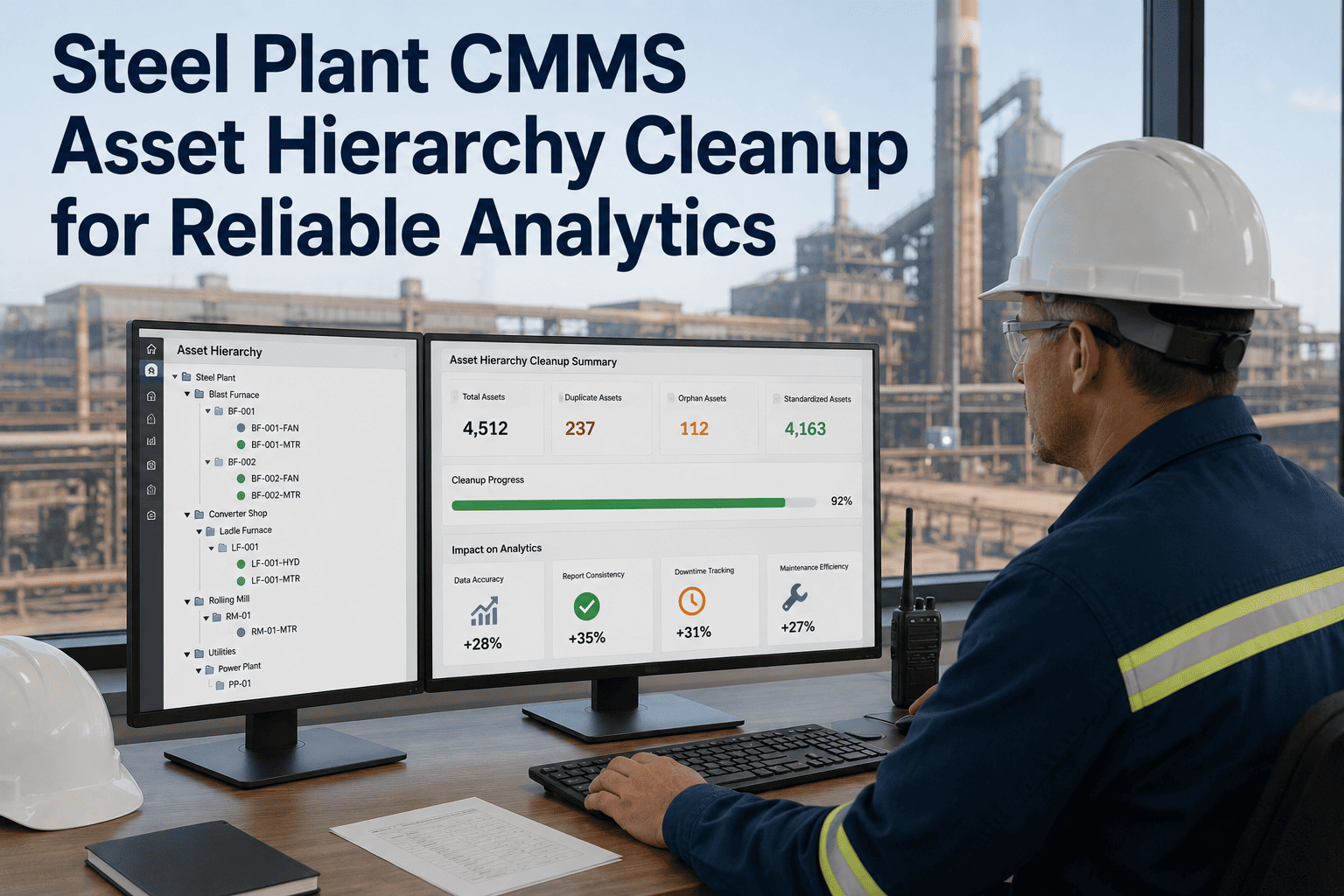
CMMS data migration—moving maintenance records, asset data, and preventive maintenance schedules from a legacy system to a new platform—is treated by most steel mills as a technical IT task: export data, import data, go live. In reality, a failed CMMS migration introduces operational chaos: $50K+ equipment shown in the new system with no preventive maintenance scheduled, critical assets missing from the asset register, work order history dating back 5 years lost (breaking compliance documentation), spare parts inventory mismatched to assets (orders placed for parts that fit different equipment models), and preventive maintenance schedules with wrong frequencies (annual inspections become monthly, creating alert fatigue). Steel mills with documented CMMS data audits before migration catch these gaps 30-60 days before go-live, allowing correction time. Mills that skip the audit discover issues post-go-live when maintenance is already attempting to work in the new system, causing production delays and safety gaps. A comprehensive pre-migration audit verifies: asset hierarchy completeness, asset naming consistency, bill-of-materials accuracy, spare parts inventory validity, preventive maintenance schedule correctness, and work order history preservation. Oxmaint's CMMS migration audit module guides teams through systematic data validation, identifies duplicates and orphaned records, and generates a migration readiness report proving data quality before cut-over.
Execute Risk-Free CMMS Migration with Data AuditAsset hierarchy validation, BOM accuracy checks, spare parts inventory reconciliation, PM schedule verification, and work order preservation—migration readiness assurance.
Asset hierarchy defines how equipment is organized: Site → Building → Floor → Area → Equipment → Sub-Component. A well-designed hierarchy makes asset identification fast and reporting intuitive; a poorly designed one creates confusion ("Is the furnace backup pump in the 'Cooling' group or the 'Auxiliary' group?"). Before migration, audit the legacy system's asset structure and establish a standardized hierarchy for the new system. Inconsistent asset names ("Pump 1", "Pump-001", "PUMP#1", "Main circulation pump") cause the same asset to appear multiple times in reports, creating phantom duplicates. Systematic renaming—establishing naming conventions and applying them consistently—is tedious pre-migration work but essential for post-migration accuracy.
2. Bill of Materials (BOM) & Spare Parts Inventory Validation
A bill of materials (BOM) lists components that comprise a complex asset: a furnace cooling system consists of pump, motor, coupling, impeller, housing, shaft, bearings, seals, gaskets. Spare parts inventory is linked to BOM items—when a pump bearing fails, the spare parts module shows "Bearing, Pump ABC Model XYZ, qty 2 on hand". If the BOM is incomplete (missing the bearing), spare parts planning becomes guesswork. If spare parts quantities are wrong (showing 5 units when only 2 are physically in inventory), ordering decisions are flawed. Pre-migration BOM and spare parts audit prevents post-migration surprises: "We thought we had spare bearings; turns out we don't" is discovered during preventive maintenance, not after the bearing fails.
3. Preventive Maintenance Schedule Accuracy & Work Order History Validation
Preventive maintenance is the heart of a functional CMMS. A PM schedule specifies: which equipment requires maintenance, what type (inspection, lubrication, part replacement), how often (monthly, quarterly, annually), and what procedure to follow. If a PM schedule fails to migrate correctly (frequency changes from monthly to quarterly, or procedure steps are lost), real equipment will miss scheduled service without any alert to the maintenance team. Work order history (completed maintenance records) is compliance documentation—OSHA auditors request 3-5 years of work order history to verify preventive maintenance was actually performed. Lost or incomplete work order history is a serious audit gap.
4. Data Cleansing & Go-Live Readiness Verification
Data migration is not just exporting and importing—it is systematic data cleaning, validation, and testing. A robust migration includes multiple validation passes, stakeholder review, and a formal readiness sign-off before go-live. Post-go-live surprises (missing assets, orphaned spare parts, broken PM schedules) are disruptive and erode confidence in the new system. Pre-go-live diligence ensures smooth transition and rapid adoption.
Ensure CMMS Migration Success Through Pre-Migration AuditAsset hierarchy validation, BOM completeness, spare parts reconciliation, PM schedule verification, work order history preservation, and go-live readiness sign-off.
1. Why is data migration so risky if it seems like a simple export-import?
Legacy systems may have incomplete data, duplicate records, inconsistent naming, and broken relationships (spare parts not linked to assets). A direct export-import preserves these problems. Pre-migration audit identifies and fixes these issues before data is loaded into the new system.
2. What is the most critical data to verify before migration?
Asset hierarchy and master equipment records are foundational—if these are wrong, everything downstream fails. Preventive maintenance schedules are second-most critical—missed PM schedules leave equipment unmaintained. Work order history is third—compliance documentation depends on its completeness.
3. How many duplicates are typical in legacy asset databases?
Depending on system age and discipline, 5-15% of assets may be duplicates or near-duplicates. A 500-asset database might have 25-75 duplicate records. These should all be consolidated before migration to prevent phantom assets in the new system.
4. Should obsolete/decommissioned equipment be migrated to the new CMMS?
No. Archive obsolete equipment records separately (for historical traceability) but exclude them from active CMMS. Migrating obsolete equipment creates clutter and confuses technicians. PM schedules will attempt to generate work orders for equipment that no longer exists.
5. What happens if PM schedules are wrong after migration?
If a PM frequency is wrong (annual instead of quarterly), the equipment will be under-maintained without any system alert. This can lead to accelerated equipment failure and maintenance surprises. Validate PM frequencies against OEM recommendations before migration.
6. How should work order history be handled during migration?
Preserve the last 3-5 years of work order history as read-only records for compliance documentation. Older history can be archived. Ensure work orders are linked to valid assets so they contribute to equipment maintenance history, not orphaned records.
7. What is a data reconciliation report and why is it important?
A reconciliation report compares record counts and sample data from the legacy system to the new system, verifying that migration was complete and accurate. It provides evidence that the migration was systematic and reviewed, not a hasty cut-over.
8. How much time should be allocated for pre-migration audit and data cleaning?
Typically 6-12 weeks depending on database size and data quality. A 500-asset database with poor data discipline may require 12 weeks of systematic cleaning. A well-maintained database may require only 6 weeks. Plan conservatively—rushing data migration is a false economy.
Execute Flawless CMMS Migration with Comprehensive Data AuditAsset validation, hierarchy standardization, BOM verification, spare parts reconciliation, PM schedule testing, and stakeholder sign-off—migration certainty.




-checklist.png)