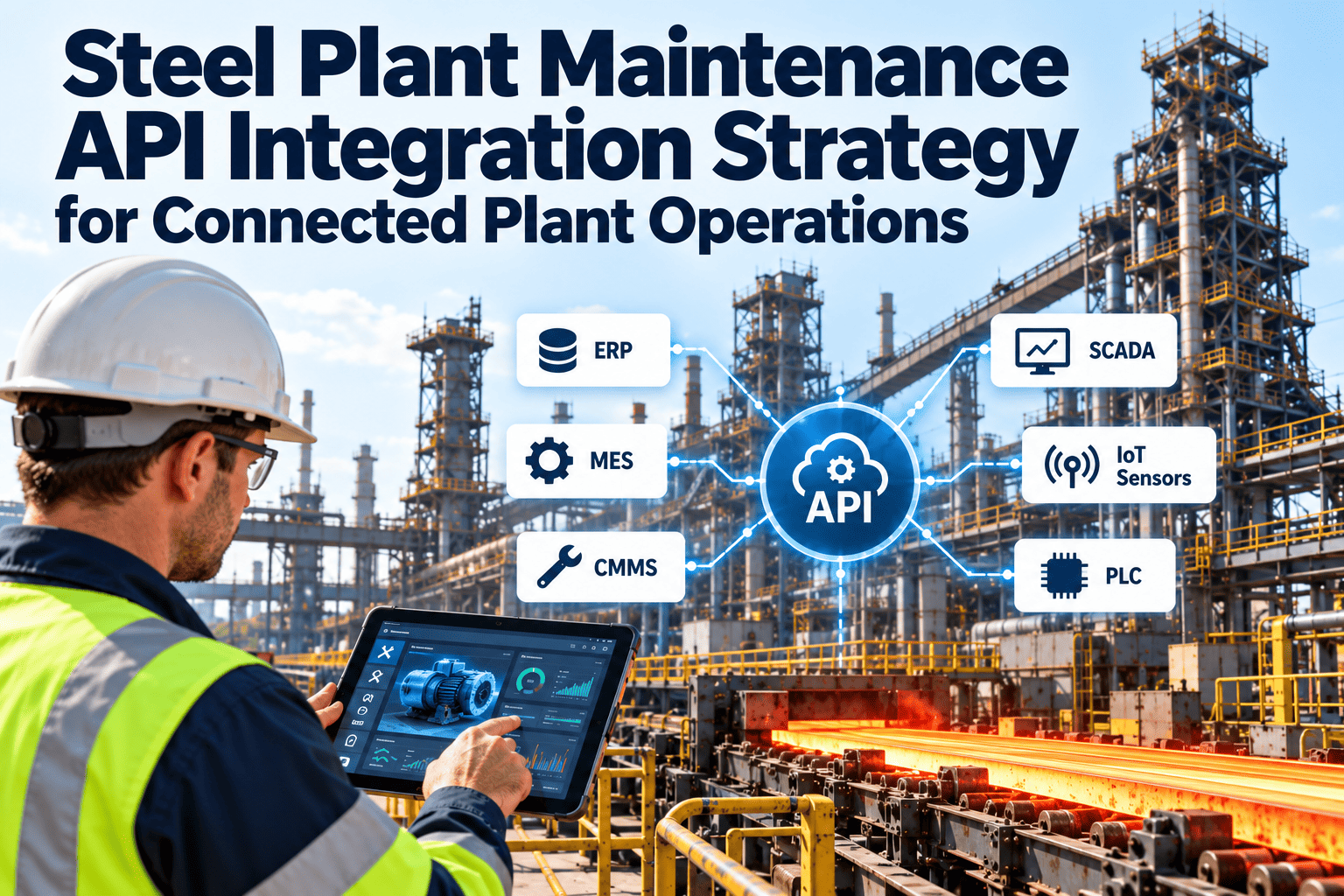
A connected steel plant is not built by adding one more interface each time someone asks. It is built from a deliberate strategy that decides which systems exchange which data, who owns it, and how changes are controlled. Without that plan, maintenance ends up with brittle point-to-point links that nobody dares touch. This article sets out an API integration strategy for steel plant maintenance, from use case selection to governance, and shows where Oxmaint maintenance management software can serve as the hub for asset and work data.
Steel Plant Maintenance API Integration Strategy for Connected Plant Operations
Treat maintenance as a data hub for connected operations. Define the use cases, the contracts and the rules first, then build interfaces that stay reliable as systems change.
What goes wrong without an integration strategy
A strategy replaces improvisation with a small set of agreed patterns, owners and standards that every new interface follows.
Step one: choose use cases by value and effort
Not every possible integration is worth building. Score candidates against the reliability and cost outcomes you care about, and against the effort and risk of connecting the systems involved.
| Use case | Systems involved | Value to maintenance | Relative effort |
|---|---|---|---|
| Asset master synchronisation | ERP and maintenance | Single source of equipment identity | Medium |
| Work order cost posting | Maintenance and ERP | Accurate cost by asset and cost center | Medium |
| Spare part availability check | Maintenance and stores | Fewer delays from missing parts | Medium |
| Downtime events to work orders | MES and maintenance | Clear causes and loss tracking | Medium to high |
| Alarm or condition alert to task | Historian and maintenance | Earlier action on deteriorating equipment | High |
| Run hours to preventive triggers | SCADA or historian and maintenance | Maintenance based on use, not calendar | Low to medium |
| Energy readings to asset history | Energy system and maintenance | Links efficiency to repairs | Medium |
Start with the low-risk, high-clarity flows
Asset synchronisation, run hours and cost posting usually deliver clear benefits without touching control systems, which makes them good first candidates.
Step two: define the data contract
A data contract is a plain description of what each message contains, who sends it, and what the receiver may do with it. Write it before any code exists.
Map your own interfaces with the Oxmaint team
Bring your list of systems and use cases to a working session and leave with a prioritised integration plan and a clear data contract for the first flow.
Step three: pick the right integration pattern for each flow
Request and response APIs
One system asks another for data or sends a change. Good for lookups such as part availability and for creating or updating single records.
Event notifications
A system announces that something happened, such as a work order closing. Good for keeping others current without constant polling.
Scheduled batch exchange
Files or bulk records move on a timetable. Good for large, non-urgent loads such as monthly cost summaries or bulk asset updates.
Message queue or broker
Messages are stored and delivered reliably, even when a receiver is offline. Good for critical flows that must not lose data.
Gateway to industrial data
A gateway or historian interface exposes selected plant tags. Good for run hours and alerts, while keeping control networks isolated.
Step four: set governance before interfaces multiply
Ownership
Each interface has a named business owner and technical owner, listed in a register.
Versioning
Changes to fields or behaviour are versioned, announced and tested before they reach production.
Access and secrets
Credentials are issued per integration with limited scope, and rotated on a schedule.
Monitoring
Volume, latency and error rates are tracked, with alerts to the owner when thresholds are crossed.
Documentation
Mappings, examples and recovery steps are written down and stored where the team can find them.
Designing for failure: what happens when a message does not arrive
Plants run continuously, networks drop and servers restart. A strong strategy assumes interfaces will fail sometimes and makes recovery routine.
Rollout in waves, not in one release
Foundations
- Asset identifiers and cross-references
- Users, roles and access
- Work order status outbound
Operations
- Parts availability and reservations
- Cost posting
- Run hours to preventive triggers
Intelligence
- Downtime events to work orders
- Selected condition alerts
- Energy and quality links
Each wave ends with a review of reliability, data accuracy and user feedback. Do not start the next wave until the current one is stable.
Measuring whether the integration strategy is paying off
Three integration scenarios in a steel plant
Abstract patterns are easier to judge when applied to real situations. These scenarios show how the same strategy supports different flows.
Run hours to preventive triggers
- Trigger: a motor, fan or conveyor reaches a running hours limit.
- Data: asset identifier, hours reading and timestamp from the historian or meter.
- Result: a preventive work order is created or advanced with the correct checklist.
Downtime event to work order
- Trigger: MES records an unplanned stop longer than an agreed duration.
- Data: line, equipment, start time, reason code and duration.
- Result: a work request is linked to the event, so cause and repair history stay together.
Shutdown parts check
- Trigger: a planned outage job list is approved.
- Data: required parts per job and stock levels from stores or ERP.
- Result: shortages are flagged weeks ahead and purchase requests start early.
Master data: the foundation every interface depends on
Interfaces move data faster, which means they also move mistakes faster. Clean master data before connecting systems, or the integration will spread inconsistencies instead of removing them.
- Agree one naming standard for plants, areas, lines and equipment, and apply it everywhere.
- Remove duplicates and mark retired equipment so old records are not reactivated by mistake.
- Store external identifiers on each asset, such as the ERP equipment number and the control system tag.
- Define allowed values for priority, status, failure and cause codes, and publish them.
- Assign an owner who approves new assets and changes to the hierarchy.
Security and access for maintenance APIs
Every interface is a door. Keep each one narrow, observable and easy to close, particularly where data comes from or goes to production networks.
- Issue separate credentials for each integration, with only the permissions it needs.
- Restrict network paths so only approved systems can call each interface.
- Encrypt traffic and validate the identity of both sides of every connection.
- Log requests and changes so unusual activity can be investigated.
- Keep maintenance data advisory toward control systems, and route any control change through separate procedures.
Volume, timing and performance planning
Steel plants produce large volumes of signals, but maintenance needs only a fraction of them. Selecting data deliberately keeps interfaces fast and reliable.
Anti-patterns to avoid
The team behind a sustainable integration program
Integration is a shared responsibility. Maintenance defines what information is needed and what good looks like, IT provides platforms and security, OT teams protect plant networks, and finance and stores validate the postings that affect cost and inventory. A small, named group meets regularly to approve changes, review incidents and decide what to connect next.
- Keep a single backlog of requested integrations with business value stated for each.
- Review failed messages weekly during the first months of any new flow.
- Train planners on what to do when data is missing or late.
Trends shaping connected maintenance in steel
- Plants are consolidating scattered maintenance tools into a shared record, so alerts, work and costs can be viewed together.
- Remote monitoring services and equipment suppliers increasingly expect structured data exchange rather than emailed reports.
- Energy, emissions and quality teams now request maintenance records, which makes standard asset identifiers more valuable.
- Mobile devices put field data into systems at the point of work, which raises expectations for timely updates.
- Analytics and predictive tools depend on consistent history, so data discipline becomes a reliability topic.
These trends all point in the same direction: the more systems that need maintenance data, the more important a clear strategy becomes.
Building the business case for each interface
Every interface has a build cost and a running cost, so justify it with plant evidence instead of enthusiasm. Estimate the hours currently spent on manual entry, the delays caused by missing data, and the errors that reach cost reports or parts orders. Compare those with the effort to build, secure and support the flow over several years.
- Prefer flows that remove daily manual work for many people.
- Prefer flows that protect critical equipment or shorten shutdown planning.
- Delay flows that serve a single report that could be produced another way.
- Review each interface yearly and retire those that no longer earn their place.
Documentation worth keeping for every interface
- A one-page summary of purpose, owners, systems and direction of data flow.
- The field mapping table with example messages for normal and error cases.
- Schedules, expected volumes and the alert thresholds used for monitoring.
- Recovery steps written for the person on call, not for the original developer.
- A change history showing what was altered, when, by whom and why.
Testing an integration before it goes live
Integration readiness checklist
- Use cases are ranked by value, effort and risk
- A system of record is named for each data entity
- Asset cross-reference keys exist across systems
- Field mappings and status values are documented
- Security review covers access, network paths and logging
- Error handling, retries and alerts are defined
- Test data covers normal and failure cases
- Owners and support contacts are recorded
- A manual fallback is agreed with planners and supervisors
How Oxmaint supports a connected maintenance hub
Oxmaint provides the maintenance capabilities that a connected plant draws on, from asset records to field execution.
- Asset management with hierarchy, criticality, documents and history.
- Preventive and corrective work orders with scheduling, checklists and sign-off.
- Inspections and mobile workflows for technicians in the field.
- Inventory and spare parts linked to assets and jobs.
- Dashboards and reports for backlog, compliance and reliability.
Confirm available interfaces and integration options with the Oxmaint team against the systems you plan to connect.
Frequently asked questions
What should we integrate first?
Asset identities and work order status, because every later flow depends on them.
Is one big integration platform required?
Not always. A small set of consistent patterns can work. You can book a demo to discuss yours.
Who should own the asset master?
Choose one system of record and have others reference it, rather than editing separate copies.
How do we avoid duplicate work orders?
Use unique message identifiers and idempotent updates so a retry cannot create a second order.
How do we begin?
Clean and register your assets, then connect one flow. You can sign up to start the asset register.
Build a connected plant on a maintenance record you can trust
Start with clear assets, agreed contracts and one dependable flow, then extend the connections wave by wave as your plant gains confidence.