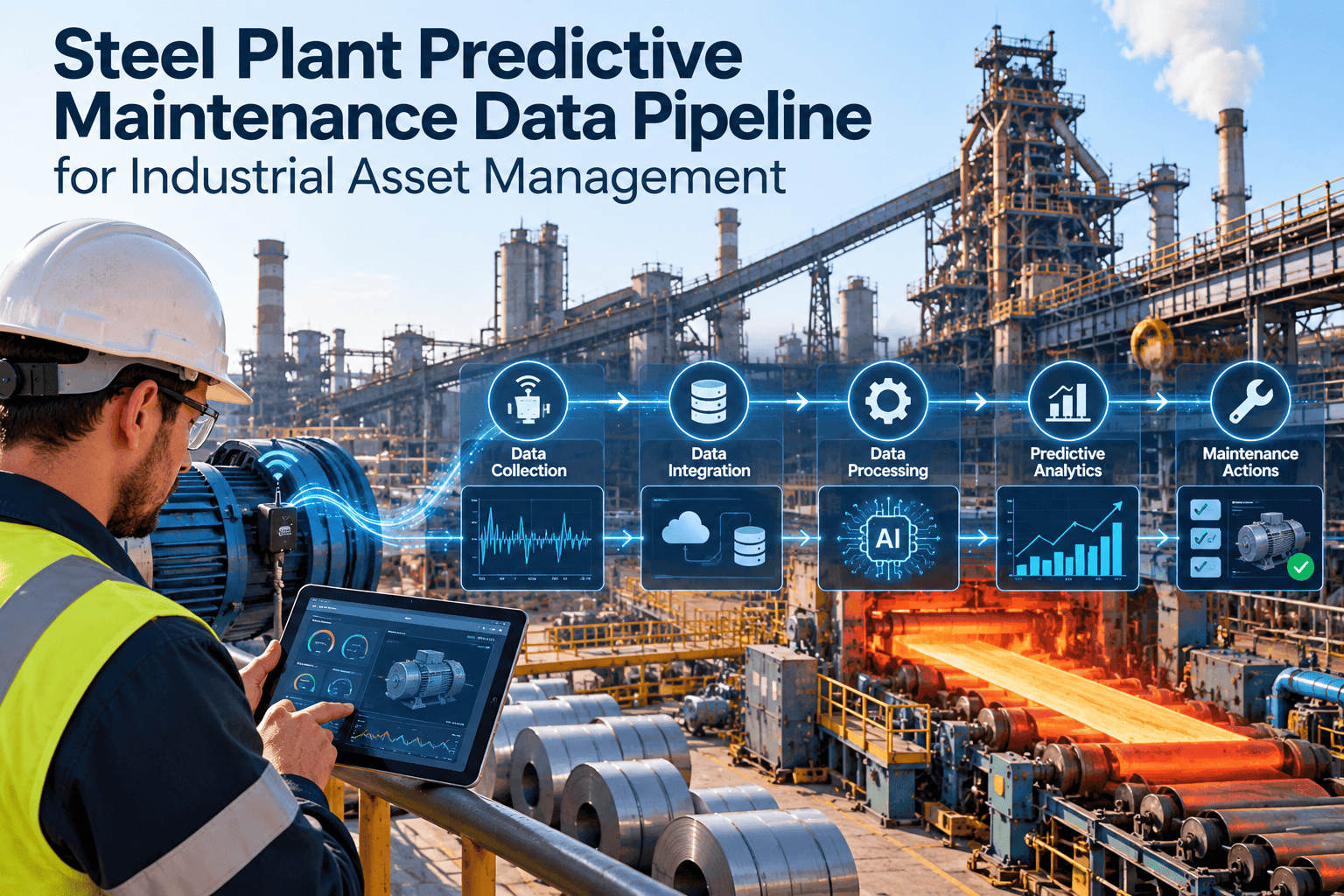
Predictive maintenance in a steel plant rarely fails because of the algorithm. It fails because vibration, temperature, process and work order data live in separate systems, use different asset names and arrive with gaps. A reliable data pipeline turns that scattered information into trusted signals that maintenance teams can act on across furnaces, casters, rolling mills and utilities. This guide explains each stage of the pipeline and how to connect it to daily maintenance decisions. Teams that want a place to manage the resulting work can review Oxmaint maintenance management software alongside the framework below.
Steel Plant Predictive Maintenance Data Pipeline for Industrial Asset Management
Build a clean, connected data path from sensors and PLCs to maintenance work orders, so condition alerts become planned repairs instead of emergency stoppages.
Why Steel Plant Predictive Maintenance Programs Stall
Steel production runs hot, heavy and continuous. A single unplanned stop on a caster or reheating furnace can ripple through the whole route. Many plants invest in condition monitoring, yet the data behind it is not ready for analysis.
Disconnected systems
Condition monitoring, historians, ERP and maintenance records are stored separately, so nobody sees a full asset history.
Inconsistent asset naming
The same gearbox may appear under three tag names, which breaks any attempt to join sensor data with repair history.
Vague failure records
Work orders closed with "repaired" or "checked" give models and planners no usable failure cause.
Harsh sensing conditions
Heat, scale, dust, water and vibration cause drift, dropouts and false readings that must be filtered out.
Alerts without ownership
An alarm that does not create a task with an owner and due date is soon ignored.
Where the Data Comes From in a Steel Plant
Before designing the pipeline, list every source and decide what it is trusted for. The table shows typical sources and the cleanup each one needs.
| Data Source | What It Provides | Common Problem | Pipeline Action |
|---|---|---|---|
| Vibration and temperature sensors | Early signs of bearing, gear and motor wear | Drift, noise, missing intervals | Validate ranges and flag gaps |
| PLC and SCADA tags | Speed, load, pressure, cycle counts | Cryptic tag names | Map tags to asset IDs |
| Process historian | Long-term trends for furnaces and mills | Different sampling rates | Resample to a common time base |
| Inspection rounds | Oil leaks, wear, noise, cracks | Free text and paper forms | Use standard checklists with fixed fields |
| Work order history | Failure modes, repairs, parts used | Missing cause codes | Enforce failure and cause codes on close |
| Spare parts and inventory | Consumption and lead time | Parts not linked to assets | Tie parts to asset BOMs |
The Six Stages of a Maintenance Data Pipeline
Treat the pipeline as a maintenance process, not only an IT project. Each stage has an owner and a clear output.
Define the asset hierarchy
Structure assets by plant, area, line, equipment and component. A consistent hierarchy, aligned with ISO 14224 style taxonomy thinking, lets data roll up from a bearing to a whole mill stand.
Select critical assets first
Rank equipment by production impact, safety risk, repair cost and spare lead time. Start with the assets where a failure stops output.
Collect and standardize signals
Bring in sensor and control data using standard protocols such as OPC UA where available. Normalize units, timestamps and naming at the point of entry.
Validate and quality-check
Reject impossible values, mark sensor faults and track completeness. Poor signals should be repaired, not silently modeled.
Join signals with maintenance history
Link each reading to the asset, its operating state and its past work orders. This context separates a normal load spike from a developing fault.
Trigger action and learn
Convert thresholds or model outputs into work orders, then feed the repair findings back so rules improve over time.
Turn Condition Alerts Into Planned Work
See how asset records, inspections and work orders can sit in one maintenance workflow for your mills and utilities.
Signals That Matter by Steel Plant Area
Different process areas fail in different ways. Choose signals that reflect the real failure modes of each area.
| Plant Area | Typical Critical Assets | Useful Condition Signals | Maintenance Response |
|---|---|---|---|
| Raw material handling | Conveyors, crushers, stackers | Motor current, belt alignment, bearing temperature | Planned idler and belt replacement |
| Ironmaking | Blowers, stoves, cooling circuits | Vibration, flow, pressure differential | Scheduled inspection during planned stops |
| Steelmaking | Converter drives, ladle cranes, fans | Gearbox vibration, load cycles, brake wear | Brake and gearbox overhaul planning |
| Continuous casting | Mold oscillation, segment rolls, pumps | Oscillation profile, roll bearing temperature, hydraulic pressure | Roll change and hydraulic checks |
| Rolling mills | Main drives, gearboxes, work rolls | Vibration spectrum, oil condition, motor load | Condition-based gearbox service |
| Utilities | Compressors, pumps, water treatment | Energy use, pressure, runtime | Preventive tasks driven by runtime hours |
Before and After: A Connected Data Pipeline
Without a Pipeline
- Sensor alerts reach a screen that few people watch
- Asset names differ between systems
- Repair history is hard to search
- Models are trained on incomplete records
- Failures are explained after the shutdown
With a Governed Pipeline
- Alerts create work orders with owners and due dates
- One asset ID connects signals, parts and repairs
- Failure and cause codes are recorded on closure
- Models learn from verified repair outcomes
- Shutdown scope is planned from evidence
Data Quality Checklist for Predictive Maintenance
Use this checklist before trusting any alert or model. A weak answer on any line is a task for your maintenance backlog.
Completeness
Are readings arriving at the expected frequency, and are gaps flagged?
Accuracy
Are sensors calibrated and checked against manual measurements?
Consistency
Do units, tag names and asset IDs match across every system?
Timeliness
Is data available fast enough to act before the failure window closes?
Context
Is the operating state, product grade or load condition recorded with the signal?
Traceability
Can every alert be traced to an asset, a work order and a result?
Closing the Loop: From Alert to Verified Repair
A pipeline only creates value when the maintenance workflow completes the loop. The cycle below shows how condition data and maintenance execution reinforce each other.
Detect
A threshold or model flags abnormal behavior on a critical asset.
Assess
A reliability engineer reviews trend, load and past failures.
Plan
A work order is created with tasks, parts and a shutdown slot.
Execute
Technicians complete the job on a mobile device and record findings.
Learn
Failure cause and part condition refine thresholds and PM tasks.
How Oxmaint Supports the Maintenance Side of the Pipeline
Oxmaint does not replace sensors or analytics tools. It gives maintenance teams the structured records and workflows that make predictive data useful.
- Asset management to hold the hierarchy, criticality and equipment history in one place
- Preventive maintenance schedules based on calendar or meter readings
- Work order management for corrective and condition-based tasks with assigned owners
- Inspection checklists that capture structured findings from rounds
- Inventory records that link spare parts to the equipment that uses them
- Mobile workflows so technicians record results at the equipment
- Dashboards and reports for backlog, downtime causes and PM compliance
Why this matters for data quality
Every closed work order with a clear failure code becomes a reliable record. Over months, that history is what separates a useful predictive model from a noisy one.
KPIs to Track Pipeline and Maintenance Performance
A Practical 90-Day Rollout Plan
Foundation
Clean the asset list, rank criticality, define failure and cause codes and map existing data sources.
Connect
Standardize inspection forms, link sensor tags to asset IDs and set up alert-to-work-order rules for a pilot area.
Prove and Expand
Review alert accuracy, adjust thresholds from repair findings and extend the method to the next production area.
Common Mistakes to Avoid
- Starting with every asset instead of the critical few
- Buying analytics before fixing asset naming and work order quality
- Letting technicians close jobs without a failure cause
- Ignoring sensor health, so faulty readings look like asset faults
- Treating predictive maintenance as a separate project from planning and scheduling
Steel-Specific Signal Challenges to Plan For
Sensors in a steel plant work in some of the harshest conditions in industry. A pipeline that ignores this will pass bad data downstream.
Heat and radiation
Sensors near furnaces and ladles can drift or fail early. Track sensor age and replacement dates alongside asset records.
Scale, dust and water
Contamination changes readings gradually. Compare sensor output with periodic manual measurements to catch slow errors.
Variable operating conditions
Product grade, speed and load change signal levels. Record operating state so normal variation is not read as a fault.
Legacy control systems
Older PLCs may expose limited tags. Start with the signals you can trust and add more as upgrades allow.
Choosing Between Threshold Rules and Analytical Models
Not every asset needs machine learning. Match the method to the data available and the failure mode you want to catch.
| Approach | Best Suited To | Data Needed | Main Limitation |
|---|---|---|---|
| Fixed thresholds | Clear limits such as bearing temperature or oil pressure | A few reliable signals | Misses slow, multi-signal degradation |
| Trend and rate-of-change rules | Gradual wear on drives, fans and pumps | Months of clean history | Needs operating context to avoid false alerts |
| Statistical baselines | Assets with stable, repeatable duty | Normal operating data by regime | Weak when duty changes often |
| Trained models | Complex failures with enough labeled history | Coded failures and consistent signals | Requires strong labels and ongoing review |
A sensible order of adoption
Begin with thresholds and trends, record what inspections find, and move to models only where the failure history is rich enough to support them.
Designing Alerts Technicians Will Act On
Alert fatigue ends predictive programs quickly. Good alert design respects the technician's time and gives enough context to act.
- Send alerts only for assets ranked as critical until accuracy is proven
- Include the asset name, the signal, the trend and the last repair date
- Suggest the likely inspection task so the planner can create the work order quickly
- Set severity levels with agreed response times, such as inspect this shift or plan this week
- Require feedback when an alert is closed, including what the inspection found
- Review false alerts monthly and adjust limits rather than muting the alarm
Why feedback is the key step
Each confirmed or rejected alert is a labeled example. Over time this feedback is the most valuable data the pipeline produces.
Who Owns Each Part of the Pipeline
Pipelines break at the handoffs between teams. Assign a named owner to every stage.
| Stage | Typical Owner | Key Responsibility |
|---|---|---|
| Signal capture | Controls and automation team | Sensor health, tag mapping, sampling rates |
| Data quality | Reliability engineer or data lead | Validation rules and gap reporting |
| Asset context | Maintenance planner | Hierarchy, criticality and equipment records |
| Analysis and thresholds | Reliability engineer | Alert limits and review of results |
| Action and feedback | Maintenance supervisor | Work order completion and coded findings |
Connecting Pipeline Output to Planning and Shutdowns
Condition findings are most valuable when they shape the maintenance plan. Feed them into weekly scheduling and planned outage scope.
- Review open condition alerts in the weekly planning meeting alongside the backlog
- Group related findings on one asset into a single planned work order
- Add confirmed findings to the next shutdown scope with parts reserved in advance
- Defer low-severity findings with a documented re-check date
Result for the plant
Fewer surprises during stops, better parts readiness and a clear record of why each task was included.
Frequently Asked Questions
What is a predictive maintenance data pipeline?
It is the path that collects, cleans, links and analyzes asset data, then sends results into maintenance work orders.
Which steel plant assets should be piloted first?
Start with critical rotating equipment such as main drives, gearboxes, fans and pumps where failure stops production.
Do we need AI to begin?
No. Clean data and rule-based thresholds deliver value first, and models can follow once records are trusted.
How does a CMMS fit in?
A CMMS such as Oxmaint holds asset history, work orders and inspections that give analytics real context.
Can we see this for our plant?
Yes, you can book a demo to walk through a workflow for your equipment.
Build the Maintenance Data Foundation Your Steel Plant Needs
Organize assets, standardize work orders and capture clean failure data that supports reliable predictive decisions.