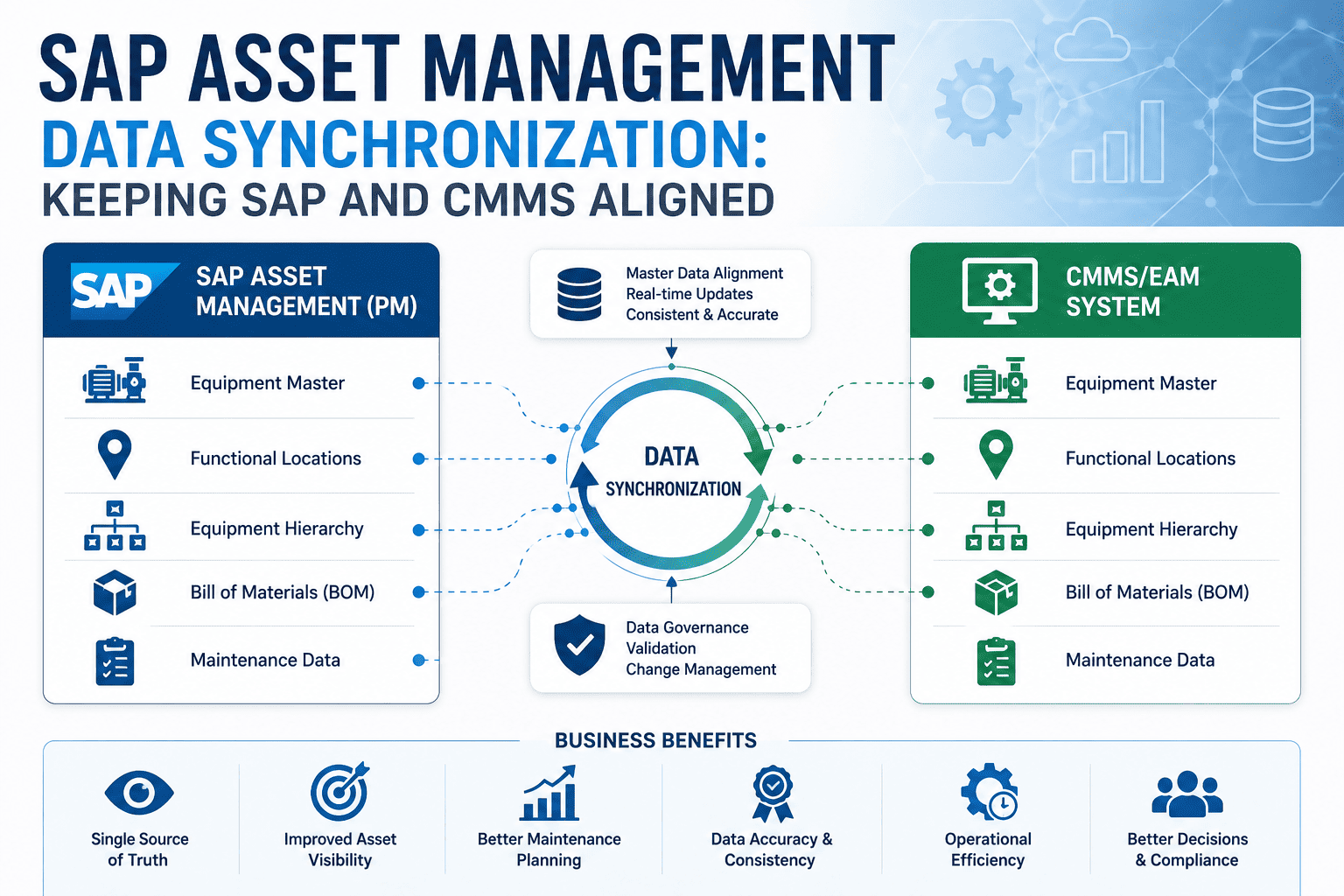
Equipment Master Data Migration Checklist: SAP PM to CMMS
Equipment master migration is where 60% of CMMS implementation projects encounter their biggest delays. The technical work isn't complex—pull data from SAP IE03, transform fields, load to CMMS. The migration disasters come from underestimated complexity: 30,000 equipment records with subtle hierarchy issues, manufacturer name inconsistencies that block deduplication, serial numbers in formats that don't validate, custom Z-fields containing business-critical data nobody documented. This checklist maps the 8-stage migration workflow that turns risky equipment data transfers into predictable outcomes. Book a free demo to see equipment migration in action.
EQUIPMENT MIGRATION REALITY
8 Sequential Stages Turn Migration Chaos Into Predictable Outcomes
8
Sequential Migration Stages
IE03
SAP Equipment Display Tx
90 days
Realistic Migration Timeline
99%+
Achievable Accuracy with Discipline
Why Equipment Master Migration Is the Riskiest Part of CMMS Implementation
Equipment master is the foundation everything else references. Work orders point to equipment. PM plans schedule against equipment. Notifications track equipment failures. Reports aggregate by equipment hierarchy. If equipment data arrives in the new CMMS with broken hierarchies, missing serials, or duplicate records, every downstream module inherits the corruption. The migration that should establish a clean foundation instead establishes a contaminated one—and contamination spreads through years of operational data before anyone fully realizes the scope.
The discipline that prevents this is sequential, gated migration. Each stage produces specific outputs that the next stage requires. Skipping stages or running them in parallel produces predictable failure patterns. The 8-stage workflow below isn't theoretical methodology; it's the pattern that distinguishes successful equipment migrations from the ones that drag on for months past their go-live targets. Implementation leaders ready to apply the 8-stage discipline can Sign up free to apply the migration discipline.
The 8-Stage Equipment Master Migration Workflow
The framework below covers the eight sequential stages every equipment master migration must complete. Each row shows the stage number, position in the overall workflow, estimated duration, and the three-part structure (what happens, tools used, exit criteria). Test Migration Cycle 1 anchors as the gold stage—it's where most learnings emerge and where successful projects invest their highest attention.
8 STAGES · POSITION · DURATION · EXIT CRITERIA
Equipment Migration Workflow
PHASE A · Pre-Migration Assessment
PHASE B · Design & Test
PHASE C · Cutover & Audit
01
Equipment Inventory & Scope
POSITION
DURATION5-7 days
WHAT HAPPENS
Define migration scope; identify equipment types (production, MRO, mobile); count records per plant
TOOLS
SAP IH08 (equipment list), SE16 (EQUI table inspection), inventory spreadsheets
EXIT CRITERIA
Signed inventory list with scope decisions per equipment type; stakeholder agreement on inclusions/exclusions
02
Data Quality Profiling
POSITION
DURATION5-7 days
WHAT HAPPENS
Profile data quality: completeness, duplicates, format issues, orphaned references, outdated values
TOOLS
SAP SE16 (table queries), null-check queries, fuzzy matching for duplicates, completeness scorecards
EXIT CRITERIA
Quality scorecard with issue counts by category; prioritized cleanup backlog; stakeholder sign-off on issues
Migration scripts in test mode, sample selection logic, reconciliation queries, gap tracking sheet
EXIT CRITERIA
Validated test migration; documented edge cases addressed; mapping document updated; confidence to proceed
06
Full Test Migration & Reconciliation
POSITION
DURATION10-14 days
WHAT HAPPENS
Full migration in test environment; reconcile counts, totals, samples; document remaining gaps
TOOLS
Production migration toolchain, comparison queries (source vs target), reconciliation dashboards
EXIT CRITERIA
Reconciliation report signed off; counts match within tolerance; sample validation passes; ready for cutover
07
Cutover Execution
POSITION
DURATION2-3 days
WHAT HAPPENS
Production migration during cutover window; smoke tests; rollback ready if validation fails
TOOLS
Cutover playbook with timed steps, rollback procedures, communication plan, smoke test scripts
EXIT CRITERIA
Production CMMS live with equipment data; smoke tests pass; users authorized to proceed
08
Post-Migration Audit
POSITION
DURATION7-14 days
WHAT HAPPENS
Validate ongoing data integrity, capture user issues, fix edge cases, monitor reconciliation dashboards
TOOLS
Reconciliation dashboards, user feedback tracking, hypercare playbook, issue triage workflow
EXIT CRITERIA
Stable production with sustained data quality; no critical issues outstanding; project closure
3Pre-Migration
3Design & Test
2Cutover & Audit
05Test Cycle Anchor
The position bars reveal the workflow's strategic rhythm: each stage builds on the previous. Skipping stages or compressing them produces predictable downstream failures. Implementation leaders ready to apply the 8-stage discipline can Sign up free to apply the 8-stage workflow.
SEE IT IN PRACTICE
Walk Through Equipment Migration Live
30-minute walkthrough showing equipment master extraction from SAP, hierarchy validation, field mapping, and post-migration reconciliation—all running in real workflow.
Equipment hierarchy mapping is where most equipment migrations consume more time than estimated. Four hierarchy levels exist in typical industrial environments. Getting each level right—and the relationships between levels—determines whether the migrated system reflects operational reality or produces immediate confusion.
Plant Level
Top-level entity. Maps to organizational/regulatory boundaries. Usually obvious; rarely the cause of issues.
Functional Location
Mid-level hierarchy (areas, lines, units). Where most issues live: orphan FLOCs, broken parent-child links, naming inconsistencies.
Equipment Level
Discrete assets (motors, pumps, presses). Serial-tracked. The records being migrated. Must link to correct FLOC parent.
Component Level
Sub-parts within equipment (BOM items, replaceable units). Optional for some migrations; critical for reliability programs.
The FLOC level (mid-hierarchy) is where most migration teams underestimate effort. Plan extra time for hierarchy validation. Implementation leaders ready to map hierarchy complexity can Sign up free to map hierarchy complexity.
Common Equipment Migration Mistakes That Drag Projects
Equipment migration failures share predictable patterns. Skipping the profiling stage and discovering data quality issues during test migration (when fixing them costs 10x). Migrating equipment before FLOCs and creating orphan equipment with broken parent references. Forgetting Z-fields and discovering after go-live that critical business data didn't come over. Compressing test cycles to meet date targets and discovering edge cases in production. Inadequate reconciliation—signing off on record counts without value-level validation. Missing historical maintenance data because nobody decided depth scope. Each mistake sounds preventable in retrospect; each one is what derails the majority of equipment migrations without disciplined sequential execution.
ROI of Disciplined Equipment Migration
Disciplined equipment migration ROI shows up in metrics that matter to project sponsors and operations leaders: migration accuracy, hierarchy integrity, post-go-live corrections, project duration, and user confidence.
AD-HOC vs DISCIPLINED EQUIPMENT MIGRATION
Migration Project Performance Delta
Equipment Migration Accuracy
~75%
99%+
+24 pts
Hierarchy Integrity at Go-Live
80%
100%
+20 pts
Post-Go-Live Equipment Corrections
Hundreds
Dozens
−92%
Migration Project Duration
9+ mo
4-5 mo
−55%
User Confidence in Equipment Data
Low
High
+65 pts
99%+
Equipment migration accuracy with disciplined workflow
4-5 mo
Realistic project duration vs 9+ months without discipline
The equipment migration projects I've watched succeed share a discipline that initially feels excessive: they refused to skip the test cycle stage no matter how much schedule pressure built up. The teams that struggled compressed or skipped test migration to hit deadlines, then spent triple the saved time fixing production issues that test migration would have caught. The teams that succeeded treated test migration as the most important stage in the entire workflow—the moment where assumptions meet reality. Test migration always reveals surprises: encoding issues, edge cases, hierarchy inconsistencies, transformation errors. The teams that welcomed those surprises before production avoided them in production; the teams that hoped to "deal with them later" learned the hard way that later costs vastly more than now. Equipment migration discipline isn't about doing more work—it's about doing the right work in the right sequence.
01
Never Skip the Test Cycle
Test migration reveals the surprises. Better to find them in test than discover them in production at 3x the cost.
02
Sequence Matters
Stages build on each other. Profile before mapping. Map before migrating. Migrate before reconciling. Sequence is the discipline.
03
Hierarchy First, Equipment Second
Migrate FLOCs before equipment to avoid orphan equipment with broken parent references in the target system.
90-Day Equipment Migration Roadmap
The 90-day program below maps the 8-stage workflow to a realistic execution timeline. Stages overlap slightly where prerequisites allow, but the gated structure prevents premature parallelization.
90-DAY EQUIPMENT MIGRATION
From Inventory to Stable Production
DAYS 1–25
01
Pre-Migration Assessment
Stages 1-3: Inventory, profiling, hierarchy mapping. Document quality issues; sign off on scope and hierarchy.
DAYS 26–50
02
Design & Test Cycle 1
Stages 4-5: Field mapping, transformation rules, first test migration. Iterate based on learnings.
DAYS 51–75
03
Full Test & Reconciliation
Stage 6: Full test migration in test environment. Reconcile counts, totals, samples. Cutover readiness review.
DAYS 76–90
04
Cutover & Audit
Stages 7-8: Production cutover, smoke tests, post-migration audit. Hypercare period until stable.
PREDICTABLE MIGRATION
Make Your Equipment Migration Predictable
Eight stages mapped. Hierarchy verified. Test cycles complete. The equipment migration discipline that turns risky data transfers into predictable outcomes with 99%+ accuracy.
For equipment master records themselves: all active equipment plus equipment decommissioned within retention requirements (typically 5-7 years for regulatory needs). For maintenance history attached to equipment (work orders, notifications, measurements): typically 5-10 years of detailed history plus archived aggregates for older data. The depth decision should balance analytical value against migration cost. Reliability programs benefit from 10-year history for RCM analysis; routine operations benefit primarily from 2-3 years. Document the depth decision per equipment category—critical assets get full history, routine assets get shorter retention. Beyond 10 years, archive for compliance retrieval rather than migrating into the live system.
What's the best way to handle custom Z-fields during migration?
Z-fields require explicit handling because they're invisible to anyone reading standard SAP documentation. Step one: inventory all Z-fields used in the EQUI table. Step two: document each one's purpose, data type, and business meaning—often requires interviewing long-tenure SAP users who remember the customization rationale. Step three: decide per Z-field whether to preserve as a target system custom field, refactor into a standard target field, or archive (data still exists but not visible in primary workflows). Step four: include Z-field mapping in the formal mapping document. The mistake to avoid: treating Z-fields as second-class during migration. They're often the most business-critical fields because they represent organization-specific customization that drives daily decisions.
How do we validate hierarchy integrity after migration?
Hierarchy validation runs at three levels. Count validation: total equipment count and FLOC count match source. Relationship validation: every equipment record has a valid FLOC parent that exists in the target system. Depth validation: hierarchy depths match source (if source has 5-level hierarchies, target should too). Tools for validation: comparison queries between source and target counts; tree-walk scripts that verify every equipment has unbroken parent chain to plant root; sample equipment selected randomly with hierarchy verified manually. Document the validation results in the reconciliation report. Hierarchy issues caught in test migration are 10x cheaper to fix than the same issues caught after go-live.
What's the most common equipment migration mistake?
Migrating equipment before FLOCs. The migration sequence matters: FLOCs must exist in the target system before equipment records that reference them. Teams under schedule pressure sometimes parallelize equipment and FLOC migration, then discover at validation that thousands of equipment records have broken FLOC references. The fix requires rolling back equipment, migrating FLOCs, then re-migrating equipment—essentially doing the work twice. Other common mistakes: skipping the test migration cycle, inadequate Z-field documentation, signing off on reconciliation based on counts without value-level validation, and inadequate cutover communication that leaves users guessing about timing.
How long does typical equipment migration take?
Realistic timelines for typical mid-size manufacturing equipment migrations: 90 days end-to-end following the 8-stage workflow above. Days 1-25: pre-migration assessment (inventory, profiling, hierarchy). Days 26-50: design and first test cycle. Days 51-75: full test migration and reconciliation. Days 76-90: cutover and post-migration audit. Equipment counts in the 5,000-50,000 record range fit within this timeline. Larger migrations (50,000+ equipment records, multi-plant scope) extend to 4-6 months. Compressed timelines below 90 days typically produce post-go-live rework cycles that offset the apparent time savings. The 90-day investment produces stable production; faster timelines produce unstable production.