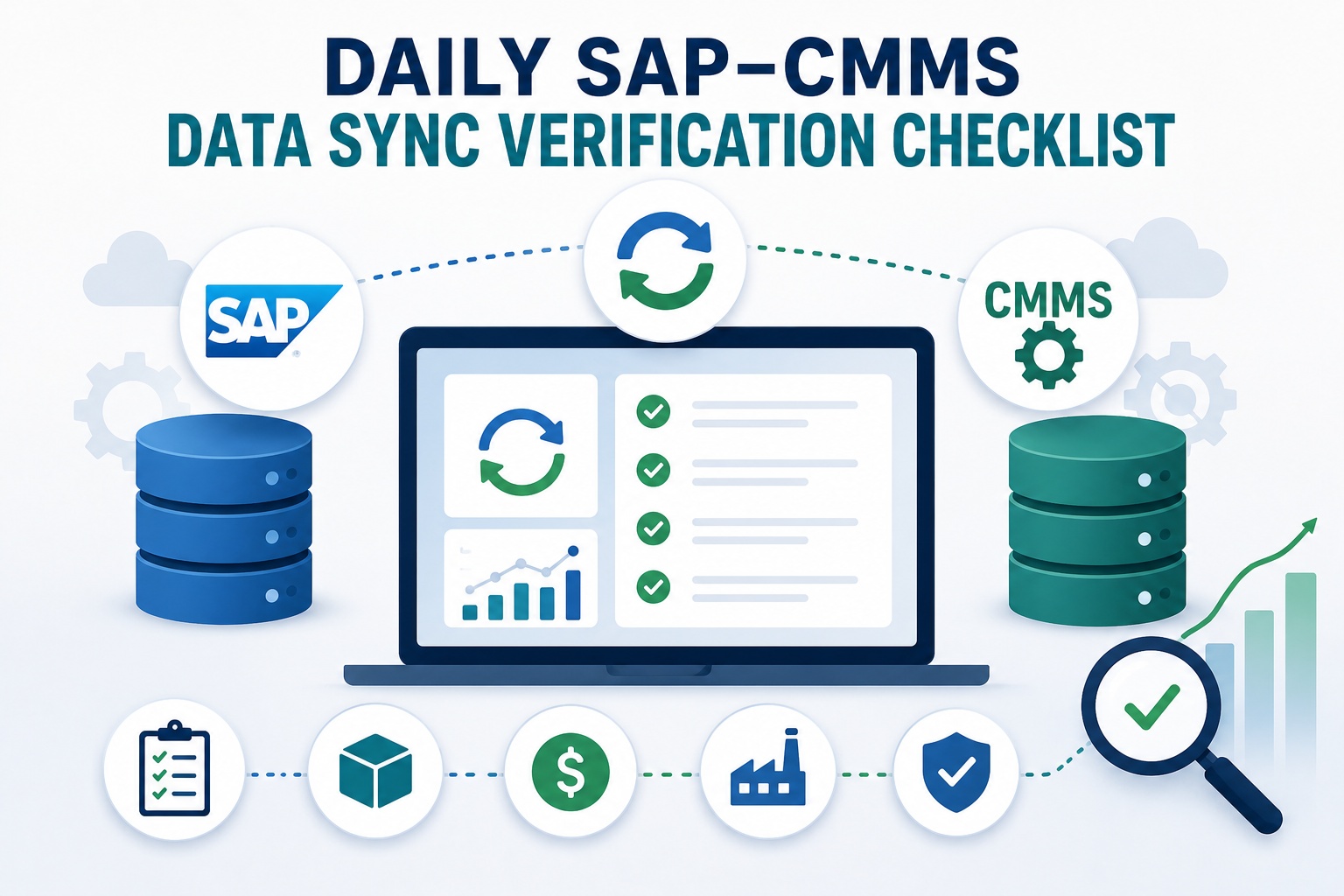
Your SAP system processed 847 work orders overnight. Inventory updates flowed in from three plants. Cost postings hit the GL by 6 AM. By 9 AM, your maintenance team is already creating new orders, posting time confirmations, and updating asset records. But here's the question every operations leader should be asking: did all of that data actually sync correctly? Or are silent failures accumulating in the background, ready to surface as reconciliation nightmares at month-end? Book a free demo to see how proactive sync monitoring catches issues before they cascade.
Why Daily Sync Verification Matters for SAP-Connected Operations
Most SAP-CMMS integrations work beautifully—until they don't. The brittle truth about middleware-driven data exchanges is that failures rarely announce themselves. A work order that didn't post. An inventory adjustment stuck in queue. A cost confirmation that landed in the wrong cost center. These small inconsistencies accumulate silently across thousands of daily transactions, then explode at month-end as variance reports nobody can explain. Daily verification isn't paperwork—it's the early warning system that catches drift before it becomes a financial close emergency.
23%
of ERP integration failures go undetected for 48+ hours without daily checks
4.2hrs
average resolution time for sync issues with proactive monitoring vs 31 hours reactive
$47K
average month-end reconciliation cost burden for unmonitored integrations
Forrester research on enterprise integration found that organizations practicing structured daily sync verification detect 89% of integration errors within the same business day, compared to just 34% for teams relying on reactive monitoring. Sign up free to access the daily verification checklist as a configurable dashboard inside your CMMS.
The 24-Hour SAP-CMMS Sync Monitoring Pulse
A robust verification routine isn't a single morning checklist—it's a continuous rhythm of validation moments distributed across the operating day. Each phase targets specific transaction types and data domains, building layered defense against silent failures. The pulse below shows how high-performing operations distribute monitoring responsibility across three coordinated checkpoints.
7:00 - 9:00 AM
Morning
Overnight Batch Validation
6 critical checks
12:00 - 1:30 PM
Midday
Live Transaction Sync
5 critical checks
5:00 - 6:00 PM
End-of-Day
Reconciliation & Sign-Off
6 critical checks
Morning Verification: Overnight Batch & Job Validation
The morning checkpoint is your most critical inspection window. Overnight batch jobs handle high-volume replication—work order syncs from SAP PM to your CMMS, master data refreshes, and cost center hierarchy updates. By 9 AM, your maintenance planners are making decisions based on this data, so validation must happen before the operating day begins.
01
Review overnight batch job status (SM37)
Confirm all scheduled jobs completed with status "Finished"—investigate any "Canceled" or "Active" beyond expected runtime
02
Inspect inbound IDoc queue (WE02)
Look for status 51 (error), 64 (queued), or 56 (interface failure) IDocs older than 12 hours
03
Verify work order replication count
Compare overnight WO creation count in SAP PM vs CMMS—variance over 0.5% triggers investigation
04
Validate master data refresh logs
Equipment, functional location, and BOM updates should reflect previous-day changes
05
Confirm middleware connection health
PI/PO, CPI, or REST connector heartbeat—verify no authentication timeouts overnight
06
Post morning health snapshot to ops channel
Daily green/yellow/red status summary visible to maintenance planners by 9:15 AM
Turn This Checklist Into an Automated Dashboard
Stop running these checks manually. See how a connected CMMS surfaces sync health, IDoc errors, and replication variances in one operations cockpit—updated in real time.
Midday Verification: Live Transaction Sync Monitoring
Real-time transaction syncs dominate the operating day. Work order completions, time confirmations, goods movements, and notification updates flow continuously between SAP and your CMMS. The midday checkpoint catches drift before it compounds—and confirms that morning's small issues haven't snowballed into systemic problems.
01
Verify time confirmation postings (CATS / IW41)
Morning labor hours should be visible in SAP cost reports—investigate any stuck in pending queue
02
Audit goods issue and consumption postings
Spare parts pulled in morning shift should reflect updated stock in both systems
03
Review notification-to-work-order conversions
Confirm all M1/M2 notifications routed correctly with proper priority mapping
04
Validate status flag synchronization
REL, TECO, PRT statuses must match between SAP PM order and CMMS work order
05
Confirm queue depth within tolerance
Middleware processing queue should hold under 50 pending messages—alert at 200
Operations teams that build midday verification into their routine catch over half of all same-day sync issues before they impact afternoon planning. Sign up free to enable automated midday integrity checks tied to your specific SAP transaction types.
End-of-Day Verification: Reconciliation & Sign-Off
The closing checkpoint is where accountability lives. End-of-day reconciliation confirms that every transaction initiated during the operating day made it cleanly into the system of record. This is also when you set up clean conditions for overnight batch processing—addressing unresolved issues before they propagate into tomorrow's morning checklist.
01
Run daily reconciliation report
Compare day's total WO creates, completes, and cost postings across SAP and CMMS
02
Resolve queued and errored IDocs
Process all status 51 and 64 IDocs through retry or manual intervention before close
03
Audit cost posting variance
Cost center, internal order, and WBS postings should reconcile to within $50 of source records
04
Verify asset record updates
Equipment status changes, location moves, and serialization updates should mirror in both systems
05
Document recurring failure patterns
Track which interfaces, transaction types, or plants generate repeat issues over time
06
Sign off daily integration scorecard
Final green/yellow/red status posted with named accountability for any open items
Critical Sync Metrics Your Dashboard Should Track
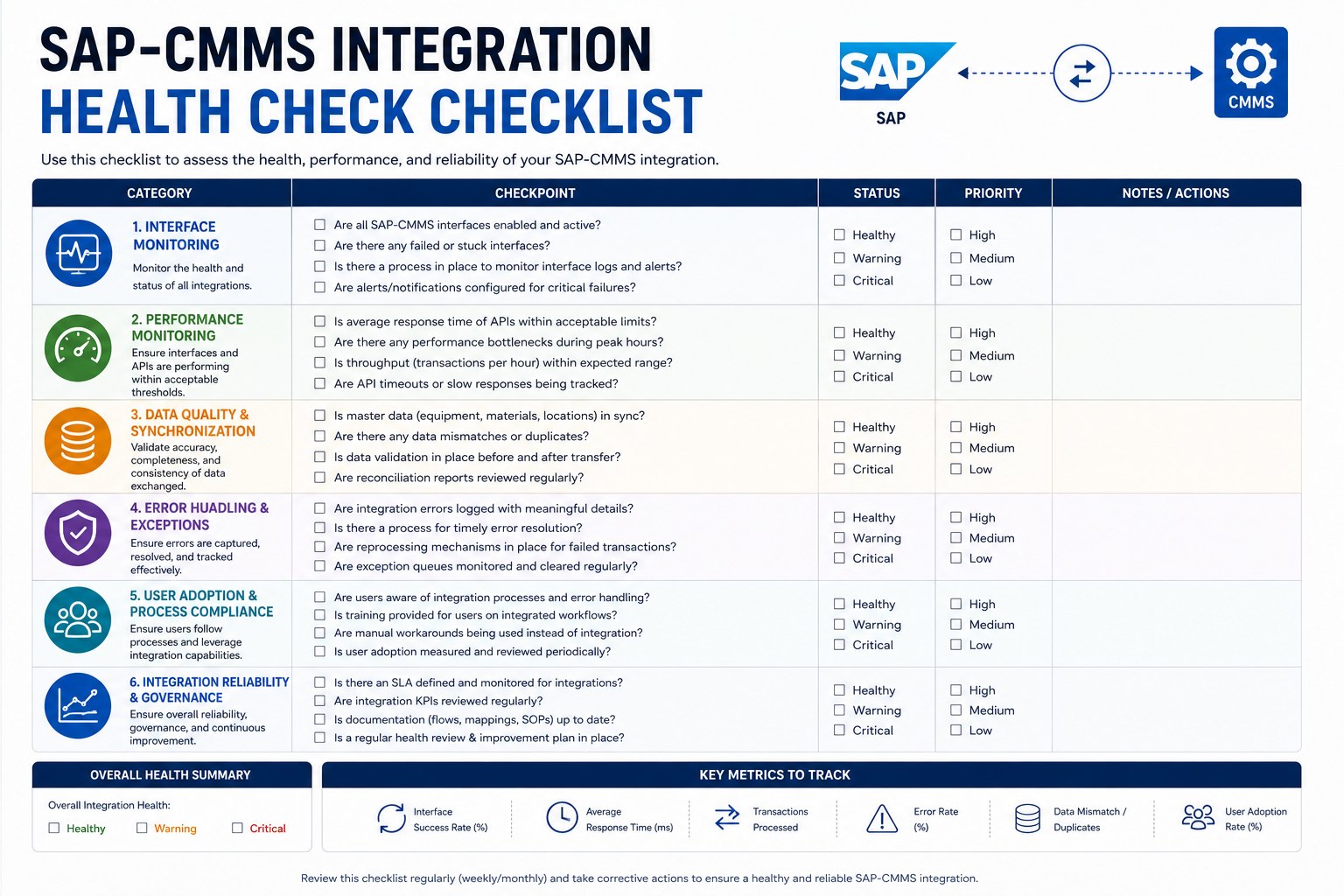
Checklists drive activity, but metrics drive insight. Beyond completing daily verification tasks, your operation needs trending visibility on integration health. The metrics below separate teams that react to sync failures from teams that anticipate them. Each metric has a healthy range, a warning threshold, and a critical alert level that should trigger immediate response.
The most effective monitoring approach combines daily checklists with automated alerting at the warning threshold—not waiting for critical to trigger. Sign up free to configure these thresholds against your live SAP integration today.
Expert Perspective: Building a Sync-Resilient Operation
Daily sync verification doesn't fail because teams lack discipline—it fails because the work is invisible. When integration runs cleanly for 60 straight days, monitoring feels redundant. Then day 61 happens, the batch job times out, nobody catches it for 36 hours, and suddenly you're explaining a six-figure cost variance to your CFO. The teams that get this right treat verification like safety—visible scorecards, named accountability, and metrics that surface drift before drift becomes disaster.
Make Verification Visible
Daily integration scorecard posted in operations channels by 9 AM and 6 PM. If everyone sees the status, someone catches the anomaly.
Assign Named Ownership
Each checklist phase needs a single accountable owner—rotation between team members keeps fresh eyes on the data without losing institutional knowledge.
Automate the Routine
Counts, queue depths, and latency metrics belong in dashboards—humans should focus on root-causing the items that breach thresholds.
Operations teams ready to move from manual checklists to automated sync monitoring can request a walk-through of the dashboard configuration for their specific SAP landscape. Book a free demo to map this verification routine to your CMMS architecture.
Stop Discovering Sync Issues at Month-End
Build daily verification into your operations rhythm with a CMMS purpose-built for SAP integration. Catch IDoc errors, posting variances, and replication drift on the same business day they occur.
Frequently Asked Questions
How long should daily sync verification take with a properly configured CMMS?
With automated dashboards surfacing queue depths, IDoc errors, and replication counts, the morning checkpoint typically takes 8-12 minutes, midday 5-7 minutes, and end-of-day 15-20 minutes including investigation of any flagged items. Without automation, teams routinely spend 60-90 minutes per day on the same checks—and still miss critical signals because of manual data gathering. The verification work itself doesn't disappear; the data-collection drudgery does.
Which SAP transactions are most prone to sync failure with CMMS platforms?
Cost-related transactions top the list: time confirmations (CATS), goods movements (MIGO/MB1A), and cost center postings show the highest error rates because they touch multiple modules. Status updates (REL, TECO, PRT) come second, often failing on edge cases like partial completions. Master data syncs (equipment, functional location, BOM) fail less frequently but with bigger downstream impact—a missed equipment update can cause weeks of misrouted work orders before anyone notices.
Who should own daily sync verification—IT, maintenance, or operations?
Best practice splits ownership: IT owns infrastructure health (middleware, connections, batch job execution), while maintenance operations owns business-data integrity (work order accuracy, cost posting validation, asset record consistency). A shared scorecard with both perspectives prevents the typical finger-pointing when issues arise. The CMMS administrator typically coordinates the daily routine and escalates breaches to the appropriate team based on root cause.
What's the difference between IDoc errors and middleware queue errors?
IDoc errors are content-level failures—the message reached SAP but couldn't post due to data issues like missing fields, invalid values, or business rule violations (status 51, 56). Middleware queue errors are transport-level failures—messages never reached SAP due to authentication, network, or connector problems (often visible in PI/PO or CPI monitoring tools). Both require daily attention, but they have different root causes and resolution paths.
Can daily verification really prevent month-end reconciliation problems?
Yes—and the math is straightforward. A single overnight batch failure can leave 200-500 transactions unsynced. Caught within 24 hours, those are quick fixes with minimal downstream impact. Caught at month-end, those same 500 transactions have multiplied effects: cost reports are wrong, KPIs are skewed, and variance investigations consume days of accounting and operations time. Daily verification trades 30 minutes of routine work for tens of thousands of dollars in reconciliation overhead avoided.