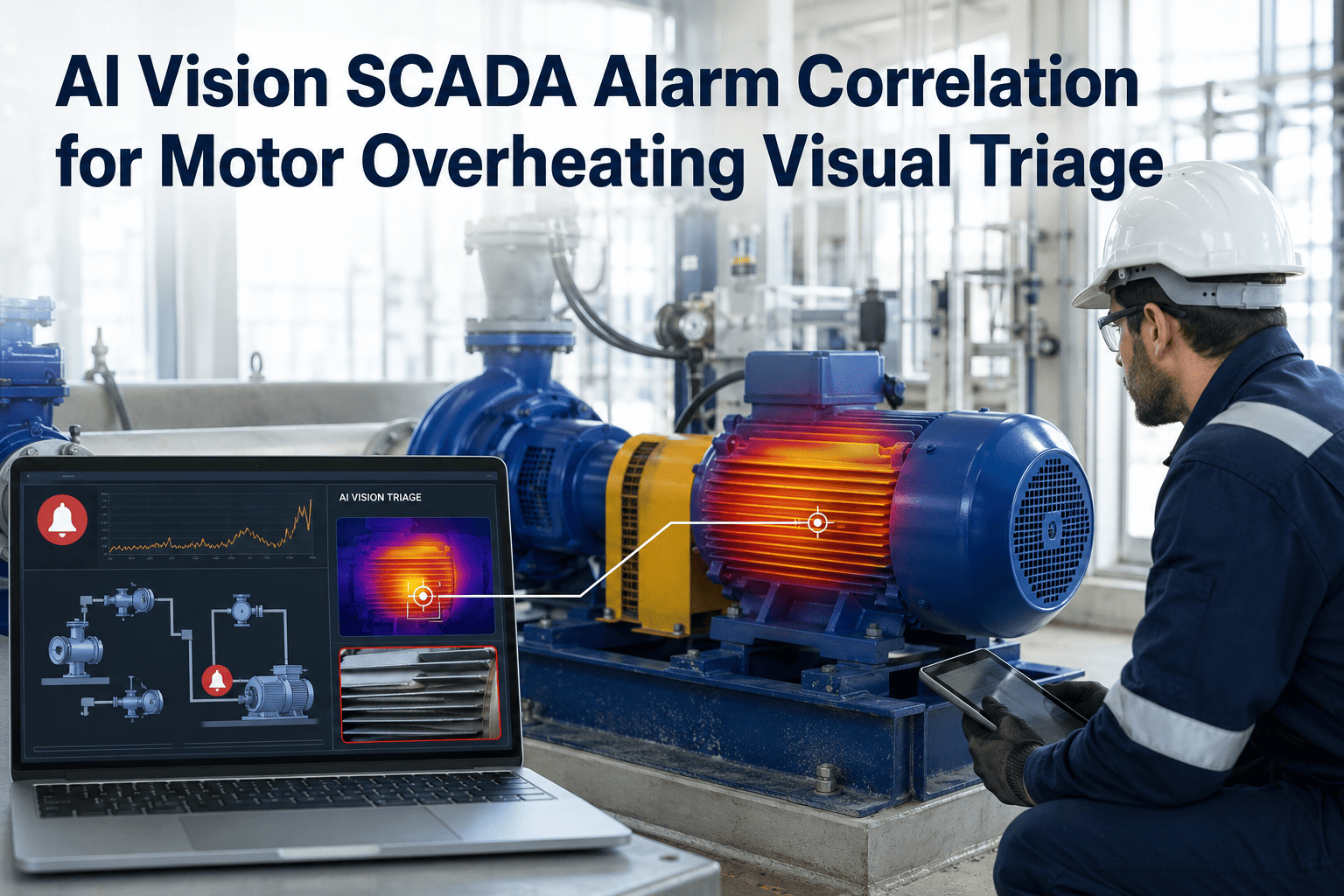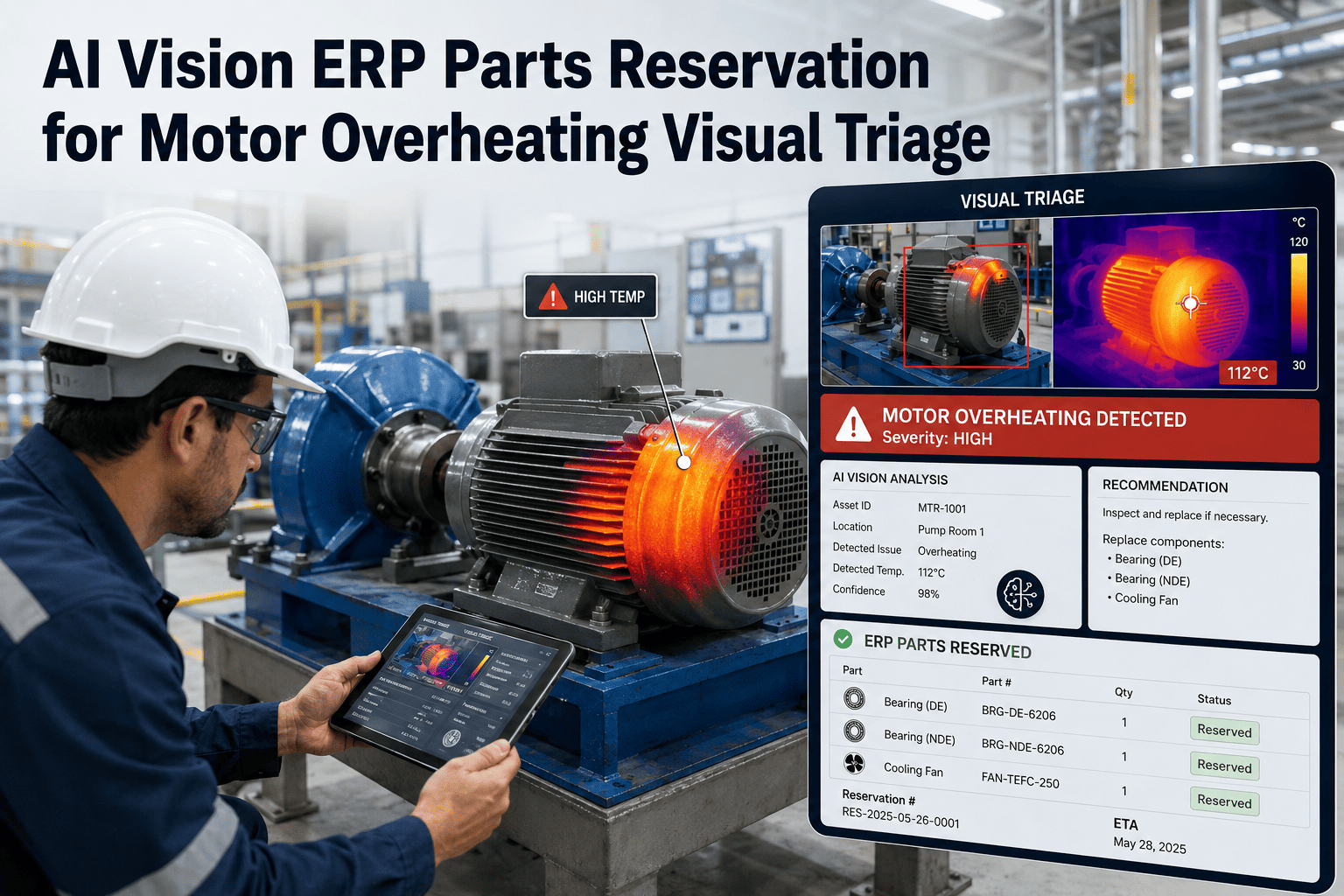
When a motor overheating event triggers a maintenance response, the single biggest cause of extended downtime is not the diagnosis — it is waiting for parts. Technicians arrive at the motor, identify the failed component, then discover it is not in stock or not reserved. OxMaint AI Vision eliminates this delay by connecting visual defect detection directly to your ERP parts inventory. The moment an AI camera identifies a motor overheating condition, OxMaint classifies the likely failed component, checks real-time parts availability, and initiates an ERP reservation — all before the work order reaches a technician. This means the right parts are waiting when the right person arrives. Book a demo to see how visual evidence drives faster parts procurement in your facility.
AI Vision ERP Parts Reservation for Motor Overheating Visual Triage
AI detects motor overheating, classifies the defect, and triggers ERP parts reservation — so the component arrives before the technician does.
Why Parts Delays Outlast the Diagnosis
Most maintenance teams have optimized their alarm response. The bottleneck has shifted downstream — to the parts room, the ERP queue, and the procurement cycle that starts only after a technician has already walked the floor.
OxMaint AI Vision shifts the parts reservation step to before dispatch — eliminating the 4–48 hour gap that accounts for most unplanned downtime duration.
From Visual Evidence to Reserved Parts in One Loop
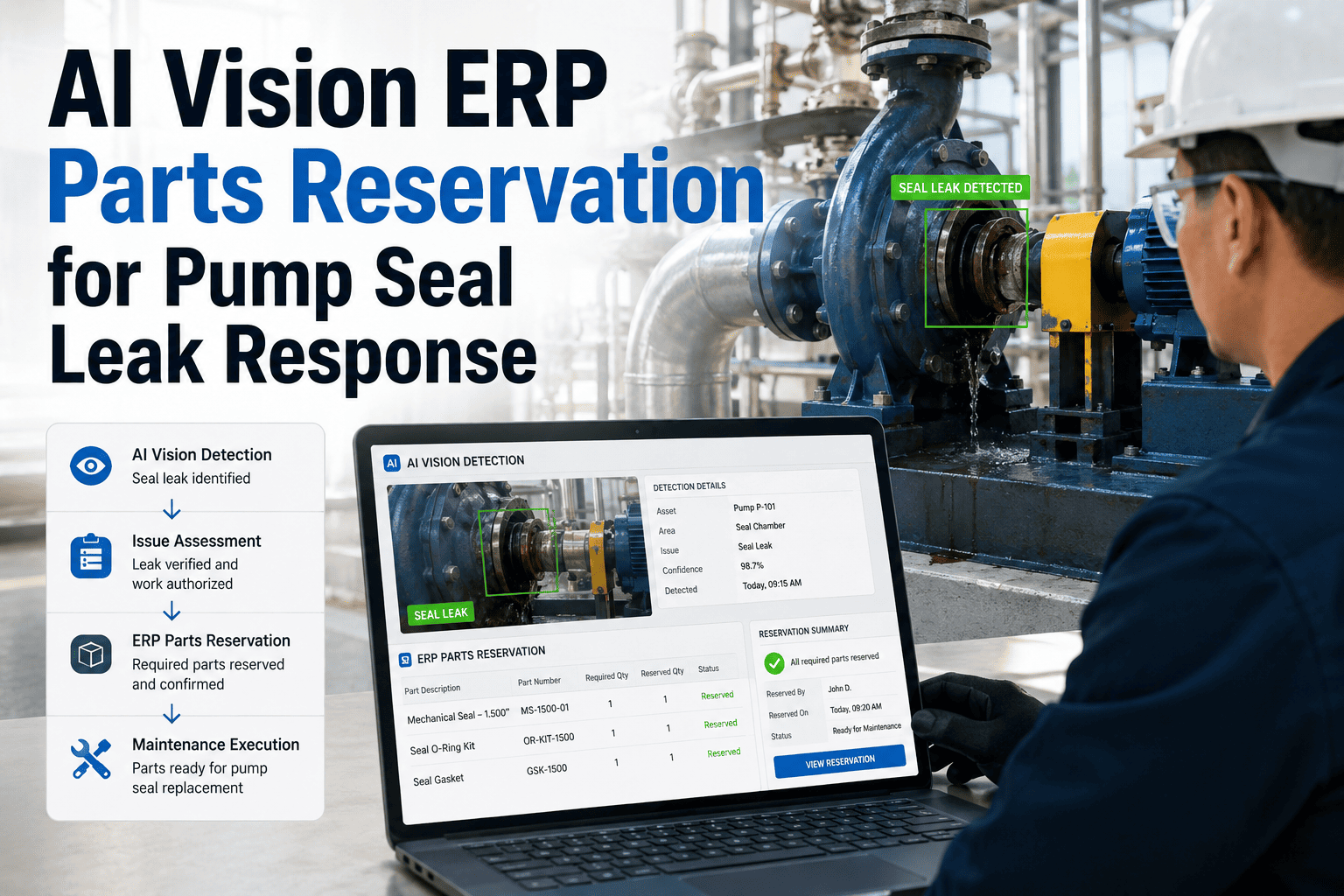
OxMaint AI Vision connects motor visual triage to your ERP inventory — so the right part is reserved the moment the defect is detected, not after two trips to the storeroom.
AI-Detected Defect to ERP Part Reservation
| Visual Defect Detected | Component Mapped | Typical Part Number Category | ERP Action |
|---|---|---|---|
| Fan blade absent or broken | Cooling fan assembly | OEM motor fan kit | Reserve + notify stores |
| Smoke or discoloration at windings | Winding insulation / motor unit | Replacement motor | Reserve + procurement alert |
| Bearing surface wear marks | Drive-end bearing | Bearing SKU by motor frame | Reserve from stock |
| Seal gap or oil leak visible | Shaft seal kit | Seal set by shaft diameter | Reserve from stock |
| Capacitor bulge detected | Run/start capacitor | Capacitor MFD rating match | Reserve or order |
| No visible defect | Sensor check | Calibration kit | Service WO only, no part reserve |
Supported Platforms
What Maintenance Leaders Say
Our average motor repair was taking eleven hours — three hours of diagnosis and eight hours waiting for parts. With OxMaint triggering the ERP reservation from the AI camera frame, we now have parts staged at the motor location before the technician gets there. We cut average motor downtime from eleven hours to under three. That is not an estimate — that is six months of data.
Maintenance Superintendent · Food and Beverage Processing · 19 Years IndustryThe ERP integration was the piece that convinced our CFO to approve the deployment. He could see the parts stockout rate dropping, the emergency procurement costs falling, and the overtime hours declining — all driven by a visual detection event that used to just generate a paper alarm. The ROI was visible inside the first quarter.
Plant Manager · FMCG Manufacturing · Multi-Site PortfolioFrequently Asked Questions
From Motor Overheating Detection to Parts in Storeroom — Without Manual Steps
OxMaint AI Vision closes the gap between motor defect detection and parts availability by connecting your cameras directly to your ERP inventory — eliminating the parts delay that turns a 3-hour repair into a 48-hour outage.