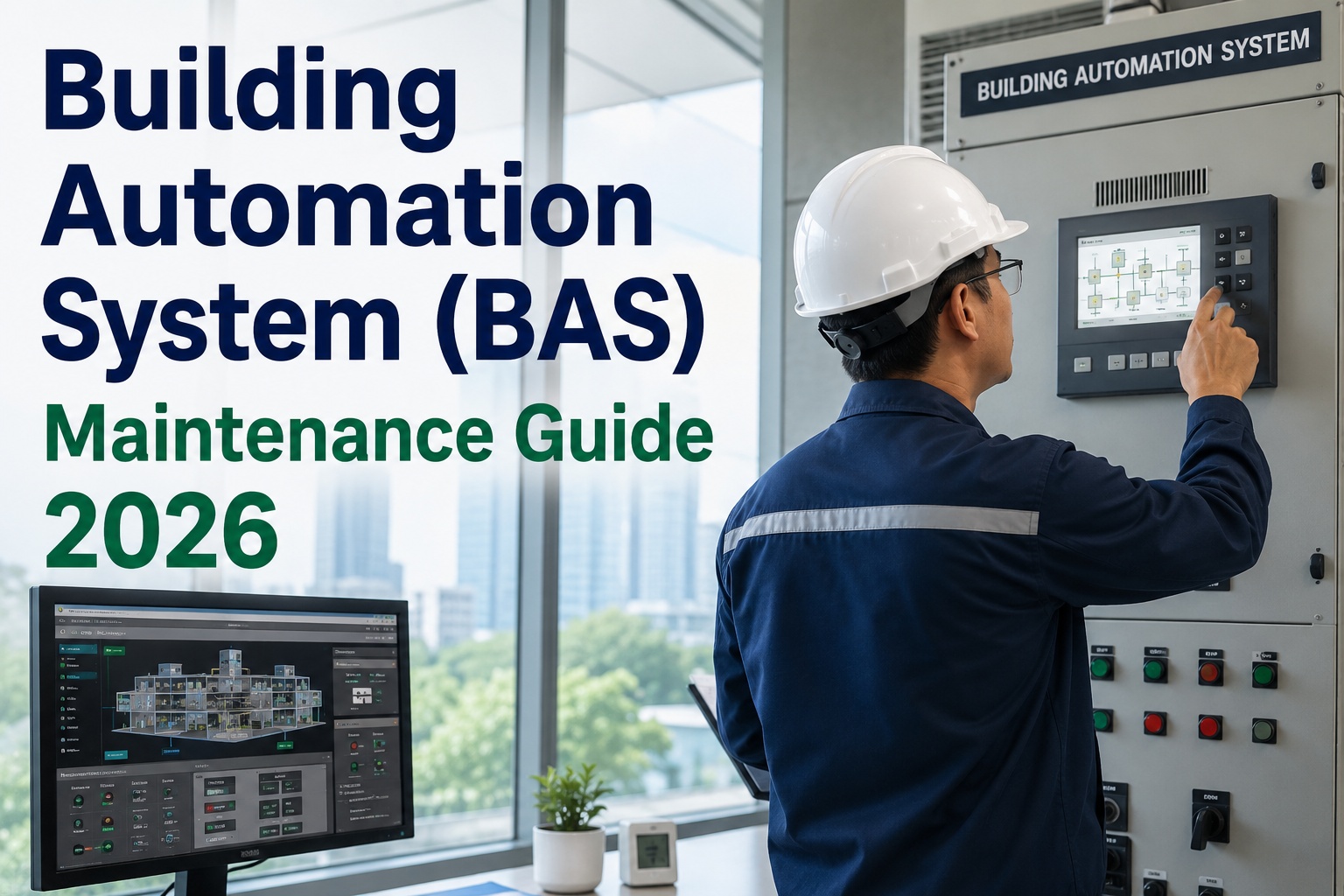
Building automation system maintenance is the discipline that keeps your BAS — DDC controllers, sensors, actuators, and HVAC controls — operating at the efficiency, comfort, and energy performance levels the system was originally designed to deliver. Without a structured BAS preventive maintenance program, drift in sensor calibration and controller logic can push energy use 15–30% above baseline within two years. This guide covers the inspection intervals, calibration procedures, software update protocols, and CMMS integration strategies that facility and reliability teams need to sustain peak building controls performance — and you can put every checklist in this article straight into a free trial of OxMaint to start your BAS PM program this week.
Is your building automation system silently drifting away from design performance?
Most BAS installations lose 15–30% of their designed energy efficiency within 24 months because sensor calibration, DDC controller logic, and actuator maintenance are left to reactive callbacks. A CMMS-driven BAS maintenance program catches that drift early — before it shows up on your utility bill.
Building automation system PM: what to inspect, calibrate, and verify
A defensible BAS preventive maintenance program rests on four inspection tiers — sensor calibration, DDC controller health, mechanical actuator/valve service, and software/database integrity. Industry benchmarks from ASHRAE Guideline 36 and NFPA 70E suggest quarterly calibration verification for critical sensors and annual functional testing for controlled sequences. The checklist below maps each PM task to its recommended interval and the failure mode it prevents.
- Verify temperature sensor accuracy against NIST-traceable reference — ±0.5 °F tolerance
- Check humidity sensor drift; replace elements exceeding ±5% RH offset
- Validate pressure sensors (duct, differential) at zero and span points
- Confirm CO₂ and VOC sensor response time under 90 seconds
- Log calibration date, offset, and technician in CMMS asset history
- Inspect controller panel for dust, heat stress, and loose wiring terminations
- Verify backup battery voltage; replace units below 2.8 V or older than 3 years
- Confirm firmware revision and apply manufacturer security patches
- Test I/O point mapping against live field values — flag stuck or false points
- Review trending logs for communication drops or repeated controller reboots
- Stroke modulating valves end-to-end; verify close-off and full-open positions
- Lubricate damper and valve actuator linkages; replace stripped couplers
- Check pneumatic actuators for air leaks at 20 psi supply — repair or replace
- Calibrate actuator feedback signal (0–10 V / 4–20 mA) against commanded position
- Inspect valve packing for weepage; repack or replace before leak escalation
- Back up BAS database and graphics packages to off-site or cloud storage
- Apply OEM software updates and security patches during off-hours windows
- Verify BACnet/LonTalk/MODbus integration points — flag orphaned devices
- Review alarm suppression lists; clear stale or acknowledged-stale alarms
- Test cyber-security credentials, role permissions, and audit log integrity
HVAC controls maintenance: how DDC drift quietly drives up energy cost
Direct digital control (DDC) maintenance is the single highest-leverage activity in a building controls maintenance program. A 2023 study of 120 commercial buildings found that 68% had at least one control sequence operating outside its design parameters — most commonly schedule overrides left in place after a service event, and discharge-air temperature setpoints drifted 4–8 °F from optimal. The table below shows the most common DDC failure modes, their energy impact, and the inspection action that catches them.
| DDC Failure Mode | Typical Energy Impact | Detection Method | Recommended Action |
|---|---|---|---|
| Schedule override left active | 8–15% increase in runtime hours | Review active overrides list weekly | Auto-expire overrides after 72 h; log to CMMS |
| Discharge temp setpoint drift | 5–10% chiller/boiler load increase | Trend analysis vs. design setpoint | Re-commission sequence; lock setpoint |
| Stuck mixing damper actuator | 12–20% ventilation energy waste | Stroke test during seasonal changeover | Replace actuator; recalibrate feedback |
| Deadband compression (hysteresis) | 3–7% short-cycling compressor wear | Trend supply-fan VFD speed oscillation | Adjust PID loop; widen deadband to 2 °F |
| Failed OA temperature sensor | 10–18% economizer mode loss | Compare OA sensor to weather API | Replace sensor; verify economizer logic |
The hidden cost of reactive BAS maintenance: a 180,000 sq ft office portfolio
A facilities team managing a 180,000 sq ft corporate campus was running its BAS on a run-to-failure model — sensors were calibrated at install and never again, work orders were paper-based, and the CMMS had no integration with the building management system. Over 24 months, utility costs climbed 22% and comfort complaints tripled. A retro-commissioning audit revealed that 14 of 46 zone temperature sensors had drifted more than 3 °F, two DDC controllers were stuck in heating mode year-round, and a chilled-water valve actuator had seized in the 60% open position.
By implementing a CMMS-driven BAS PM program — quarterly sensor calibration, semi-annual DDC functional testing, and automated work-order generation from BAS alarms — the team recovered $52,000 in annual energy spend, cut comfort tickets by 71%, and reduced unplanned controls service calls from 3 per month to under 1 per quarter. The payback period for the CMMS software and labor investment was 4.2 months.
BAS CMMS integration: the ROI formula for building automation maintenance
When a CMMS is integrated with a building automation system, preventive maintenance triggers flow directly from BAS alarms, trend deviations, and runtime counters — eliminating the spreadsheet-and-memory method that lets 40% of PM tasks slip past their due date. The formula below estimates the annual savings from moving a BAS portfolio onto a CMMS-driven reliability program.
How OxMaint CMMS keeps your BAS at design performance
OxMaint is built for maintenance and reliability teams who need to manage both physical assets and the digital control logic that runs them. These four capabilities map directly to the failure modes that erode BAS performance — and each delivers a measurable outcome within the first quarter of implementation.
Automated BAS PM Scheduling
Auto-generate calibration, DDC inspection, and actuator service work orders on calendar or runtime triggers. Never miss a quarterly sensor verification again.
Alarm-to-Work-Order Integration
Convert priority BAS alarms — stuck valves, controller reboots, sensor failures — into triaged work orders automatically, with asset context and repair history attached.
Predictive Analytics on BAS Trends
OxMaint AI analyses trended sensor data and actuator performance to predict drift before it impacts comfort or energy — flag assets for calibration before the utility bill spikes.
Full Asset & Compliance Audit Trail
Every calibration log, firmware update, and valve replacement is time-stamped and tied to the asset record — giving you audit-ready documentation for ISO 50001, LEED, and corporate ESG reporting.
From spreadsheets to CMMS-driven BAS reliability: a 90-day rollout
Switching from reactive, paper-based building controls maintenance to a CMMS-driven program does not require a multi-quarter implementation. The timeline below shows a typical 90-day path that facility teams follow when deploying OxMaint for their BAS portfolio.
Asset Registry & BAS Import
Import all DDC controllers, sensors, actuators, and panels into OxMaint. Map each asset to its location, criticality, and OEM service manual. Establish parent-child relationships between controllers and the equipment they govern.
PM Template Build & Scheduling
Build PM templates for sensor calibration, DDC functional testing, valve/actuator service, and software updates. Assign calendar or runtime triggers. Attach checklists, safety procedures, and required spare parts to each template.
Alarm Integration & Mobile Rollout
Configure BAS alarm-to-work-order integration for critical priority alarms. Deploy the OxMaint mobile app to technicians so they can receive, execute, and close work orders from the field — with photo documentation and digital signatures.
Analytics Review & Optimization
Review the first 45 days of PM completion rates, MTTR, and alarm patterns. Tune PM intervals based on actual failure data. Enable predictive alerts on trended sensor drift. Present ROI dashboard to facilities leadership.
See OxMaint manage your BAS assets — book a 30-minute demo
We will import a sample of your DDC controllers and sensors, build a PM schedule live, and show you exactly how alarm-to-work-order integration works on your building automation platform.
BAS maintenance: what teams ask before switching to a CMMS
How often should BAS sensors be calibrated?
Critical-zone temperature, humidity, and pressure sensors should be verified quarterly against a NIST-traceable reference, with full calibration performed if drift exceeds ±0.5 °F or ±2% RH. General-zone sensors can follow a semi-annual schedule. CO₂ and air-quality sensors typically need annual calibration or element replacement. Logging every calibration event in a CMMS like OxMaint ensures no sensor is missed and provides an audit trail for energy and compliance reporting.
What is the difference between BMS maintenance and BAS maintenance?
Building Management System (BMS) and Building Automation System (BAS) are often used interchangeably, but BMS typically refers to the central supervisory software and graphics layer, while BAS encompasses the full system — DDC controllers, field devices, sensors, actuators, and the network. BMS maintenance focuses on software, database backups, and user permissions; BAS maintenance includes the physical field-device inspection, calibration, and actuator service that actually sustain performance.
Can a CMMS integrate directly with a building automation system?
Yes. OxMaint can ingest BAS alarm data via API or BACnet gateway, automatically converting priority alarms into triaged work orders with full asset context. This eliminates manual alarm-to-dispatch handoffs and ensures that every controls failure is tracked, repaired, and documented in a single system. You can Book a Demo to see a live integration walkthrough on your BAS platform.
How much does a CMMS-driven BAS maintenance program cost?
For a typical mid-size portfolio of 50–200 DDC controllers, OxMaint pricing ranges from $45–$120 per user per month, with the total annual software cost usually recovered within 3–6 months through reduced energy waste, fewer emergency service calls, and eliminated overtime. Most teams find that recovering even 5% of BAS-related energy drift covers the full CMMS subscription for the year.
What standards govern building automation system maintenance?
ASHRAE Guideline 36 (high-performance sequences of operation), ASHRAE Standard 135 (BACnet), NFPA 70E (electrical safety), and ISO 50001 (energy management) are the most commonly referenced standards. A CMMS like OxMaint helps demonstrate compliance by maintaining time-stamped records of every calibration, inspection, firmware update, and safety procedure — ready for any internal or third-party audit.
Stop losing 15–30% of your building's energy to BAS drift
Deploy a CMMS-driven BAS maintenance program in 90 days. Start your free trial today, or let us show you the platform on a 30-minute demo tailored to your building controls portfolio.
Free 14-day trial · No credit card