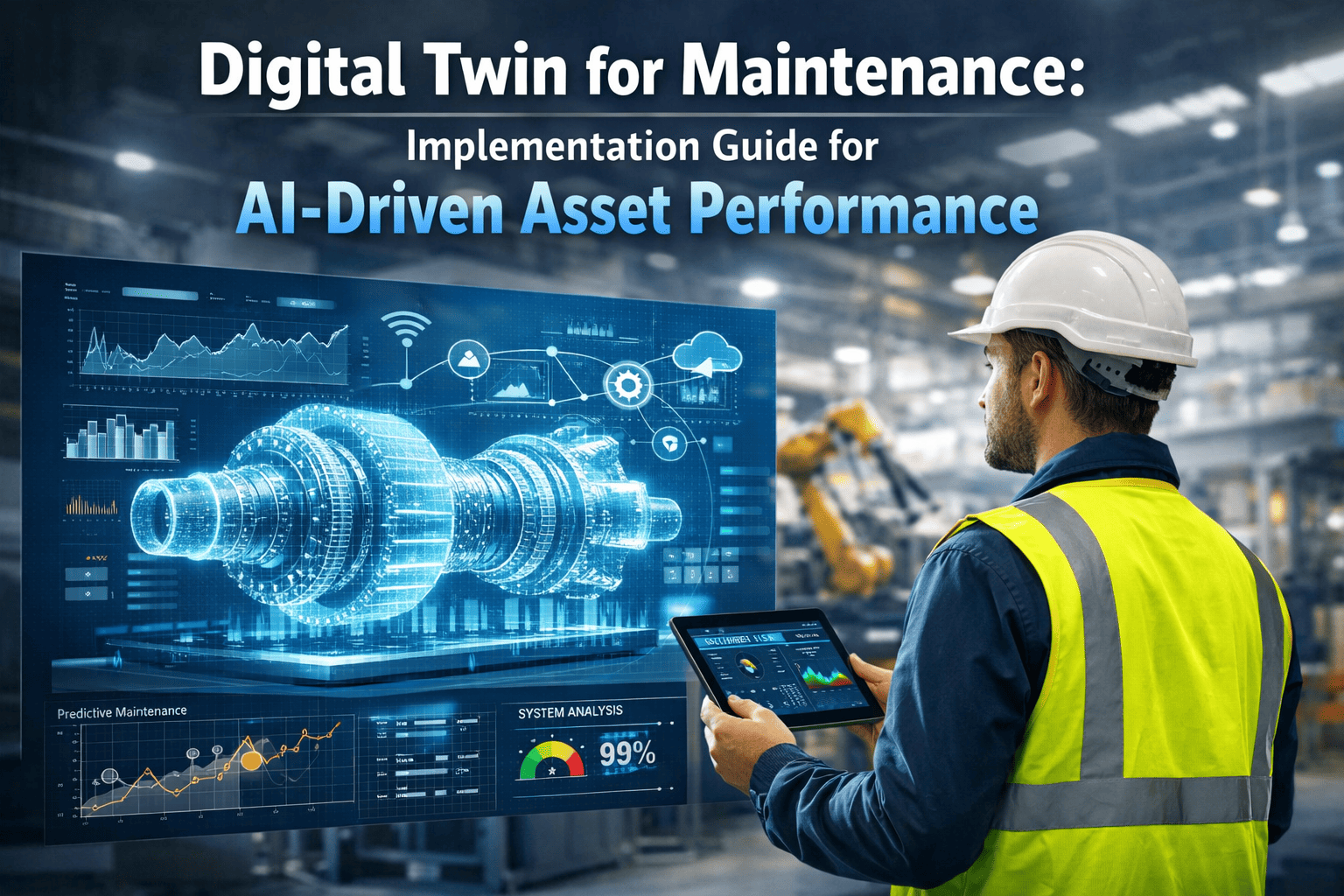
Digital Twin for Maintenance: Implementation Guide for AI-Driven Asset Performance | Oxmaint.ai.The facility manager stared at 2019 as-built drawings trying to plan a new conveyor installation — only to find two relocated HVAC units, a seismic retrofit column, and 14 new cable trays missing from the plans. The contractor's quote came back 40% over budget because the surprises on-site required a full redesign mid-installation. Across industries, outdated facility data is silently inflating project costs, creating safety blind spots, and turning routine maintenance into detective work. AI-powered digital twins connected to a CMMS like Oxmaint solve this permanently.
Your Facility Has a Digital Twin Problem. Here Is How to Solve It.
From Static Drawings to a Living Digital Twin
Effective facility management is not about having a single perfect scan. It is about maintaining a living digital twin that evolves with the physical space. When robotic scan data flows directly into CMMS-scheduled workflows, scanning transforms from an ad-hoc project into a continuous facility intelligence program — ensuring the digital model never falls more than one change cycle behind reality.
The organizations getting the most value from digital twin technology are not scanning everywhere at the same frequency. They are using zone-based adaptive schedules driven by actual change data from their Oxmaint CMMS — triggering scans when work orders modify physical layouts, not when a calendar date arrives.
Autonomous Capture
Mobile robots or drones execute pre-programmed scan paths through the facility, capturing LiDAR point clouds, 360-degree imagery, and thermal data without disrupting operations.
Change Detection AI
New scan data overlays the existing digital twin. AI algorithms automatically highlight additions, removals, and modifications — flagging every area where the model has drifted from physical reality.
CMMS Integration
Detected changes update the asset registry automatically. Unplanned modifications trigger review work orders. The CMMS recalculates the next optimal scan date based on observed change rates per zone.
Schedule and Repeat
Adaptive scheduling adjusts scan frequency per zone. High-change areas scan monthly, stable areas annually. Every scan builds historical change velocity data for smarter future planning.
Ad-Hoc Scanning vs. CMMS-Scheduled Adaptive Scanning
The difference between teams that scan reactively and those running CMMS-scheduled programs is not just cost — it is the reliability of every capital project, safety audit, and maintenance decision that depends on spatial accuracy. Book a demo to see how Oxmaint automates the scheduling layer.
Scanned only before major capital projects, leaving the digital twin 18–36 months outdated between events
Large one-time expense per scan ($15,000–$25,000) with no predictable annual budget
Only project-relevant areas scanned, leaving blind spots across the rest of the facility
No historical comparison data available — each scan is an isolated snapshot with no change tracking
30% of installations hit unexpected on-site clashes requiring costly redesign mid-project
Scanned on risk-based schedule plus event triggers — digital twin never more than one change cycle behind
Predictable annual scanning budget with 40–60% lower lifecycle cost through zone-based frequency targeting
Full facility scanned on a rolling zone basis — no blind spots, no areas left undocumented
Automated change detection over time builds structural drift visibility and capital planning intelligence
Design clash rate drops below 3% — every project team designs against current reality, not a dated snapshot
Recommended Scan Frequencies Across Industrial Sectors
The optimal scanning frequency varies dramatically based on how rapidly a facility's physical environment changes. A pharmaceutical cleanroom with strict layout controls changes far less often than a manufacturing floor undergoing continuous lean improvements. These evidence-based guidelines are calibrated to industry change rates and risk profiles — use them as starting thresholds, then tune to your facility's actual work order velocity inside Oxmaint.
Scroll horizontally to view full table
| Industry / Facility Type | Change Rate | Recommended Frequency | Key Driver |
|---|---|---|---|
| Manufacturing (Discrete) | High | Monthly — Quarterly | Line changes, lean kaizen, new equipment installs |
| Oil and Gas / Petrochemical | Medium | Quarterly — Semi-Annual | Turnaround planning, corrosion tracking, pipe modifications |
| Warehousing and Logistics | High | Monthly — Quarterly | Racking reconfiguration, conveyor additions, inventory flow changes |
| Healthcare Facilities | Medium | Semi-Annual — Annual | Equipment moves, infection control zones, compliance requirements |
| Pharmaceutical / Cleanroom | Low | Annual — Biennial | Regulatory validation, GMP documentation cycles |
| Data Centers | Medium-High | Quarterly | Rack installs, cooling path changes, cable management updates |
| Public Infrastructure | Low | Annual — Biennial | Structural monitoring, asset condition baseline establishment |
| Construction (Active Site) | Very High | Weekly — Biweekly | Progress tracking, clash detection, as-built verification |
Three Factors That Determine Your Optimal Scan Frequency
Industry guidelines provide a starting point, but optimal frequency must be tuned to your specific facility. Track layout-modifying work orders, assess consequence of inaccurate spatial data, and evaluate your scanning technology options to arrive at the right cadence for each zone.
Change Velocity
How Fast Does Your Facility Change?
Track the number of work orders that modify physical layout — equipment installs, pipe reroutes, wall removals, racking changes. Facilities with 10 or more layout-altering work orders per month need monthly scanning. Fewer than 3 per quarter can safely extend to annual cycles.
Risk and Compliance
What Is the Cost of an Inaccurate Model?
In facilities where inaccurate spatial data could cause safety incidents — confined spaces, overhead cranes, chemical processing zones — scan more frequently. Regulatory environments including FDA, OSHA, and EPA may mandate documented spatial accuracy at defined intervals.
Technology and Budget
What Scanning Resources Are Available?
Owned autonomous robots reduce marginal scan cost to near-zero, enabling higher frequency. Outsourced scanning services cost $2,000–$5,000 per scan, favouring quarterly or annual schedules. CMMS-integrated robots automate the entire process end-to-end with no manual scheduling overhead.
Let Your CMMS Schedule Scans Based on Actual Facility Change Data
Stop scanning on guesswork. Oxmaint automatically triggers scan work orders when layout-modifying maintenance records accumulate — so every zone scans at exactly the right cadence, not too often and not too late.
Scan Frequency by Asset Type Within a Facility
Not every area within a facility changes at the same rate. A smart scanning strategy segments the facility into zones based on asset type and change velocity, then assigns each zone its own frequency and CMMS trigger rule. This zone-based approach maximises data accuracy while minimising total scan budget. Sign up to configure zone triggers in Oxmaint.
Scroll horizontally to view full table
| Asset / Zone Type | Typical Change Rate | Recommended Scan Cycle | CMMS Trigger Rule |
|---|---|---|---|
| Production Floor / Assembly Lines | High — Monthly Changes | Monthly | Auto-schedule after any equipment work order closes |
| Utility Infrastructure (MEP) | Medium — Quarterly Changes | Quarterly | Trigger after pipe or duct modification work orders |
| Structural Elements | Low — Annual Changes | Annual | Trigger after seismic event or structural renovation |
| Rooftop Equipment | Medium | Semi-Annual | Trigger after HVAC replacement or seasonal maintenance |
| Warehouse Racking | High — Monthly Changes | Monthly — Quarterly | Auto-schedule after layout change work order closes |
| Outdoor Yards and Tank Farms | Low-Medium | Semi-Annual — Annual | Trigger after construction activity or ground work |
| Clean Rooms / Controlled Areas | Very Low | Annual — Biennial | Trigger after validation cycle or controlled renovation |
How Oxmaint Drives Adaptive Scan Scheduling
The most effective scanning programs do not rely on calendar schedules alone. They use CMMS event triggers — work orders that modify physical layout — to dynamically adjust when the next scan occurs. This condition-based scanning mirrors predictive maintenance philosophy: scan when the facility tells you it has changed, not on a rigid calendar that ignores what is actually happening on the floor.
Work Order Event Trigger
The CMMS detects closed work orders tagged as layout-modifying — equipment installs, pipe reroutes, wall modifications, or racking changes — and logs them against the affected facility zone.
Zone Flagging and Threshold Check
The affected zone is flagged as scan-needed. When the change counter exceeds the configurable threshold — for example, 3 layout work orders since last scan — a scan work order is automatically created.
Robot Dispatch and Point Cloud Upload
The autonomous scanning robot executes the zone-specific scan path. Point cloud data uploads to the digital twin platform for AI change detection processing against the reference model.
Twin Update and Counter Reset
The digital twin is updated. The change log is recorded. The zone scan counter resets. Oxmaint recalculates the next scan window based on updated change velocity for that zone.
Zone-Based Scheduling
Divide your facility into scan zones based on change rate. High-churn production floors scan monthly. Stable structural areas scan annually. Each zone has its own Oxmaint schedule and trigger rules that operate independently.
Change Velocity Tracking
Track the number and type of layout-modifying work orders per zone over time. This change velocity metric is the foundation for data-driven scan frequency decisions and annual budget forecasting for facility teams.
Event-Triggered Scans
Beyond calendar schedules, configure Oxmaint triggers: any major equipment install, seismic event, fire incident, or renovation completion automatically queues a verification scan for all affected zones immediately.
Compliance Documentation
Maintain a timestamped scan history per zone for regulatory audits. Prove spatial accuracy at any point in time with archived point clouds, change logs, and AI deviation reports stored inside the CMMS.
Case Study: Automotive Parts Manufacturer, 500,000 sq. ft.
A multi-line automotive parts manufacturer was spending $180,000 annually on as-needed scanning for capital projects — yet still encountering design clashes during installation on 30% of projects. By deploying autonomous mobile scanning robots and integrating with Oxmaint's scheduling engine, they shifted to a zone-based adaptive program that eliminated surprises and reduced total scanning costs in the first year.
Before: Ad-Hoc Scanning
-
Scans commissioned only before capital projects at $15,000–$25,000 each
-
Digital twin 18–36 months outdated between projects — no continuous update
-
30% of installations hit unexpected on-site clashes requiring mid-project redesign
-
No historical change data available for trend analysis or capital planning
-
Scan data stored in disconnected vendor platforms with no CMMS integration
After 12 Months with Oxmaint
-
Autonomous robots scan production zones monthly — utility zones quarterly, structure annually
-
Digital twin continuously updated — never more than one month behind on production zones
-
Design clash rate reduced from 30% to under 3% of all projects
-
Change velocity data now informs capital project planning and budget forecasts
-
All scan data centralised in Oxmaint asset records with AI change detection auto-flagging modifications
4-Phase Plan to Deploy a CMMS-Scheduled Scanning Program
Adopting a CMMS-scheduled robotic scanning program is a phased process. It begins with baselining the facility and establishing zone classifications, then scales to autonomous adaptive scheduling driven by real change data. Teams that follow this sequence achieve 80–90% deployment success rates and cut implementation time by 30–40% compared to unstructured rollouts. Book a demo to walk through this roadmap for your facility.
Baseline and Zone Classification
-
Commission a full-facility baseline 3D scan covering all zones
-
Classify each zone by asset type and estimated monthly change rate
-
Import baseline point cloud into digital twin platform and link to CMMS
-
Configure zone boundaries and scan paths in Oxmaint for each zone
Success KPI: 100% facility coverage with zone classification and CMMS configuration complete
Pilot Adaptive Scheduling on High-Change Zones
-
Deploy scanning robot for highest-change zones — production floor and warehousing first
-
Tag layout-modifying work order types in Oxmaint to activate trigger logic
-
Run first round of AI change detection comparisons against the baseline scan
-
Calibrate scan frequency thresholds based on actual observed change velocity per zone
Success KPI: Automated scan triggering from CMMS work order events confirmed working
Full Facility Rollout and Integration
-
Expand scanning program to all classified zones across the entire facility
-
Integrate thermal scanning capability for MEP systems and energy auditing
-
Build change velocity dashboards per zone visible to facility and engineering teams
-
Train facility teams on digital twin access workflows and change review processes
Success KPI: All zones scanning on adaptive schedules with zero manual scheduling required
Predictive Planning and ROI Measurement
-
Use 12-month change data to predict future scan needs and annual budgets with confidence
-
Feed live scan data into capital project planning to deliver clash-free designs from the start
-
Quantify documented ROI: rework avoided, project acceleration, safety improvements by zone
-
Scale the proven zone template to additional facilities using Oxmaint's multi-site capabilities
Success KPI: Documented ROI exceeding 3x program cost confirmed within 12 months
Scan Frequency Decision Matrix: Change Rate vs. Consequence
Use this risk-based matrix to determine the right scan frequency for each zone. Cross-reference your zone's change rate against the consequence of an inaccurate model — safety risk, project impact, and compliance exposure — to arrive at a defensible frequency for each area. Then configure that frequency directly as a zone schedule inside Oxmaint CMMS.
Scroll horizontally to view full matrix
| Change Rate / Consequence | Low Consequence | Medium Consequence | High Consequence |
|---|---|---|---|
| Very High (Weekly Changes) | Monthly | Biweekly | Weekly |
| High (Monthly Changes) | Quarterly | Monthly | Monthly |
| Medium (Quarterly Changes) | Semi-Annual | Quarterly | Quarterly |
| Low (Annual Changes) | Annual | Semi-Annual | Semi-Annual |
| Very Low (Rarely Changes) | Biennial | Annual | Annual |
6 Best Practices for Scan Program Management
To maximise the return on your robotic scanning investment, follow these practices that ensure data quality, operational integration, and long-term program sustainability. Each directly impacts the reliability of your digital twin and the accuracy of every maintenance and capital decision that depends on it.
Tag Layout-Modifying Work Orders
Add a Layout Change flag to your Oxmaint work order types. This is the data source that drives adaptive scan scheduling — without it, the CMMS cannot detect when physical changes occur and trigger the appropriate zone scan.
Standardise Scan Paths Per Zone
Pre-program consistent robot paths per zone so every scan captures the same viewpoints. This ensures AI change detection has aligned reference frames for accurate comparison between scan cycles over months and years.
Scan During Off-Hours
Schedule autonomous scans during night shifts or weekends to avoid interfering with production. Modern mobile robots navigate safely around obstacles but perform best in low-traffic conditions with minimal transient objects in scan zones.
Validate AI Change Detections
Change detection AI flags differences — but not all changes are problems. Assign an engineer to review flagged changes and classify them as planned, which requires no action, or unplanned, which triggers an investigation work order.
Archive Every Scan Without Exception
Never delete historical scan data. The value of 3D mapping compounds over time. Three-year change velocity trends are far more powerful than single-scan snapshots for capital planning, structural analysis, and litigation defensibility.
Budget by Zone, Not by Facility
Allocate scanning budget per zone based on change velocity and consequence rating. This prevents over-spending on stable structural areas and under-spending on high-change production zones where the cost of an outdated twin is highest.
We used to scan the entire plant once every two years for capital projects — and still ran into surprises every single time. The problem was not the scanning technology; it was the frequency. Our production floor changes 10 to 15 times per month with new fixtures, tooling swaps, and conveyor adjustments. When we shifted to zone-based monthly scans on the production floor and quarterly for utilities, our design clash rate dropped from 30% to under 3%. The robot runs its paths at 2AM on weekends. By Monday morning the digital twin is updated and the engineering team is designing against reality, not a two-year-old snapshot.
Director of Facilities Engineering
Automotive Parts Manufacturer — 500,000 sq. ft. Campus
Key Success Factors
-
Classify zones by change velocity before setting any scan schedules or purchasing any equipment
-
Integrate scan scheduling with Oxmaint work order triggers — not just calendar dates that ignore actual change
-
Use autonomous mobile robots to reduce marginal scan cost to near-zero over the asset lifecycle
-
Archive every scan without exception — historical change data is more valuable than any single capture
Common Questions About Digital Twin Scanning Programs
These are the questions facility managers and reliability engineers ask before committing to a digital twin deployment. If your question is not covered here, book a technical session with the Oxmaint team to discuss your specific facility type and scanning requirements.
What types of robots are used for facility 3D scanning?
Three primary types are used in industrial facilities. Autonomous Mobile Robots equipped with LiDAR scanners navigate facility floors on wheeled platforms — ideal for interior production areas and warehouses. Indoor drones fly through large open spaces like atriums, tank interiors, and ceiling-level infrastructure. Stationary tripod-mounted LiDAR scanners are used for high-accuracy baseline captures of critical areas. For CMMS-scheduled recurring scans, AMRs are the most practical because they execute pre-programmed paths autonomously during off-hours without any human intervention, making them the default choice for ongoing adaptive programs.
How does change detection actually work in 3D scanning?
Change detection algorithms overlay a new point cloud scan on top of the previous reference scan. Points that do not match within a defined tolerance — typically 10 to 50 millimetres — are flagged as changes. The software classifies these into additions where new objects are present, removals where objects are missing, and modifications where objects have shifted or deformed. Advanced AI can further categorise changes by type, distinguishing between new equipment versus a temporary scaffold, and can filter out transient objects like vehicles or pallets so they do not generate false positives in the change log.
How does Oxmaint determine when to trigger a scan?
Oxmaint uses two trigger mechanisms working in parallel for each zone. The first is calendar-based: each zone has a maximum interval such as 30 days for production floors or 365 days for structural elements. The second is event-based: when work orders tagged as layout-modifying are closed for a given zone, the system increments a change counter. When the counter exceeds a configurable threshold — for example, 3 layout changes since last scan — a scan work order is automatically created and assigned. The combination ensures no zone goes too long without a scan while also triggering scans early when unexpected changes accumulate faster than the calendar interval.
What does a robotic scan program cost to run annually?
Costs vary significantly by approach. Outsourced scanning services typically charge $2,000 to $8,000 per scan depending on facility size and complexity. Purchasing an autonomous mobile scanning robot costs $50,000 to $150,000 upfront but reduces marginal scan cost to near-zero — essentially electricity and maintenance. For a 250,000 square foot facility scanning zones monthly to annually, an owned-robot program typically costs $80,000 to $120,000 in the first year including the robot hardware, and $15,000 to $25,000 annually thereafter. Equivalent outsourced scanning for the same coverage would cost $150,000 to $300,000 per year. ROI typically exceeds 3x within 12 months from rework avoidance alone.
Can we scan while the facility is operating at full capacity?
Yes, with important caveats. Autonomous mobile robots are designed to navigate safely around people, forklifts, and obstacles using onboard safety systems and collision avoidance sensors. However, scan data quality is highest when areas are clear of transient objects — parked forklifts, temporary carts, personnel — that would appear as changes and create noise in the change detection data. Best practice is to scan during low-activity periods such as night shifts, weekends, or planned shutdown windows. For facilities that operate continuously, robots can be programmed to scan specific zones during shift changes or planned production breaks when those zones have minimal traffic and transient objects are cleared.
Build a Scanning Program That Keeps Your Digital Twin Always Accurate
The era of commissioning an expensive full-facility scan every two years and hoping the data stays relevant is ending. Autonomous robots, AI change detection, and CMMS-integrated scheduling make it possible to keep your digital twin perpetually accurate — at a fraction of the cost of ad-hoc approaches. Your facility is a living, changing environment. Your scanning program should be too.