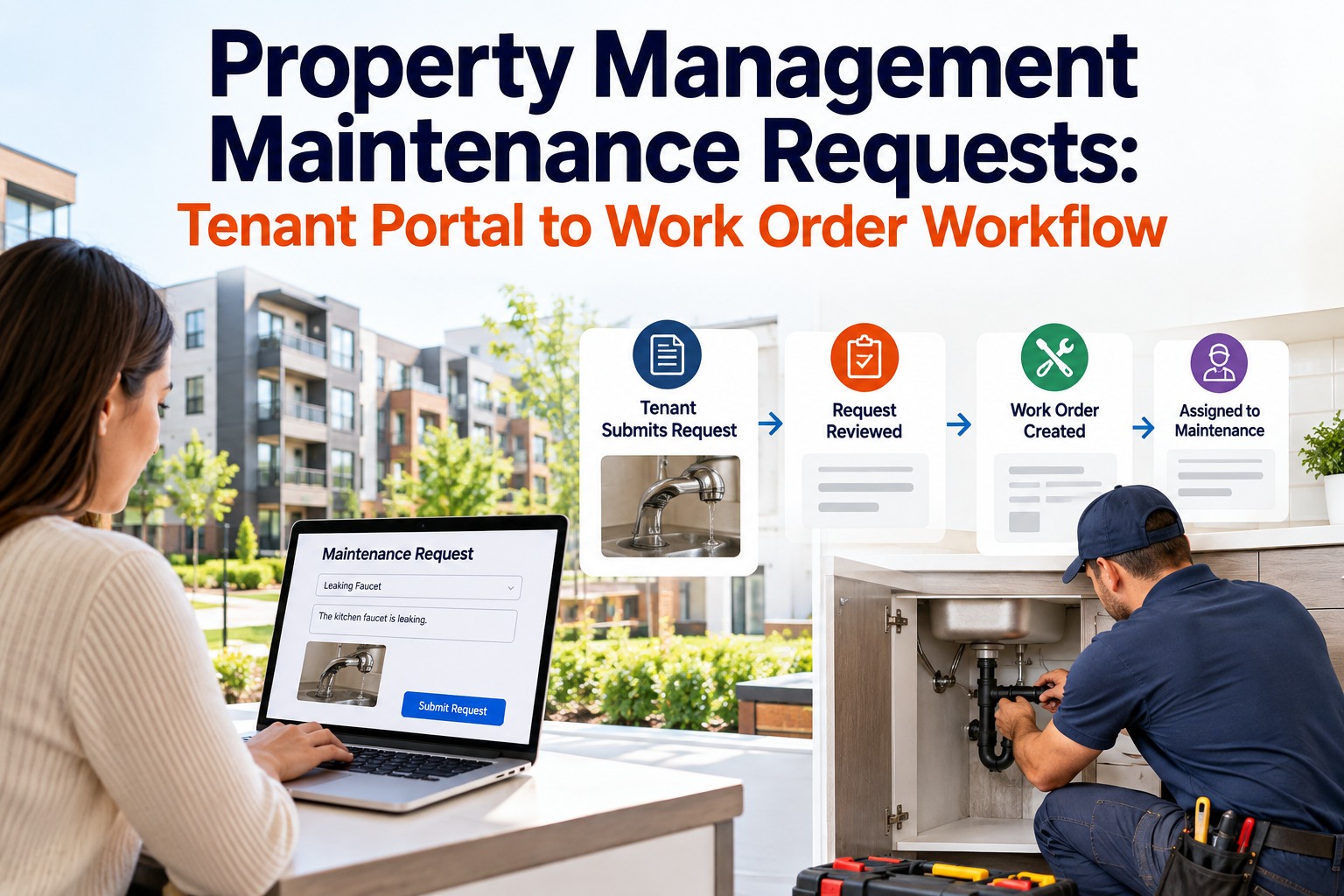
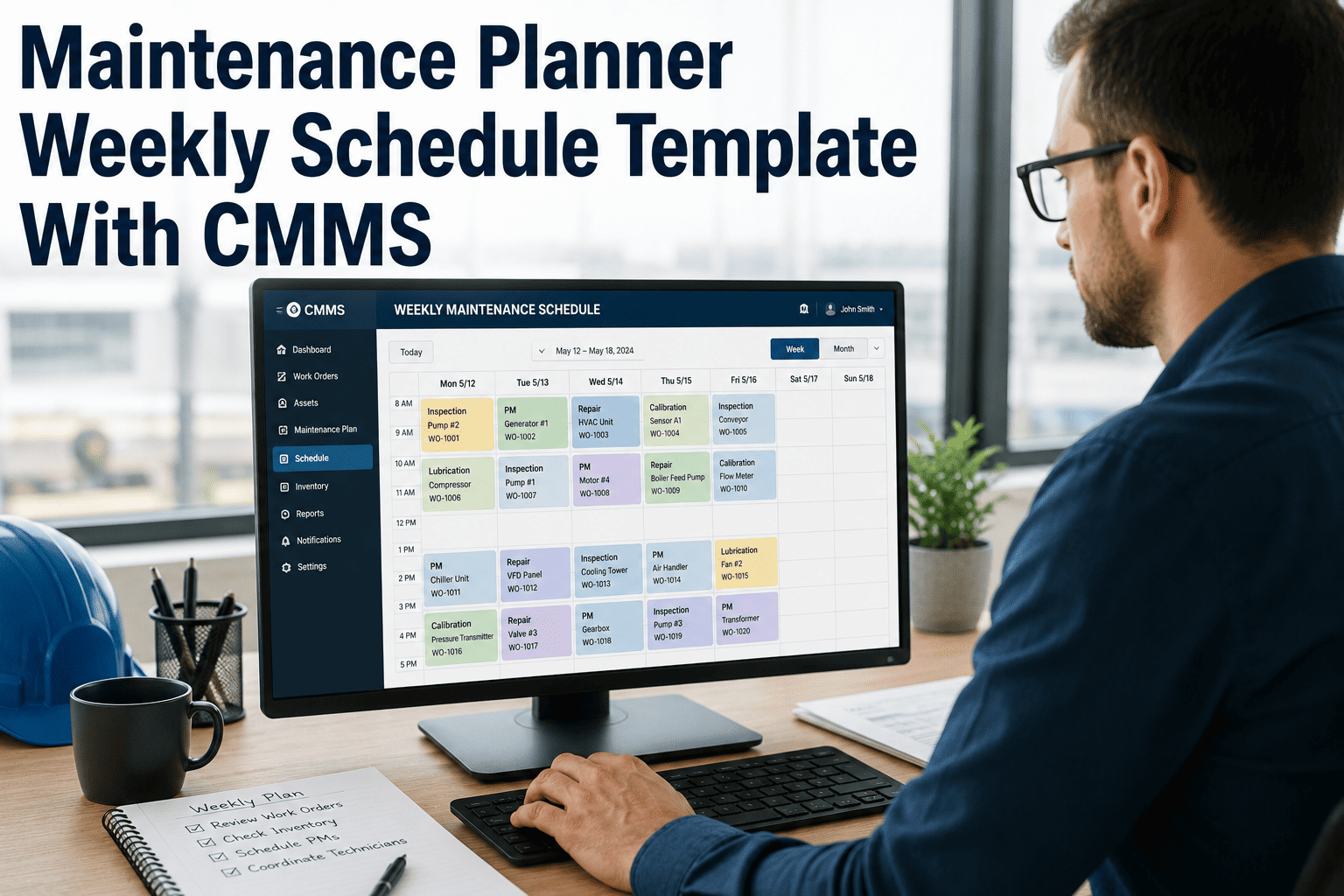
Maintenance Planning and Scheduling: The Foundation of Operational Excellence
It's Monday morning. The maintenance supervisor at a 900-employee chemical plant walks into the shop and finds 14 technicians standing around the planning board, waiting to be told what to do. Three are sent to fix a pump that broke over the weekend — but the parts aren't in the storeroom, so they drive to a supplier 45 minutes away. Two are assigned a PM on a heat exchanger — but operations won't release the equipment because nobody coordinated the shutdown. Four are dispatched to separate work orders, but each one requires a scaffold that was never requested. By 10 AM, the average technician has spent two hours on productive repair work and four hours waiting, walking, searching, and improvising. This is not a staffing problem. It is a planning and scheduling problem. The facility has 42 skilled technicians — but without proper job planning and weekly scheduling, their effective capacity is equivalent to 15. The other 27 are consumed by the chaos of unplanned work. Schedule a demo to see how Oxmaint eliminates the planning gap that cripples maintenance productivity.
Maintenance Excellence 2026
Maintenance Planning & Scheduling: The Foundation of Operational Excellence
Master the 6-step job planning process, weekly scheduling cycle, backlog management, and CMMS-powered coordination that doubles technician productivity — without adding a single headcount.
average technician productivity at unplanned facilities
55–65%Wrench time with proper planning
3–5xCost of unplanned vs. planned work
90%+Schedule compliance at world-class plants
2xEffective capacity gain from proper planning
85%+Planned maintenance percentage target
3–5 WksHealthy backlog for scheduling buffer
ZeroTechnicians waiting for parts or access
Why Unplanned Maintenance Destroys Productivity
The maintenance department is not short on people — it is short on planning. Study after study confirms that the average maintenance technician spends only 25–35% of their day with hands on tools. The remaining 65–75% is consumed by delays that proper planning eliminates: waiting for parts, traveling to the storeroom, searching for drawings, waiting for equipment access, attending unstructured meetings, and redoing work because the job scope was unclear. This is not a people problem — it is a system problem, and the system is fixable. Start Free Trial.
The Six Productivity Killers in Unplanned Maintenance
01
Parts Not Staged
35%
Of technician delay time is spent waiting for or searching for parts. Without pre-job kitting, every work order becomes a scavenger hunt through the storeroom.
02
No Equipment Access
28%
Of scheduled work orders fail because operations didn't release the equipment. Without planner-operations coordination, technicians arrive to locked-out-in-production assets.
03
Unclear Job Scope
45 min
Average time wasted per work order when the job scope isn't defined. Technicians diagnose problems that a planner should have scoped, then discover they need different tools or skills.
04
Missing Permits & Safety
20%
Of jobs require permits (confined space, hot work, LOTO) that weren't pre-arranged. The technician arrives at the job site, discovers the permit requirement, and waits 1–2 hours for processing.
05
No Priority System
Chaos
Without a structured priority system, every requester claims their work order is "urgent." Supervisors spend mornings sorting competing demands instead of directing crews to high-value work.
06
Reactive Interruptions
50%+
Of the weekly schedule is abandoned by Wednesday due to emergency break-ins. Every reactive interruption disrupts 2–3 planned jobs, creating a cascade of rescheduled work that compounds backlog.
The 6-Step Job Planning Process
Job planning is the process of defining — before the technician arrives at the job site — everything needed to complete the work efficiently: scope, labor estimate, parts, tools, permits, procedures, and equipment access. A properly planned work order gives the technician a complete package that eliminates delays, reduces rework, and ensures the job is done right the first time. This is the single highest-leverage activity in maintenance management.
The Maintenance Job Planning Workflow
From work request to ready-to-schedule job package
1
Work Request Screening & Prioritization
CMMS IntakePriority Matrix
Every work request enters the CMMS with requester details, asset ID, and problem description. The planner screens for duplicates, validates the asset, assigns priority (emergency, urgent, routine, scheduled), and rejects or defers low-value requests. Only valid, prioritized work enters the planning queue.
2
Job Scope Definition & Site Walk
Field VisitAsset History
The planner visits the job site, inspects the equipment, and defines the complete scope of work. They review CMMS asset history for repeat failures, check maintenance manuals for procedures, and document the current condition with photos. The scope answers: What exactly needs to be done, and what does "done" look like?
3
Labor, Parts & Tool Estimation
Bill of MaterialsSkill Assignment
Planner estimates labor hours by craft (mechanical, electrical, instrumentation), identifies required parts from the BOM and verifies storeroom availability, specifies special tools (torque wrenches, alignment laser, crane), and determines whether the job requires one technician or a crew. Parts are reserved or ordered; if not in stock, the job is held until parts arrive.
4
Safety & Permit Requirements
LOTO ProceduresPermit Pre-Arrangement
Planner identifies every safety requirement: lockout/tagout isolation points, confined space permits, hot work permits, scaffold requirements, PPE beyond standard, and any environmental precautions. Permits are pre-arranged so they're ready when the technician arrives — not discovered on-site as a surprise that delays the job by hours.
5
Operations Coordination & Equipment Access
Production ScheduleWindow Negotiation
Planner coordinates with production to secure an equipment release window. For running equipment, this means negotiating a shutdown window that aligns with production schedules. For redundant systems, it means confirming that backup equipment is operational before taking the primary offline. This step alone eliminates 28% of schedule failures.
6
Job Package Assembly & Backlog Entry
Ready-to-ScheduleBacklog Queue
The completed job package — scope, labor estimate, parts list (staged or ordered), tools, permits, procedures, and equipment access window — is assembled in the CMMS and marked "ready to schedule." It enters the backlog, waiting for the weekly scheduling process to assign it to a specific day and crew. This is a fully planned work order — every delay has been eliminated before the technician picks up a wrench.
Automate Every Step of Job Planning
Oxmaint CMMS provides pre-built job plan templates, automatic parts reservation, permit requirement flagging, and operations coordination workflows — transforming planning from a manual art into a systematic, repeatable process.
Planning defines what needs to be done. Scheduling defines when and by whom. The weekly scheduling cycle is the heartbeat of a world-class maintenance operation — a structured, repeatable process that converts a backlog of planned work orders into a specific, achievable weekly schedule that matches available labor hours to prioritized work. Without this discipline, even perfectly planned jobs sit in backlog indefinitely.
The Weekly Scheduling Process — Five Disciplines
Thursday: Schedule Build
Core Activity
Pull ready-to-schedule work from backlog. Match to available labor hours (capacity minus leave, training, meetings). Fill schedule to 100% of available hours — never under-schedule.
Thursday PM: Ops Alignment
Coordination
Review draft schedule with operations. Confirm equipment release windows. Resolve conflicts. Operations commits to making assets available. This meeting prevents 28% of schedule breaks.
Friday: Schedule Publish
Communication
Finalized schedule published to all supervisors and technicians. Daily work assignments visible in CMMS mobile app. Parts kits staged in storeroom. Permits pre-arranged. No Monday surprises.
Daily: Execute & Track
Execution
Supervisors assign daily work from weekly schedule. Track completions in real-time. Manage break-ins by evaluating priority against scheduled work — not by abandoning the schedule entirely.
The cardinal rule of scheduling: the schedule is a commitment, not a suggestion. Break-in work above 10% of weekly hours indicates the planning/scheduling process needs improvement.
The success of a maintenance planning and scheduling program is measured by a specific set of KPIs that track both the process (are we planning and scheduling effectively?) and the outcome (is equipment reliability improving?). These metrics form the feedback loop that drives continuous improvement — and they're calculated automatically from CMMS work order data.
Planning & Scheduling Performance KPIs
Measuring process discipline and operational outcomes
Wrench Time
55%
Target: 55–65%
Direct hands-on-tools time per technician shift
Schedule Compliance
90%
Target: 90%+
Scheduled work orders completed as planned
Planned Work %
85%
Target: 85–90%
Work orders planned before execution begins
Backlog Health
4 Wk
Target: 3–5 Weeks
Ready-to-schedule work in queue (labor weeks)
Before & After: The Planning & Scheduling Transformation
Implementing structured maintenance planning and scheduling produces measurable, dramatic improvements across every operational dimension — from technician productivity to equipment reliability to maintenance cost per unit of production. The transformation is not theoretical; it is the most well-documented improvement methodology in industrial maintenance.
Unplanned Operations vs. Structured Planning & Scheduling
Wrench Time
25–35%
→
55–65%
Schedule Compliance
30–50%
→
90%+
Planned Work Percentage
<40%
→
85–90%
Emergency / Reactive %
50%+
→
<10%
Parts Availability at Job Site
55%
→
98%+
Maintenance Cost per Unit
Baseline
→
-25–35%
Overtime Hours
12–15%
→
<3%
Equipment Availability
82–87%
→
95%+
See the Schedule Come Together in Real-Time
Oxmaint's visual scheduling board lets planners drag-and-drop work orders into weekly schedules, auto-checks parts availability, flags permit requirements, and publishes the final schedule to technician mobile devices — all within a single platform.
A world-class job plan is a complete work package that eliminates every predictable delay before the technician arrives at the job site. Below is the standard job plan template that top-performing maintenance organizations use — and that Oxmaint automates for every work order type.
Standard Job Plan Components Matrix
Component
Description
Owner
CMMS Function
Job Scope
Clear description of work to be performed, acceptance criteria, and expected outcome
Planner
Work order description + attached procedures
Labor Estimate
Hours by craft (mechanical, electrical, instrument), crew size, and skill level required
Planner
Labor planning fields + craft assignment
Parts List
Bill of materials with part numbers, quantities, storeroom location, and availability status
Planner / Stores
BOM auto-population + reservation
Tools & Equipment
Special tools, lifting equipment, scaffolding, alignment instruments required for the job
Planner
Tool list field + availability check
Safety Requirements
LOTO isolation points, confined space permits, hot work permits, PPE, fall protection
Planner / Safety
Safety checklist + permit workflow
Procedures
Step-by-step work instructions, OEM manuals, drawings, specifications, and torque values
Planner
Attached documents + procedure library
Equipment Access
Confirmed shutdown window from operations, backup system verification, coordination notes
Estimated total cost: labor hours × rate + parts cost + contractor cost + equipment rental
Planner
Auto-calculated from labor + parts data
Asset History
Previous work orders, failure codes, repeat issues, and root cause analysis for the asset
CMMS
Auto-linked asset maintenance history
Expert Perspective: Planning Changed Everything
"
We had 38 maintenance technicians and a perpetual staffing complaint — management said we needed more people, the union said we were overworked, and production said we were too slow. When we implemented structured planning and scheduling with Oxmaint, the first wrench time study came back at 28%. That meant only 11 of our 38 technicians were doing productive work at any given time. The other 27 were walking, waiting, searching, and improvising. Within 12 months, wrench time hit 52%. We didn't hire a single person, but our effective capacity nearly doubled. Schedule compliance went from 42% to 88%. Emergency work dropped from 55% to 12%. PM compliance hit 96%. But the number that silenced every skeptic was maintenance cost per ton of product — it dropped 32%. The CFO, who had questioned why we needed a maintenance planner, now calls the planning function the best investment the plant has made in five years. The technicians? They're happier. They come to work, get their job package, go fix things, and go home. No more scrambling. No more hunting for parts. No more discovering at the job site that they need a permit or a crane or a different gasket. Planning didn't just make us more efficient — it gave our people their dignity back.
— Maintenance Manager, Chemical Processing Plant (900 employees, 38 technicians)
52%
Wrench time (up from 28%)
88%
Schedule compliance achieved
-32%
Maintenance cost per ton
12%
Emergency work (from 55%)
Maintenance planning and scheduling is not a software feature — it is a management discipline. But it is a discipline that is dramatically easier to execute, sustain, and measure when powered by a CMMS that automates the repeatable parts and tracks the results in real-time. Every facility that has implemented structured planning and scheduling reports the same outcome: more work done, with fewer people, at lower cost, with higher quality, and with happier technicians. Schedule a demo to build your planning and scheduling program.
Build the Foundation of Operational Excellence
Oxmaint CMMS provides the complete planning and scheduling platform — job plan templates, backlog management, weekly scheduling, parts staging, operations coordination, and real-time KPI tracking — purpose-built to double your technician productivity and cut maintenance cost per unit by 25–35%.
What is the difference between maintenance planning and maintenance scheduling?
Planning answers "what needs to be done and what's needed to do it?" — it defines the job scope, labor estimate, parts, tools, permits, and procedures for each work order. Scheduling answers "when will it be done and by whom?" — it assigns planned work to specific days and technicians based on available labor hours, equipment access windows, and priority. Planning happens continuously as work requests arrive. Scheduling happens weekly in a structured cycle. A work order must be planned before it can be scheduled. Trying to schedule unplanned work is the primary cause of schedule failure — technicians arrive at jobs missing parts, tools, or access, and the schedule collapses.
How many maintenance planners do we need?
The industry standard ratio is one planner for every 15–25 technicians. A single dedicated planner supporting 20 technicians can plan 30–40 work orders per week at a quality level that doubles effective technician capacity. The most common mistake is assigning planning as a "part-time" responsibility to a supervisor — this fails because planning requires uninterrupted focus time for field walks, parts research, and job package assembly. A part-time planner produces part-time results. The planner role must be a dedicated position, filled by a senior technician with broad craft knowledge, strong organizational skills, and the authority to reserve parts and coordinate with operations.
What should the weekly scheduling meeting look like?
The weekly scheduling meeting is a 30–60 minute meeting held Thursday afternoon between the maintenance planner/scheduler and operations representatives. The agenda is: (1) Review next week's available labor hours by craft (minus leave, training, meetings). (2) Present the draft schedule — prioritized work orders that fill 100% of available hours. (3) Operations confirms equipment release windows for each job requiring shutdown. (4) Resolve conflicts — if operations can't release equipment, the job is rescheduled and a replacement is pulled from backlog. (5) Both sides commit: maintenance commits to executing the schedule, operations commits to releasing equipment. The finalized schedule is published Friday for Monday execution. This single meeting eliminates more schedule failures than any other process change.
How do we handle emergency break-ins without destroying the schedule?
Emergencies are unavoidable — the goal is to minimize them and manage them without collapsing the entire week's schedule. Best practice: maintain a 10% "break-in buffer" in the weekly schedule — if you have 400 available labor hours, schedule 360 hours of planned work and reserve 40 hours for emergencies. When a break-in occurs, evaluate its priority against the scheduled work it would displace. If it's truly urgent, pull the lowest-priority scheduled job and reschedule it. If it's not urgent, add it to the backlog for next week's schedule. Track break-in rate weekly — if it consistently exceeds 10%, the root cause is insufficient PM or poor equipment reliability, not a scheduling problem. The CMMS tracks break-in work orders separately so you can trend this metric.
How does Oxmaint support the planning and scheduling process?
Oxmaint provides end-to-end support for the entire planning and scheduling workflow. For planning: work request intake and screening, job plan templates with pre-populated BOMs, parts availability checking with auto-reservation, safety/permit requirement flagging, attached procedures and OEM documents, and asset history display for planner reference. For scheduling: visual weekly scheduling board with drag-and-drop assignment, automatic labor capacity calculation, operations coordination workflow with approval tracking, daily work assignment publishing to technician mobile apps, and real-time schedule compliance tracking. For measurement: automated KPI dashboards for wrench time, schedule compliance, planned work percentage, backlog weeks, and break-in rate — calculated continuously from work order data with zero manual effort.