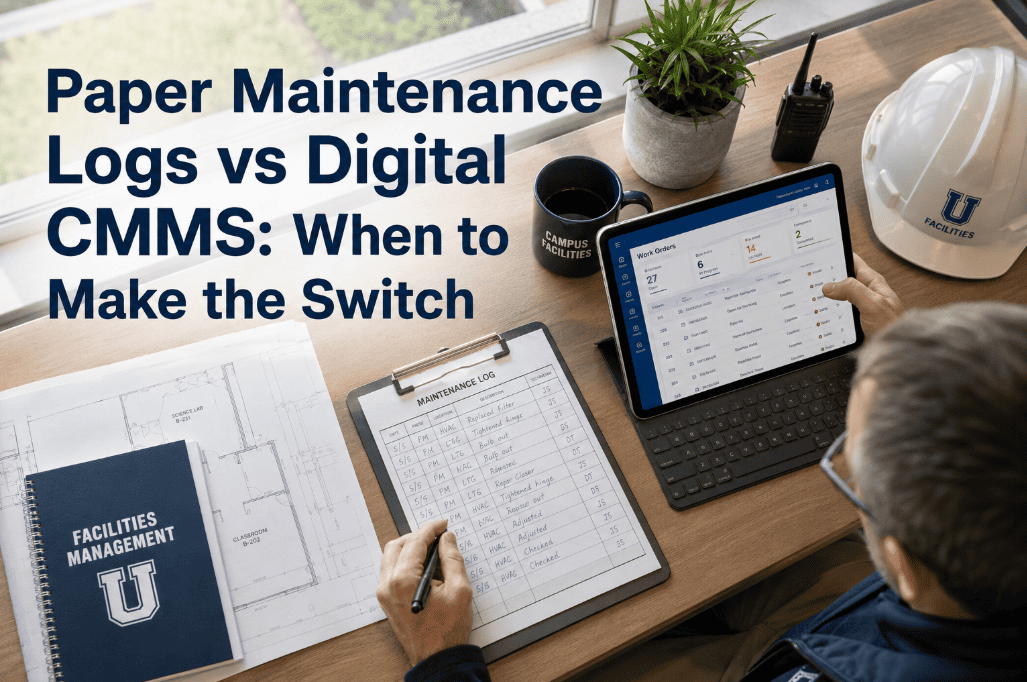
Paper maintenance logs do not fail dramatically — they fail gradually. A technician skips a field because the form is unclear. A manager cannot find the binder from three months ago during an audit. A contractor completes work without signing in, and the record disappears. Over time, these small documentation failures accumulate into an asset history that is incomplete, unreliable, and useless for trend analysis or compliance defense. Digital CMMS platforms like Oxmaint do not just replace the paper — they add layers of accountability, visibility, and analytical capability that paper systems cannot replicate at any level of effort. The question is not whether digital is better than paper — it is whether your organization has hit the operational and compliance threshold where the cost of staying on paper exceeds the cost of making the switch. If you think that threshold might already be behind you, start a free trial or book a demo to see what digital maintenance management looks like in practice.
Paper Maintenance Logs vs Digital CMMS: When to Make the Switch
Paper logs create records. Digital CMMS creates accountability, visibility, auditability, and operational intelligence. The difference determines whether your maintenance program can scale, comply, and improve — or just document what already happened.
The Real Cost of Paper Is Not the Paper — It Is the Decisions You Cannot Make
Paper records capture what happened. They cannot tell you which assets are trending toward failure, which technicians are consistently missing checklist items, which vendors are underperforming on SLAs, or what your maintenance cost per unit of production is. Every strategic maintenance decision that requires data analysis requires someone to first compile that data from paper records — and most operations teams simply do not have the time to do it. Oxmaint gives maintenance managers real-time visibility into every metric that matters, without any manual data compilation. If your current system cannot answer the question "what is our PM completion rate this month?" without a spreadsheet exercise, start a free trial or book a demo.
Paper Logs vs. Digital CMMS Across Eight Operational Dimensions
The comparison between paper and digital maintenance management is not abstract. Each dimension below represents a real operational outcome — and the gap between paper and digital in each one compounds over time as your asset count, team size, and compliance requirements grow.
| Operational Dimension | Paper Maintenance Logs | Digital CMMS (Oxmaint) | Operational Impact |
|---|---|---|---|
| Visibility | Binder-dependent — manager must be on-site | Real-time dashboard accessible from any device | Remote oversight becomes possible at scale |
| Accountability | Technician writes what they choose — no enforcement | Mandatory fields, digital signature, photo capture | Checklist completion becomes verifiable, not assumed |
| Audit Readiness | Manual search — 3.5 hours average per audit event | Export in 30 seconds with date, tech, and signature | Compliance defense becomes a 30-second exercise |
| Trend Analysis | Not possible without manual data entry into spreadsheet | Automatic failure frequency, MTBF, cost trends | Root cause identification requires no additional work |
| PM Scheduling | Manual reminder or memory-dependent | Auto-triggered by calendar, meter, or production count | Interval drift eliminated — 28% higher PM compliance |
| Work Order Tracking | No open/closed status visibility across team | Real-time open/in-progress/overdue status per tech | Manager can see exactly who has what, in real time |
| Field Execution | Technician carries printed form, returns for data entry | Mobile-first — checklist completed at the asset | Data entry eliminated — 41% reduction in admin time |
| Reporting | Manual compilation — hours per report | Automated KPI reports by asset, site, team | Leadership reporting requires zero manual effort |
Eight Signals That Your Organization Has Outgrown Paper Logs
Paper works — until it does not. These eight signals indicate that your maintenance operation has crossed the threshold where digital transformation delivers measurable ROI within the first 90 days.
When an auditor asks "show me all fire suppression inspections for the past 12 months," the answer should take 30 seconds. If it takes 3 hours of binder searching, you are past the paper threshold.
Repeat failures are a failure trend — but paper records cannot surface trends automatically. If your team is fixing the same pump for the fourth time this year without anyone flagging it as a pattern, you need digital analytics.
Paper is a local system. The moment you need to see maintenance status across two or more locations simultaneously, paper becomes a coordination problem rather than a record-keeping tool.
If calculating last month's PM completion rate requires a spreadsheet and an hour of cross-referencing, your organization does not actually know its PM completion rate. It only knows what was recorded — which is not the same thing.
When a senior technician leaves and takes 15 years of asset knowledge with them, paper records cannot fill that gap. Digital asset histories, notes, and failure records survive personnel changes and give new technicians immediate context.
Contractor work recorded on paper is contractor work you cannot verify without being physically present. Digital work orders with photo requirements, GPS timestamps, and mandatory checklist completion give you verifiable contractor accountability.
If your CFO or VP of Operations asks for maintenance cost per asset, cost per failure, or year-over-year maintenance spend trends and your answer requires a week of manual analysis, the organization's strategic maintenance decisions are being made without the data they need.
Paper processes scale linearly with headcount — adding a technician means adding more forms, more filing, more coordination. Digital systems scale horizontally: adding a technician to a CMMS takes 5 minutes and immediately integrates them into existing workflows.
What Oxmaint Replaces — and What It Adds
Oxmaint does not digitize paper forms — it replaces the entire paper-based maintenance management model with a structured system that enforces accountability, enables analysis, and surfaces insights that paper cannot. Organizations ready to make the switch can start a free trial or book a demo.
Every manual, SOP, wiring diagram, and service photo is attached to the specific asset record — not filed in a binder that may or may not be at the site. Technicians access everything on their mobile device at the point of maintenance.
Work orders completed on mobile with required fields, photo capture, and digital signatures. No paper forms, no transcription errors, no illegible handwriting, and no "I forgot to fill that in" — mandatory fields enforce complete records every time.
Filter by asset, date range, technician, work type, or compliance category and export a complete, signed maintenance history in PDF or CSV format. What takes 3.5 hours from paper takes 30 seconds from Oxmaint.
Oxmaint automatically calculates mean time between failures, failure frequency by asset class, maintenance cost per asset, and technician productivity metrics — without any manual data entry or spreadsheet analysis.
Contractors receive digital work orders, complete required checklists, attach photos, and sign off digitally — creating a verified completion record regardless of whether your team was on-site during the work.
PM compliance rate, maintenance cost per unit, open work order age, repeat failure rate, and CapEx forecast — all available in dashboard views formatted for operations reviews, board presentations, and investor reporting.
How to Switch from Paper to CMMS Without Disrupting Operations
The most common reason organizations delay switching from paper to digital is fear of operational disruption during transition. A structured 4-phase implementation eliminates that risk.
Import existing asset lists, add critical assets first (highest failure risk, highest compliance requirement), and attach available documentation. Do not wait for perfect data — start with what you have and enrich records as technicians complete work orders.
Convert existing paper PM schedules to digital work order templates. Start with the highest-priority asset classes. Set trigger rules, checklists, and assignment rules. Run paper and digital in parallel for the first two-week cycle to catch any gaps in the digital templates.
Train technicians on mobile work order completion — this takes 20–30 minutes, not days. Oxmaint's mobile-first interface is designed for field technicians, not IT professionals. Run a supervised week where a lead technician verifies that every team member can receive, complete, and close a work order independently.
Retire paper forms for all asset classes now managed digitally. Set compliance reporting dashboards. Configure leadership KPI reports. By week six, your PM completion rate, open work order count, and maintenance cost data should be visible in real time without any manual effort.
What Organizations Report After Switching to Digital CMMS
Time previously spent on paperwork, filing, searching records, and manual reporting redirected to field maintenance and quality improvement
Automated scheduling and escalation eliminate the interval drift and missed PMs that are structurally unavoidable in paper-based systems
Mandatory digital fields eliminate the blank form fields and missing signatures that make paper records unusable during regulatory audits and insurance reviews
Complete maintenance history for any asset, date range, or technician available for export in 30 seconds — eliminating the audit preparation burden that consumes maintenance manager time before every compliance review
Frequently Asked Questions
How long does it take to migrate from paper to a digital CMMS?+
What happens to historical paper records after switching to CMMS?+
How do you maintain digital maintenance records during internet outages or offline field work?+
Is digital CMMS practical for small maintenance teams of 2 to 5 people?+
Your Paper Logs Are Creating Records. Oxmaint Creates Results.
Visibility, accountability, audit-readiness, trend analysis, automated scheduling, and leadership reporting — none of these are achievable at scale with paper. If your PM completion rate, failure trends, and maintenance cost data are not visible in real time, your operation is flying without instruments. Oxmaint puts the instruments in front of you — start your free trial today.