sap-cmms-integration-synchronizing-assets-work-orders-parts-and-costs

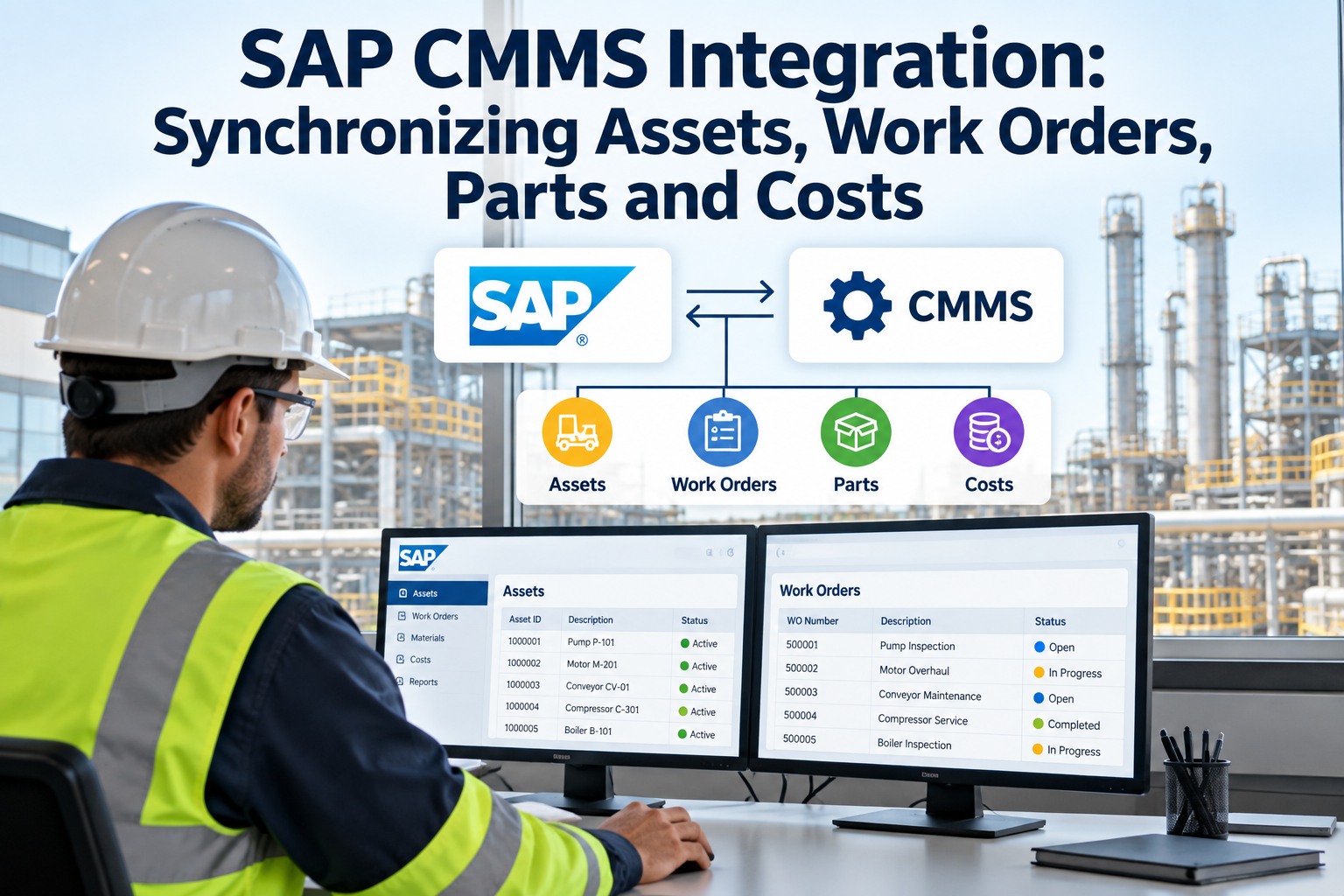
SAP CMMS Integration: Synchronizing Assets, Work Orders, Parts and Costs


Maintenance runs in two systems that don't talk: SAP holds the equipment masters, cost centres and spare-parts inventory, while the work actually happens in the field — and between them sits manual re-keying, stale asset records, labour hours that never post, and parts consumption that leaves SAP inventory wrong. Every hand-off is a place for data to drift. This guide explains how a CMMS synchronizes with SAP so assets, work orders, parts and costs stay aligned in both, and how OXMAINT AI, the AI-powered CMMS, acts as the field execution layer on top of SAP as the system of record.

Enterprise Maintenance · SAP PM Integration · Assets · Work Orders · Parts · Costs

SAP CMMS Integration: Synchronizing Assets, Work Orders, Parts & Costs

Re-keyed work orders, asset records that no longer match SAP, labour hours that never reach Controlling, parts issued in the field but still showing in SAP inventory — that's maintenance split across two systems. OXMAINT AI, the AI-powered CMMS and maintenance management software, closes the gap with a bidirectional sync: SAP stays the system of record for masters and financials, OXMAINT runs the field execution, and assets, work orders, parts and costs flow both ways in real time.

1Assets ↔ 2Work Orders ↔ 3Parts ↔ 4Costs
SAP
System of record
Equipment master
Cost centres
Material master
↔real time
OXMAINT
System of action
Work execution
Labour hours
Parts used
Both systems aligned, no manual re-keying
Bidirectional
assets, work orders, labour & status flow both ways
BAPI / RFC
standard SAP interfaces — no custom ABAP
ECC & S/4HANA
supports SAP ECC 6.0 and S/4HANA, on-prem or cloud
Real-time
most transactions sync live, with offline caching

One System of Record, One System of Action

Integration done right doesn't duplicate SAP — it divides the job. SAP remains the authoritative source for enterprise master and financial data; the CMMS owns what happens in the field. Getting that boundary clear is what keeps both systems trustworthy. Book a demo to see the division of roles in OXMAINT AI.

SAP — SYSTEM OF RECORD
Enterprise master & financial data
Equipment masters & functional locations
Cost centres & asset valuation
Material numbers & inventory
Procurement workflows
OXMAINT — SYSTEM OF ACTION
Field execution layer
Work order execution & inspections
Technician notes & photos
Labour time tracking
Parts consumption in the field

What Flows, and Which Way

A real sync is directional — master data pushes out from SAP, and what happens in the field flows back. OXMAINT AI keeps every object aligned with SAP as the single source of truth. Here's the two-way flow. Start free and map your SAP objects in OXMAINT AI.

SAP → OXMAINT (inbound)OXMAINT → SAP (outbound)
Equipment master records & hierarchiesWork order completions & confirmations
Functional location structureLabour hours & technician time entries
Maintenance plans & task listsParts consumption & goods issues
Material master data & BOMsFailure codes & inspection readings
Cost centre & asset assignmentsPhotos, notes & field observations
Notifications & PM schedulesCondition scores & meter readings

The Work Order Lifecycle, Kept in Lockstep

The clearest proof of a live sync is status: a work order moved in the field changes its SAP PM order the same way, without anyone touching SAP. OXMAINT AI mirrors the SAP PM order status as the job progresses. Book a demo to see status sync in OXMAINT AI.

CRTD
Order raised
A maintenance plan in SAP or a field request raises the PM order in its initial state.
→
REL
Released to the field
The released order appears in the OXMAINT queue, routed to a technician with its task list and parts.
→
TECO
Technically complete
When the technician closes the job in OXMAINT, the SAP PM order moves to technically complete automatically — within minutes.

The Re-Keying Between SAP and the Field Is the Leak.

Every manual hand-off — a work order copied by hand, labour logged on paper, parts issued but never posted — is where data drifts and SAP stops matching reality. A real-time bidirectional sync removes the hand-off entirely, so what happens in the field is what SAP shows.

Parts and Costs That Stay True

The hardest data to keep aligned is the data tied to money — inventory and labour cost. When a part is issued or an hour is worked in the field, SAP has to know, or the numbers are wrong. OXMAINT AI posts both back automatically. Start free and keep parts and costs aligned in OXMAINT AI.

Parts consumption decrements SAP
A part logged against a job in the field issues the goods in SAP MM, so inventory reflects what was actually used — not a count that's always behind.
Reorder triggers fire to SAP
When consumption crosses a reorder point, the procurement trigger fires in SAP — the purchasing workflow stays where it belongs.
Labour posts to Controlling
Technician time posts to the SAP cost centre automatically, so labour cost lands in CO without manual timesheet reconciliation.
New assets flow from procurement
Equipment added in SAP at goods receipt becomes an asset record in OXMAINT automatically — no duplicate manual entry.

How the Integration Connects

An enterprise integration has to be something SAP teams trust — standard interfaces, no fragile custom code, and support for the versions actually in production. OXMAINT AI connects through certified SAP channels. Book a demo to review the integration architecture in OXMAINT AI.

◉
Standard BAPI / RFC
Uses SAP's standard BAPI and RFC interfaces — so no custom ABAP development is required to connect.
◉
REST & OData
A certified SAP Connector adds REST and OData channels, bridging field execution and the ABAP stack without middleware.
◉
ECC 6.0 & S/4HANA
Supports SAP ECC 6.0 and S/4HANA, on-premise or cloud — so the sync fits the landscape you run today.
◉
Real-Time With Offline Cache
Most transactions sync live, with offline caching in the field and automatic sync on reconnection.
◉
SAP Stays Authoritative
SAP remains the single source of truth for masters and financials, so governance and asset valuation are untouched.
◉
Plans Generate Field Jobs
Maintenance plans defined in SAP generate work orders in the OXMAINT queue automatically, closing the PM loop.
“

Our technicians avoided SAP, so work orders got done on paper and someone re-keyed them days later — labour hours went missing, parts issues lagged, and our asset data slowly stopped matching the plant. Putting a field layer on top of SAP, syncing both ways, fixed the root problem: the crews work in something built for the floor, and SAP sees the completion, the hours and the parts as they happen. SAP is still our source of truth — it's just finally getting fed real data.

Maintenance Systems & Reliability Manager · Multi-Site Manufacturer

Frequently Asked Questions

Does the integration replace SAP?
No. SAP stays the system of record for enterprise master and financial data — equipment masters, functional locations, cost centres, material numbers and procurement. OXMAINT AI is the system of action for field execution, syncing results back so SAP always reflects reality. Book a demo to see the two layers in OXMAINT AI.
Which SAP objects synchronize?
From SAP: equipment masters and hierarchies, functional locations, maintenance plans and task lists, material master and BOMs, cost centre assignments, and PM schedules. Back to SAP: work order completions, labour hours, parts consumption, failure codes, inspection readings, photos and condition scores.
Is the sync real-time or batch?
Most transactions sync in real time rather than nightly batch, with offline caching in the field and automatic sync when a device reconnects — so a completion or a parts issue reaches SAP promptly.
Does it need custom ABAP development?
No. The integration uses SAP's standard BAPI and RFC interfaces, with a certified SAP Connector adding REST and OData, so no custom ABAP is required and no separate middleware layer is needed.
How do labour and parts costs stay accurate?
Parts logged in the field issue the goods in SAP MM and fire reorder triggers, while technician time posts to the SAP cost centre in Controlling automatically — so inventory and labour cost reflect what actually happened without manual reconciliation. Start free and keep costs aligned in OXMAINT AI.

Make SAP and the Field the Same Picture.

Connect your plant to the OXMAINT AI maintenance management software — bidirectional SAP PM sync over standard BAPI/RFC, REST and OData, assets and plans flowing in, completions, labour, parts and costs flowing back, SAP kept as the single source of truth. One system of record, one system of action, no re-keying between them.


Share This Story, Choose Your Platform!