A maintenance technician's day is not eight hours of turning wrenches. Work sampling studies across US manufacturing and facilities operations put actual hands-on repair time — "wrench time" — at 25-35% of an average shift, with the top-quartile at 55-70% and the bottom-quartile below 20%. The single largest recoverable slice inside the missing 65% is not travel, not permits, not parts — it is searching for information. Which torque spec applies to this pump. Which SOP revision is current. Where the last technician left off. Which page of the 380-page OEM manual covers this alarm code. The paper-and-shared-drive model of maintenance documentation was designed for a world where a technician did the same 40 assets every week and knew the manuals by memory. Modern maintenance operations run 1,500-8,000 unique assets per site, technician turnover exceeds 15% annually, and the printed binder that was accurate six months ago is now missing the last four revisions to a critical LOTO procedure. The economic case is not marginal. A technician saving 20 minutes per work order across 40 work orders per week recovers roughly 700 hours per year — the equivalent of one-third of a full-time employee, per technician, per year. Scale that across a 60-person maintenance team and the recovered capacity exceeds $3M in annual labor value. OxMaint's Smart Document Management module organises manuals, SOPs, photos, asset history, and repair steps inside a single CMMS interface — so a technician opening a work order on their phone sees the asset's exact OEM manual page, the last three repair entries for the same failure mode, the current LOTO procedure at revision level, and the parts diagram with each part's inventory status pre-linked. This how-to guide walks the four steps to deploy a document management program that actually recovers technician time — from category organisation and mobile delivery to version control and productivity measurement, aligned with the broader discipline of mobile CMMS repair instructions for technician productivity.
Maintenance Productivity · Document Management · How-To Guide
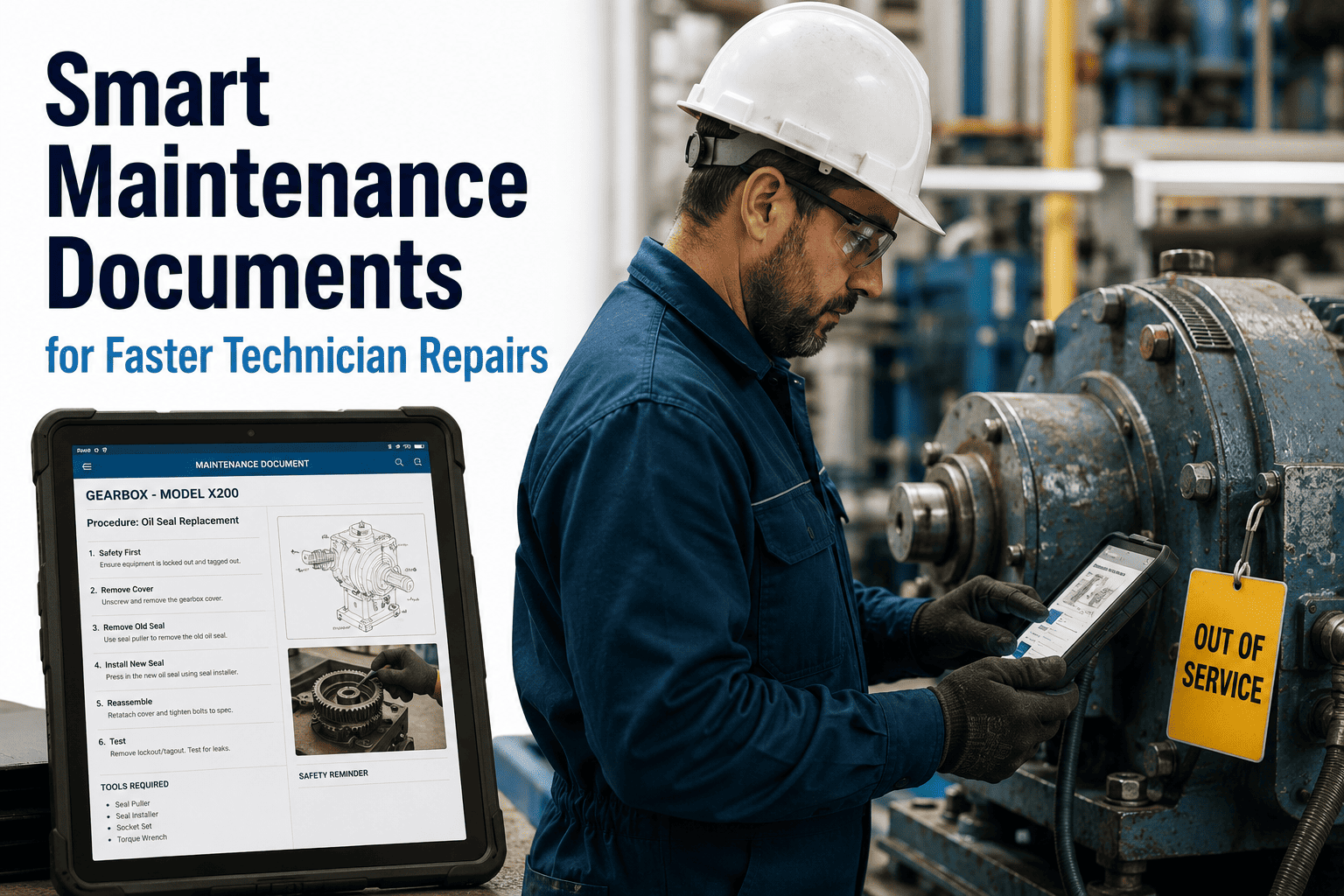
Smart Maintenance Documents for Faster Technician Repairs
Every minute a technician spends searching for a manual is a minute they are not repairing the asset. The four-step workflow below is how document management stops being a records problem and starts being a productivity system.
27%
Of technician shift time typically consumed by information search — the largest recoverable inefficiency in maintenance operations
20 min
Average recovered per work order when documents are delivered at the point of repair vs shared-drive lookup
700 hrs
Annual capacity recovered per technician when 20-min-per-WO gains are sustained across 40 WOs per week
14%
Of maintenance repairs typically executed against outdated SOP revisions when version control is manual
1,500-8,000
Unique assets a modern site typically maintains — orders of magnitude beyond what a paper-binder model can index
15%+
Annual technician turnover rate — the reason institutional knowledge cannot live in individual technicians' heads
4-6 clicks
Typical shared-drive path depth to reach a specific OEM manual page — vs one tap from a work order in OxMaint
$3M+
Annual recovered labor value across a 60-person maintenance team from 20-min-per-WO productivity gains
The Real Anatomy of a Maintenance Shift
Before deciding what to fix, understand what is broken. The breakdown below is what work-sampling studies consistently show across mid-to-large US maintenance operations — and the single slice that document management directly reduces.
14%
Documentation & Admin
→
The 27% search slice is where document management pays back first
Recovering just 40% of the search time — a realistic target with mobile-delivered documentation — moves wrench time from 32% to over 42% without changing headcount, tools, or procedures. That single shift is worth $650K-$900K per year for a 60-person team.
Step 1 · Organise the Knowledge Base by Document Category
Uploading 20,000 PDFs into a folder is not a document management system — it is a slower version of the shared drive. Effective document management starts with a category schema every technician can navigate blind. The 12 document types below cover 95% of what a maintenance technician actually needs at the point of repair; each has its own tagging convention and mobile access pattern in OxMaint.
Category 01
OEM Equipment Manuals
Installation, operation, and maintenance manuals from the original manufacturer. Indexed by asset model + serial number. Auto-linked to every asset record.
Category 02
Standard Operating Procedures
Site-specific SOPs for routine maintenance tasks. Version-controlled with approval history. Latest revision auto-served to the technician's work order.
Category 03
Wiring & P&ID Schematics
Electrical wiring diagrams, piping and instrumentation diagrams. Zoom-and-pan enabled on mobile. Marked-up field revisions ingested back into the source document.
Category 04
Parts Diagrams & Exploded Views
Assembly and disassembly diagrams with per-component part numbers. Each part number links to real-time inventory status and reorder history.
Category 05
Repair Photos & Videos
Field-captured photo and video evidence from prior repairs on the same asset. Auto-attached to the asset record. Includes tribal knowledge that would otherwise walk out with turnover.
Category 06
Prior Work Order History
Complete repair log for the asset with closure notes, technician commentary, and part numbers used. Filtered by failure mode so the current technician sees the most relevant prior repairs first.
Category 07
Safety Data Sheets (SDS)
Chemical and material SDS sheets. OSHA HazCom compliant retention. Auto-flagged when a work order involves a substance the SDS covers.
Category 08
LOTO Procedures
Equipment-specific lockout / tagout procedures aligned to OSHA 1910.147. Revision-controlled. Displayed inline on the work order before repair steps become accessible.
Category 09
Warranty Documents
Warranty terms and coverage windows per asset. Auto-flagged when a repair scope may be warranty-eligible — preventing paid repairs on covered failures.
Category 10
Calibration & Test Records
Historic calibration certificates, test results, and NIST traceability documentation. Required for ISO 9001 and regulated-industry audits. Search by asset or by calibration date.
Category 11
Vendor Cut Sheets & Specs
Component-level specifications, torque tables, tolerances, and vendor-published maintenance recommendations. Linked at the sub-component level for large assets.
Category 12
Training & Reference
Onboarding materials, refresher training modules, troubleshooting decision trees. Available on-demand from any work order — the training layer that supports 15%+ turnover without institutional knowledge loss.
From 20,000 loose PDFs to a category-indexed knowledge base
Document Management That Actually Reaches the Point of Repair
OxMaint imports your existing document library (shared drive, SharePoint, Google Drive, or manual upload), auto-classifies files against the 12-category schema, links every document to the asset it belongs to, and serves it to the technician's mobile app the moment a relevant work order opens. No more shared-drive spelunking. No more outdated binders. No more calling the shop for the manual page.
Step 2 · Deliver Documents to the Technician at the Point of Repair
A knowledge base that lives on a desktop is not a document management system — it is a research library. The productivity gain happens when the right document reaches the technician's phone the moment they open the work order. The mockup below shows what a technician actually sees when they arrive at Compressor CMP-04-B for a lubrication service.
Documents (5)
M
OEM Manual · CMP-4000 Series
Section 7.2 · Lubrication · pg 84-91
Open
S
SOP-LUB-42 · Rev 3.1 (current)
Approved: 4 wks ago · 12 steps
Open
L
LOTO-CMP-04 · Required
Must acknowledge before Step 3
Open
P
Prior repair · 8 wks ago
Photo evidence · Tech: J. Ruiz
Open
D
Parts diagram · Lube ports
4 parts linked · 3 in stock
Open
One tap to the exact manual page
OEM manual opens at Section 7.2 · pg 84 — not the manual's cover. Asset-and-task-aware bookmarking eliminates the 3-minute page-hunt on every service.
Current SOP revision only
SOP-LUB-42 rev 3.1 is served automatically. Rev 2.4 is not accessible from the work order — the technician cannot execute against an outdated revision even by accident.
Prior repair evidence attached
The last technician who worked on this asset left photo evidence and closure notes. Institutional knowledge does not walk out with turnover.
Parts availability pre-checked
Parts diagram shows 3 of 4 required parts in stock. If a part is missing the tech knows before mobilising — not after LOTO is applied.
Step 3 · Measure Search-Time Recovery Per Document Category
The productivity claim of "faster repairs" is only credible if you can measure it. The chart below compares average search time per document category between a shared-drive baseline and the mobile-delivered OxMaint state — measured across 30 work orders per category at a mid-sized manufacturing site. The savings are not uniform; they concentrate in the documents that used to live deepest in the folder hierarchy.
Parts diagram & part number
92%
Average reduction in per-lookup search time across all seven categories
18-22 min
Recovered per work order when 4-6 lookups are typical during a single repair
1 tap
To reach any document category from the active work order — vs 4-6 clicks on shared drive
Step 4 · Version-Control the Living Documents
A one-time document upload is not document management — it is a snapshot that starts decaying the day after ingestion. SOPs get revised. OEM manuals get errata. LOTO procedures get updated after a near-miss. The version control timeline below is what an audit-grade document management system looks like — and how OxMaint enforces "current revision only" access at the point of repair. This is the discipline that anchors CMMS document version control with audit trail for regulated-industry sites.
SOP-LUB-42 · Compressor Quarterly Lubrication Service
Current revision: 3.1 · Approved by: L. Feng, Maint. Supervisor
Rev 1.0
Jan 14, 2022
Initial document · migrated from paper binder · legacy 6-step procedure
Archived · not accessible from active WOs
Rev 2.0
Aug 22, 2023
Added synthetic-lubricant option for high-temp cycles · expanded to 9 steps
Archived · not accessible from active WOs
Rev 2.4
Mar 09, 2024
Torque spec correction for retaining bolt · minor clarification
Archived · not accessible from active WOs
Rev 3.0
Nov 18, 2025
Full rewrite following near-miss investigation · added mandatory LOTO acknowledgement · expanded to 12 steps
Archived · superseded 4 wks ago
Rev 3.1 · CURRENT
Jun 03, 2026
Minor typo correction Step 7 · clarified lubricant part number tolerance range · approved by supervisor
Active · auto-served to every work order that references this SOP
Full revision history preserved
Every prior revision archived with approver, date, and change note. Available for audit inquiry — never accessible to a technician executing current work.
Current revision only at the point of repair
Technicians cannot open an archived revision from an active work order. The 14% error rate from outdated-SOP execution drops to near-zero.
Approver chain immutable
Each revision carries approval signature, timestamp, and change rationale. Required for ISO 9001, FDA GMP, and any regulated-industry audit.
Operational KPIs for a Document Management Program
The productivity claim behind mobile document management is only credible when the KPIs are tracked continuously — the same discipline that anchors a broader maintenance productivity CMMS KPI dashboard across wrench time, schedule compliance, and PM completion.
Target: above 85%
Document Coverage Rate
Percentage of assets with a complete document set attached (OEM manual, current SOP, LOTO, parts diagram, prior WO history). Below 60% indicates documentation gaps that undermine mobile delivery.
Target: 100%
Current-Revision-Only Access
Percentage of work orders where the technician's document access is locked to the current revision. Anything less means archived revisions can be executed by mistake — a systemic quality event.
Target: under 30 sec
Mean Search Time per Lookup
Average elapsed time from technician's document request to relevant content displayed. Shared-drive baselines run 2-4 minutes; well-implemented mobile CMMS runs under 30 seconds.
Target: above 95%
Mobile Delivery Completion
Percentage of work orders where all attached documents opened successfully on the technician's device without desktop fallback. Below 80% indicates connectivity or file-format issues that undercut productivity.
Target: under 5%
Outdated-Revision Executions
Percentage of closed work orders where the technician executed against an archived SOP revision. The single metric that tells a quality auditor whether version control is real or theatrical.
Target: above 75%
Technician Wrench Time
Percentage of shift time spent on hands-on repair work. Document management alone typically moves wrench time by 8-12 percentage points once mobile delivery is stable. Compound with other productivity initiatives to exceed 70%.
Expert Review
"
In 22 years of maintenance operations across pharmaceutical, food-and-beverage, and heavy manufacturing, the single most consistent underinvestment I see is document management. Plants will spend $2.4M on a new predictive-maintenance sensor deployment while the technicians executing the resulting work orders are still walking to the shop to photocopy a page from the OEM manual — because the manual is either in a physical binder that walked away in 2019 or in a shared-drive folder nobody can navigate. The economics of fixing this are not close. A 60-person maintenance team recovering 20 minutes per work order — a conservative figure once mobile delivery is stable — generates $2.8M to $3.4M in annual recovered labor capacity. That figure exceeds the return on almost every predictive-maintenance sensor program I have evaluated. The reason document management gets under-prioritised is that it does not have a heroic vendor pitch behind it. There is no impressive AI announcement. It is just — organise the documents, tag them to the assets, deliver them to the technician's phone. OxMaint's document management module is one of the very few CMMS implementations I have audited that treats this as a first-class operational primitive rather than a records-retention feature. That distinction is worth every penny of the implementation cost inside the first 12 months.
Rebecca Solomon-Whitfield, CMRP, CRL
Reliability Engineering & Maintenance Operations Consultant · 22 years pharmaceutical, food-and-beverage, and heavy manufacturing maintenance · Certified Maintenance & Reliability Professional · Certified Reliability Leader · Specialism in maintenance productivity program design for mid-to-large industrial operators
Frequently Asked Questions
Q1
We have 12,000 PDFs across three shared drives and a SharePoint site. How does OxMaint import all of that without a six-month project?
OxMaint's import workflow supports
bulk ingestion via connector or manual upload from all major document repositories (SharePoint, Google Drive, network shares, Box, Dropbox). During ingestion, the platform applies automatic classification against the 12-category schema using filename, metadata, and content OCR, then presents an accept/reject queue to the document owner for confirmation. Typical mid-sized manufacturing sites complete the initial import in
4-6 weeks for a 10-15K document library — including the asset-linkage step, which is the highest-value manual review pass. Documents that are not linked to an asset during initial import remain searchable in the general library and can be linked as they are used.
Book a demo to walk through the ingestion workflow against your current library.
Q2
How does version control work when an SOP is being revised — does the old version stay accessible until approval?
Yes — this is the workflow that maintains audit compliance. When an SOP enters revision, the prior approved revision remains the active version served to work orders until the new revision completes its approval chain. The draft revision is accessible only to the revision team and the approver. On approval, the new revision becomes active for all future work orders; the prior revision moves to archived status and is preserved with its full approval history intact. Work orders that were open at the moment of transition continue with the revision they started against — the platform never mid-flight-switches a technician between SOP revisions, which is itself a quality event. This workflow satisfies FDA 21 CFR Part 11, ISO 9001, and standard regulated-industry document control requirements.
Q3
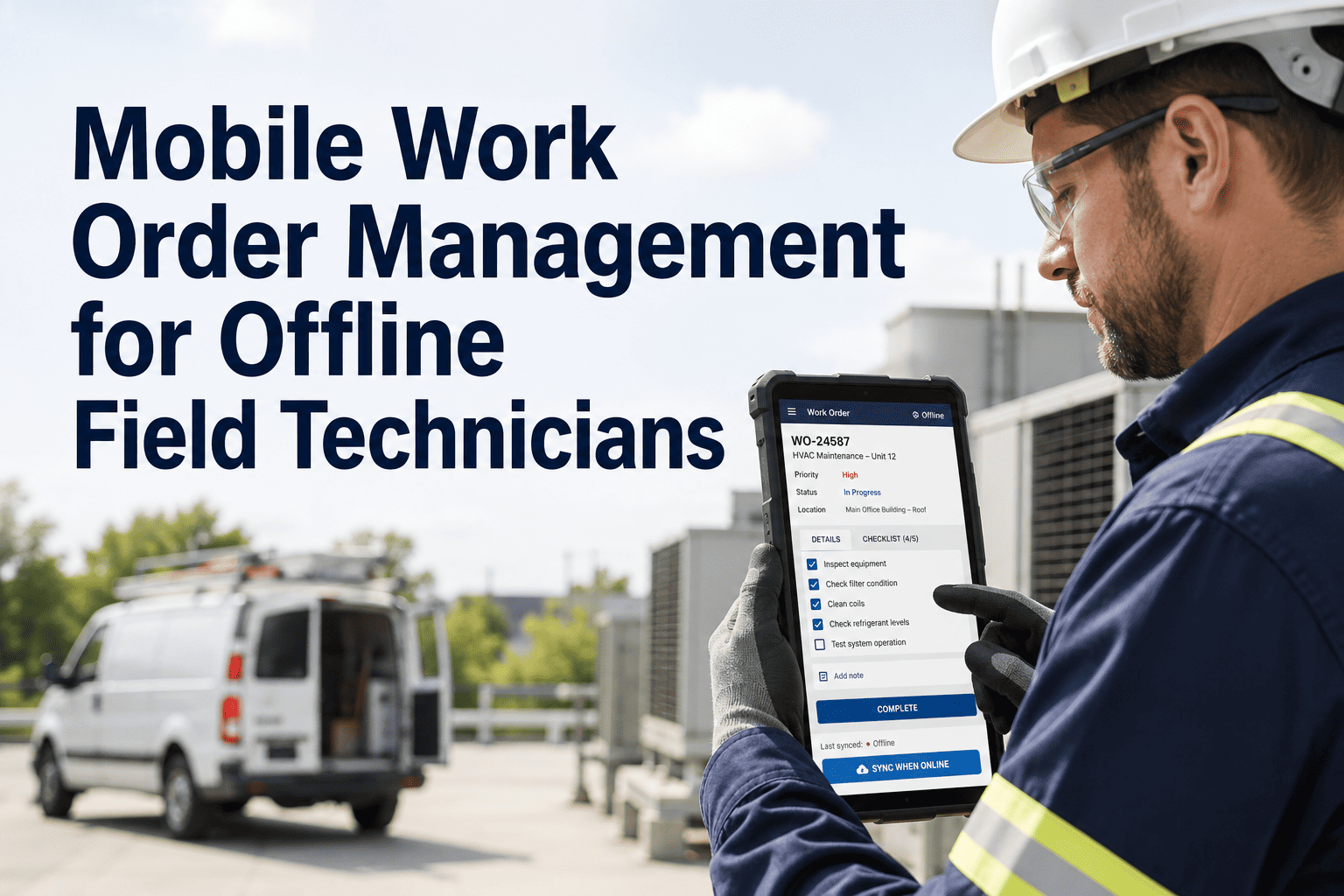
How does OxMaint handle areas of the plant where technicians have no cellular or Wi-Fi coverage?
The OxMaint mobile app supports
offline document sync — when a technician accepts a work order, all attached documents (OEM manual pages, SOP, LOTO, parts diagrams, prior repair evidence) are pre-cached to the device. The technician can execute the work order and reference every attached document without connectivity. Any field notes, closure photos, or changes captured offline sync automatically when the device returns to network coverage. For sites with sustained low-connectivity zones (large industrial plants, underground utilities, remote installations), the pre-cache window is configurable — many teams pre-load a shift's worth of scheduled work orders each morning while the device is on Wi-Fi at the shop.
Read more on offline-first mobile CMMS behavior.
Q4
Can technicians attach their own field notes, markups, or photos to a document during a repair?
Yes. OxMaint's mobile app supports annotation, photo attachment, and voice-note capture during work order execution. Annotations and notes are attached to the specific document (or specific document page for multi-page manuals) and archived to the work order record. On work order closure, the annotations enter a review queue where the maintenance supervisor can either accept them as knowledge-base additions (converting field wisdom into standard reference material for the next technician), reject them, or use them to trigger a formal SOP revision request. This is the mechanism that captures the institutional knowledge that would otherwise walk out with a retiring technician — and it is the operational feedback loop that keeps the document library improving over time.
Q5
What is the realistic ROI window and payback period for a document management program?
For a maintenance team of
30-100 technicians, the recoverable labor value from 15-20 minutes per work order in reduced search time is typically
$1.4M-$4.6M annually at fully-loaded technician cost. The OxMaint subscription plus implementation cost for that team size range is typically 6-10% of that recovered value. Payback is usually visible on the productivity dashboard within 90 days of mobile deployment reaching 80%+ of the team, and full ROI is measurable within the first 12 months. Beyond the direct labor savings, the 14% reduction in outdated-SOP executions materially reduces quality-event volume — a benefit that is harder to price but often exceeds the labor savings at regulated-industry sites where a single quality event costs $150K-$800K to investigate and close out.
Start an OxMaint free trial to model your team's specific productivity profile.
27% of the shift is currently spent searching · That number is recoverable
Give Every Technician the Manual, the SOP, and the Repair History — in Their Pocket
OxMaint's Document Management module organises manuals, SOPs, photos, asset history, and repair steps inside the CMMS — auto-classified, asset-linked, version-controlled, mobile-delivered, and audit-defensible. Technicians spend less time searching. Wrench time goes up. Institutional knowledge stops walking out with turnover. The productivity system every maintenance operation already has the raw materials for — connected in one workflow.