In a food plant, a work order is not just a repair ticket — it is a food-safety record. A technician with a wrench near an open product line can fix a bearing and, in the same hour, introduce a contamination risk. So a food manufacturing work order has to carry more than a task: it needs an approval gate, a food-contact-zone flag, and a sanitation sign-off before the line runs again. This article maps the full work-order workflow for a food plant and shows how to run it in OXMAINT AI, or book a demo of food plant work order management.
FOOD MANUFACTURING · WORK ORDER MANAGEMENT · MAINTENANCE WORKFLOW
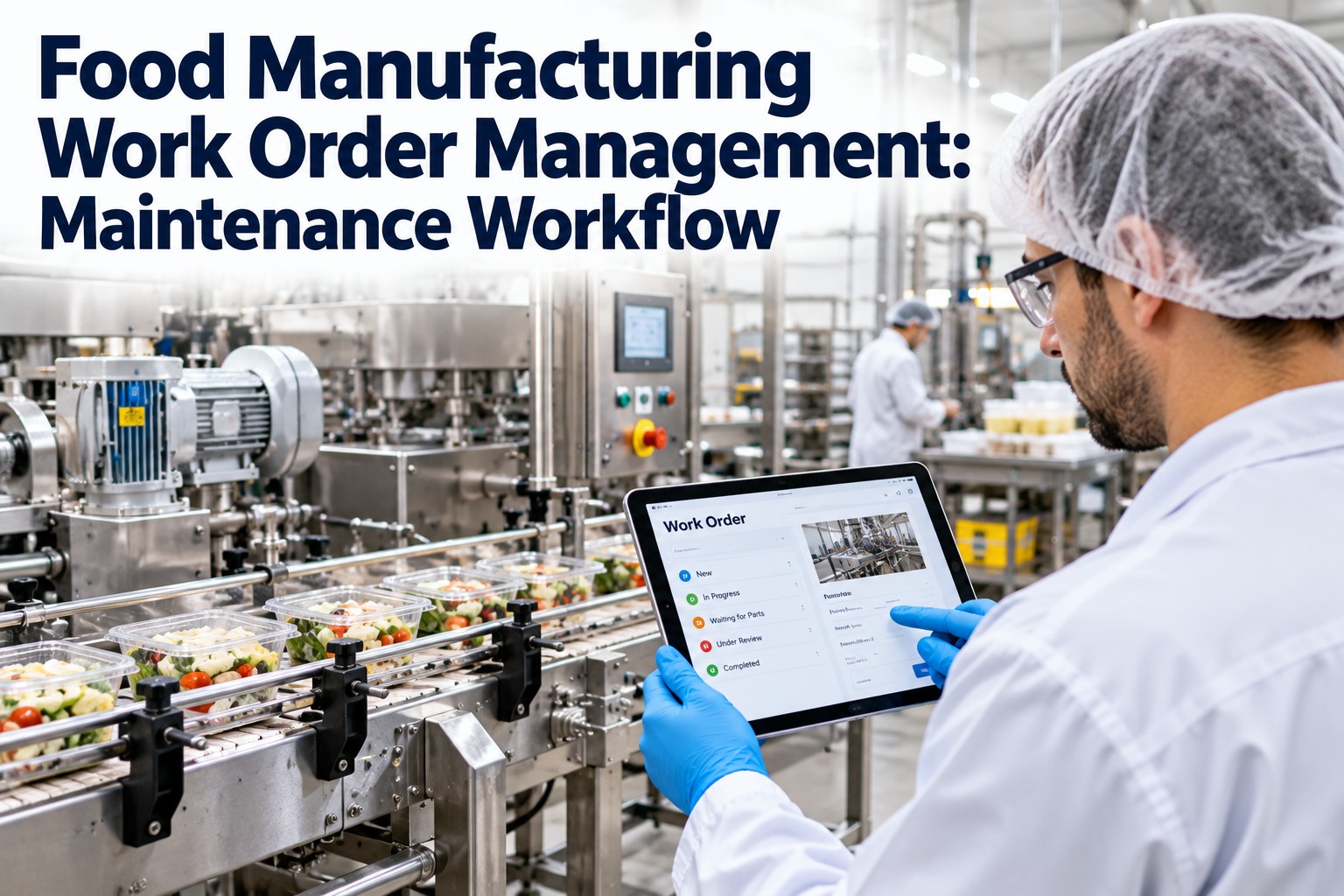
Food Manufacturing Work Order Management: Maintenance Workflow
Every maintenance job in a food plant runs a gauntlet the generic work order never sees — zone risk, approval, the right food-grade parts, and a sanitation release before production restarts. OXMAINT AI is the AI-powered CMMS that carries a work order through that whole workflow: request to approval, scheduled PM to emergency repair, and the food-safety sign-off that lets the line run again — with every step logged for the audit.
Request
Approve
Schedule
Repair
Sanitize & Close
The Food Plant Work Order Lifecycle
A food manufacturing work order moves through six stages, and the two that generic maintenance skips — the zone-risk check and the sanitation release — are the ones that protect the product. OXMAINT AI drives each stage in order, so nothing is closed out of sequence.
1
Request
Operator or sensor raises the issue — a squeal, a leak, a failed check — with photo and location.
2
Approve & Prioritize
Supervisor ranks it by safety and line impact, and approves parts and downtime.
3
Zone Check
Flag whether the asset touches a food-contact zone — this sets the controls for the whole job.
4
Schedule & Assign
Slot the work into a sanitation window, assign the tech, stage food-grade parts.
5
Execute & Record
Do the work, log parts, time and readings against the asset history.
6
Sanitize & Release
Clean the area, sign off the food-safety release, and only then return the line to production.
The Food-Safety GateRepaired Is Not the Same as Released
In a general plant, a work order closes when the fix is done. In a food plant, a completed repair is only half the job — the asset cannot go back to production until the area is cleaned and the food-safety release is signed. That gate is what separates a maintenance system from a food-plant maintenance system, and it is the step most often missing from a paper process.
1Debris & tool check — confirm no parts, swarf or tools left in or near the product path.
2Clean & sanitize — the worked area is cleaned to the plant's sanitation standard before restart.
3Food-grade confirm — any lubricant, sealant or part used in a contact zone is food-grade (H1).
4Release sign-off — quality or sanitation signs the line back to production, logged on the work order.
Four Work Order Types, One Workflow
Not every job enters the same way. A food plant runs four kinds of work order through the same lifecycle, and OXMAINT AI raises and routes each one — so a 2 a.m. breakdown and a scheduled PM both end at the same sanitation gate.
Preventive (PM)
Scheduled on meters or time — belt checks, lubrication, calibration — raised automatically before failure.
Corrective
A defect found on inspection or a PM, logged and scheduled into the next suitable window.
Emergency
A breakdown stopping the line — fast-tracked through approval but never past the sanitation release.
Sanitation-Linked
Work tied to a cleaning or changeover window, so maintenance and sanitation share one schedule.
Whatever the type, the approval step keeps a record of who authorized the work, the downtime and the parts — the paper trail an auditor asks for first. Book a demo and see work order approval routing in OXMAINT AI.
What Each Work Order Must Capture
A food-plant work order is only as good as the record it leaves behind. These are the fields that turn a closed job into defensible evidence — and OXMAINT AI makes each one part of the form, not an afterthought.
Asset & Zone
The equipment, its location, and whether it sits in a food-contact zone.
Fault & Photo
What was found, with an image — so severity is clear before anyone walks over.
Approval & Priority
Who authorized it, the priority, and the downtime signed off.
Parts & Food-Grade
Parts and consumables used, with the food-grade flag on anything near product.
Labor & Time
Who did the work and how long, feeding cost and reliability data.
Sanitation Release
The clean-down and the sign-off that returned the line to production.
Where Paper Work Orders Break Down
Most food plants still run maintenance on clipboards and spreadsheets, and the gaps show up exactly where food safety is most exposed.
×No Sanitation Gate
Line restarts the moment the repair is done, with no recorded clean-down or release.
×Zone Risk Unflagged
Nothing on the ticket says the asset touches product, so contact-zone controls get skipped.
×Non-Food-Grade Parts
A standard lubricant or seal used near product because nothing forced the food-grade check.
×Missing Approval Trail
No record of who authorized the work or the downtime when the auditor asks.
×PMs That Slip
Scheduled maintenance missed because a paper calendar has no trigger and no alert.
×No History to Pull
Asset history scattered across binders, so an audit is a scramble and trends stay hidden.
The Line Runs Again When the Record Says It Can.
A food-plant work order is finished not when the wrench is down but when the area is clean, the parts are food-grade and the release is signed. OXMAINT AI holds the whole workflow to that standard — so every restart is a decision backed by a record, not a hope.
How OXMAINT AI Runs Food Plant Work Orders
OXMAINT AI is the AI-powered food manufacturing maintenance software that carries every work order from request to sanitation release on one platform — with the zone flag, the approval trail and the food-grade check built into the workflow, not bolted on. Start free and run your food plant work orders in OXMAINT AI.
Mobile Requests
Operators raise a work order from the floor with photo and location, so nothing waits for a desk.
Approval Routing
Jobs route to the right supervisor for priority, parts and downtime sign-off — all recorded.
PM Scheduling
Preventive work orders raised automatically on meter or time triggers, before equipment fails.
Zone & Food-Grade Flags
Contact-zone assets flagged, and food-grade parts enforced where product is at risk.
Sanitation Sign-Off
A release step that must be signed before the asset returns to production, logged on the order.
Audit-Ready History
Every work order, part and sign-off kept per asset, ready for HACCP, SQF, BRC or FSSC audits.
EXPERT REVIEW
Written for maintenance, sanitation and quality teams in food and beverage manufacturing. The workflow, zone checks and release steps here are a general framework drawn from standard food-plant maintenance practice — your actual controls come from your HACCP plan, your sanitation SOPs, your food-safety scheme (FSMA, SQF, BRC, FSSC 22000) and the judgement of your quality unit, which owns the release decision. Food-grade lubricant requirements follow the relevant H1 and regulatory standards for your products. OXMAINT AI is a maintenance management platform that structures and records the work order workflow; it does not replace your food-safety management system, your sanitation verification, or your quality team's authority to release a line.
Frequently Asked Questions
What is work order management in a food manufacturing plant?
It is the system that takes a maintenance job from the moment it is raised to the moment the line is safely back in production. In a food plant it carries extra steps a general work order does not — a food-contact zone check, a food-grade parts requirement, and a sanitation release sign-off before restart — so maintenance never becomes a contamination source. Managing all of that on one platform keeps the work consistent and the record audit-ready.
Start free and run food plant work orders in OXMAINT AI.
Why do food plant work orders need an approval step?
Approval is where a supervisor sets the priority, authorizes the downtime and parts, and confirms the job can be done safely around production. It also creates the record of who signed off — the first thing an auditor looks for. Without it, work happens informally and the paper trail that food-safety schemes expect simply does not exist.
Book a demo and see approval routing in OXMAINT AI.
How does maintenance affect food safety?
Maintenance work puts people, tools and parts right next to the product path, so a job done carelessly can leave debris, non-food-grade lubricant or an un-sanitized surface behind. That is why a food-plant work order ends with a clean-down and a release sign-off rather than at the repair itself. Preventive maintenance also protects food safety indirectly, by stopping the sudden breakdowns that tempt a rushed, uncontrolled fix.
Book a demo of the food-safety release step in OXMAINT AI.
Can a CMMS help with food safety audits?
Yes — a CMMS keeps every work order, part, food-grade flag and sanitation sign-off in one place, tied to the asset. When an auditor asks to see maintenance and release records for a line, the history is a filter away instead of a hunt through binders. It supports schemes like HACCP, SQF, BRC and FSSC 22000 by making the evidence complete and retrievable, though the food-safety plan itself remains yours to own.
What is a food-grade (H1) lubricant and why does the work order track it?
An H1 lubricant is one approved for use where incidental contact with food could occur, so it is the only kind that belongs on equipment in a contact zone. A food-plant work order flags the zone and requires the food-grade confirmation precisely so a standard lubricant never ends up near product by mistake. Capturing it on the order also proves, later, that the right consumable was used.
Start free and enforce food-grade parts in OXMAINT AI.
Every Repair, Closed the Food-Safe Way.
Run your plant's work orders on OXMAINT AI: raised from the floor, approved on the record, scheduled before failure, and released only after the clean-down is signed — one workflow that keeps the line running and the product safe.