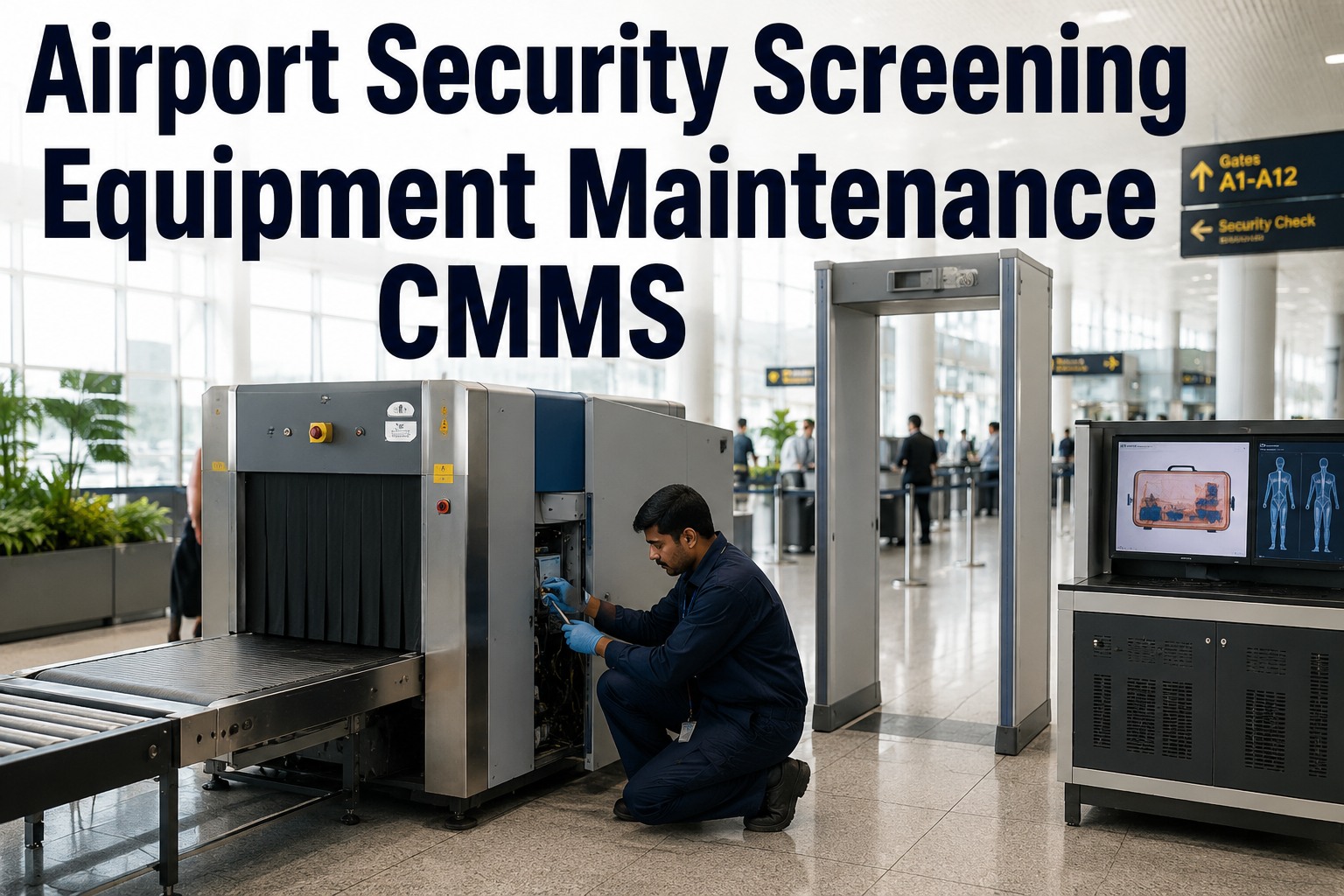
Airport security screening equipment maintenance demands strict TSA availability targets, precise calibration tracking, and zero-tolerance uptime reporting — and a modern CMMS is the system that holds it all together. From CT scanners and X-ray machines to metal detectors, AITs and ETDs, every checkpoint asset must follow a documented preventive maintenance schedule that satisfies TSA compliance audits without slowing passenger throughput. This guide breaks down how airport operations teams use a security screening CMMS to manage X-ray equipment PM, metal detector calibration, explosive detection system testing, and real-time uptime reporting so that no checkpoint lane goes dark during peak travel. If your team is still tracking PMs on spreadsheets or paper work orders, the cost of a single TSA finding or unplanned lane closure can dwarf the price of switching to OxMaint — you can Start Free Trial in minutes or book a guided demo to see it on your own assets.
Security Screening CMMS Guide 2026
Can your checkpoint equipment hit 99.5% uptime during peak holiday traffic?
TSA expects security screening equipment available whenever passengers are flowing — and every minute a CT scanner, X-ray or AIT sits offline, checkpoint throughput drops and lines grow. A CMMS built for airport security screening keeps PM schedules, calibration records, spare-parts inventory and uptime reports TSA-audit-ready — so you never scramble when an inspector asks for proof.
What Needs Maintaining
Security screening equipment covered by a CMMS
A typical mid-size airport checkpoint runs 40–120 distinct screening assets across multiple lanes. Each equipment class carries its own PM frequency, calibration interval and TSA documentation requirement — and missing one can trigger a finding during a TSA compliance audit.
CT Scanners (CTX / EDS)
High-throughput explosive detection systems requiring daily image-quality tests, quarterly radiation safety checks, and annual preventive maintenance. Downtime here directly limits lane throughput.
X-Ray Baggage Scanners
Conveyor-driven X-ray systems with belt wear, roller fatigue, screen-burn and source-stability concerns. PMs include belt inspection, roller lubrication and image calibration verification.
Walk-Through Metal Detectors
Calibration-critical devices that must detect standardized test objects at defined sensitivity zones. TSA requires documented calibration checks at defined intervals with traceable test pieces.
AIT Body Scanners
Advanced Imaging Technology units with rotating gantry motors, sensor arrays and software updates. Millimeter-wave calibration and mechanical alignment are the top PM drivers.
ETD Trace Detectors
Explosive Trace Detection portables requiring daily calibration checks, sampling-port cleaning and consumable (swab / trap) replacement. Battery health and software version must also be tracked.
Checkpoint Conveyors
Baggage-handling conveyors feeding X-ray and CT scanners — motor wear, belt tracking and emergency-stop circuit testing fall under the screening-equipment maintenance program.
TSA-Compliant PM Checklist
Preventive maintenance checklist for airport security screening equipment
Below is a structured PM checklist covering the five major equipment classes. Each task should live inside a CMMS with auto-generated work orders, assigned technicians and digital sign-off — paper logs are no longer defensible during a TSA audit.
CT Scanners & Explosive Detection Systems (EDS)
X-Ray Baggage Scanners
Metal Detectors & AIT Body Scanners
ETD Trace Detectors & Checkpoint Conveyors
Uptime & Availability
How to calculate and report screening equipment uptime for TSA
TSA expects checkpoint screening equipment to be operational and available whenever the checkpoint is open to passengers. Availability is not just "is it powered on" — it means the unit is calibrated, tested and cleared for passenger use. The formula below is the one most airport maintenance teams use to report uptime to operations and TSA.
How OxMaint Helps
How OxMaint streamlines TSA-compliant security screening maintenance
OxMaint is an AI-powered CMMS and EAM platform built for maintenance and reliability teams that cannot afford unplanned downtime. For airport security screening programs, it replaces spreadsheets, paper work orders and siloed calibration logs with a single, audit-ready system of record — so your team can prove compliance in minutes, not days.
Automated PM & Calibration Scheduling
Auto-generate preventive maintenance and calibration work orders based on equipment class, usage hours or calendar interval. OxMaint sends alerts before a calibration lapses — so no WTMD, ETD or CT scanner ever falls out of TSA compliance because a PM was missed.
Real-Time Uptime & Availability Tracking
Track every asset's operating status, downtime events and availability percentage in real time. OxMaint dashboards show which lanes are at risk, which assets are trending toward failure, and whether you're hitting the 99.5% availability target — all exportable for TSA reporting.
Digital Work Orders & Audit Trail
Every PM, calibration, repair and inspection is captured in a digital work order with technician sign-off, timestamp, readings and photos. When TSA asks for documentation, OxMaint produces a complete, filtered history for any asset or date range in seconds.
Spare-Parts & Consumable Inventory
Track critical spares — X-ray tubes, conveyor belts, ETD swabs, WTMD circuit boards — with min/max alerts and auto-reorder. OxMaint ensures the part you need to bring a lane back online is always in stock, cutting MTTR from hours to minutes.
Cost of Inaction
What unchecked downtime and audit findings really cost an airport
A mid-size airport running 60 screening assets across 8 checkpoint lanes can lose over $1.2M per year in unplanned downtime costs, emergency repair premiums and TSA finding remediation — even before reputational damage from checkpoint delays is counted.
A 60-asset checkpoint operation tracking PMs on shared spreadsheets experiences 14 unplanned downtime events per year averaging 3.5 hours each. At an estimated $12K/hr in operational impact ( diverted passengers, lane reconfiguration, overtime), that's $588K in direct downtime cost — plus a $45K TSA finding remediation for two lapsed ETD calibrations discovered during audit. Total annual exposure: $633K+.
| Cost Category | Spreadsheet / Reactive | With OxMaint CMMS | Annual Savings |
|---|---|---|---|
| Unplanned downtime (14 events × 3.5 hrs × $12K) | $588,000 | $353,000 | $235,000 |
| TSA finding remediation & corrective action | $45,000 | $0 | $45,000 |
| Emergency parts premium (expedited shipping) | $28,000 | $7,000 | $21,000 |
| Audit preparation labor (3 staff × 3 days) | $14,400 | $2,400 | $12,000 |
| Overtime for reactive repair calls | $22,000 | $8,000 | $14,000 |
| Total Annual Cost | $697,400 | $370,400 | $327,000 |
See OxMaint manage your checkpoint equipment — book a 30-minute demo
Walk through a live PM schedule, calibration tracker and uptime dashboard configured for airport security screening assets. We'll show you exactly how your team can hit 99.5% availability and stay TSA-audit-ready year-round.
Frequently Asked Questions
Airport security screening equipment maintenance CMMS — your questions answered
What does a CMMS do for airport security screening equipment maintenance?
A CMMS centralizes preventive maintenance scheduling, calibration tracking, work-order management, spare-parts inventory and uptime reporting for all checkpoint screening assets — CT scanners, X-rays, metal detectors, AITs and ETDs. Instead of spreadsheets and paper logs, your team gets automated PM reminders, digital audit trails and real-time availability dashboards that keep equipment TSA-compliant and passenger lanes running. You can see it in action — Book a Demo to walk through a configured checkpoint asset program.
How often should X-ray and CT screening equipment be calibrated?
X-ray baggage scanners typically require weekly image-resolution calibration checks with a reference test object, while CT scanners and explosive detection systems require daily image quality tests (IQTs) before passenger operations begin. Full OEM recalibration is generally performed quarterly or annually depending on the equipment class and TSA requirements. A CMMS like OxMaint auto-generates these calibration work orders so none are ever missed or left expired.
What is the TSA availability requirement for security screening equipment?
TSA expects checkpoint screening equipment to be operational, calibrated and available whenever the checkpoint is open to passengers — commonly benchmarked at 99.5% availability. This means unplanned downtime must be kept to a minimum (often under 30 hours per year per asset) and repairs must be fast. OxMaint tracks availability in real time and alerts maintenance teams before an asset drops below threshold.
Can a CMMS help pass a TSA compliance audit?
Yes — a CMMS is the single fastest way to prove compliance during a TSA audit. OxMaint stores every PM record, calibration log, repair history and technician sign-off in a searchable, filterable digital trail. When an inspector asks for documentation on a specific asset or date range, your team can produce complete records in seconds instead of spending days digging through binders. Ready to make audits painless? Start Free Trial today.
How long does it take to implement a CMMS for screening equipment?
A focused implementation for 40–100 screening assets typically takes 2–4 weeks: importing the asset register, configuring PM and calibration schedules, setting up spare-parts min/max levels and training technicians. OxMaint's onboarding team handles data migration and configuration so your team can go live quickly — most airports see full adoption within the first month and ROI within the first quarter.
Get Started Today
Stop tracking checkpoint PMs on spreadsheets — switch to OxMaint
Join the airport operations teams using OxMaint to hit 99.5% equipment availability, pass TSA audits with zero findings and cut unplanned downtime by up to 40%. Set up your asset register, PM schedules and calibration alerts in days — not months.
Free 14-day trial · No credit card