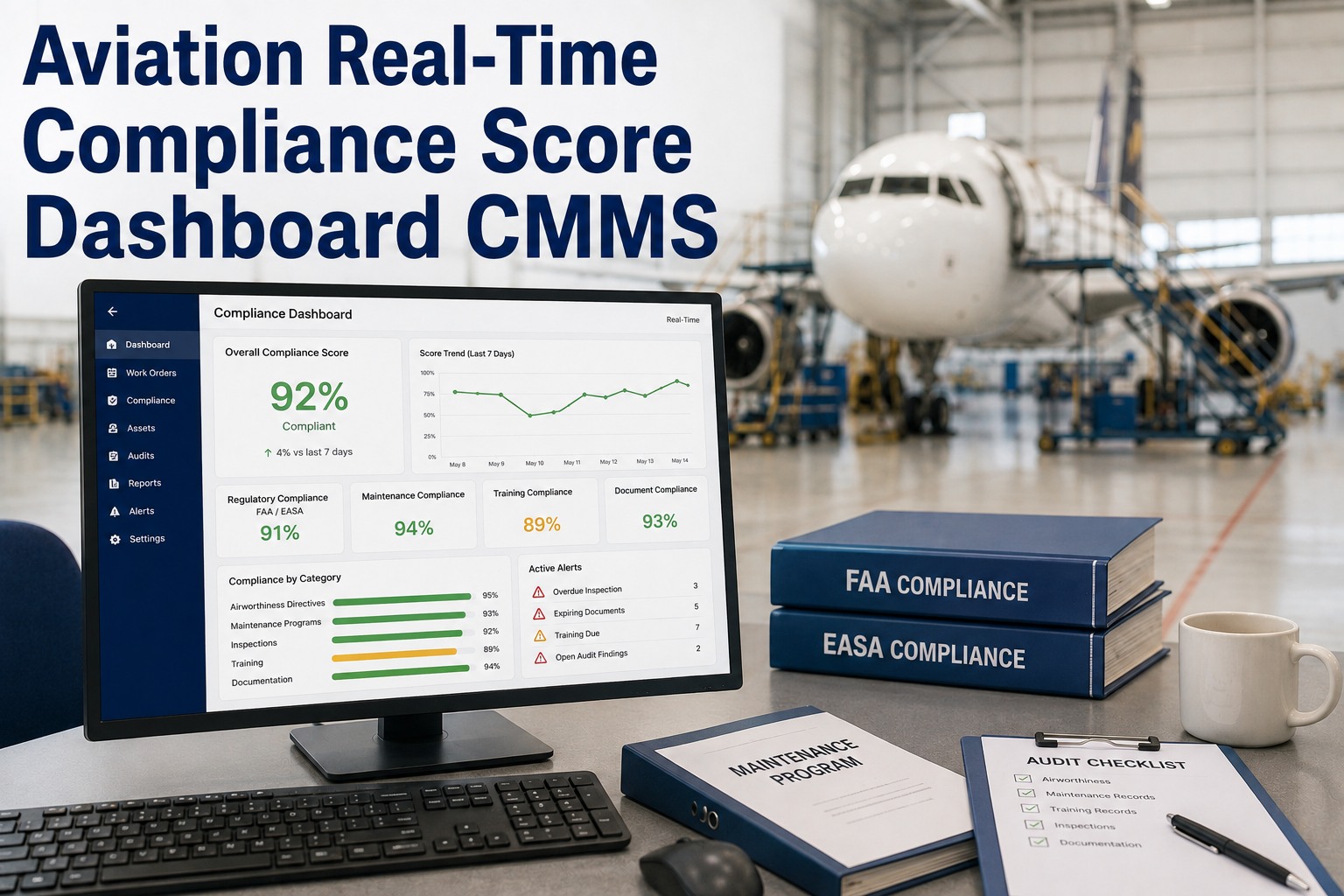
An aviation real-time compliance score dashboard in a CMMS transforms audit readiness from a quarterly scramble into a live, leadership-grade signal — the kind operations teams monitor as closely as OEE. For Part 139-certified airports, a compliance score CMMS tracks pavement condition, ARFF readiness, airfield lighting, and snow/ice control as live percentages, so a dip below 100% triggers corrective work orders before an FAA inspection finds it. This 2026 guide breaks down scoring dimensions, weighting models, drill-down paths, exception alerts, and how a real-time compliance aviation dashboard keeps your airport continuously audit-ready. Ready to see it on your assets? Start Free Trial or read on for the full framework.
What if your Part 139 compliance score was live — every minute, every shift?
Most airports discover compliance gaps during the FAA's annual inspection. A real-time compliance score dashboard in your CMMS flips that model: leadership sees a single, weighted percentage that reflects pavement, ARFF, lighting, and snow/ice readiness — updated as work orders close, inspections sync, and exceptions escalate.
What goes into an aviation compliance score?
A defensible compliance score CMMS doesn't roll everything into one number blindly. It weights each Part 139 sub-area by inspection risk, operational impact, and historical finding frequency — then aggregates closed vs. overdue tasks into a live percentage leadership can act on.
Pavement Condition
Live tracking of crack-sealing, rubber removal, paint markings, and grooving inspections. Score drops when a recurring pavement inspection is overdue by more than 24 hours on any runway, taxiway, or apron section.
ARFF Readiness
Vehicle availability, agent quantity checks, response-time drills, and personnel certification currency. A single overdue vehicle inspection or expired medical pulls the score down in real time.
Airfield Lighting
Runway edge, threshold, taxiway, and approach lighting circuit checks. Burned-out lamps or out-of-tolerance brightness levels logged against each fixture generate instant compliance deductions until resolved.
Snow & Ice Control
Snow plan execution, friction readings, chemical inventory levels, and equipment readiness. Seasonal weighting adjusts upward during winter months when surface conditions drive the majority of findings.
How is a real-time compliance score calculated?
The CMMS real-time score engine runs a weighted-average calculation every time a work order status changes, an inspection form syncs, or an exception alert fires. Here's the underlying model — the same logic FAA inspectors apply when they walk your airfield, rendered as a live signal.
A mid-size Part 139 airport tracking 1,200 recurring compliance tasks across four domains runs the score at 14:00 on a Tuesday. Pavement is at 96% (3 overdue crack inspections), ARFF is 100%, lighting is 94% (12 burned-edge lamps logged), and snow/ice is 100% (off-season). Weighted score: (96×0.30) + (100×0.28) + (94×0.22) + (100×0.20) = 97.5%. Penalty deductions: −6 points for three overdue critical pavement tasks. Net live score: 91.5%. Without a real-time dashboard, leadership wouldn't see this dip until the monthly review — 26 days too late.
From 91% to the root cause: drill-down paths in a CMMS compliance dashboard
A number on a screen is useless if you can't act on it. The compliance status CMMS drill-down lets a director click 91.5% → Pavement (96%) → Runway 09/27 East → Overdue crack-sealing inspection WO-4471 → assigned technician → one-tap escalation. Here's how the layers stack.
Top-level score — the boardroom view
A single weighted percentage with a 7-day trend sparkline. Color-coded: green (≥95%), amber (85–94%), red (<85%). Pushed to leadership via daily email digest and mobile app widget.
Domain breakdown — the compliance officer view
Four sub-scores with their weight, task counts, and overdue counts. One click reveals which Part 139 sub-area is dragging the aggregate down and whether the gap is task-completion or a penalty deduction.
Asset-level detail — the maintenance supervisor view
Individual runway sections, ARFF trucks, lighting circuits, or snow equipment. Shows the last three inspection results, next due date, assigned technician, and attached photos from the mobile inspection form.
Work-order action — the technician view
The specific overdue or failed task, generated automatically as a prioritized work order. Technician sees checklist, parts required, safety procedures, and SLA clock — closes the loop and the score updates within seconds.
Critical Exception
Score drops below 85% or any ARFF vehicle goes red. Pushed via SMS + email to Airport Operations duty officer within 60 seconds.
Trend Warning
Any sub-area trending downward over 3 consecutive days. Routed to the maintenance supervisor's dashboard and weekly review digest.
Expiration Notice
Personnel certification, vehicle inspection, or agent quantity check expiring within 14 days. Auto-creates a preventive work order to close the gap before it impacts the score.
How OxMaint's CMMS compliance dashboard keeps airports audit-ready
OxMaint was built for the realities of Part 139 operations — not retrofitted from an industrial CMMS. The compliance score engine, mobile inspection forms, and automatic work-order generation work together so that 100% readiness is the default state, not a heroic push before inspection day.
Live weighted compliance scoring
Configure Part 139 sub-area weights, penalty rules, and SLA thresholds once. OxMaint recalculates the score in real time as inspections sync and work orders close — no manual roll-ups, no end-of-month surprises.
Mobile inspection forms with photo capture
Technicians complete pavement, lighting, and ARFF checks on a ruggedized tablet or phone. Photos, GPS coordinates, and pass/fail readings attach directly to the asset record and feed the score engine instantly.
Automatic exception work orders
A failed inspection item or expired certification auto-generates a prioritized work order with the correct parts, procedures, and technician assignment — closing the compliance loop before the next inspection cycle.
Audit-ready evidence trail
Every score, inspection, work order, and corrective action is timestamped and exportable. Generate a Part 139 inspection packet in minutes — not the 40+ hours it takes to assemble spreadsheets, photos, and paper forms manually.
Spreadsheet tracking vs. real-time CMMS compliance score
The gap between spreadsheet-based compliance tracking and a real-time CMMS compliance dashboard isn't incremental — it's structural. Here's what changes when airports switch to OxMaint, based on data from comparable Part 139 operations.
| Compliance Dimension | Spreadsheets & Paper | OxMaint CMMS Dashboard |
|---|---|---|
| Score visibility | Monthly manual roll-up; 30-day blind spots | Live, second-by-second; trended on a 7-day sparkline |
| Time to detect a gap | 3–7 days (next inspection cycle) | <60 seconds (auto-alert on threshold breach) |
| Average compliance at audit | 82–88% (surprise findings common) | 97–100% (gaps corrected before inspection) |
| Inspection packet prep | 40+ hours of manual assembly | One-click export; under 2 hours |
| Overdue task recovery | 6 days average (discovered in review) | Under 8 hours (auto-generated work order) |
| Penalty deductions per quarter | 12–18 points (recurring findings) | 0–3 points (root-cause closure built in) |
| Leadership reporting | Quarterly slide deck; stale by publication | Daily digest + on-demand drill-down |
See your live compliance score on day one — not after a 3-month implementation
Book a 30-minute demo and we'll load your Part 139 inspection schedule, asset register, and weighting model into OxMaint so you can watch the dashboard populate in real time.
Aviation compliance score dashboard: common questions
What is an aviation compliance score in a CMMS?
An aviation compliance score is a weighted percentage — typically 0–100% — that aggregates completed vs. scheduled tasks across Part 139 sub-areas like pavement, ARFF, lighting, and snow/ice control. In a CMMS, it updates in real time as inspections sync and work orders close, giving leadership a single live signal instead of a monthly spreadsheet roll-up. You can see how OxMaint calculates it by visiting Start Free Trial.
How does a real-time compliance dashboard improve Part 139 audit outcomes?
It shifts audit readiness from reactive to preventive. Instead of discovering gaps during the FAA's annual inspection, the dashboard surfaces overdue tasks, expired certifications, and failed inspection items within seconds — auto-generating corrective work orders so the gap is closed before an inspector ever sees it. Airports using live CMMS scoring typically maintain 97–100% compliance at audit versus 82–88% with spreadsheet tracking.
Can the compliance score weighting be customized for my airport?
Yes. OxMaint lets your compliance officer set weights for each Part 139 sub-area, define penalty deduction rules for overdue critical tasks or repeat findings, and adjust seasonal weighting (for example, increasing snow/ice weight during winter months). The formula is transparent and auditable — every score change traces back to a specific work order or inspection event.
How long does it take to implement a CMMS compliance dashboard?
For a mid-size Part 139 airport, OxMaint can be live in 2–4 weeks: week one covers asset register import and user setup, week two configures inspection forms and weighting, and weeks three–four run parallel with existing processes for validation. Book a demo at Book a Demo and we'll scope your timeline on the call.
Does the dashboard support EASA and IOSA compliance, not just FAA Part 139?
Yes. While the default weighting template is built around Part 139, OxMaint's scoring engine is fully configurable for EASA AGA (aerodrome) requirements and IOSA operational audit standards. You can maintain separate score profiles per regulatory framework and switch views on the dashboard, so a single screen shows your readiness across all applicable audits.
Stop guessing. Start monitoring your compliance score in real time.
Join the Part 139 airports that replaced spreadsheets and end-of-month scrambles with a live, weighted compliance score — updated every time a work order closes.
Free 14-day trial · No credit card