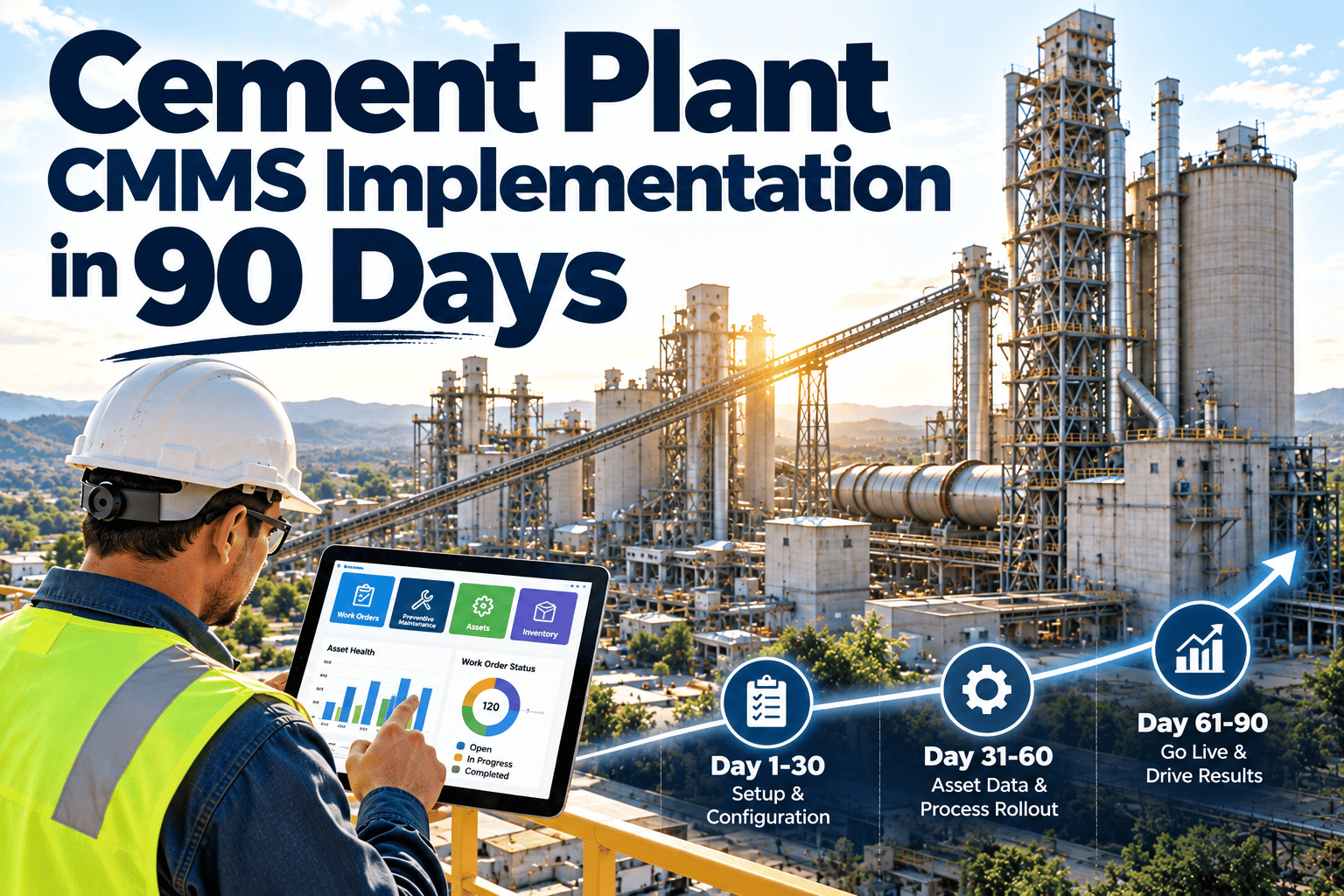
Cement Plant CMMS Implementation in 90 Days

By Corin Hale on October 12, 2026

cement-plant-cmms-implementation-in-90-days

A cement plant CMMS rollout rarely fails because of the software. It fails because the asset register arrives late, nobody owns the PM library, and technicians keep a private spreadsheet after go-live. Ninety days is enough to reach a working maintenance system if the sequence is disciplined: data first, critical zones next, adoption last. This guide sets out that sequence for kiln, mills, crushing, packing and utilities, using Oxmaint maintenance management software. You can also book a walkthrough for your plant.

Cement Plant CMMS Rollout

Cement Plant CMMS Implementation in 90 Days

Move from spreadsheets, paper logs and tribal knowledge to live work orders, ranked PM schedules and trusted KPIs across kiln, mills and packing, one zone at a time, without stopping production to do it.

Days 1 to 30: FoundationAsset register, hierarchy, users, spare parts, first live work orders in the kiln line
Days 31 to 60: ExecutionRanked PM library, mobile rounds, inventory reorder points, grinding and crushing zones live
Days 61 to 90: ProofPaper retired, KPIs against baseline, audit-ready records, expansion plan

Why Cement CMMS Rollouts Stall

Most delays come from preparation, not configuration. The plant arrives at kickoff without the inputs the implementation depends on, and weeks disappear while people hunt for equipment lists and part numbers.

Failure modeWhat it looks like on sitePrevention inside the 90 days
Asset data not ready at kickoffEquipment lists live in three spreadsheets and one retired systemName a data preparation owner at least four weeks before kickoff
Flat or inconsistent hierarchyA bearing is recorded against the plant, not the fan it belongs toAgree plant, area, equipment and component levels before importing anything
PM library copied from manualsHundreds of tasks, none ranked, technicians skip most of themRank assets by criticality and load critical tasks first
Spare parts disconnectedWork orders cannot see stock, so parts are chased at the store windowLink parts to assets with stock level and reorder point
Parallel paper or spreadsheetsTwo versions of history, neither trustedMake the CMMS the only route to a work order by a fixed date
No baseline measuredDay 90 arrives and nobody can show what changedCapture PM completion, unplanned stops and repair time in week one

Before Day One: The Readiness Pack

Assemble these items before the first implementation call. None of them needs software, only ownership and a few focused weeks.

One named internal owner who attends every call, approves asset structures and signs off PM templates
Asset list exported from the old CMMS, SAP or spreadsheets, with parent equipment identified
Draft criticality for kiln, cooler, mills, fans, crushers, conveyors and packers
Current PM tasks, lubrication routes and statutory inspection lists
Minimum spares data: part name, part number, stock level, reorder point and the asset it serves
Open work and backlog list, so nothing known is lost at cutover
User list with roles: planner, supervisor, technician, store keeper, contractor coordinator
Baseline figures for PM completion, unplanned stops and mean time to repair

Build the Asset Hierarchy Around the Process

A cement plant is easiest to model by process area. The hierarchy decides how history, cost and failure patterns roll up for years, so it deserves the first two weeks.

Plant (single site or multi-plant group)
Process area: quarry and crushing, raw grinding, pyroprocessing, cement grinding, packing and dispatch, utilities
Equipment: for example the clinker cooler, with grate drive, cooler fans, hydraulic unit and clinker crusher as separate assets
Component: for example Cooler Fan 2, drive-end bearing, with its own lubrication task and vibration history

Naming convention

Use area, equipment and tag number in a fixed pattern so a technician can find an asset in seconds, on a tablet, in gloves.

Criticality tag

Rate each asset by production impact, safety exposure and repair lead time. This single field drives PM priority later.

Linked documents

Attach OEM manuals, lubrication charts and datasheets to the asset so the right instruction is at the equipment.

The 90-Day Timeline

Weeks 1 and 2
Foundation setup. Create the plant structure, import the validated asset register, configure roles and permissions, and capture baseline KPIs. The internal owner signs off the hierarchy.
Weeks 3 and 4
First live work orders. Start with the pyroprocessing zone. Corrective requests go through the system while the remaining asset data is completed in parallel. Phase 1 sign-off covers hierarchy, PM completeness and spares accuracy.
Weeks 5 and 6
PM library and mobile rounds. Load ranked PM schedules with checklists, switch operator and technician rounds to mobile, and attach lubrication routes to the assets they serve.
Weeks 7 and 8
Inventory and grinding zones. Activate reorder points, link spares to work orders, and bring raw mill and cement mill areas live.
Weeks 9 and 10
Crushing, packing and utilities. Complete remaining zones, configure contractor access for outage work without exposing internal data, and run a compliance records check.
Weeks 11 to 13
Cutover and review. Retire paper and spreadsheets on a fixed date, hold the 90-day review against baseline, and agree what expands in months four to six.

Go Live Zone by Zone, Not All at Once

Waiting for perfect data across thousands of assets delays value. A zone sequence lets the plant start using the system where downtime hurts most, while data quality improves behind it.

Zone 1: Pyroprocessing (preheater, kiln, cooler, ID fan)


Live from about day 21, refined through day 90
Zone 2: Grinding (raw mill, cement mill, separators)


Live from about day 35
Zone 3: Crushing and raw materials


Live from about day 49
Zone 4: Packing, dispatch and utilities


Live from about day 63

Start With the Kiln Line This Month

Set up your plant structure, import your first assets and raise real work orders in Oxmaint while the rest of the data catches up.
Asset hierarchyRanked PM schedulesMobile work orders

Build a PM Library That Technicians Will Actually Use

The goal is not the longest task list. It is the right tasks on the right assets, triggered the right way.

Calendar triggers

Fixed-interval work such as monthly motor greasing, weekly conveyor walk-downs and annual statutory inspections.

Runtime triggers

Work tied to operating hours, such as kiln drive gearbox oil changes or mill bearing service, so idle periods do not trigger needless tasks.

Condition triggers

Work raised when a reading drifts, such as rising bearing temperature or vibration, which prepares the plant for predictive workflows later.

Each PM carries a short checklist, a time estimate, required parts and safety steps, including references to isolation procedures. Start with Criticality A assets, then add B and C once the first cycle runs cleanly.

Who Owns What

RoleOwns during rolloutSigns off
Plant or maintenance managerSponsorship, the paper retirement date, weekly review90-day review
Internal implementation ownerData quality, hierarchy, configuration decisionsPhase sign-offs
Planner and schedulerPM library, backlog, outage work packagesPM completeness
Shift supervisorsDaily work order discipline and request triageZone go-live
Store keeperParts data, reorder points, issue transactionsSpares accuracy
Instrumentation and ITAccess, devices, later sensor and historian linksIntegration readiness
Contractor coordinatorContractor accounts and outage work ordersAccess scope

Adoption: Make the CMMS the Only Path

Training sessions help, but one rule changes behavior faster: a job without a work order does not get scheduled, resourced or recorded.

Before the rollout

Requests arrive by radio, paper slip and word of mouth
History sits in notebooks and individual memory
PM due dates tracked on a shared spreadsheet
Parts availability confirmed at the store window
Reports built by hand before each meeting

By day 90

Every request is a work order with an owner and priority
Failure history is stored against the exact component
PM schedules generate and assign themselves
Stock and reorder points are visible on the job
Dashboards and reports are produced from live records

Prove It: KPIs to Baseline in Week One

Measure these before go-live, review them at day 30, 60 and 90, and let the trend make the case for expansion.

PM completion rateScheduled tasks closed on time
Planned to unplanned ratioShare of work that was scheduled
Mean time to repairRequest to return to service
Backlog ageOpen corrective work by priority
Failure code coverageClosed jobs with cause recorded
Stock-out eventsJobs delayed by missing parts

Data Migration Rules That Protect Your History

Loading unvalidated data copies every legacy error at scale. A short set of rules keeps the register trustworthy from the first import.

RuleWhy it matters in a cement plant
Run a test import firstCatches duplicate tags, missing parents and broken part links before they spread across thousands of records
One tag, one assetTwo fans with the same tag number split failure history and make trending meaningless
Import history selectivelyBring in cleaned work orders for critical assets, not every scribbled note from a decade of shifts
Record failure codes at closureCause and component fields turn closed jobs into reliability data for kiln, mills and fans
Freeze the structure after sign-offRestructuring a hierarchy at month six is expensive and breaks comparisons

Plan Outages and Contractor Work Inside the System

Kiln shutdowns concentrate a year of work into days. A CMMS that already holds the asset list, PM tasks and parts links turns outage planning from a spreadsheet exercise into a repeatable package.

Plan
Group deferred corrective jobs and due PMs for each area into an outage work package with estimated hours and parts.
Resource
Assign internal crews and contractors, and confirm that critical spares are in stock or on order before the stop begins.
Execute
Crews close tasks on mobile as they finish, so the outage lead sees real progress instead of end-of-shift guesses.
Review
Compare planned and actual hours, record findings against assets, and carry unfinished work forward with its history.

Build Audit-Ready Records From the Start

Cement plants answer to safety, environmental and quality audits, and auditors ask for evidence, not intentions. When inspections, permits and corrective actions live in one system, retrieval stops depending on who remembers where a file was saved.

Statutory inspections scheduled with due dates and sign-off records
Safety and isolation steps referenced inside the relevant PM tasks
Corrective actions from findings linked to a work order and owner
Contractor work recorded against the asset it was performed on
Calibration and lubrication records attached to equipment history
A dry-run records check before the 90-day review, not before the audit

What the Plant Manager Should See at Day 90

The review should be a short conversation backed by live records, not a slide deck assembled by hand. If the data is trusted, the discussion moves quickly to decisions.

Execution

PM completion by area, overdue work by priority, and how much of the week was planned rather than reactive.

Reliability

Repeat failures by asset and component, repair time trends, and which assets consume the most maintenance effort.

Readiness

Spares coverage for critical assets, records completeness for audits, and the expansion list for months four to six.

Train by Role, Not by Slide Deck

People adopt a system when it makes their own shift easier. Short, role-specific sessions at the equipment work better than one long classroom day.

RoleWhat they practiseProof of competence
TechnicianOpen a work order on mobile, follow the checklist, record findings and parts usedCloses three real jobs with failure codes
OperatorRaise a request with the right asset, priority and a photoRequests need no follow-up call
PlannerReview the backlog, group jobs, schedule PMs and reserve partsPublishes a weekly schedule from the system
SupervisorAssign work, check overdue items, approve closuresRuns the shift handover from the dashboard
Store keeperIssue parts to work orders and maintain reorder pointsStock levels match the shelf after a count

Mistakes That Cost Weeks

Avoid

Importing unvalidated data and copying every legacy error
Running paper and CMMS side by side with no end date
Loading every OEM task before ranking assets
Treating training as one event instead of coaching on shift

Do instead

Validate a test import and check error rates before cutover
Set a retirement date for paper and hold to it
Start with critical assets and expand each cycle
Pair a champion with each shift for the first month

After Day 90: Extend Toward Condition-Based Maintenance

Once clean asset records and reliable work order history exist, the plant can connect condition data such as vibration, temperature and motor current, and let threshold breaches raise inspection work orders. That is the practical route from preventive to predictive maintenance, and it only works when the foundation built in these 90 days is sound.


1Clean assets and failure codes
2Ranked PM and mobile rounds
3Condition readings on critical assets
4Alerts that raise work orders

Frequently Asked Questions

Can a cement plant really go live in 90 days?
Yes, when an internal owner prepares data early and zones go live in sequence. Book a demo to see a plan for your plant.
Do we need perfect asset data before starting?
No. Start with a validated priority zone and complete other zones in parallel as they come online.
Which area should go live first?
Usually the pyroprocessing line, where unplanned stops cost the most and records matter most.
How do we keep technicians from reverting to paper?
Set one cutover date, make work orders the only route to scheduled work, and coach on shift.
Can we connect sensor data later?
Yes. Clean assets and failure history come first, then start free and add condition workflows.

Put Your Plant on a 90-Day Clock

Bring your asset list and your biggest maintenance headache. We will help you shape a zone-by-zone rollout that your team can own.
Guided setupZone-by-zone go-liveBaseline to day 90 KPIs

Share This Story, Choose Your Platform!