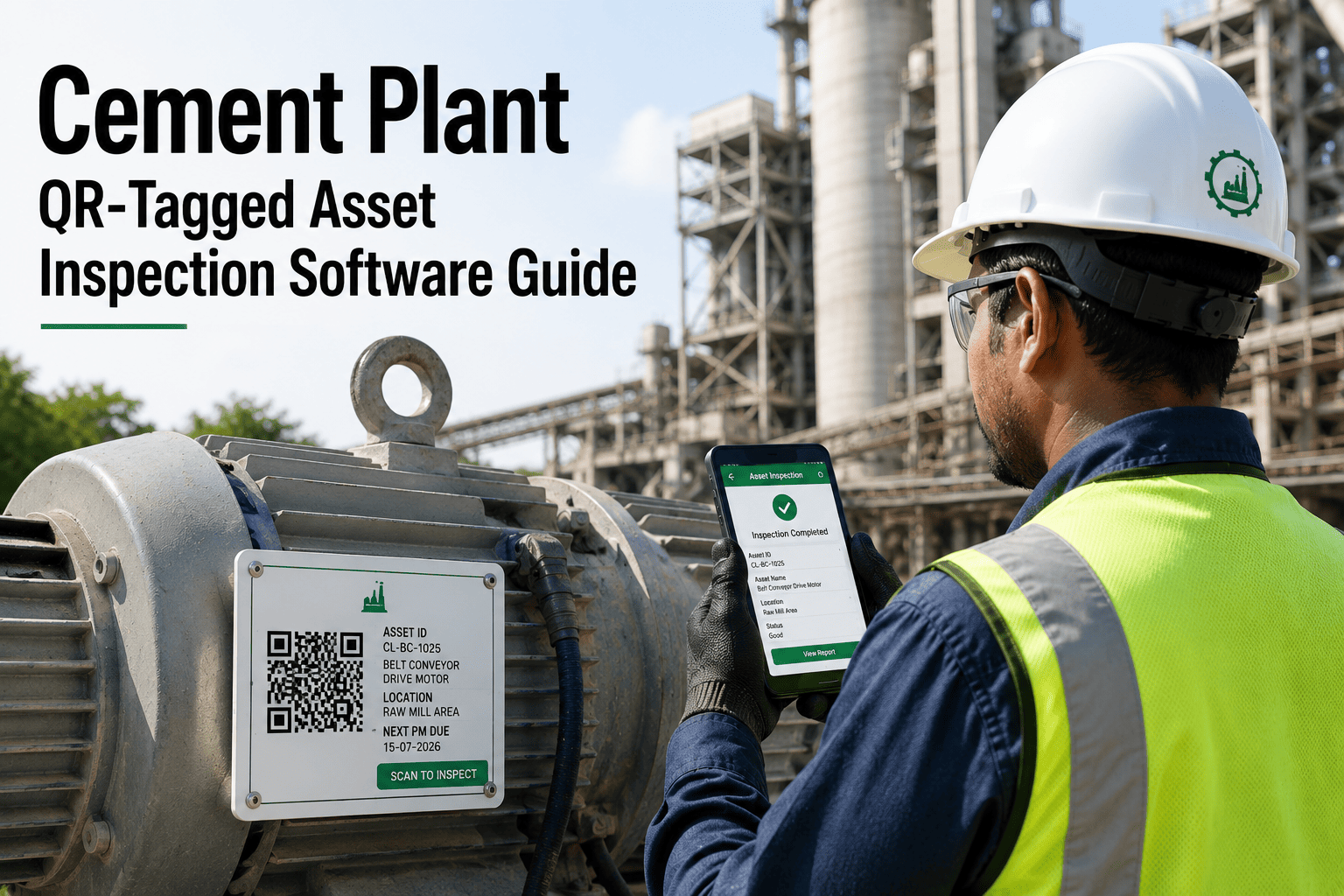
Cement plants run hot, dusty and continuous, and technicians walk thousands of metres a shift past kilns, mills, fans, conveyors and bag filters. A defect noticed at a gearbox but never recorded is a defect that returns later as unplanned downtime. QR asset inspection ties every observation to the exact piece of equipment, so issues reach the maintenance queue within minutes instead of at the end of the shift. This page explains how to design the programme, and how Oxmaint maintenance management software carries a scan through to a closed work order.
Cement Plant Inspections and Mobile Workflows
Cement Plant QR Asset Inspection and Issue Reporting
Put a scannable identity on every kiln, mill, fan, crusher and conveyor. Technicians scan, inspect, photograph and report from the field, and each finding lands on the right asset history and work order.
1Scan tag
2Run checklist
3Photo and report
4Triage and work order
5Close and learn
Why Paper Rounds Lose Information in a Cement Plant
A cement plant has thousands of maintainable assets spread across quarry, crushing, raw milling, pyroprocessing, cement milling, packing and dispatch. Paper rounds were never designed for that scale, so observations are summarised, delayed or forgotten.
Paper rounds and radio calls
- Observations written on a clipboard and typed in hours later
- Equipment described by nickname, so the wrong asset gets the repair
- No photo of the leak, crack or loose guard
- Planners cannot see whether a noise was reported before
- Missed rounds discovered only after a failure
QR inspection with a CMMS
- Findings captured at the asset, timestamped and attributed
- One tag, one asset record, one history
- Photos and notes attached to the issue automatically
- Repeat reports link to the same asset and failure pattern
- Route completion visible to supervisors during the shift
From Scan to Closed Work Order
The value of a QR programme is the chain behind the scan. A tag that only opens a web page is a label; a tag that starts a controlled workflow is a reliability tool.
- Scan and identifyThe technician scans the tag with a phone or rugged tablet. The asset record opens with its location, criticality, open work orders and last inspection result.
- Complete the checklistA short, asset-specific checklist appears: temperature, vibration by touch or probe, noise, leakage, guards, lubrication level, abnormal dust or spillage.
- Report the issueFailed items prompt for a photo, a severity choice and a brief note, so the report is complete before the technician leaves the equipment.
- TriageA planner or supervisor reviews the report, rejects duplicates, and converts valid issues into corrective work orders with priority, trade and required parts.
- Close with evidenceAfter repair, the work order records the cause, parts used and labour, and the next scan confirms the condition has returned to normal.
Build the Asset Hierarchy Before You Print Tags
Tags are only as useful as the hierarchy behind them. Decide the structure first, then label the plant. A clean hierarchy makes inspections, spares and cost reporting line up with how the plant actually runs.
Plant
Process area: crushing, raw mill, kiln, cement mill, packing
System: kiln drive, preheater, cooler, bag filter circuit
Equipment: ID fan, girth gear, cooler fan, screw conveyor
Component: bearing, coupling, gearbox, motor, damper
Tag naming rules that hold up
- Use the plant's existing equipment numbers so operators recognise them
- Keep a printed human-readable code beside every QR code in case a phone is unavailable
- Tag equipment where failures matter, not every bolt; start with critical and frequently reported assets
- Tag rotating equipment at the drive end where the technician naturally stands
- Never reuse a code after decommissioning an asset
Inspection Routes by Process Area
Each area has its own failure signatures. Routes should be short enough to finish inside a shift and focused on defects that can be seen, heard or felt.
What a Good Issue Report Contains
Poor reports create rework. The scan flow should force just enough structure that a planner can act without walking out to ask questions.
AssetFilled automatically by the scan
SymptomSelected from a short list, such as leak, noise, heat, vibration, damage
SeveritySafe to run, run with watch, stop required
PhotoAt least one image showing the defect and the asset tag
Location detailDrive end, non-drive end, discharge side, guard area
Safety flagImmediate hazard, lock-out needed, confined space
ReporterName and time recorded for follow-up questions
Operating stateRunning, stopped, or in start-up when seen
Triage: Turning Reports into the Right Response
Not every finding needs a work order today. A simple matrix keeps urgent items moving and stops low-risk observations from clogging the backlog.
Making Tags Survive Cement Plant Conditions
Heat, abrasive dust, washdown and vibration destroy ordinary stickers. Treat tag durability as part of the programme budget.
- Use industrial-grade tags such as laser-engraved metal or UV-stable polyester with strong adhesive
- Keep codes large enough to scan with a gloved hand and a dusty lens
- Mount away from radiant heat, kiln shell surfaces and high-pressure washdown paths
- Add a second tag on assets with two access sides, such as large fans and gearboxes
- Include tag condition in routine rounds so damaged codes are replaced quickly
- Store the code-to-asset mapping in the CMMS so a replacement tag never changes the record
Give Every Cement Asset a Scannable Record
Set up your asset hierarchy, inspection routes and issue workflow in Oxmaint and start scanning on your critical equipment first.
Offline Use and Shift Handover
Mills, tunnels, basements and metal structures often have poor coverage. Mobile inspection must keep working without a network and synchronise later.
Offline capture
Checklists, photos and notes are stored on the device and uploaded when the technician reaches a connected area, so no round is lost to a dead zone.
Handover view
Outgoing shifts see open issues, missed scans and abnormal readings by area, so the incoming team starts with facts instead of verbal summaries.
Supervisor oversight
Dashboards show route completion, overdue inspections and unresolved safety flags while there is still time to act.
Compliance and Safety Evidence
Inspection records support audits only if they are complete, dated and traceable. QR scans create that evidence as a by-product of the work.
- Time-stamped proof that statutory and internal inspections were performed on specific equipment
- Guard, interlock and emergency-stop checks stored as a record per asset
- Photographs that show the condition before and after corrective action
- Links between hazards reported in the field and the work orders that closed them
- Searchable history for insurers, internal audit and management-system reviews
KPIs That Show the Programme Is Working
Measure behaviour first, then outcomes. Early indicators tell you whether people are scanning; later indicators show whether reliability is improving.
A Practical Rollout Plan
Weeks 1 to 2Confirm the asset list for one area, clean up names and criticality, agree checklist content with operators.
Weeks 3 to 4Print and mount tags, train a small pilot group, run the first routes alongside existing paper rounds.
Weeks 5 to 8Review reports with planners, trim checklists, adjust severity rules and begin converting issues into work orders.
After week 8Extend to the next process area, add inspection-based triggers for preventive tasks and publish route KPIs weekly.
Connecting Inspection Findings to Preventive Maintenance
Inspections should not sit beside the maintenance plan; they should shape it. Every scan produces evidence about whether preventive tasks are set at the right interval and whether the right components are being watched.
- If scans repeatedly find loose fasteners on a conveyor drive, add a torque check to the preventive plan instead of raising repeated corrective jobs
- If a gearbox is never found with a problem across many scans, consider extending its inspection frequency and redirect effort to weaker assets
- If the same seal leaks every few months, use the history to justify a design fix or a better seal, not another replacement
- Use scan results to decide which jobs wait for the next kiln stop and which cannot
- Feed measured values such as temperatures and vibration readings into trend views so rising values trigger a work order before a limit is breached
Inventory and spares benefit too
When a reported issue becomes a work order, the planner can reserve the likely part immediately. For long-lead items such as bearings, couplings and gearbox seals, an early flag from a technician may be the difference between a planned swap and an emergency purchase.
Common Mistakes in QR Inspection Programmes
What goes wrong
- Checklists with thirty questions that technicians tick without looking
- Tags printed before the asset list is cleaned, creating duplicates
- No feedback to the reporter, so people stop reporting
- Every report becomes a work order, flooding planners
- No owner for tag replacement or route maintenance
What works instead
- Five to eight questions per asset, focused on real failure modes
- Asset register cleanup first, tags second
- Status updates sent when an issue is accepted, scheduled and closed
- Planner triage with clear severity rules
- Named route owner reviewing completion weekly
Training Technicians and Operators
Adoption depends on the field team seeing the benefit. Keep training short, practical and done at the equipment rather than in a classroom.
Show the why
Explain how a clear report leads to a prepared repair, with the right parts and permits ready, instead of a second trip to the site.
Practise on real assets
Have each person scan, complete a checklist and raise a test issue on a conveyor or fan before the pilot starts.
Close the loop
Share examples where a scan-based report prevented a failure. Recognition builds the habit faster than reminders.
Safety reminders worth building into the flow
- Scanning never replaces lock-out, tag-out or permit procedures
- Technicians report hazards from a safe distance and do not approach moving equipment to scan a damaged tag
- Phones and tablets used in hazardous areas should meet the plant's rules for the zone, such as coal and alternative fuel handling areas
- Photos are taken without placing hands near guards, rotating shafts or hot surfaces
Using Scan Data for Reliability Analysis
After a few months, the combination of scans, issues and work orders becomes a useful dataset. Even simple views reveal where to invest.
- Rank assets by number of reported issues to find chronic problem equipment
- Compare issue types by area, for example dust leakage in packing against bearing temperature in milling
- Look at the time from first report to failure to understand how much warning inspections actually give
- Identify shifts or routes where reports drop, which may indicate rushed rounds
- Combine with downtime data to prioritise root-cause analysis on the most costly repeats
Frequently Asked Questions
Can QR inspections work with our existing equipment numbers?
Yes. Existing codes can be imported into the
asset register and printed on the tag, so operators keep a familiar reference.
What if technicians work in areas without coverage?
Mobile inspections can be completed offline and synchronised later, so inspections in mills and enclosed structures are not skipped.
How many assets should we tag first?
Start with critical equipment and areas with frequent breakdowns, then expand once routes and triage are stable.
Does an issue report automatically create a work order?
It can, or it can wait for planner review. Many plants review first to remove duplicates. You can
book a demo to see both approaches.
Can inspection findings feed predictive maintenance?
Yes. Structured findings and readings build asset history that supports condition-based triggers and failure analysis.
Turn Every Walk-Round into Maintenance Intelligence
Move your cement plant from clipboards to scan-based inspections, faster issue reporting and traceable work orders with Oxmaint.