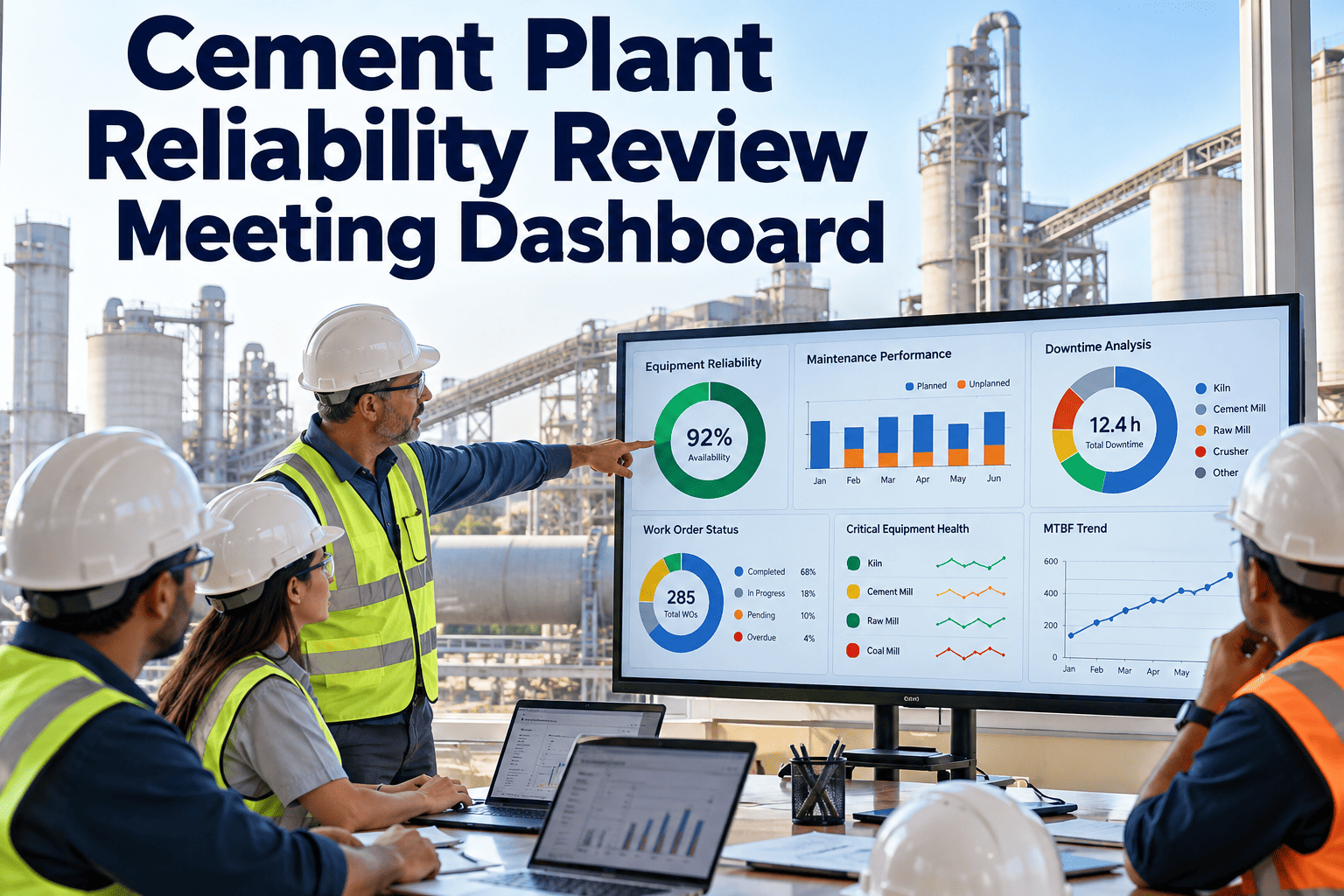
Reliability review meetings often lose their first half hour to finding data: which assets failed, which alerts were raised, which work orders are overdue, and who owns the next action. A good dashboard removes that delay and keeps the discussion on decisions. This page explains what a cement plant reliability review dashboard should contain, how to run the meeting around it, and how Oxmaint maintenance software connects asset data, inspections, alerts, work orders, and analytics in one view.
Cement Plant Reliability Review Meeting Dashboard
One live view of asset health, open alerts, overdue work, and repeat failures, so every review ends with owners and dates.
Why reliability reviews stall without a shared dashboard
Meetings drift when each attendee brings a different data set and a different definition of performance.
Review without a dashboard
- Slides built by hand from several systems
- Different versions of downtime and backlog numbers
- Alerts discussed with no matching work order
- Actions recorded in notes and lost afterward
- Same failures raised again next month
Review with a live dashboard
- One screen, refreshed from current records
- Agreed KPI definitions for every attendee
- Alerts linked to inspections and work orders
- Actions created in the system with owners
- Repeat failures visible by asset and cause
What the dashboard should connect
A useful review view draws from five record types around each asset.
Dashboard widgets for a cement plant review
Start with a small set. Each widget should lead to a specific question or action.
| Widget | Question it answers | Typical action |
|---|---|---|
| Critical asset status | Which kiln, mill, or fan assets have open findings? | Assign inspection or repair and set a date |
| Downtime by asset and cause | Where did production stop, and why? | Start root cause analysis for top items |
| Repeat failure list | Which problems keep returning? | Review the earlier fix and change the task or design |
| Preventive maintenance compliance | Are planned tasks being completed on time? | Rebalance workload or revise intervals |
| Alert to work order time | How fast do abnormal readings turn into action? | Fix handoffs between monitoring and planning |
| Backlog by status | How much work is ready, waiting for parts, or waiting for a stop? | Release work, order parts, or schedule shutdown jobs |
| Spare parts risk | Which critical spares are low or missing? | Raise purchase requests before the next planned job |
| Open actions from last review | Were earlier decisions completed? | Close, escalate, or reassign |
Run every reliability review from live data
Bring inspections, alerts, work orders, and asset history into one shared view and finish each meeting with clear owners.
A one hour review agenda built around the dashboard
Adjust timing to your plant. The sequence matters more than the minutes.
Review last meeting actions
Check open actions, owners, and dates. Close what is done and escalate what is stuck.Critical assets and alerts
Walk through critical equipment with open alerts or findings and decide the response for each.Downtime and repeat failures
Choose the top losses and assign root cause analysis with a due date.Backlog, parts, and next stop
Confirm what can be done online, what needs a stop, and which parts are at risk.Record decisions
Create or update work orders in the system, not in separate notes.From a dashboard finding to a completed fix
- SpotA widget shows an abnormal trend or repeat failure
- Drill downOpen the asset history, inspections, and recent jobs
- DecideAgree on inspection, repair, monitoring, or redesign
- AssignCreate the work order with priority, owner, and parts
- ConfirmVerify the result and record the cause
KPIs to define before the first meeting
Agree each definition in writing. Many disagreements in review meetings are really disagreements about calculation.
Unplanned downtime hours
Hours of production loss from unplanned stops, by asset and causeMean time between failures
Operating time divided by number of failures for a defined asset groupMean time to repair
Total repair time divided by number of repairsPlanned work share
Planned maintenance hours divided by total maintenance hoursPM compliance
Preventive tasks done on time divided by tasks dueBacklog age
Average age of open work, split by priorityRoles in the reliability review
Data prerequisites before the dashboard is useful
A dashboard shows only what the records contain. Prepare these basics first.
Asset master
Unique IDs and a clean hierarchy.Criticality
A ranking so reviews start with the most important machines.Failure codes
Consistent problem and cause codes.Status rules
Clear definitions for open, waiting, and complete.Owners
Every alert and job assigned to a named person.How to read common reliability KPIs
Trends need context. Use these prompts to start the discussion, then check the facts.
| KPI | If it rises | If it falls |
|---|---|---|
| Unplanned downtime | Look for repeat causes, weak preventive tasks, or delayed repairs | Confirm the cause list is complete and that stops are not under reported |
| PM compliance | Check whether tasks are realistic and whether the quality of work is also improving | Look for workload, parts, or access problems |
| Backlog age | Review priorities, parts waits, and shutdown dependent jobs | Confirm jobs are completed and not simply closed |
| Alert to work order time | Fix handoffs between monitoring and planning | Check that alerts are not being ignored or auto closed |
| Repeat failures | Review the previous fix and the root cause analysis | Verify that improvement actions were completed |
Daily, weekly, and monthly review rhythm
Different meetings need different views.
Short operations check
Review overnight alarms, new failures, and jobs needing support, and assign immediate actions.Reliability and planning review
Review open alerts, overdue work, and next week schedule, and confirm parts and access.Trend and improvement review
Review downtime causes, repeat failures, KPI trends, and the status of improvement projects.Rolling out the dashboard in five steps
- AgreeChoose KPIs and definitions with all teams
- PrepareClean asset and failure code data
- PilotRun it with one area for a month
- AdjustRemove unused widgets and add missing views
- ExpandExtend to other areas and shifts
Common dashboard mistakes
What goes wrong
- Too many widgets and no clear question
- Targets changed without telling the team
- Data entered late, so the view is out of date
- Meeting talks about numbers, not actions
What works
- Five to eight widgets, each tied to a decision
- Targets documented and reviewed together
- Records updated at the job, from mobile devices
- Every item ends with an owner and a date
Questions the meeting chair should ask
Other uses of the same dashboard data
Shutdown planning
Use open findings and deferred jobs to build scope.Spare parts review
See which parts support the most critical assets.Training needs
Find repeat errors that suggest skill gaps.Contractor performance
Review job quality and repeat work by crew.Budget planning
Compare maintenance cost with downtime by asset.Audit support
Show inspection and calibration records quickly.Widget design rules for review dashboards
A widget earns its place only if it prompts a decision.
| Rule | Why it matters | Example |
|---|---|---|
| One question per widget | Keeps the view clear and focused | Which critical assets have open alerts? |
| Show the trend, not only today | Makes drift and recovery visible | Twelve month PM compliance by area |
| Drill down to the record | Lets the team move from summary to evidence | Click from repeat failure to work history |
| Use the same definitions | Avoids debates about calculation | Written KPI definitions shown with each widget |
| Limit the count | Prevents the meeting from scanning everything | Five to eight widgets per view |
Reliability review preparation checklist
Refresh data
Confirm work orders and inspections are updated before the meeting.Pick focus assets
Choose the critical assets with new alerts or repeat failures.Check last actions
List open actions with owners and due dates.Gather evidence
Collect photos, readings, and history for each discussion item.Confirm attendees
Make sure operations, planning, and stores are represented.Prepare decisions
Write the decisions needed so time is used well.How the dashboard supports different roles
Connections that make the dashboard more useful
Condition monitoring
Bring in abnormal readings so alerts and tasks sit together.Inspection forms
Show round findings by asset and trend.Spare parts
Link stock levels to planned work and critical assets.Shutdown scope
Move findings into a shutdown list with priorities.Quality and emissions
Connect equipment events to quality or emissions deviations.Training records
Link technician skills to job types where this is tracked.Key takeaways for reliability review meetings
Use these points to judge whether your current meeting is working as it should.
Live data beats slides
Reviews built from current records save preparation time and avoid disputed numbers.Fewer widgets, clearer decisions
Each view should link to a decision, an owner, and a date, so the group can see at once what must change.Close the loop
Actions are checked at the next meeting and closed only when verified.Share one view
Maintenance, operations, and stores should see the same data and definitions.Review the review
Once a quarter, remove unused widgets and add the views the team actually needs, based on how meetings really ran.How Oxmaint supports the reliability review
Oxmaint is maintenance management software with asset records, inspections, work orders, inventory, and reporting in one platform.
Asset hierarchy and history
Review any kiln, mill, or fan asset with its full record.Inspection results
See mobile round findings with readings and photos.Alerts and condition triggers
Turn abnormal readings into tracked tasks.Work order tracking
Follow preventive and corrective work from request to closure.Dashboards and analytics
Track compliance, backlog, and repeat failures in one view.Spare parts inventory
Flag parts risk before planned work begins.Reliability review dashboard FAQs
What should a cement reliability dashboard include?
Critical asset status, downtime causes, repeat failures, PM compliance, backlog, and open actions.
How often should the review meeting run?
Many plants meet weekly for actions and monthly for trends. Choose what your team can sustain.
Does the dashboard replace engineering judgment?
No. It shows evidence so engineers and operators can decide faster.
Can I see inspections and alerts together?
Yes, by asset. Oxmaint links records to each machine.
How do we begin?
Begin with critical assets and agreed KPIs. Book a demo to plan it.
Make every reliability meeting end in action
Give maintenance, reliability, and operations one dashboard built on current asset, inspection, alert, and work order data.