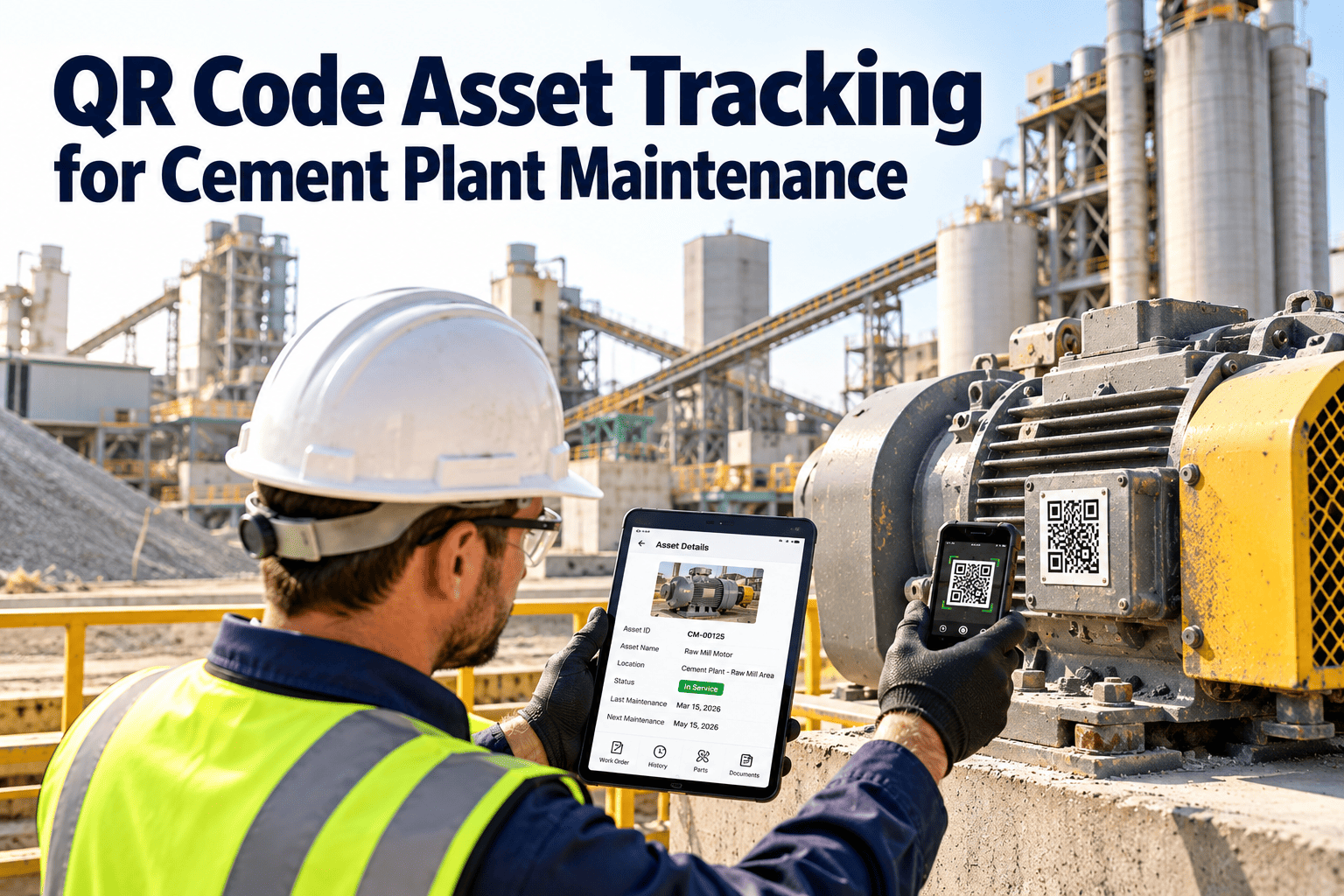
In a cement plant, a technician can lose valuable minutes just working out which gearbox, fan or conveyor a work order refers to. Dust covers nameplates, similar equipment repeats across lines, and paper records go missing between shifts. QR code asset tracking gives every asset a durable identity that opens the right record in seconds. This guide shows how to design, install and use QR tags, and how a mobile CMMS for cement plants turns each scan into clean maintenance data.
QR Code Asset Tracking for Cement Plant Maintenance
Scan a tag on a kiln gearbox, raw mill fan or packing machine and see its history, tasks, spares and open work orders. Oxmaint connects each asset tag to inspections, preventive maintenance and corrective work, so field data lands on the right asset every time.
Why asset identification breaks down in cement plants
Without a scannable identity
- Nameplates are buried in dust or painted over.
- Two similar motors carry nearly the same description.
- Technicians write findings on paper and re-type them later.
- Work orders name an area, not the exact component.
- Spare part numbers are copied from memory.
- History is split across spreadsheets and notebooks.
With QR asset tracking
- One scan opens the exact asset record.
- Unique IDs separate look-alike equipment.
- Findings are logged at the equipment, with photos.
- Work orders reference the right component.
- Linked spares and manuals are one tap away.
- History builds on a single record per asset.
The operational cost of guessing
Misidentified equipment leads to wrong-asset repairs, missed inspections and unreliable failure history. Over time the data cannot support decisions about spares, repair versus replace, or reliability improvement, because nobody trusts what is recorded.
Build the asset hierarchy before you print a single tag
Tag at the level you maintain
Tag equipment that has its own maintenance tasks, spares or failure history. Add component-level tags only where you inspect or replace parts separately, such as critical bearings, hydraulic units or lubrication points.
What each scanned asset record should contain
Identity and context
- Unique asset ID and plain-language name
- Location in the plant hierarchy
- Manufacturer, model and serial number
- Installation date and current status
- Criticality rating for production and safety
Maintenance and support
- Preventive maintenance plan and last completion
- Open and past work orders
- Manuals, drawings and lubrication charts
- Linked spare parts and stock levels
- Photos of the asset and its tag position
Keep the first scan screen short
Technicians read on a phone in poor light. Put the asset name, status and open work at the top, and keep deeper documents one tap below.
What should appear on a cement plant asset tag
| Label element | Purpose | Design note |
|---|---|---|
| QR code | Opens the asset record | Keep a generous quiet zone and high contrast |
| Readable asset ID | Backup when scanning fails | Large, simple characters that survive dust |
| Short asset name | Quick confirmation on site | Avoid long descriptions |
| Area or line code | Helps separate repeated equipment | Match the hierarchy in the system |
Keep the code as a pointer
Encode only an identifier or link, not asset details. When information changes, the tag stays valid and the record updates automatically.
Where missing asset identity hurts cement maintenance most
- Lubrication of the wrong point or with the wrong grease when similar drives sit side by side.
- Spare part mismatches because the model on the work order is not the model installed.
- Duplicate work when two shifts raise requests for the same unidentified equipment.
- Audit gaps when inspection evidence cannot be tied to a specific asset.
- Weak reliability analysis because failure history is scattered across unclear names.
Connect tags to condition monitoring
When a vibration alert or thermography finding carries the same asset ID as the tag, technicians move from alert to inspection without any guesswork. Clean identity is what makes condition data actionable.
Which cement plant assets to tag first
| Process area | Priority assets | Why start here |
|---|---|---|
| Crushing and raw material handling | Crusher drives, feeders, belt conveyors, apron feeders | Heavy dust and frequent wear tasks |
| Raw mill and blending | Mill drive, separator, fans, blowers, silo extraction | Quality drift links to equipment condition |
| Kiln and preheater | Kiln drive, roller stations, ID fan, cyclone equipment | Highest cost of unplanned stops |
| Cooler and clinker handling | Grate drives, cooler fans, clinker conveyors | High heat and heavy mechanical duty |
| Cement mill and storage | Mill drive, separators, fans, air slides | Large motors and long spare lead times |
| Packing and dispatch | Packers, palletizers, loaders, weigh systems | Direct effect on customer delivery |
| Utilities and power | Compressors, transformers, MCC panels, pumps | Supports every process area |
QR codes, barcodes and RFID compared for cement plants
| Factor | QR code | Linear barcode | RFID tag |
|---|---|---|---|
| Reading device | Any modern smartphone | Scanner or phone app | Dedicated reader |
| Tag cost and effort | Low, printed on demand | Low, printed on demand | Higher per tag and per reader |
| Dirt tolerance | Good with higher error correction | Weaker when partly covered | Reads without a clear line of sight |
| Metal and heat handling | Depends on tag material | Depends on tag material | Needs on-metal, heat-rated tags |
| Best fit | Broad asset tagging and field work | Simple stores and legacy scanners | Special cases and bulk reads |
Start simple, add technology where it earns its place
Most plants get the largest gain from QR tags and phones because the tools already exist. Consider RFID only for specific cases where line of sight is impossible or many items must be read at once.
Designing QR tags that survive dust, heat and abrasion
Dust and cement build-up
Mount tags on protected, wipeable surfaces and use a higher error correction level so a partly dirty code still scans.
Heat radiation
Choose tag materials rated for the local temperature and keep tags away from hot shells, ducts and cooler surfaces.
Abrasion and impact
Avoid spots exposed to material flow or maintenance traffic. Use protective overlays where contact cannot be avoided.
Vibration and washdown
Fix tags with mechanical fasteners or industrial adhesive suited to the surface, not only stickers on painted metal.
Placement rules that save time
- Mount at a consistent, readable height and angle for the area.
- Place the tag on the equipment body, not on a removable guard.
- Print the asset ID in readable text beside the code as a backup.
- Use a second tag near the motor or panel when access is awkward.
- Keep code size and contrast large enough for quick phone scanning.
Put a scannable record on every critical cement plant asset
Start a pilot on one process area and see how tag scans drive cleaner work orders.
What a QR scan should trigger on the plant floor
| Scenario | What the technician sees | Record created |
|---|---|---|
| Report a fault | Asset details and open requests | Corrective work order tied to the asset |
| Preventive task | Checklist and last completion | Completed PM with readings and notes |
| Inspection round | Inspection form for that asset | Pass or fail results with photos |
| Lubrication route | Lubricant, quantity and interval | Timestamped lubrication entry |
| Spare part lookup | Linked parts and stock levels | Part usage against the work order |
| Contractor visit | Asset history and scope | Service record and closeout notes |
How a maintenance technician uses scans across a shift
Open the route
The technician scans the first tag on the round and the inspection form opens for that exact asset, with last readings for comparison.
Record and flag
Readings, photos and failed items are logged at each scan. A failed item can raise a work order without leaving the equipment.
Find the right asset fast
Scanning the tag shows open work, similar past faults and linked spares, so the technician arrives with the right parts.
Hand over with evidence
Completed work, pending items and photos are already on the asset records, so the next shift starts with the full picture.
A six-step rollout plan for QR asset tracking
Clean the asset register
Remove duplicates, retire scrapped equipment and confirm what is actually installed.
Set the ID convention
Use short, structured IDs based on area, system and equipment type. Keep them stable when equipment moves.
Pilot one area
Choose an area with clear pain, such as raw mill or packing, and test tag types and locations.
Print, install and verify
Scan every tag after installation to confirm it opens the right record before moving on.
Train through real tasks
Teach technicians using their own rounds and work orders, not a separate classroom exercise.
Audit and expand
Check missing, damaged and unscanned tags monthly, then extend to the next area.
Link tags to procedures and assign clear ownership
Safety procedures
Attach lockout instructions, confined space notes and required protective equipment to the asset record. The tag points to the procedure but never replaces physical lockout devices or permits.
Tag ownership
Give one role, usually reliability or planning, responsibility for the ID convention and tag audits. Unowned tags decay quickly.
Damage reporting
Let technicians raise a request when a tag is missing, unreadable or moved. This makes tag health part of normal work.
Change control
When equipment is replaced or relocated, update the record and the tag together so history stays attached to the right asset.
Getting technicians to scan every time
A tag only helps if people use it. Adoption depends on making the scan faster than the alternative.
- Make the scan the default way to open a task, inspection or request.
- Keep forms short so recording a reading takes less time than writing it down.
- Involve senior technicians in choosing tag positions, since they know where access is realistic.
- Share early wins, such as a fault found faster or a wrong-part order avoided.
- Review unscanned assets each week and treat them as a process signal, not a blame list.
Reports you can build once scans feed clean data
Failure history by asset
See which components fail repeatedly and what work was done each time.
Inspection completion
Confirm rounds happened, where they were skipped and what was found.
Backlog by area
Show planners where open work is building up and how old it is.
Parts usage
Link consumption to specific assets to refine stock levels and reorder points.
Checklist: common QR tracking mistakes to avoid
- Tagging assets before the register and hierarchy are cleaned up.
- Using long or unstructured IDs that technicians cannot read aloud.
- Placing tags where dust, heat or traffic will destroy them within weeks.
- Skipping a scan test after installation.
- Reusing tags on replacement equipment without updating the record.
- Launching without a rule that work orders must reference a tagged asset.
- Forgetting connectivity limits in remote areas of the plant.
KPIs that prove QR asset tracking is working
Trends making digital asset identification more valuable
- Workforce turnover means new technicians need equipment context on the spot, not tribal knowledge.
- Plants are connecting condition monitoring alerts to specific asset records, which requires reliable IDs.
- Audit and compliance teams expect traceable inspection and repair records with timestamps.
- Reliability programs depend on failure history that is only useful when tied to the right asset.
How Oxmaint uses QR tags in cement plant maintenance
Asset management
Keep one record per asset, with hierarchy, location, documents and history.
Mobile inspections
Complete inspection forms and attach photos directly at the equipment.
Work orders and PM
Create, assign and close corrective and preventive work from the same asset view.
Inventory and reporting
Link spares to assets and report on failures, backlog and completion by area.
QR code asset tracking: frequently asked questions
Are QR codes practical in dusty cement plants?
Yes, with durable tags, protected placement and higher error correction. Test scans in each area during a pilot.
Should we choose QR codes, barcodes or RFID?
QR codes need only a phone and low tag cost. RFID suits special cases. Book a demo to compare options.
How many assets should we tag first?
Start with critical equipment in one area, then expand. Coverage of high-risk assets matters more than a large first batch.
What about areas with weak mobile signal?
Map coverage first and confirm workflow behavior in a pilot. Set up a trial area to test it.
Does tagging replace the asset register?
No. The tag is the key to the register. A clean register with consistent IDs is what makes the tag valuable.
Make every cement plant asset easy to find, inspect and repair
Bring tags, inspections, spares and work orders into one platform so technicians spend their time fixing equipment instead of searching for it.