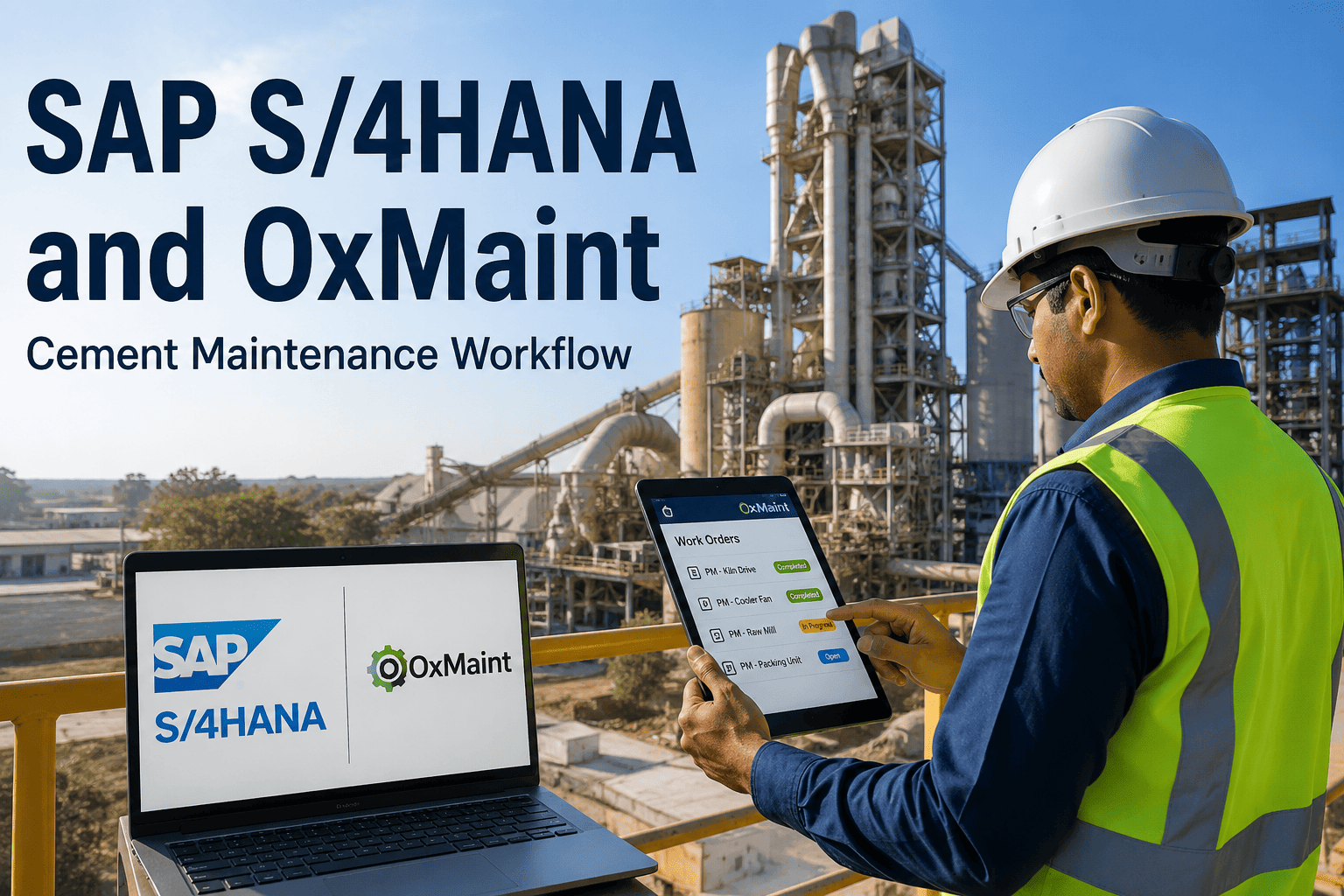
Cement plants running SAP S/4HANA often hold two versions of the truth about the same kiln drive — one in the ERP cost center and another on a maintenance supervisor's clipboard. That gap between enterprise financial data and field maintenance execution is where work orders stall, parts get over-ordered, and cost postings drift out of sync with what actually happened on the plant floor. Closing it does not mean replacing SAP — it means giving maintenance teams a mobile-first execution layer that talks to SAP S/4HANA in both directions, automatically. Sign Up Free on OxMaint to see a working SAP S/4HANA connection mapped to your own equipment hierarchy.
- Equipment masters maintained twice — once in SAP, once in spreadsheets or a disconnected CMMS
- Work orders created on paper, then keyed into SAP hours or days later by an administrator
- Spare parts consumption never reconciles with SAP MM stock, so technicians order blind
- Maintenance costs land in the wrong cost center or post weeks after the job closes
- Functional locations and equipment hierarchy sync automatically from SAP PM into OxMaint
- Work orders created on a technician's phone appear in SAP instantly, with labor hours synced back
- Real-time SAP MM stock levels show on every work order before a technician starts the job
- Labor, parts, and contractor costs post to the correct SAP cost center the moment a job closes
Cement plants that treat SAP PM as a standalone system for maintenance execution typically see duplicate data entry, delayed work order creation, and cost postings that lag the actual maintenance event by days. That lag compounds — a kiln drive bearing alarm that takes forty minutes to reach a supervisor verbally, and another full shift to become a properly logged SAP work order, is forty minutes and a shift of lost diagnostic time. The fix is not abandoning SAP's financial backbone. It is giving the plant floor a fast, mobile system of action that stays synchronized with SAP as the system of record.
Integration works through standard SAP interfaces — BAPI, OData, and IDocs — which means no custom development sits between your ERP and your maintenance team. Here is what synchronizes, and in which direction.
Equipment hierarchy, technical specifications, and functional location structure sync automatically so OxMaint's asset register always mirrors SAP.
Work orders raised in OxMaint appear in SAP instantly. Technician confirmations — labor hours, completion status — sync back without re-entry.
Real-time stock availability from SAP MM displays on every work order, with automatic reservation and consumption posting back to SAP.
Labor, parts, and contractor costs post automatically to the correct SAP cost center, giving finance full visibility into actual versus planned spend.
Most cement plants complete a working SAP S/4HANA connection within four to eight weeks, following the same fit-to-standard approach SAP itself recommends — minimize customization, use standard services, and validate before scaling.
Audit SAP PM configuration, equipment hierarchy, and cost center structures. Clean master data before connecting — not after.
Activate standard BAPI, OData, or IDoc interfaces and map fields between OxMaint and SAP — no custom ABAP in the core.
Run one equipment group or order type end to end, validating that confirmations, costs, and stock postings sync correctly.
Extend to every equipment group with a reconciliation report in place so future SAP updates never break the connection.
A SAP S/4HANA integration touches more than the maintenance team alone. Finance, procurement, and plant leadership each see a different problem disappear once equipment, work order, and cost data stop living in two disconnected systems.
Work orders, asset history, and parts availability appear on a phone instead of a SAP transaction screen — no T-codes to memorize, no desktop terminal required between jobs.
Backlog visibility improves immediately once every work order created in the field shows up in SAP without a manual entry step, closing the gap between what's promised and what's actually scheduled.
Maintenance spend posts to the correct cost center the moment a job closes, removing the end-of-month reconciliation cycle that used to chase down missing or mismatched entries.
Purchase requisitions raised against real parts consumption sync directly into SAP MM, instead of arriving as a verbal request or a spreadsheet line days after the part was actually needed.
Most SAP integration delays trace back to a handful of avoidable decisions made early in the project, not to technical limitations in the interfaces themselves.
Syncing a messy equipment hierarchy just moves the mess into a second system. Cleanup belongs before the first connection, not after.
Custom code in the SAP core creates technical debt that breaks on the next support pack. Standard BAPI and OData services avoid this entirely.
Skipping the single-asset-group pilot means cost posting and confirmation errors surface at full scale instead of in a controlled test.
Yes. OxMaint connects to SAP ECC 6.0 and all current SAP S/4HANA versions using standard interfaces, including BAPI, OData REST APIs, and IDocs. If your plant is mid-migration from ECC to S/4HANA, the connection typically only needs updated connection parameters rather than a full reimplementation. Book a demo to review your specific SAP landscape.
No. The recommended approach uses SAP's standard OData services and BAPIs, following the clean-core principle SAP itself recommends for S/4HANA. This keeps your ERP core unmodified and means future SAP support packs and upgrades will not break the connection between OxMaint and SAP.
Most cement plants achieve a working integration within four to eight weeks, covering connectivity setup, data mapping, a pilot on one asset group, and plant-wide rollout. Plants with multiple company codes or complex SAP configurations may need additional time for validation. Sign up free to start mapping your own timeline.
Every work order closed in OxMaint — labor hours, parts consumed, and contractor costs — flows automatically to the corresponding SAP cost center through the standard API connection. Finance sees maintenance spend in SAP without manual data entry or end-of-month reconciliation work.
No. Technicians work entirely inside OxMaint's mobile interface, which is built for field use rather than desktop SAP navigation. SAP remains the system of record for financial and procurement data, while OxMaint becomes the system of action your maintenance team actually uses day to day.