A driver who finds a brake issue, a cracked windscreen, or a failing tail light before their shift has done exactly what a fleet safety system asks. But across most fleet operations today, what happens next breaks the chain: the driver scribbles it on a paper form, the form sits in a clipboard, the clipboard sits in a van, and the defect gets to the maintenance team two days later — if it gets there at all. The gap between defect found and repair started is not a staffing problem or a budget problem; it is a workflow problem. OxMaint closes that gap by converting every driver-reported defect into a timestamped, photo-documented, priority-assigned work order the moment the inspection is submitted — from any smartphone, before the driver reaches the depot gate. Defects reach the workshop in under 60 seconds, not two days. Every repair is tracked from "found" to "fixed" with a complete digital audit trail. Start running digital defect reporting in OxMaint — free trial, no credit card.
Driver Inspections · DVIR Automation · Work Orders
Driver Defect Reporting to Work Orders
From driver tap to technician task — in under 60 seconds. Digital defect reporting that closes the loop before the next shift begins.
Defect-to-Repair Timeline
Paper DVIR
Avg 3.2 days to repair
OxMaint Digital
WO created in under 60 sec
Eliminating paper routing alone cuts defect-to-repair time by 70%
3.2 days
Average time from paper DVIR defect write-up to completed repair in a typical fleet
70%
Reduction in defect-to-repair time from eliminating paper routing alone — before any shop improvement
40%
Faster repair completion times reported by fleets using automated work order systems
3.5 hrs
Daily maintenance team time lost to manual work order processes in a typical fleet operation
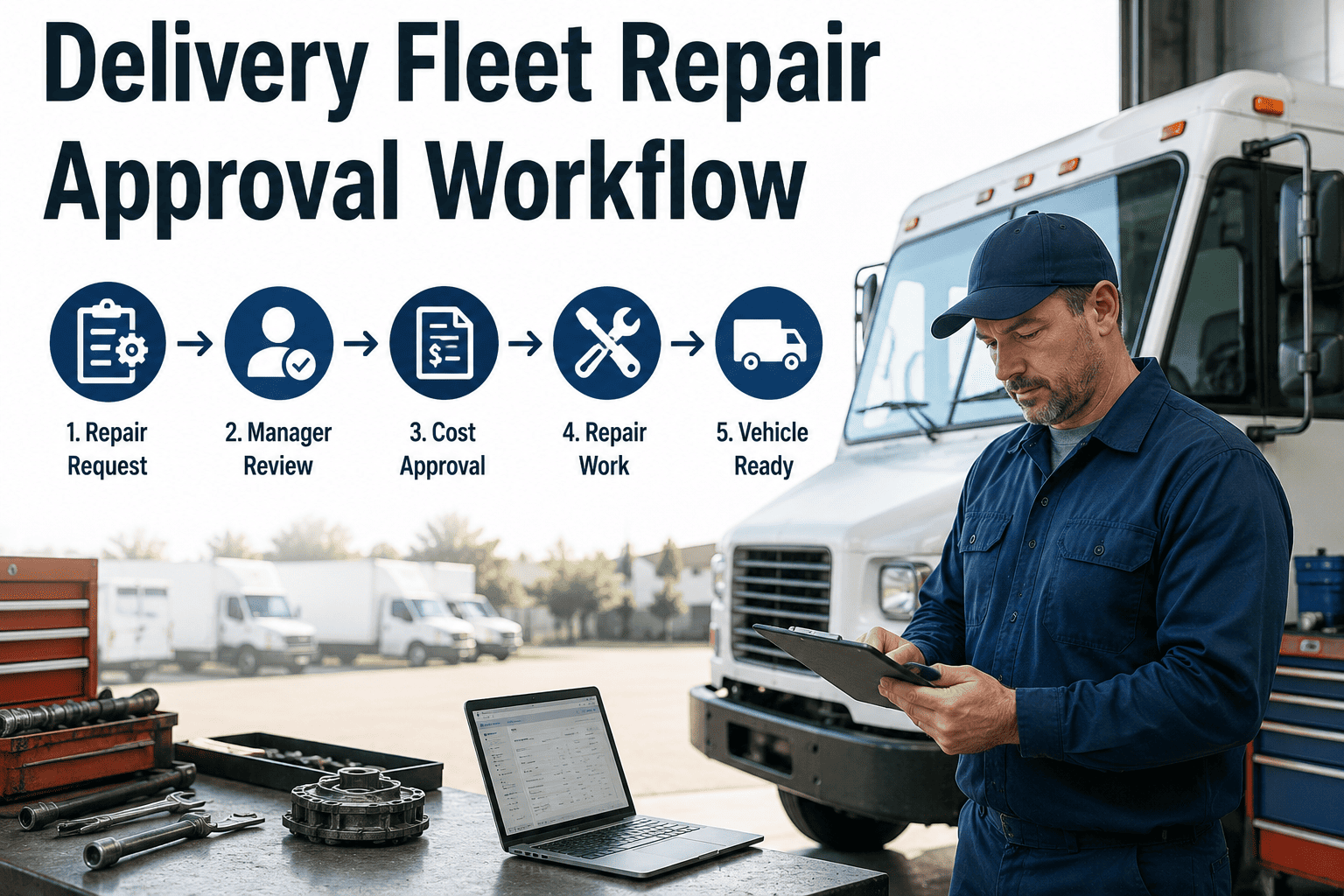
The Closed-Loop Workflow — From Inspection to Cleared Vehicle
01
Driver Opens Inspection on Mobile
The driver opens OxMaint on their smartphone and selects their assigned vehicle. The correct inspection checklist for that vehicle type loads automatically — no searching, no paper to find.
02
Defect Flagged with Photo Evidence
Each failed item requires a mandatory photo capture. The defect description, severity level, and photo are submitted instantly — timestamped and geotagged — to the OxMaint cloud before the driver walks back inside.
03
Work Order Auto-Created and Assigned
OxMaint generates a prioritized work order within seconds. The assigned technician receives a push notification with the defect description, severity, vehicle ID, and driver photos — ready to act without any manual data entry.
04
Repair Tracked to Completion
The technician updates the work order status, logs parts used, and marks the repair complete with a digital sign-off. Critical defects that require an out-of-service hold are flagged automatically — the vehicle cannot be dispatched until the WO is closed.
05
Closed-Loop Audit Trail Locked
The entire chain — driver inspection, defect report, WO creation, repair action, and vehicle clearance — is stored as a tamper-evident digital record. Ready for DOT audit, insurance review, or fleet manager performance analysis.
Stop Losing Defects in a Clipboard. Start Closing Every Loop.
OxMaint converts every driver-reported defect into a tracked, prioritized work order — with photos, alerts, and a digital repair record — so nothing slips between inspection and the workshop.
What Every Defect Report Captures in OxMaint
Photo Documentation
Mandatory photo capture for every failed inspection item. The technician sees exactly what the driver saw — no ambiguity, no back-and-forth calls.
Timestamp and Geotag
Every inspection submission is timestamped and geotagged automatically. Provides legally defensible proof of when and where the inspection occurred.
Severity Priority Assignment
Defects are tagged by severity on submission. Critical safety defects trigger automatic out-of-service holds; lower-priority findings are queued for the next available slot.
Digital Driver Signature
The driver signs the completed inspection electronically. The signature is bound to the record permanently — FMCSA-compliant without a single sheet of paper.
Vehicle and Route Context
Each defect record is linked to the vehicle ID, assigned driver, and shift — giving maintenance managers the context to identify repeat defect patterns by vehicle, route, or driver.
Instant Team Notification
Fleet manager and assigned technician both receive push notifications the moment a defect is submitted. No waiting for a paper form to travel across the yard.
Paper DVIR vs OxMaint Digital — Side by Side
Paper DVIR Process
Driver writes defect on paper form; form sits in the vehicle or clipboard
Maintenance team discovers defect during next paper batch — often 24-72 hrs later
No photo evidence — technician must re-inspect to understand the defect
Manual work order creation: average 23 minutes per defect
No out-of-service enforcement — vehicle can be dispatched despite open critical defect
Paper records lost, damaged, or unfindable during compliance audit
OxMaint Digital Process
Driver submits defect via mobile app with photo — cloud record created instantly
Technician receives push notification within 60 seconds of driver submission
Photo evidence attached — technician arrives knowing exactly what to look at
Work order auto-generated in under 10 seconds — zero data entry required
Critical defect triggers automatic hold — vehicle flagged as out-of-service until WO closed
Digital record retained permanently — searchable by vehicle, date, or defect type
Defect Categories OxMaint Tracks Across Your Fleet
| Defect Category |
Common Defect Types |
Severity Handling |
WO Priority |
| Braking System |
Brake fade, squealing, fluid level, ABS warning light |
Auto out-of-service hold on critical flag |
P1 — Immediate |
| Lighting and Signals |
Tail light failure, indicator fault, headlight aim, brake light out |
Vehicle flagged for same-day repair before next dispatch |
P2 — Same Day |
| Tyres and Wheels |
Tyre pressure low, visual damage, tread wear flag, wheel nut check |
Low pressure: P1 hold; visual damage: P2 schedule |
P1 / P2 by severity |
| Mirrors and Glazing |
Cracked windscreen, mirror alignment, camera obstruction |
Cracked screen: P1 hold; alignment: P3 planned repair |
P2 / P3 by severity |
| Engine and Fluids |
Oil warning, coolant level, fuel leak, unusual noise or smoke |
Warning lights or leaks: auto P1 hold |
P1 — Immediate |
| Body and Cargo |
Door seal damage, cargo door latch, load securing point condition |
Cargo security defects: P2; cosmetic damage: P3 |
P3 — Planned |
Frequently Asked Questions
Does OxMaint work on any driver's personal smartphone?
Yes. OxMaint's mobile inspection app runs on any iOS or Android smartphone. Drivers do not need a dedicated device — they download the app, log in to their assigned vehicle, and the correct inspection checklist loads automatically. No hardware investment required.
Start your free trial and run your first digital inspection today.
How does OxMaint handle FMCSA DVIR compliance requirements?
OxMaint captures digitally signed pre- and post-trip inspections with timestamps and driver ID — meeting 49 CFR 396.11 record requirements. All records are retained digitally and are searchable by vehicle, date, or defect type for audit retrieval.
Book a demo to see the compliance record workflow.
Can fleet managers customize the inspection checklist by vehicle type?
Yes. OxMaint supports separate inspection templates by vehicle type — rigid van, articulated truck, refrigerated trailer, or specialist equipment. Each template loads automatically for the driver based on their assigned vehicle, ensuring the right items are checked for the right asset every shift.
What happens when a critical defect is reported — can the vehicle still be dispatched?
OxMaint applies an automatic out-of-service hold on vehicles with open critical defect work orders. The vehicle is flagged in the system as unavailable for dispatch until the repair work order is closed with a technician sign-off — preventing a safety compromise being overridden under dispatch pressure.
How does OxMaint help managers identify repeat defect patterns?
OxMaint generates defect frequency reports by vehicle ID, defect category, and time period. Fleet managers can identify which vehicles are generating the most defect reports, which categories recur most often, and whether specific routes correlate with higher defect rates — supporting proactive replacement and PM planning.
Every Defect Found by a Driver Deserves a Work Order, Not a Clipboard.
OxMaint turns driver inspections into closed-loop maintenance workflows — photo-documented defects, auto-generated work orders, tracked repairs, and digital compliance records — all from any smartphone, with no paper and no manual data entry.