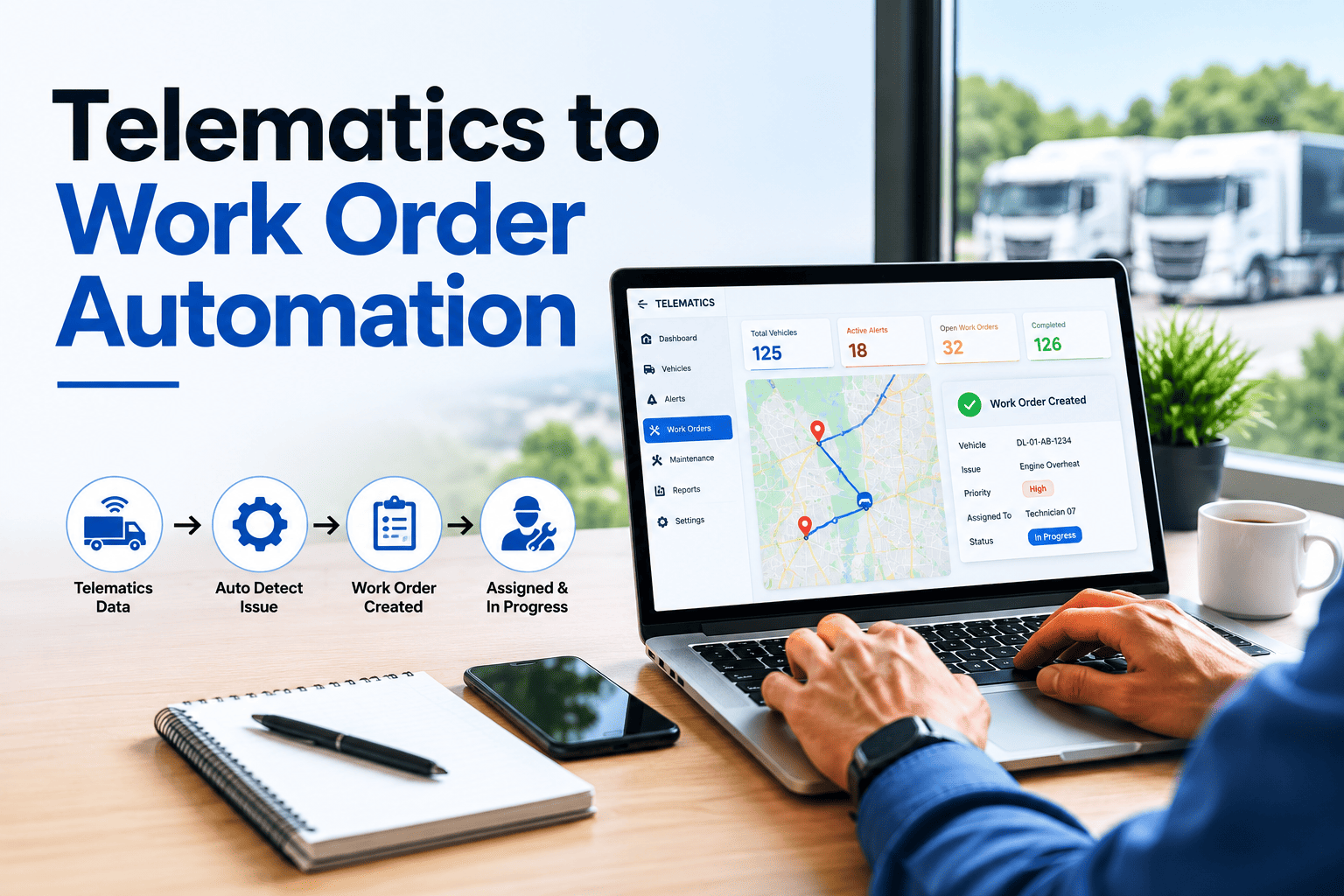
Your telematics dashboard knows your van has been running with a P0420 catalyst code for the last 47 miles. It knows the engine coolant temperature has crept up 9 degrees over the last six trips. It knows the brake event count just spiked 34% above baseline on truck #47. But unless someone is staring at that dashboard at the exact moment it matters — and someone manually transcribes the alert into your maintenance system, and remembers to assign a technician, and follows up to confirm it was actioned — that early-warning intelligence dies on the screen. Telematics data without a CMMS connection is just expensive scrolling. Connect Geotab, Samsara, Motive, or Verizon Connect to Oxmaint and every mileage threshold, every fault code, every engine alert becomes a triaged, assigned, prioritized work order — automatically, in seconds, without a dispatcher in the loop. Start a free Oxmaint trial or book a 30-minute integration walkthrough to see your existing telematics feed converted into automated maintenance workflows on your own fleet data.
Telematics to Work Order Automation
Your Telematics Stream Knows. Your CMMS Should Act.
Every commercial vehicle broadcasts continuous diagnostic data — OBD-II codes, J1939 SPN/FMI signals, engine hours, GPS, brake events, battery voltage, DPF load. Connect that stream to Oxmaint and raw sensor output converts into prioritized work orders, scheduled PMs, and dispatched technicians without manual intervention at the trigger point.
5 min
Average fault code to assigned work order
48%
Downtime reduction in documented case studies
<30%
Of fleets use telematics for maintenance today
Quick Reference
Telematics-to-work-order automation is the API-level integration that converts continuous vehicle diagnostic streams — OBD-II fault codes for light/medium-duty vehicles under 26,000 lbs and J1939 SPN/FMI signals for heavy-duty units — into automatically generated, prioritized, and assigned maintenance work orders inside your CMMS. The connection replaces manual fault transcription, missed PM intervals, and reactive breakdowns with rule-driven action that fires within minutes of the source event.
The Six Telematics Data Streams That Feed Automated Work Orders
Most fleets use telematics for driver behavior tracking and location visibility — but the same hardware is broadcasting six distinct data categories, each capable of triggering specific maintenance actions when piped into a CMMS rules engine. Understanding what your telematics is already collecting is the first step toward turning passive monitoring into active maintenance automation.
Diagnostic Trouble Codes (DTCs)
OBD-II 5-character format | J1939 SPN/FMI format
P-codes for powertrain, B-codes for body, C-codes for chassis, U-codes for network. J1939 carries Suspect Parameter Number (identifying the system) and Failure Mode Identifier (identifying the fault type). Each code maps to a specific maintenance task category.
Triggers: Immediate work order with priority based on critical vs non-critical classification
Odometer & Engine Hour Meters
Continuous numerical sync | Updated every trip end
The single most underused telematics data point. Real-time mileage feeds eliminate the most common fleet PM failure — missed service intervals because mileage was never reported. Engine hours apply the same logic to idle-heavy or low-mileage operations.
Triggers: PM work orders at exact threshold crossings (3K, 5K, 10K, 25K mile intervals)
Engine Health Parameters
Coolant temp | Oil pressure | DPF load | Battery voltage
Continuous numerical readings that trend toward failure long before a DTC fires. A coolant temperature climbing 8-12°F above baseline signals cooling system degradation. DPF load above 80% predicts regeneration failure. Battery voltage drift catches alternator wear early.
Triggers: Inspection work orders when parameters cross threshold or trend negatively
Driver Behavior & Brake Events
Harsh braking | Acceleration | Cornering | Idle time
Aggressive driving patterns correlate directly with accelerated brake wear, tire degradation, and suspension stress. Vehicles flagged for harsh-braking event spikes need inspection cycles 30-40% more frequent than fleet baseline.
Triggers: Conditional PM acceleration — brake/tire inspection intervals shorten on flagged units
GPS Location & Geofence Events
Real-time coordinates | Route-based context | Service zone proximity
Location context routes work orders to the nearest qualified technician, schedules service at depots when vehicles are nearby, and prevents dispatching at-risk vehicles into critical service zones. Geofence triggers create automated inspection events when vehicles enter or leave designated areas.
Triggers: Technician dispatch optimization and location-based service scheduling
Driver Vehicle Inspection Reports
DVIR submissions | Pre-trip and post-trip defect flags
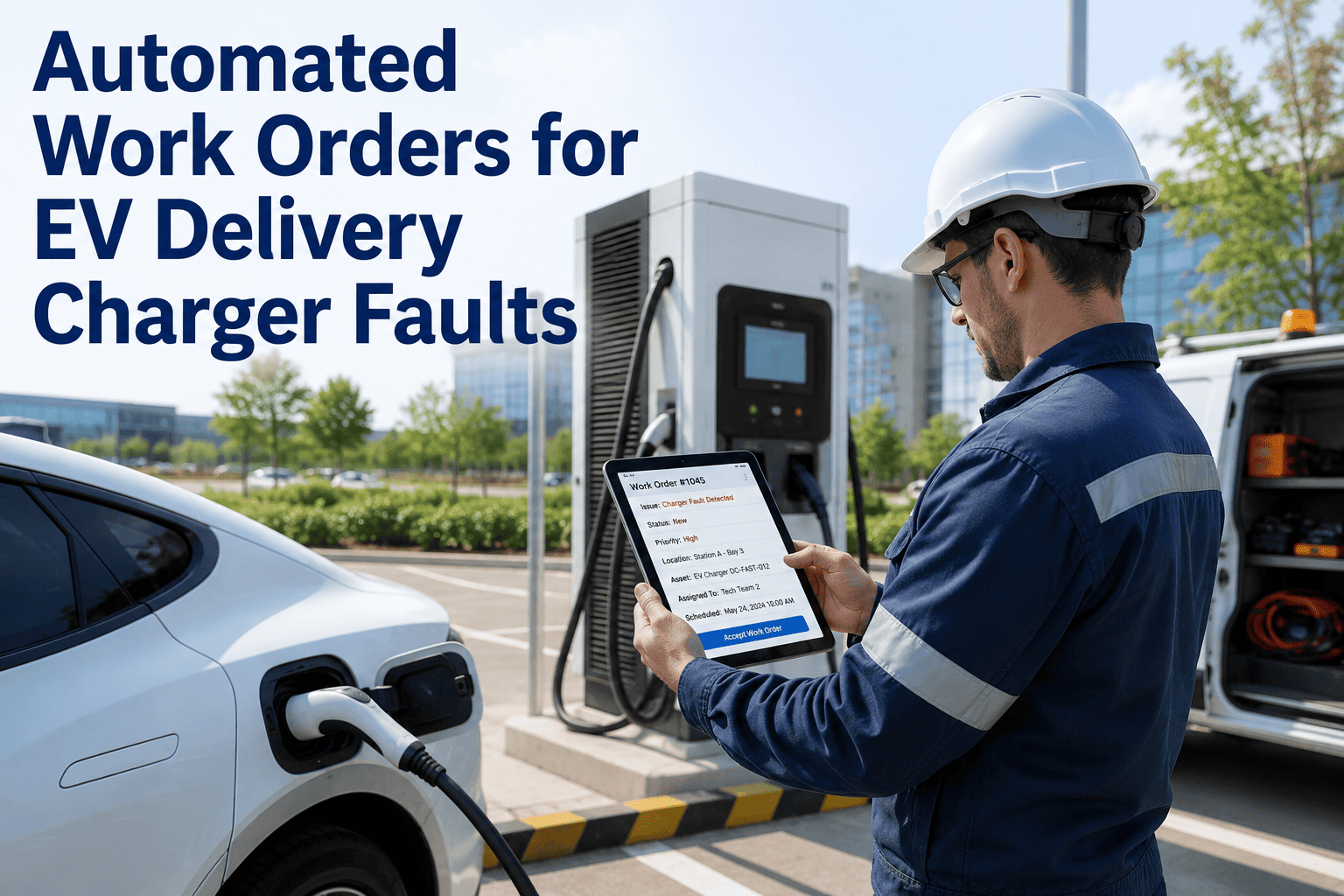
When drivers submit DVIRs through their telematics app, every flagged defect creates a corresponding CMMS work request — including photos, severity ratings, and driver notes. No more paper inspection forms sitting unread in dispatch.
Triggers: Work request creation with full defect context and driver documentation attached
Stop transcribing. Start automating.
Your Telematics Already Sees the Problem. Oxmaint Acts on It in Under 5 Minutes.
Pre-built API connectors for Geotab, Samsara, Motive, Verizon Connect, and every major telematics provider. No new hardware. No telematics contract changes. Connect your existing stream once, configure your trigger rules, and watch raw sensor data convert into prioritized, dispatched, tracked work orders without dispatcher intervention.
How the Integration Actually Works: Five-Stage Data Flow
The integration is not a black box. Five distinct stages transform raw vehicle bus traffic into actionable maintenance workflows. Understanding each stage helps you scope implementation timelines and identify which telematics data you should prioritize connecting first.
1
Stream Ingestion
Oxmaint connects to your telematics provider via REST API or webhook subscription. Data flows continuously — fault codes within seconds of generation, mileage at trip end, engine parameters at configurable sample rates from 1 to 60 seconds.
Output: Normalized event stream tagged with vehicle ID, timestamp, and signal type
2
Code Translation & Mapping
Raw DTCs like P0301 or SPN 102 FMI 4 get translated into plain-language descriptions and mapped to your CMMS task library. A misfire code routes to ignition diagnostics. A pressure-sensor code routes to intake system inspection. Mapping is configurable per asset class.
Output: Human-readable maintenance task with diagnostic context attached
3
Priority Triage
Rules engine classifies each event by severity. Critical codes (overheating, low oil pressure, engine misfires) generate red-priority work orders within minutes. Non-critical codes (emissions sensors, minor faults) queue for next scheduled service. Threshold breaches trigger preventive inspections.
Output: Work order assigned severity level and SLA target
4
Assignment & Dispatch
Work order routes to the appropriate technician based on skills, current workload, and physical proximity to the affected vehicle. Mobile notifications fire instantly. Parts requirements pre-populate from the diagnostic code mapping, so technicians arrive with the right components.
Output: Technician notified with full diagnostic context and parts list
5
Resolution & Code Clearing
Technician completes work, logs labor and parts, marks the work order resolved. Oxmaint logs the resolution against the originating DTC for trend analysis. When integrated with telematics platforms that support it, fault codes clear remotely once repair is confirmed — closing the loop without manual scanner work.
Output: Closed work order, cleared fault code, updated asset history record
Trigger Rule Examples: What Fires What
The power of integration lives in the trigger rules — the if-this-then-that logic that converts telematics events into specific work order types. Below are common rule patterns operators configure during their first 30 days of deployment, each mapping a real telematics signal to a real maintenance action.
| Telematics Signal |
Threshold / Condition |
Work Order Generated |
Priority |
SLA Target |
| Critical DTC (P0217, P0606) |
Any occurrence |
Engine inspection — pull from service |
Critical |
Within 4 hours |
| Odometer reading |
Reaches PM interval threshold |
Scheduled PM service |
Standard |
Within 5 working days |
| Coolant temperature |
10°F above baseline for 3+ trips |
Cooling system inspection |
Elevated |
Within 48 hours |
| Battery voltage |
Below 12.4V at start consistently |
Battery and alternator test |
Elevated |
Within 72 hours |
| DPF load percentage |
Above 80% sustained |
DPF regeneration check |
Standard |
Within 5 working days |
| Brake event frequency |
34% above fleet baseline |
Brake system inspection |
Elevated |
Within 5 working days |
| Engine hours |
Crosses interval threshold |
Hour-based PM service |
Standard |
Within 5 working days |
| DVIR submitted defect |
Driver flags issue |
Work request with defect context |
Variable by severity |
Driver-rated |
| Tire pressure sensor |
Below threshold for any wheel |
Tire inspection at next stop |
Standard |
Within 24 hours |
| Geofence — depot entry |
Open work orders pending |
Service window notification |
Opportunistic |
Same-day pickup |
What Changes Operationally After Integration
The integration is technical, but the impact is operational. Three dimensions of fleet management transform the moment telematics-driven work orders start firing automatically — and these changes show up in your maintenance KPIs within the first 30-60 days of deployment.
Before Integration
Driver notices warning light. Calls dispatcher. Dispatcher logs issue in spreadsheet. Schedules vehicle when convenient. Average 18-72 hour delay between fault and action.
After Integration
DTC fires on vehicle bus. CMMS receives event within seconds. Work order generates, gets prioritized, assigns to technician with mobile notification. 5-minute average from fault to assigned action.
Fault Response Speed
Before Integration
Drivers report mileage on paper sheets. Office staff transcribe weekly. PMs scheduled based on calendar, not actual usage. High-mileage units run past intervals while low-usage units get serviced unnecessarily.
After Integration
Telematics streams actual mileage and engine hours continuously. PM intervals trigger at exact thresholds. Service performed when needed, not when calendar suggests. Parts pre-staged before service appointment.
Preventive Maintenance Precision
Before Integration
Technicians arrive without context. Time spent re-diagnosing what telematics already identified. Wrong parts brought to job. Average wrench time consumed by re-diagnosis ranges 25-40%.
After Integration
Technician receives work order with full DTC translation, asset history, parts list, and driver notes attached. Wrench time spent on repair, not detective work. Repair efficiency improves 30-45%.
Technician Productivity
Supported Telematics Platforms & Integration Depth
Oxmaint maintains pre-built API connectors for the major telematics platforms — meaning no custom development work for standard data flows. Connection setup typically takes 2-4 hours, with full trigger rule configuration completing in the first week. Below are the supported platforms and the data depth available from each.
Frequently Asked Questions
Do I need to replace my existing telematics hardware?
No. Oxmaint connects to your existing telematics provider via API — your Geotab, Samsara, Motive, or other telematics hardware stays in place, your contract stays the same.
Sign up for a free trial and connect your existing feed during setup.
How long does integration setup take?
Standard pre-built connectors (Geotab, Samsara, Motive, Verizon Connect) take 2-4 hours for API connection plus a week of trigger rule configuration. Custom integrations for OEM or niche platforms typically deploy within 2-3 weeks of scoping discussions.
What happens to fault codes that fire after hours?
Work orders generate continuously, 24/7. Configuration controls how they route — critical codes can wake on-call technicians via SMS, while non-critical codes queue for next-business-day review. Severity triage is rule-based and fully customizable per asset class.
Can I integrate mixed OBD-II and J1939 fleets?
Yes. Oxmaint handles both protocols natively — OBD-II five-character codes for light/medium-duty vehicles and J1939 SPN/FMI format for heavy-duty units. Mixed fleets work through a single dashboard with protocol-appropriate translation on each event.
Book a demo to see mixed-fleet routing in action.
What measurable results can I expect in the first 90 days?
Documented case studies show 30-50% reduction in fault-to-action time within 30 days, 32% reduction in unplanned downtime within 60 days, and 25-40% improvement in technician wrench time within 90 days. Specific results depend on fleet size, vehicle mix, and current PM baseline maturity.
From dashboard signal to dispatched action
Your Telematics Is Already Paid For. Make It Trigger Maintenance Automatically.
Oxmaint connects to Geotab, Samsara, Motive, Verizon Connect, and your OEM telematics through pre-built API integrations. Every fault code, every mileage threshold, every engine alert converts into a prioritized, assigned, tracked work order — automatically, in minutes, without dispatcher transcription or missed alerts. Stop monitoring. Start automating.